Travel connectivity guide
GTA eSIM in Guam: what travelers should check
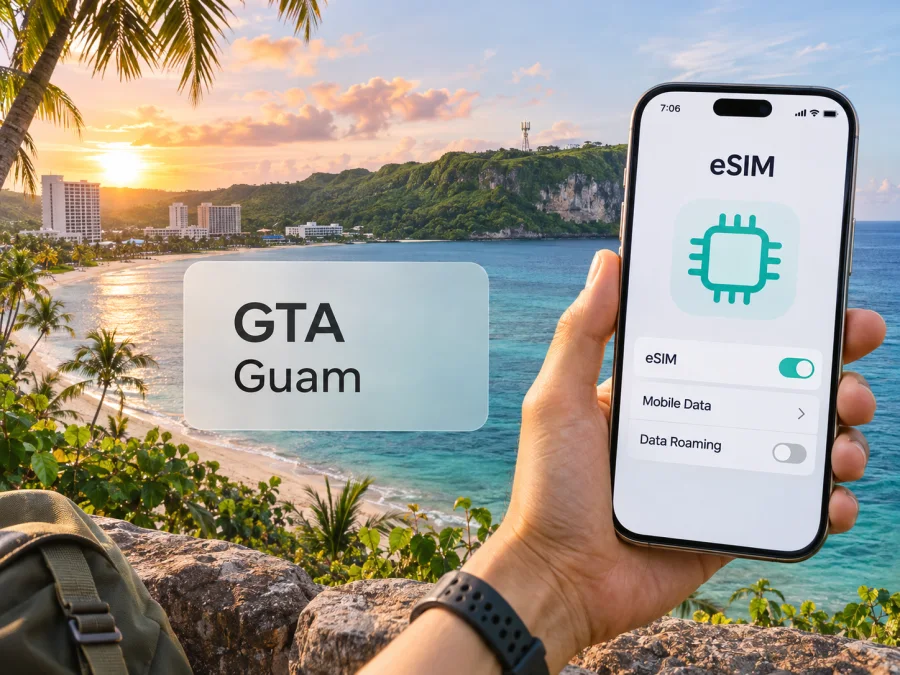
GTA eSIM in Guam: what travelers should know
If you are planning a trip to Guam and searching for a GTA eSIM, the key question is how a visitor can activate one. GTA confirms eSIM service for its wireless network, but its public instructions do not establish that every visitor can open a new account or complete setup online. Existing customers changing from a physical SIM are directed to contact GTA or visit a retail location.
That distinction matters if you want to keep your usual number active while using a separate line for data. An eSIM can support that arrangement on a compatible, unlocked phone, but eligibility and setup depend on your account, device and chosen service. Confirm the process with GTA before travelling rather than assuming that the eSIM feature is remotely available to every new customer.
This guide describes GTA’s local service and practical checks for travelers. It omits plan names and specific plan parameters. Facts were checked on November 5, 2026 against GTA’s official eSIM page and Help Center, GTA Newsroom material, the U.S. Department of the Interior’s Guam page, and the Kaspersky eSIM Store destination page.
GTA’s role in Guam’s mobile market
GTA is a locally based telecommunications provider serving Guam. Its public materials describe wireless service alongside other communications services on the island. This is the relevant market for a traveler asking about a GTA eSIM: the GTA wireless line is a local service associated with Guam, not a general guarantee of service throughout the United States or Pacific region.
Guam is a U.S. territory, not a U.S. state. The U.S. Department of the Interior describes its territorial status and the Organic Act that established its government. For connectivity, the practical point is that Guam has its own local mobile-service market. Do not assume a plan or roaming arrangement for the continental United States will work in Guam on the same terms. Check the exact destination and conditions with your carrier or eSIM provider.
GTA’s official eSIM page confirms digital activation of GTA wireless service. This establishes the operator’s presence and eSIM capability, not reception at every hotel, building or route. Check current coverage for the places you expect to visit.
Does GTA support eSIM?
Yes. GTA’s official “GTA eSIM” page says an eSIM can activate GTA wireless service without a physical SIM card. It also provides device compatibility information and answers common setup questions. That confirms that GTA eSIM service exists. It does not, by itself, confirm that every prospective customer, traveler or prepaid customer can obtain a new eSIM through the same process.
GTA’s page gives a specific route for a customer who already has a physical GTA SIM: visit a GTA retail location or call its customer center for assistance with the change. The page also says an activated QR code cannot be reused and that a replacement eSIM requires a new code. If a device is reset, the customer may keep the eSIM profile during the reset; if it is removed, a new eSIM must be requested. These details make it sensible to treat the QR code as a one-time activation credential and avoid deleting a working profile while travelling.
For a visitor, ask GTA directly whether it can issue a new line or profile to someone who does not already have a GTA account, whether the eSIM option is available for the particular service type, and whether activation must take place at a store. Confirm what identification or account information is required, whether payment or registration can be completed before arrival, and what support is available outside business hours. The public eSIM page does not answer all of these visitor-specific questions, so do not infer the answers from the existence of the eSIM feature.
GTA separately documents prepaid service using a physical SIM kit purchased at GTA or partner retail locations across the island. Its prepaid setup instructions say that the phone must be unlocked or locked to GTA. This is a useful fallback to ask about if a visitor cannot arrange eSIM service in advance; it is not proof that the prepaid kit is itself an eSIM. Check current availability, eligibility and the setup process with GTA before relying on that option.
Compatibility: check the exact phone, not just the brand
An eSIM-ready product family does not mean every model, regional variant or carrier-locked version supports eSIM. GTA warns that compatibility can vary by model and lists supported-device examples on its official page. Check that current list and the manufacturer’s specifications for the exact model number sold in your market.
Before travelling, confirm that your phone has an eSIM option, that its regional variant supports eSIM, and that it is carrier-unlocked if you will add another provider. Also make sure you can connect to Wi-Fi during installation and access the account email or support channel tied to activation. An unlocked phone can still lack eSIM capability or radio compatibility; these are separate checks.
GTA describes QR-code activation and says manual setup details may be provided if scanning is not possible. Follow the instructions issued for your profile. The operator says an activated QR code cannot be reused; if you remove the profile, lose the handset or change phones, contact GTA about a replacement rather than deleting it as a troubleshooting shortcut.
For a broader device check before choosing a travel eSIM, use the eSIM compatibility guide. Device compatibility does not by itself confirm that a provider will accept the profile or that the phone is unlocked.
Coverage and mobile technology
GTA identifies LTE and 5G wireless service in its public materials. It announced a 5G launch in Guam in 2022, and current company material continues to refer to 5G wireless mobility. This confirms the technologies GTA says it operates; it does not mean that every GTA eSIM, device or location will use 5G.
Actual service depends on location, handset support, network configuration, indoor construction, terrain, congestion and temporary outages. Before choosing a local line for navigation or work, ask GTA about the places you will use and consult current coverage information. If you plan to travel beyond built-up visitor areas, save essential maps and travel details offline in case reception is limited.
An unlocked phone and a radio-compatible phone are not the same thing. Unlocked status removes a carrier restriction; frequency bands and network features determine whether the handset can communicate with the local service. Ask GTA about the current requirements for your exact model. Coverage can change with upgrades and repairs, and no map guarantees reception inside a particular room or vehicle.
Local GTA service or a travel eSIM?
A local GTA connection and a travel eSIM serve different needs. A local service may suit you if you need a Guam-based line or want to work directly with the island’s operator. GTA’s public materials describe local prepaid service and eSIM activation for GTA wireless. Ask which service is available to visitors and whether the particular option includes a local number, voice, SMS and data; do not assume every feature is included.
A travel eSIM may be convenient when your main need is mobile data and you want to prepare before departure. Kaspersky eSIM Store is an app and website that helps travelers select, arrange and activate an eSIM plan for international mobile data. Its Guam page describes the product as data-only, without a regular phone number for standard calls or SMS. Internet-based messaging may work over data if your apps and accounts are already set up. Check your home carrier’s roaming settings separately.
A travel eSIM is not GTA service merely because it provides connectivity in Guam. Kaspersky eSIM Store is not a mobile operator, network owner or provider of mobile connectivity. Service depends on the conditions and network arrangements stated for the selected travel product. Check the destination page and do not assume the option includes a local number or access to every local network.
To review the current travel-data option for this destination, view eSIM options for Guam in Kaspersky eSIM Store. This is a travel connectivity page, not a GTA tariff page or a claim that GTA provides the listed travel eSIM service.
How to prepare a GTA eSIM before your trip
Use this sequence to reduce the chance of arriving without an activation path:
- Identify your service need. Decide whether you need a local phone number and standard voice or SMS, data only, or both. If calls and SMS are important, ask GTA which service option supports them and whether visitors can subscribe.
- Check the exact handset. Confirm eSIM support for the phone’s full model and regional variant. Ask your home carrier to remove any SIM lock if needed.
- Contact GTA before buying or travelling. Ask whether a new customer can get an eSIM, whether the option is available with prepaid service, where enrollment takes place, what documents or account details are needed, and how the activation code is delivered.
- Confirm what happens to your current number. An eSIM profile does not automatically transfer your number or subscription. If you are converting an existing GTA physical SIM, follow GTA’s customer-service process. If you are adding another line, confirm that your device can store and activate the required number of profiles.
- Use reliable internet for installation. Install only from the official instructions associated with your service. Keep the QR code or manual details private and accessible until setup is complete. Avoid deleting the profile after activation unless GTA tells you how to restore it.
- Set data and voice lines deliberately. If using two SIMs, select which line handles mobile data and which handles calls or texts. Disable data roaming on your usual line if you do not want it to use roaming data; check its terms separately.
- Test before relying on it. Confirm that the phone registers on the intended service, mobile data works, and you can reach the support channel. Do this while you still have Wi-Fi and time to resolve a setup issue.
The steps in the phone menu can differ by iOS or Android version and handset maker. Use GTA’s own setup instructions for a GTA profile and the instructions from the travel eSIM provider for a travel profile. Do not assume that one QR code or one activation method applies to both.
Prepaid service and store setup
GTA’s Help Center describes prepaid setup using a physical SIM kit purchased at a GTA or partner retail location on Guam. It says the device must be unlocked or locked to GTA. Because these instructions describe a physical SIM, verify separately whether a new prepaid customer can obtain an eSIM; the operator’s eSIM capability does not establish that every prepaid route is digital.
Ask GTA about visitor eligibility, current purchase locations, registration requirements, payment, opening hours and support if the phone does not register. If you use a physical SIM, store your home SIM safely and select the intended line for mobile data. GTA’s roaming instructions concern GTA postpaid customers travelling outside Guam; they are not a guide to roaming for visitors arriving on the island.
Using two SIMs without surprises
Many travelers keep a home SIM enabled for calls or verification while assigning data to another line. Label the lines in your phone settings and deliberately choose the mobile-data line. Review data switching so the phone does not silently use your home carrier’s roaming data. The number of profiles that can be stored or active depends on the handset; GTA’s FAQ describes multiple stored profiles and up to two active eSIMs for the configurations it discusses.
If the new line does not work after landing, check that the profile is installed, enabled and selected for data. Toggle airplane mode or restart the phone, then use Wi-Fi to contact the provider. Do not delete the profile or reuse an activated QR code unless GTA instructs you to do so.
Practical limitations for visitors
The main uncertainty is new-customer eligibility and activation. GTA confirms its eSIM service, but its public instructions do not fully explain whether a visitor can obtain a first line or complete setup remotely. If a store visit is required, check its location and hours and keep another way to get online during arrival.
Also confirm whether the service supports ordinary calls, SMS, voicemail, tethering and emergency calling. A data-only travel eSIM is not necessarily a substitute for a voice line. Keep offline copies of essential travel information and a backup contact method in case mobile reception is unavailable. Severe weather, maintenance and local network conditions can affect service.
Frequently asked questions
Can a tourist buy a GTA eSIM online?
GTA confirms eSIM service, but its public page does not clearly confirm that every visitor can open a new account and activate online. Existing physical-SIM customers are directed to contact GTA or visit a retail location to convert. Ask about visitor eligibility, registration and activation before travelling.
Is GTA eSIM the same as a travel eSIM for Guam?
No. GTA eSIM activates GTA wireless service. A travel eSIM is a separate product. Kaspersky eSIM Store helps users select, arrange and activate a travel eSIM plan; it is not a local operator or network owner.
Does GTA provide 5G in Guam?
GTA announced a 5G launch in Guam, and its current materials refer to 5G wireless service. Availability at your location and access from your exact device and subscription are not guaranteed. Confirm coverage and compatibility with GTA.
Does a travel eSIM include a phone number?
The Kaspersky eSIM Store Guam page describes its travel eSIM as data-only, without a regular number for standard calls and SMS. Internet calling and messaging may work through apps over data, subject to their account requirements.
What should I do if my GTA eSIM stops working?
Check that the profile is installed and enabled, the correct line is selected, and airplane mode is off. Restart the phone or reconnect to Wi-Fi, then contact GTA. Do not delete the profile or reuse an activated QR code unless the operator instructs you to.
A simple decision checklist
Before choosing a GTA eSIM for Guam, confirm that GTA will serve a visitor in your situation, whether activation requires a store visit, and whether your exact phone variant is unlocked and eSIM-compatible. Ask which functions the service includes, check coverage for your itinerary, and decide which SIM will use mobile data. Make sure you have a support route if setup fails.
If eligibility or activation is unclear, resolve it with GTA before you travel. If you mainly need data and prefer to arrange connectivity in advance, compare the travel eSIM option with the local-service requirements and choose only after checking the current destination conditions.
Kaspersky eSIM Store is an app and website that helps travelers select, arrange and activate eSIM plans for mobile data during international trips. It does not operate GTA’s network, provide mobile service itself or represent GTA. GTA is an independent operator, and this guide is not affiliated with or endorsed by GTA. Operator processes, device compatibility, coverage and service availability may change; confirm the latest details with GTA and the provider of any travel eSIM before departure.


