Travel connectivity guide
Guadalajara eSIM: Mobile Data for Your Trip
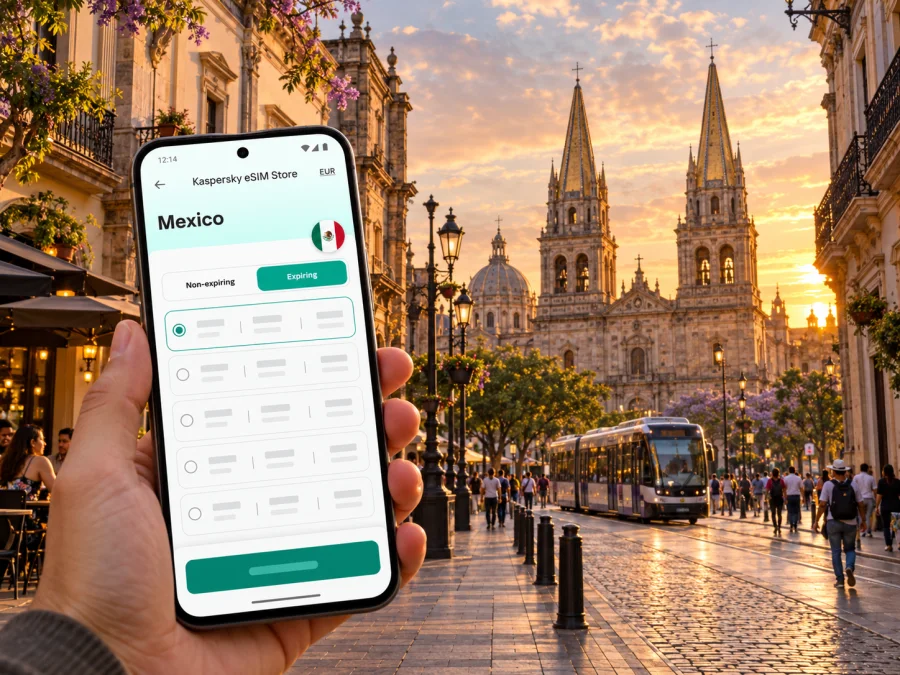
Guadalajara eSIM: Mobile Connection and Internet for Your Trip
Guadalajara rewards travelers who can move between a historic center, lively food districts, museums, business appointments, and neighborhoods spread across a large metropolitan area. A mobile connection helps with the practical details: checking a hotel address, navigating from the airport, confirming a ride, translating a menu, or messaging the people you are meeting. An eSIM can provide mobile data for the trip without replacing your physical SIM card.
This guide focuses on Guadalajara, Mexico: what to plan for at Miguel Hidalgo y Costilla International Airport (GDL), how to get around the city, what to check before choosing a travel eSIM, and how to prepare your phone. Local transport routes, fares, airport pickup rules, and eSIM conditions can change, so confirm the current details before you travel.
Why mobile data is useful in Guadalajara
Guadalajara is the capital of Jalisco and the center of a metropolitan area that includes places such as Zapopan, Tlaquepaque, Tonalá, and Tlajomulco de Zúñiga. A day can involve crossing several municipalities rather than walking between neighboring sights. Navigation and messaging are useful not only in the Centro Histórico but also when you head to a hotel, conference venue, restaurant, or bus terminal farther away.
With mobile data, you can use maps while walking, check traffic before a cross-city journey, follow a transit route, and contact your accommodation if arrival takes longer than expected. It is also useful for app-based services, online reservations, and changing plans when a museum or meeting schedule shifts. None of these uses requires constant streaming: downloading a map area or saving booking details in advance can reduce data use and make the trip less dependent on a live connection.
An eSIM is a digital SIM profile that you add to a compatible phone. A travel data plan may let you keep your home SIM active for calls or messages while using the eSIM for data, depending on your device, home carrier, and the plan’s terms. Travel eSIM plans commonly focus on mobile data; do not assume that a local phone number, conventional voice calls, or SMS are included unless the exact plan says so. Internet-based calls and messaging apps still need a working data connection and the other person to use a compatible service.
Arriving at Guadalajara International Airport
Guadalajara International Airport, also called Miguel Hidalgo y Costilla International Airport, uses the code GDL. The Guadalajara tourism office places it in Tlajomulco de Zúñiga, about 20 km south of the Historic Center. Actual journey time depends on traffic, time of day, and your destination. Before landing, save your hotel’s exact address, a map pin, and a backup way to contact your host.
At the airport, the right onward option depends on your arrival time, luggage, destination, and comfort with public transport. The airport lists public buses, official airport taxis, ride-hailing services, private transfers, and a VivaBus connection for eligible passengers. It also describes routes that connect the airport with parts of the city and with the Periférico Norte light-rail station. Check the airport’s current route details rather than relying on an old screenshot or a route description from a past visit.
One detail matters if you are planning a ride-hailing pickup: the airport website distinguishes trips to the airport from pickups at the terminal, and says app-based services such as Uber and DiDi cannot pick up passengers at the terminal. Rules and designated pickup points can change. Check the current airport instructions in the app or at the terminal before choosing where to meet a driver. If you want a predictable airport departure, official airport taxis are sold through airport counters with fares based on destination zone and vehicle. Confirm the quoted fare and destination before setting off.
The airport’s public-transport page also lists city-bound bus routes, including routes toward the Centro area and Periférico Norte. These options can be useful if your arrival time matches the service and you are comfortable navigating with luggage. Confirm route direction, stop location, operating hours, and payment method on the day. If you arrive late, are traveling with several bags, or need to get to a specific hotel, compare the public-transport journey with an official taxi or a transfer booked in advance.
A simple arrival sequence
- Before departure, save the airport name, your accommodation address, and the name of the neighborhood offline.
- After landing, connect to mobile data or airport Wi-Fi long enough to check current route and pickup details.
- Match the destination shown in your map with the address provided by your hotel or host; Guadalajara has similarly named streets and venues.
- Choose the transport option that fits your arrival time and luggage. Confirm the pickup point and fare before you leave the terminal.
- Share your estimated arrival time with your accommodation, then keep the route open until you reach the correct entrance.
A data connection is especially helpful when a driver or host asks for a message, but it is not a substitute for checking the vehicle, route, fare, and meeting point yourself. Keep a screenshot of your booking and the destination address in case your battery runs low or signal drops temporarily.
Getting around the city and metropolitan area
Guadalajara’s public transport network includes the Mi Tren light rail, bus routes, and bus rapid transit services. SITEUR currently lists four Mi Tren lines and publishes service information for each. The official system page gives regular service hours of 5:00–23:00 for Lines 1, 2, and 3, and 4:50–23:00 for Line 4. Hours can be adjusted for special events or operational changes, so confirm them for your travel date. The city tourism site also describes Mi Macro Calzada, Macro Periférico, city buses, and the Mi Bici bicycle-sharing system.
A route planner can help you compare a direct ride with a rail-and-walk combination. The map is only one part of the decision: check the last departure, the location of the station entrance, whether your ticket or payment card works for the service, and how far you will walk at either end. If you will change between services, allow time to find the correct platform or stop. A small buffer is useful on a first visit, particularly when a route crosses the metropolitan area.
The Centro Histórico is a practical area to explore on foot between landmarks, plazas, museums, and markets. The Cathedral, plazas around the civic center, Teatro Degollado, and the Hospicio Cabañas are natural map anchors. Save each destination separately instead of assuming that a single point labeled “Centro” will take you to the correct entrance. In busy or unfamiliar streets, check directions while standing safely to one side rather than walking with your attention fixed on the phone.
For a visit to Tlaquepaque or Zapopan, plan the return as well as the outbound trip. These are separate municipalities within the metropolitan area, and a journey that looks short on a regional map can involve traffic or transfers. Keep your accommodation pin saved, check when the last convenient service leaves, and decide in advance whether you will return by public transport, taxi, or a prearranged ride. If you are heading to the airport from another municipality, leave a larger buffer than you would for a short trip within the center.
| Trip situation | What a connected phone helps you do | Useful backup |
|---|---|---|
| Airport to hotel | Compare route options, message your host, and confirm the address | Saved address, booking screenshot, and pickup-point note |
| Historic-center walk | Navigate between plazas, museums, and food stops | Offline map and a short list of landmark names |
| Cross-town meeting | Check traffic, arrival estimates, and the exact building entrance | Calendar details and the host’s phone number |
| Evening return | Confirm service times and arrange a suitable ride | Hotel address saved offline and enough battery |
| Day trip from Guadalajara | Check the terminal, departure time, and return arrangements | Ticket details and destination address stored locally |
Choosing an eSIM plan for a Guadalajara visit
For a city trip, the important plan details are the destination covered, the validity period, the data allowance, and the conditions for starting or using the plan. A plan labeled for Mexico is the relevant destination category to investigate for Guadalajara, but its precise network partners, coverage, speed, and terms depend on that plan. A city name in a search query does not guarantee a city-specific product or coverage promise. Read the plan details before checkout and make sure they fit your itinerary across Mexico, not only the hours you expect to spend downtown.
Kaspersky eSIM Store is an app and website where you can select, arrange, and activate an eSIM with a suitable plan for mobile internet during an international trip. To compare the current destination options and their terms, browse eSIM plans for Mexico. The destination page is a starting point; check the details shown for the plan you choose, since price, allowance, validity, and network conditions are plan-specific and may change.
Estimate data use from the way you travel. A visitor who mostly checks maps, sends messages, and looks up reservations may use less than someone who uploads large video files, joins frequent video calls, or streams on the move. Wi-Fi at your hotel or office can reduce mobile-data use, but it is sensible to have enough data for navigation and essential communication outside. If the trip includes work, consider how often you will use video meetings and whether your employer allows connecting through a travel eSIM.
Use the following quick comparison before you choose:
- Short city break: Match validity to the actual dates and check whether activation starts immediately or only after a defined event.
- Work visit: Allow for maps, messaging, email, and possible tethering only if the plan explicitly supports it.
- Multi-city itinerary: Confirm that the plan applies throughout the route in Mexico, including any stops beyond Guadalajara.
- Low-data approach: Download maps and travel documents in advance, use trusted Wi-Fi when practical, and leave mobile data available for navigation and changes.
- Uncertain schedule: Read the validity and activation terms closely; do not assume that unused days or data can be extended.
Check your phone before you travel
An eSIM only works if your particular device variant supports eSIM and is not restricted by a carrier lock. Support can differ between models with similar names, sales regions, and carrier versions. A manufacturer's general page or a list of compatible devices is not enough to confirm every regional variant. Check your phone’s settings and the manufacturer’s support information for the exact model and country version. If you bought the phone through a carrier, ask whether it is unlocked for use with another SIM profile.
Before purchase, check whether your device supports eSIM. Also verify that you can access the email or account used to receive the installation instructions, and that the phone has a stable internet connection during setup. Keep your usual SIM active if you need its number for calls or verification messages, and confirm which SIM is selected for mobile data after installation.
A dual-SIM phone may let you choose one line for mobile data and another for calls, but the exact controls vary. Some devices ask whether data roaming should be enabled for the travel eSIM; follow the instructions provided with the selected plan. Do not change roaming settings for your home SIM by habit. Check the active data line and any home-carrier roaming settings so that the phone uses the intended connection and you understand any charges that could apply.
Install and activate the eSIM
If possible, set up the eSIM before leaving home, while you have reliable Wi-Fi and time to read each step. Some plans begin their validity when installed, while others start on first connection or under another stated condition. Read that rule before scanning a QR code or confirming installation. If you prefer to install after arrival, make sure you have a way to get online long enough to complete setup, such as airport Wi-Fi, and do not delete the profile after installation unless the plan instructions tell you to.
A careful setup usually follows this sequence:
- Confirm that the exact phone variant supports eSIM and is unlocked.
- Review the chosen plan’s destination, validity, data allowance, and activation trigger.
- Purchase the plan and open its installation instructions on a second screen or another device if available.
- Add the eSIM using the method provided for your phone. Label it clearly, for example “Mexico travel”.
- Select the eSIM for mobile data when you are ready to use the plan. Enable data roaming for that eSIM only if the instructions require it.
- After arrival, check the selected line, data connection, and remaining allowance in the relevant settings or app.
For platform-specific steps, use the Android eSIM installation instructions or the iPhone eSIM installation instructions. Menu wording can vary with operating-system version and manufacturer. If a QR code is part of setup, keep it private and follow the provider’s directions; do not assume it can be reused on a different device.
Guadalajara connectivity checklist
Before departure
- [ ] Confirm that your exact phone variant supports eSIM and is carrier-unlocked.
- [ ] Compare the destination, allowance, validity, and activation conditions for the Mexico plan.
- [ ] Save your accommodation address, airport transfer details, tickets, and key contacts offline.
- [ ] Install the eSIM at a suitable time, following the plan’s activation instructions.
- [ ] Know which SIM will handle mobile data and which will handle calls or messages.
- [ ] Check whether your home plan has roaming settings or charges that you need to manage.
After landing at GDL
- [ ] Check the airport’s latest route and pickup guidance before choosing transport.
- [ ] Confirm the vehicle, fare, meeting point, and destination address.
- [ ] Test that the intended eSIM is selected for data and can connect.
- [ ] Message your accommodation with your estimated arrival time.
- [ ] Keep enough battery for maps and any onward transfer.
During your stay
- [ ] Check public-transport service hours and route changes for the day.
- [ ] Save the return journey before taking a cross-town trip.
- [ ] Monitor data use if you rely on video calls, uploads, or frequent navigation.
- [ ] Keep offline copies of important travel details.
Frequently asked questions
Is an eSIM useful for a short trip to Guadalajara?
It can be useful if you want mobile data for maps, messages, bookings, and local transport without changing a physical SIM. Whether it suits you depends on phone compatibility, the plan’s validity and terms, your data needs, and the cost of your alternatives.
Can I use a ride-hailing app at Guadalajara Airport?
Airport guidance can distinguish between journeys to the terminal and pickups at the terminal. The airport currently says app-based services cannot pick up passengers at the terminal, so check its latest instructions and designated arrangements before relying on an app after landing. Official airport taxis and public transport are other options described by the airport.
Does the light rail go directly from the airport to the Historic Center?
Do not assume there is a direct light-rail connection from the terminal. Check current airport bus routes and the latest Mi Tren network information, including any transfer needed for your destination. Route availability and operating hours can change.
When should I install the eSIM?
If the plan allows it, installing before travel gives you time to complete setup over reliable Wi-Fi. First check when the plan’s validity begins; installation itself may start the validity for some plans. Follow the terms shown for your exact purchase.
Why might an eSIM fail to connect after arrival?
Possible causes include an unsupported or locked phone, the wrong line selected for data, an incomplete installation, a plan that has not reached its activation condition, or a setting that differs from the plan’s instructions. Check each item in order and use the support route listed with your plan if the problem continues.
Set up a calmer arrival
Reliable travel planning starts with a few details saved before you leave: your hotel address, the correct airport pickup or bus option, and the plan for reaching your next stop. An eSIM can make mobile data easier to arrange for maps and messages, provided your phone is compatible and the selected plan matches your route and dates.
When you are ready, review eSIM options for your trip to Mexico, compare the current terms, and choose a plan that fits your visit to Guadalajara. Install and activate it according to the instructions for your device, then check the data line before setting out.


