Travel connectivity guide
Guanajuato eSIM: Mobile Internet for Your City Trip
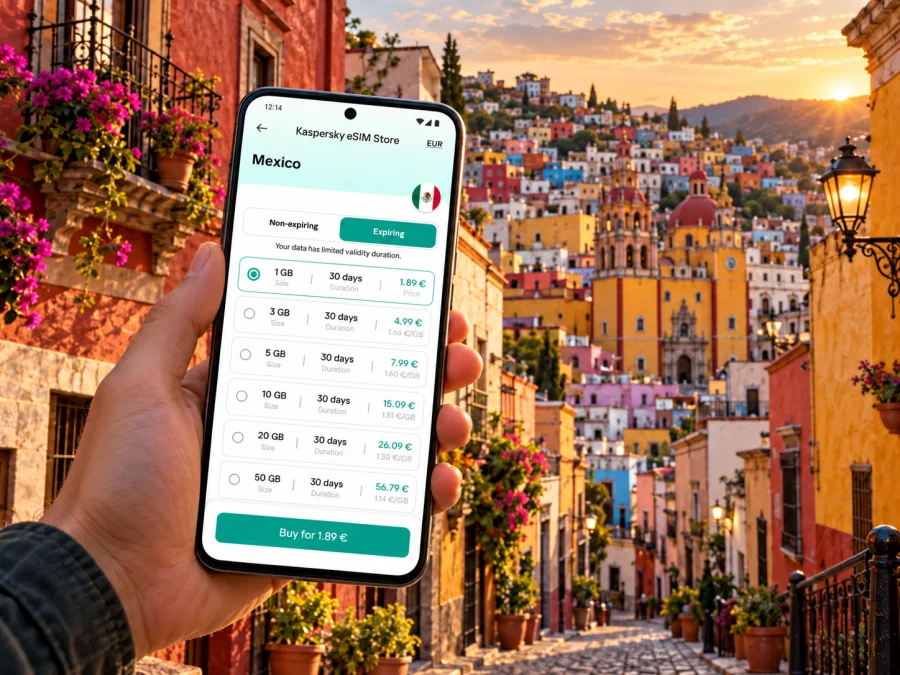
Guanajuato eSIM for a reliable mobile connection and internet on your city trip
Guanajuato is both the name of a Mexican state and its capital city. This article is about Guanajuato City: the compact, hilly heritage destination of colorful lanes, plazas, historic buildings, and underground streets. If you are arriving for a weekend, a work visit, or a longer route through central Mexico, an eSIM can help you get mobile data without swapping out your physical SIM. It is useful for checking a transfer, opening a map, confirming a hotel, or messaging your travel companions as plans change.
A travel eSIM is a digital SIM profile installed on a compatible, unlocked phone. A selected plan can provide mobile data in Mexico under its stated validity, allowance, and network terms. It is not automatically a local phone number: unless the plan explicitly says otherwise, keep your regular line for calls and SMS and use internet-based messaging over data. Coverage and speed depend on the local network, your location, the device, and the plan.
When mobile data helps in Guanajuato City
The city is rewarding to explore on foot, but its layout can make simple navigation less straightforward than in a grid-planned downtown. Lanes climb and bend around hills; stairs, small plazas, and passages can connect places that look close on a map. Guanajuato also has an extensive network of underground streets, including the Miguel Hidalgo route. A map is useful for orientation, but it may not tell you whether the next part of a route is a pedestrian alley, a steep stairway, or a road tunnel. Keep the destination name visible and ask locally when a route seems unclear.
Mobile data is especially handy at transition points:
- At arrival: send your accommodation the estimated arrival time, check the pickup instructions, and save the address in a map app.
- On the way into town: compare the driver’s destination with the name and address in your booking. The international airport serving the state capital is Guanajuato International Airport, code BJX, located in the municipality of Silao. It is outside Guanajuato City, so plan a separate road transfer; do not assume the airport is in the city center.
- Between sights: look up opening details before walking across town, share your location with your group, or message a guide if you are meeting at a particular plaza.
- At your lodging: check in with the host if the entrance is on a narrow callejón or the building uses a landmark rather than a street number as its main directions.
- For work: join a call from your accommodation or a suitable indoor space, send documents, and keep a backup plan in case the room’s Wi-Fi is unavailable.
Arrival through BJX: prepare for the road transfer
BJX is the airport name commonly used for Guanajuato International Airport. The airport operator identifies it as being in Silao, Guanajuato, and as serving the air traffic of the area that includes León and the state capital. That distinction matters when booking a ride: your destination is Guanajuato City, not the city of Silao and not León. Check the exact destination address before you start the trip, particularly if your hotel is in the historic center where access by car can be limited by narrow streets or local traffic arrangements.
Before travel, put these details somewhere available offline:
- The full accommodation name and street address, including the neighborhood or a nearby landmark.
- The host’s or hotel’s arrival instructions and a contact method.
- The airport pickup point or meeting instructions supplied by your transport provider.
- A map pin for your lodging and the route from the airport to the city.
- A backup way to contact your driver if mobile data is temporarily unavailable.
At the terminal, follow current signs and use a transport option you have arranged or verified. Pickup points, schedules, and fares can change, so confirm them close to departure. Show the driver your saved address, then follow the route while confirming the drop-off point.
At arrival, connect to Wi-Fi if available, select the travel eSIM for mobile data when instructed, and message your contact. Check whether validity begins at installation or first network connection.
Moving around the historic center
Guanajuato’s historic center is best approached as a collection of connected pockets rather than a single straight boulevard. Plaza de la Paz, Teatro Juárez, the University of Guanajuato, Alhóndiga de Granaditas, Mercado Hidalgo, and the Callejón del Beso are useful reference points when planning a day. The Monumento al Pípila is a viewpoint above the city; account for the climb or check current transport options before setting out. These are orientation anchors, not a promise that every route between them is flat or accessible.
Check the next landmark, then put your phone away while crossing roads or moving through crowds. In the underground streets, a surface map may not clarify pedestrian access; follow road signs if driving and ask locally when walking.
| Situation | Helpful use of mobile data | Practical precaution |
|---|---|---|
| Finding a hotel in the center | Open the saved map pin and message the property | Confirm whether the final approach is on foot |
| Meeting a guide | Share a landmark and live location | Agree on a fallback meeting point |
| Exploring a lane network | Check the next turn and nearby plaza | Do not assume the shortest route is the easiest |
| Visiting a museum or performance venue | Confirm current visitor information | Check details with the venue before leaving |
| Taking a road transfer | Share the destination and follow the route | Confirm the address with the driver |
| Working remotely | Send files or join a call when needed | Test the room’s Wi-Fi and keep a backup option |
Choose a Mexico plan around your route
Start with the full trip, not only the hours spent in Guanajuato City. A short visit that stays in town has different data needs from a route that also includes airport transfers, León, San Miguel de Allende, or other stops in the state. For each plan, check the country or regional coverage, the amount of data, validity period, supported network details, activation conditions, and any restrictions stated in the offer. These conditions belong to the specific plan and can change, so review them when you are ready to choose.
To estimate data, think about what you will do rather than choosing by habit:
- Light use: maps, text messages, booking details, and occasional web searches.
- Regular use: frequent navigation, social posts, voice or video messages, and browsing during the day.
- Heavy use: video calls, large uploads, hotspot use, or streaming away from Wi-Fi.
The estimate is only a planning aid. Video and hotspot sessions can consume data quickly, while downloaded maps, saved tickets, and offline reading reduce the need to reconnect. Check whether the plan permits hotspot use and whether particular services are included before relying on them. If your itinerary crosses several destinations, verify that every stop is within the plan’s stated coverage area. A Mexico plan and a regional plan are not interchangeable labels: choose according to the countries you will actually visit.
You can review eSIM options for Mexico and compare the terms that matter for your itinerary. Kaspersky eSIM Store is an app and website where you can choose, arrange, and activate an eSIM with a suitable plan for mobile internet while travelling abroad. Mexico’s domestic mobile market includes operators such as Telcel, AT&T, and Movistar, but that does not mean a particular travel eSIM uses all of them or any one of them. The exact local network and included services depend on the selected plan. Check its network details rather than assuming a particular operator, speed, or coverage in every part of Guanajuato.
Choose validity that covers arrival through departure. For work, account for calls and uploads as well as maps; turn off automatic updates and cloud photo uploads over mobile data if you want to limit background use.
What to check before buying or installing
Compatibility depends on the exact phone model and its regional variant, not just the brand name or product family. Some device versions sold in one market can differ from similarly named versions sold elsewhere. Check the model number in the device settings and confirm that this specific version supports eSIM. Also check that the phone is not locked to a home carrier; a device lock can prevent another provider’s eSIM from being used. Check whether your device is compatible before choosing a plan.
Use this pre-trip checklist:
- Your phone supports eSIM in its exact hardware variant.
- The phone is carrier-unlocked and has enough room for another eSIM profile if required.
- The plan is for Mexico and covers all destinations on your route.
- The data allowance and validity match your expected use and travel dates.
- You know when plan validity begins and whether data roaming must be enabled for that eSIM.
- You have stable Wi-Fi for installation, plus the activation instructions saved.
- You know which line will be used for mobile data and have checked roaming settings on your home line.
A travel eSIM for mobile data does not necessarily include a Mexican phone number, ordinary voice calls, or SMS. If you need a local number for a reservation or another service, confirm that the selected plan explicitly includes one or keep another suitable option. Internet-based calling and messaging apps can work over data, subject to the apps’ own requirements and the connection available where you are.
Install before you leave, activate with care
Install at home over Wi-Fi if the plan instructions allow it, or wait until arrival. Installation and the start of validity may be separate events, so follow the chosen plan’s instructions.
A general setup sequence is:
- Connect the phone to stable Wi-Fi and open the plan’s installation instructions.
- Add the eSIM through the phone’s cellular or mobile network settings, using the provided method.
- Label the new line clearly, for example “Mexico data,” so it is easy to identify.
- Keep your usual number selected for calls and messages if you want to continue using it.
- Set the travel eSIM as the mobile-data line when the plan is ready to use.
- Enable data roaming for that line only if the plan instructions require it; check your home line’s roaming setting to avoid unintended charges.
- After landing, allow the phone to register on a supported local network and check the plan’s connection instructions if data does not start.
The exact menu names vary by operating system and version. Use the Android eSIM installation guide or the iOS eSIM installation guide for device-specific steps. Do not delete an installed eSIM profile as a first troubleshooting step; some profiles cannot be installed again without help. If the phone does not connect, check that the correct line is enabled for data, airplane mode is off, the plan is active, and the selected network settings match the instructions. Then contact support through the relevant service channel if needed.
Choose where to stay and how to work
For a first visit, accommodation near the historic center can shorten walks to major sights and make it easier to return between activities. Properties farther uphill or outside the center may offer different access and views, but take account of the terrain, luggage, and your usual return time. Before booking, ask how to reach the entrance from the nearest vehicle drop-off point and whether the property has reliable Wi-Fi for work or large downloads.
For remote work, test room Wi-Fi before a call and keep mobile data as a backup. Save documents locally, send large files over Wi-Fi, and avoid calls while navigating stairs or crowded passages.
Share an itinerary with someone at home or agree on group meeting points before splitting up. Keep lodging directions offline and carry a power bank for long days of navigation and photography.
A sample day with useful data checkpoints
Morning: Before leaving, check the day’s opening information and route to your first stop. Download a map area or save key locations while you have Wi-Fi. At the first plaza, orient yourself by looking at the surrounding buildings rather than relying only on the blue dot.
Midday: If you change plans for lunch or add a museum, use mobile data to check the location and send the updated meeting place to your group. Take a break to recharge your phone if you have been using the camera and navigation continuously.
Afternoon: For a viewpoint or a destination above the center, check the elevation and route before starting the climb. Choose a pace that suits the group and ask locally if a map suggests an unfamiliar shortcut.
Evening: Confirm how you will get back to your accommodation, especially if it is uphill or reached through a narrow lane. Send a message before your battery becomes low and keep the lodging address accessible offline.
Common questions
Is Guanajuato the city or the state?
Both names are used. Guanajuato is a state in Mexico, and Guanajuato City is the state capital. The city is the destination discussed here; the airport serving it is in Silao, a separate municipality in the same state.
Does the airport sit in Guanajuato City?
No. Guanajuato International Airport (BJX) is located in Silao. Arrange ground transportation from the airport to your accommodation in Guanajuato City, and confirm the full address before setting off.
Will an eSIM work in every street, building, or tunnel?
No plan can guarantee a signal in every location. Reception depends on the network specified for the plan, local coverage, building materials, terrain, and the device. Historic lanes, indoor spaces, and underground areas can affect reception. Save essential directions and addresses offline.
Can I keep my regular number?
Often you can keep a physical SIM or another line active while using a travel eSIM for data, if your device supports that configuration. Check the phone’s settings and your home carrier’s roaming terms. The travel plan’s voice and SMS features depend on its stated terms.
When should I install the eSIM?
You can install before departure if the plan instructions allow it and you have Wi-Fi. Check when validity starts: some plans begin at installation, while others begin when they first connect to a network. Use the timing stated for the selected plan.
How can I avoid using too much data?
Download maps and tickets on Wi-Fi, disable automatic updates over mobile data, and check which apps can use background data. Use video calls and hotspot sessions deliberately, and review the plan’s remaining allowance if that information is available.
Prepare your Guanajuato connection
Before departure, confirm your phone’s regional model, carrier-unlocked status, plan validity, Mexico coverage, data allowance, and installation steps. Save your address and arrival instructions offline, and remember that BJX is in Silao, so the final road transfer is part of the trip. Once in the city, use data to orient yourself through the lanes and hills, keep key details accessible without a signal, and check current local directions when a route is unclear.
Use Kaspersky eSIM Store on its app or website to choose and activate an eSIM plan that fits your trip. Explore Mexico eSIM options and review the plan terms before you travel.


