
Travel connectivity guide
Guinea-Bissau eSIM: mobile connection and internet
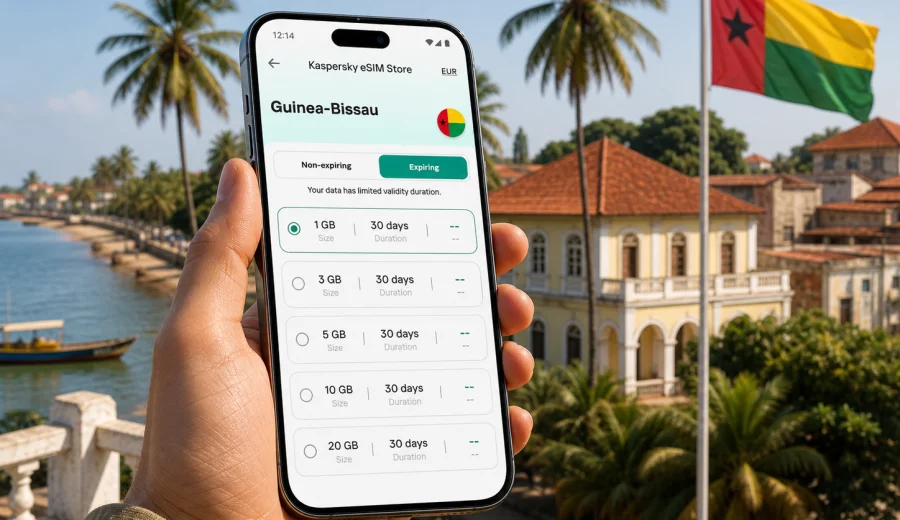
eSIM in Guinea-Bissau: mobile connection and internet for your trip
Guinea-Bissau is a compact West African country, but travel there can still involve several very different connectivity situations: arrival in Bissau, road transfers inland, time near the Geba River, work around ports or hotels, and trips toward the Bijagos Islands. In all of those scenarios, mobile internet is not just for posting photos. It helps you confirm transport, open maps, message a host, translate basic phrases, check banking notifications, and keep documents available when Wi-Fi is weak or unavailable.
An eSIM can make that preparation simpler because you do not need to look for a physical SIM card immediately after arrival. You choose a suitable data plan before the trip or after landing, install the eSIM on a compatible phone, and use it for mobile data during the journey. It is still important to check the plan details, device support, validity period, and your expected data use before you rely on it.
This guide explains how to plan mobile connection and internet for Guinea-Bissau with an eSIM, what to check before departure, how to estimate data, and how to avoid common mistakes.
Why mobile internet matters in Guinea-Bissau
Guinea-Bissau rewards travelers who prepare the practical details in advance. Distances may look short on a map, but road conditions, ferry timing, language barriers, and local schedules can make a simple transfer feel less predictable. A working mobile data connection gives you a backup when plans change.
Typical uses include:
- saving hotel addresses and driver details before you leave the airport;
- using maps in Bissau, Cacheu, Bafatá, Gabú, or coastal areas;
- messaging guides, colleagues, family, or hosts;
- checking flight, ferry, or transport updates;
- translating Portuguese or local phrasing when needed;
- opening reservation confirmations and travel insurance documents;
- using ride coordination, banking alerts, and email on the move.
Public Wi-Fi can be useful in hotels, offices, and some restaurants, but it is not a complete travel internet strategy. It may be slow, password-protected, unavailable during a transfer, or unsuitable for tasks that require a stable private connection. An eSIM gives you a separate mobile data option on your own device, provided your phone supports eSIM and the selected plan covers your destination and use case.
What an eSIM does in a Guinea-Bissau trip
An eSIM is a digital SIM profile built into compatible smartphones and tablets. Instead of inserting a plastic SIM card, you install a profile on your device and select it for mobile data. For travel, this is useful because you can prepare internet access without visiting a shop or changing your primary SIM card.
For Guinea-Bissau, an eSIM can help with three practical goals:
| Travel need | How eSIM helps | What to check |
|---|---|---|
| Arrival in Bissau | You can have mobile data ready for maps, messaging, and hotel coordination. | Activation timing, validity period, and device compatibility. |
| Short business trip | You can separate travel data from your regular SIM and monitor usage. | Data allowance, hotspot rules, and email/video call needs. |
| Multi-stop route | You can reduce dependence on hotel Wi-Fi between locations. | Whether the selected plan covers your full route and how long it remains valid. |
An eSIM for travel normally focuses on mobile data. It may not include a local phone number, voice calls, or SMS unless the terms of the selected plan say so. For calls and messages, many travelers use internet-based apps once mobile data is active.
When eSIM is especially useful
An eSIM is not the only way to get online, but it is often convenient when your trip has little room for setup delays. It can be useful if you:
- arrive late or have a transfer shortly after landing;
- need maps and messages before reaching a hotel;
- prefer not to search for a physical SIM card on the first day;
- want to keep your home SIM in the phone for banking or account verification messages;
- travel with a phone that supports two active lines or separate mobile data profiles;
- need a predictable data allowance for a defined number of days.
It is also useful for travelers who do not speak Portuguese and want to reduce in-person setup tasks. You still need to read the selected plan terms carefully, but the buying and installation process can be handled before the most time-sensitive part of the trip.
How to estimate data for Guinea-Bissau
The right data amount depends less on the country and more on your habits. A traveler who uses maps, messages, and email may need much less data than someone who uploads large video files, joins long video calls, or uses cloud backups on mobile data.
Use this practical estimate before choosing a plan:
| Scenario | Typical data pressure | Practical note |
|---|---|---|
| Messaging, maps, email, light browsing | Low to moderate | Often suitable for short trips if you avoid video and large downloads. |
| Work travel with attachments and calls | Moderate to high | Check whether hotel Wi-Fi can carry heavier tasks and keep eSIM data for movement. |
| Island or regional travel with many photos | Moderate | Upload photos on Wi-Fi where possible and keep mobile data for essentials. |
| Video streaming, cloud backups, social video | High | These uses can consume a plan quickly and should be limited on mobile data. |
Before departure, download offline maps, save addresses, update apps, and sync documents over home Wi-Fi. This reduces the amount of travel data you need and makes your mobile connection more useful when you really need it.
A practical pre-trip checklist
Prepare your phone before you leave. It is easier to solve setup questions at home than at an airport, a ferry pier, or a hotel lobby with weak Wi-Fi.
Checklist:
- confirm that your phone supports eSIM;
- check that the phone is not locked to one mobile operator;
- update the operating system if needed;
- keep your primary SIM active if you need bank or account verification messages;
- save your accommodation address offline;
- download offline maps for Bissau and any inland or island routes;
- disable automatic cloud backups on mobile data;
- decide which apps may use mobile data in the background;
- keep the eSIM installation details available offline after purchase.
The most important step is compatibility. Some phone models support eSIM only in certain regions or versions, and some devices may be locked by an operator. If your device cannot install an eSIM profile, the plan will not solve your travel internet problem.
Choosing an eSIM data plan for Guinea-Bissau
When you compare eSIM options, do not look only at the data number. The best fit is the plan that matches your route, duration, phone, and expected use.
Review these points:
1. Destination coverage. Confirm that the selected plan is suitable for Guinea-Bissau or for a regional route that includes your trip.
2. Data allowance. Choose enough data for maps, messages, browsing, and work tasks, with a buffer for delays.
3. Validity period. Check how many days the plan remains active and when the countdown starts.
4. Activation rules. Some plans begin when installed, others when connected to a supported network. Read the plan details.
5. Hotspot availability. If you plan to share data with a laptop or another traveler, check whether tethering is allowed.
6. Top-up or replacement options. Understand what you will do if you use the data faster than expected.
Kaspersky eSIM Store is an app and website where you can choose, arrange, install, and activate an eSIM with a suitable data plan for mobile internet during an international trip. It is not a mobile operator and does not own the network in your destination. The practical value is that you can compare the relevant plan conditions in one flow and prepare the eSIM on a compatible device.
After you have estimated your usage and checked your device, you can choose an eSIM data plan for Guinea-Bissau and compare the available conditions with your route and travel dates. Focus on the real details: data volume, validity, destination coverage, activation timing, and whether the plan suits your phone.
Device compatibility and installation
Before buying, confirm that your phone can use eSIM. You can check your device before you continue. This step is especially important if you bought the device in another region, received it from an employer, or use a phone that may be locked to a carrier.
The general installation flow is simple:
1. Choose the destination and data plan.
2. Complete the purchase flow.
3. Install the eSIM profile on your compatible device.
4. Select the eSIM line for mobile data.
5. Turn on data roaming for the eSIM profile if the plan instructions require it.
6. Test the connection when you arrive or when the plan terms say activation can begin.
For device-specific steps, use the Android installation guide or the iOS installation guide. Menu names can vary by phone brand, operating system version, and language settings, so read the instructions before travel and keep enough battery and Wi-Fi access for the initial setup.
Arrival scenario: Bissau and the first day
The first day is when mobile internet tends to matter most. You may need to message your accommodation, coordinate a pickup, check an address, or tell someone you have arrived. If the eSIM is already installed, your first task is usually to select it for mobile data and follow the activation conditions in the plan details.
A good arrival routine:
- keep airplane mode on until the plane has arrived and use airport or hotel Wi-Fi for any final setup if needed;
- make sure your primary SIM stays available for verification messages if you need it;
- set the eSIM as the mobile data line;
- enable roaming data for that eSIM profile if required;
- open a lightweight page or messaging app to confirm data is working;
- avoid large app updates until you are on reliable Wi-Fi.
If the connection does not start immediately, do not repeatedly delete and reinstall the eSIM profile. Check the instructions, wait a few minutes, confirm that the correct data line is selected, and verify the APN or roaming settings if the plan instructions mention them. Some connection issues are caused by device settings rather than the eSIM profile itself.
Routes inside the country
Guinea-Bissau trips often combine Bissau with coastal or inland travel. Your mobile internet needs can change by route.
| Route type | Connectivity priority | Preparation tip |
|---|---|---|
| Bissau city stay | Messaging, maps, email, transport coordination | Keep data use moderate and use hotel Wi-Fi for downloads. |
| Bissau plus Cacheu or inland towns | Maps, offline documents, contact with driver or host | Save routes and addresses offline before leaving the city. |
| Bijagos Islands trip | Messaging, weather checks, ferry coordination | Expect less predictable connectivity and keep essential information offline. |
| Business or NGO travel | Email, files, secure account access, schedule updates | Decide which work apps may use mobile data and limit background sync. |
No travel internet option should be treated as a promise that every location will have the same experience. Buildings, terrain, distance from infrastructure, weather, and local network conditions can affect mobile data. The safest approach is to combine eSIM preparation with offline backups for maps, documents, and contacts.
How to control data use
A travel eSIM is most useful when you manage it deliberately. Many phones can consume data in the background without making it obvious.
Before and during the trip:
- turn off automatic app updates on mobile data;
- disable photo and video cloud backups until Wi-Fi is available;
- download playlists, maps, and documents before departure;
- reduce video quality in streaming or meeting apps;
- use messaging apps instead of sending large files by email;
- check data usage in your phone settings every day or two;
- keep hotspot use for essential tasks, not general browsing on a laptop.
If you are traveling for work, separate tasks into two groups. Use mobile data for urgent messages, maps, authentication, and essential email. Save large attachments, software updates, cloud folders, and long calls for trusted Wi-Fi whenever possible.
eSIM, roaming, local SIM, and Wi-Fi compared
Each option has a place. The best choice depends on your trip length, budget, language comfort, device, and tolerance for setup time.
| Option | Strength | Limitation |
|---|---|---|
| Travel eSIM | Can be prepared before arrival, no physical SIM swap, useful for short and medium trips. | Requires eSIM-compatible unlocked device and suitable plan conditions. |
| Standard roaming | Uses your existing mobile account and number. | May be expensive or limited depending on your home operator. |
| Local physical SIM | Can be useful for longer stays or local calling needs. | Requires in-person purchase, setup time, and possibly local registration rules. |
| Public or hotel Wi-Fi | Useful for heavy downloads and backups. | Not always available during movement and may be inconsistent. |
For many travelers, the practical setup is mixed: eSIM for mobile data on arrival and between locations, Wi-Fi for heavy tasks, and the home SIM kept active for essential messages.
Common mistakes to avoid
Avoid these issues before they create stress:
- buying before checking whether your phone supports eSIM;
- installing the eSIM on the wrong device;
- deleting the eSIM profile when a setting check would be enough;
- choosing a data amount without considering maps, work apps, or delays;
- forgetting that validity may start according to specific plan rules;
- assuming an eSIM includes voice calls or SMS;
- leaving cloud backups on mobile data;
- relying only on online maps for island or inland travel;
- waiting until a low-battery airport moment to read installation instructions.
The goal is not to overcomplicate the setup. It is to remove avoidable surprises from the first day of the trip.
Quick answers
Can I use an eSIM for internet in Guinea-Bissau?
Yes, if your device supports eSIM, is not locked in a way that prevents eSIM use, and the selected plan is suitable for your destination. Always check the plan details before purchase.
Do I need to remove my regular SIM card?
Usually no. Many compatible phones let you keep your regular SIM or eSIM active while using the travel eSIM for mobile data. Settings vary by device.
Will an eSIM give me a local phone number?
Not necessarily. Travel eSIM options often focus on mobile data. Voice calls and SMS are included only if the selected plan terms say so.
Should I install the eSIM before flying?
In many cases, yes, as long as you understand when the plan becomes active. Installing before departure can reduce setup pressure after arrival.
What if I travel beyond Bissau?
Prepare offline maps and documents. Mobile data can be very useful, but conditions may vary by location, route, buildings, and local network availability.
Final preparation before you go
Before your Guinea-Bissau trip, make mobile internet part of the same checklist as passport, accommodation, insurance, and transport. Confirm that your phone supports eSIM, choose a data allowance that fits your real usage, read the activation rules, and save the installation instructions where you can reach them offline.
If you want to prepare mobile data before departure, Kaspersky eSIM Store helps you choose an eSIM data plan for a Guinea-Bissau trip and install it on a compatible device. Check the plan conditions, keep offline backups for important travel information, and use the eSIM as a practical mobile internet option throughout your journey.