Travel connectivity guide
Gurugram eSIM for Mobile Internet | India Travel Guide
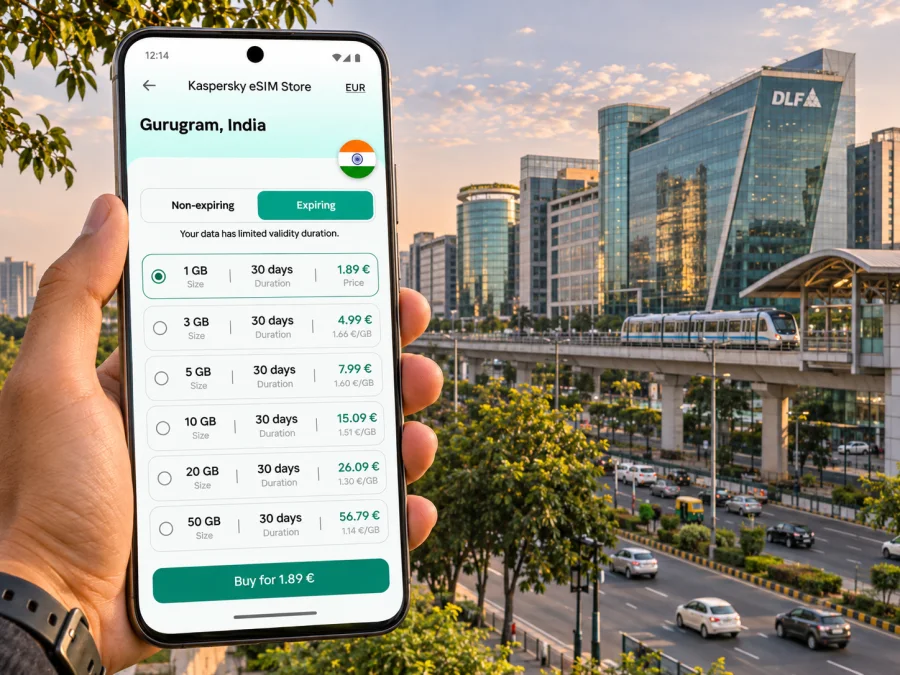
Gurugram eSIM: mobile connection and internet for your city trip
Gurugram—also widely known by its former name, Gurgaon—is a business and residential city in Haryana, within the National Capital Region (NCR) around Delhi. It is a distinct city from Delhi, even though the two are closely connected by road and metro. For a visitor, that distinction matters: your hotel, meeting, airport transfer and onward route may all sit in different parts of a large urban area. A working mobile data connection helps you check directions, coordinate a pickup, message a host and adapt when a plan changes.
An eSIM can be a convenient way to prepare mobile internet for a visit to India, provided your phone supports eSIM and is not locked to a carrier. It is a digital SIM profile installed on a compatible device. The exact available network, coverage, data allowance, validity and activation rules depend on the selected plan and its terms. Treat the plan details as the source of truth, and keep another way to connect available for the first moments after landing.
What makes connectivity useful in Gurugram
Gurugram is known for office districts, residential sectors, shopping areas and busy roads. A visitor may spend one day moving between a hotel in Cyber City, a meeting near Golf Course Road and dinner in a different sector. Distances on a map can look short while traffic or a last-mile transfer makes the journey take longer. With mobile data you can compare routes, share a live location, confirm a building entrance and contact your driver without relying on a café or hotel Wi-Fi network.
Navigation is only one use. You may need a ride-hailing app, a digital boarding pass, a translation tool, a work chat, a restaurant reservation or a payment app. Many of these rely on a live connection for at least part of the task. Before leaving your hotel, save the address in a map app, take a screenshot of any essential booking details and note the name of your destination as it appears in the local listing. Offline copies are useful if your signal drops in a basement, lift or crowded venue.
Arriving via Delhi and reaching Gurugram
Many international visitors reach Gurugram through Indira Gandhi International Airport in Delhi. The airport is in Delhi, not in Gurugram; the onward trip crosses the NCR, and its duration varies with the arrival terminal, destination sector, traffic and transport mode. Confirm your pickup point and destination address before leaving the terminal. If you have arranged a driver, send a short message with the terminal and the agreed meeting point once you have a connection.
The first hour after landing is when a connection is especially practical: you may need to check a hotel confirmation, contact your driver, compare a route or let someone know that your flight has arrived. Prepare before departure by installing the eSIM while you still have reliable Wi-Fi, if the plan permits pre-installation. Read whether the validity period begins at installation, first network connection, or another event. Do not assume that installing and activating are always the same step.
If you plan to travel by public transport, check the current route and service information on the day. Delhi Metro Rail Corporation lists Millennium City Centre Gurugram (formerly HUDA City Centre) as the southern terminus of the Yellow Line. Its published network information also includes Rapid Metro Gurugram, with Sikanderpur as the interchange between Rapid Metro and the Yellow Line. These details make the metro useful for some journeys, but a station may still be a considerable walk or road transfer from your hotel or office. Use a route planner for the complete door-to-door trip, not only the rail segment.
| Arrival or journey task | How mobile internet helps | What to prepare offline |
|---|---|---|
| Meet an airport pickup | Confirm the driver, location and timing | Driver name, vehicle details and meeting point |
| Reach a hotel | Compare the route and share your progress | Hotel address and reservation reference |
| Take the metro | Check station names and connections | Destination station and any transfer notes |
| Continue from a station | Request a ride or find a local landmark | Hotel pin or written landmark description |
| Join a work meeting | Open calendar details and notify colleagues | Venue address, contact name and meeting time |
Do not rely on a single app or a single network path for a time-critical connection. Save key details, keep your phone charged and allow extra time for the road journey. If you arrive late or during a service disruption, use the airport’s current transport information and your accommodation’s instructions to choose a safe, suitable transfer.
Plan for the places you will actually visit
Gurugram is spread across sectors and commercial districts rather than arranged around one compact historic centre. Choose a plan by considering your itinerary, not just the city name. A day spent in one office complex may use little data if you mostly work on local files, while frequent video calls, cloud backups and navigation can use substantially more. Your usage pattern is a better guide than a generic estimate.
Common trip patterns include:
- Business stay: You may travel between a hotel, office campus, client site and dinner venue. Keep maps and messaging available, and check whether your accommodation has dependable Wi-Fi for large downloads or video calls.
- Short leisure visit: You might visit a mall, a restaurant, a cultural venue or a nearby attraction, with several rides in one day. Live maps and ride coordination make mobile data useful even when browsing time is limited.
- Transit or overnight stop: Prioritize arrival messages, hotel directions and the next departure details. Download tickets and confirmations, and avoid using a short stop to test every device setting.
- Longer stay with trips beyond the city: Check that your chosen plan covers the whole route and its validity dates. A plan described for India may have specific terms; verify the destination and coverage wording rather than infer it from a map.
Before choosing, estimate how often you will use maps, upload files, make app-based calls or stream media. Turn off automatic photo backups over mobile data if you want to preserve your allowance. You can download large files on Wi-Fi, set a data warning on your phone and check usage during the trip. These steps help you choose a package that fits your own routine without guessing at a fixed daily amount.
When you are ready to compare current options, review eSIM plans for a trip to India. Kaspersky eSIM Store is an app and website where you can select, arrange and activate an eSIM with a suitable plan for mobile internet while travelling abroad. Review the destination, data amount, validity, price and any activation conditions shown for each option. The country page is for browsing plans for India; it does not by itself guarantee a particular local network, city-level signal or service at every address in Gurugram.
Choose and set up an eSIM carefully
Use this sequence before departure. It separates device readiness, plan selection and activation so you know what to check if something does not work.
- Check device compatibility. Confirm that the exact phone model and regional variant support eSIM. A device name alone is not enough: availability can vary by model number, sales region and carrier configuration. Also confirm that the phone is unlocked for use with another provider. Check whether your device supports eSIM.
- Review the plan terms. Confirm India is included, then check the data allowance, validity period, activation trigger, supported network details if shown, top-up options and any restrictions. Do not assume a plan includes a phone number, SMS or voice calls unless the terms say so.
- Install using a reliable connection. Follow the instructions shown after purchase and keep the QR code or in-app installation flow accessible. Installation steps differ between phone operating systems. Refer to the Android eSIM installation guide or the iOS eSIM installation guide, as appropriate.
- Label the lines clearly. If you keep a home SIM, name each line in settings, for example “Home” and “India data.” Choose which line handles mobile data. This reduces the chance of using the wrong line accidentally.
- Activate according to the plan. Some plans can be installed in advance but should be enabled or used only at the destination; others may start their validity at a different point. Follow the displayed instructions. Enable data roaming for the travel eSIM only if its instructions require it, and understand the settings for your home SIM before enabling roaming there.
- Test the connection. Once the eSIM is active and connected, open a simple webpage or map. If data does not work, check that the eSIM line is enabled, selected for data, and configured as instructed. Restart the phone only after checking the plan’s guidance.
A quick pre-departure checklist
- [ ] The exact device variant supports eSIM and is carrier-unlocked.
- [ ] The plan’s destination, allowance and validity match the dates of your trip.
- [ ] You understand when the plan starts counting its validity.
- [ ] Installation instructions are available, and your phone has enough battery.
- [ ] Important addresses, tickets and booking references are saved offline.
- [ ] Your home SIM and mobile-data line are labelled clearly.
- [ ] You know whether app-based calling is enough or whether you need a regular number.
Getting around without losing your bearings
A city itinerary often involves a mixture of metro, road travel and walking. The Yellow Line connects Gurugram with parts of Delhi, and the Rapid Metro serves some commercial and residential areas within Gurugram. For a particular destination, check the nearest station and the onward walk or ride. Station names may appear under older or newer names in different apps: Millennium City Centre Gurugram was formerly HUDA City Centre. Search for both names if a map or older booking uses the previous label.
Road travel can be less predictable than a simple distance estimate. Traffic, weather, time of day, roadworks and pickup access can change your route. A mobile map can recalculate, but it cannot guarantee an arrival time. If you have a meeting, share an estimated arrival with the host and keep the full building name or tower number at hand. Large commercial campuses may have several gates or buildings; a pin at the campus centre may not identify the correct entrance.
A practical navigation routine is simple:
- Check the destination address and pin before starting.
- Compare the full route, including the station-to-building segment.
- Share your trip or arrival estimate with the person expecting you.
- Keep the phone accessible but secure in crowded public places.
- If the route changes, pause somewhere safe before checking the map.
- Save the next stop offline when you know you may enter a basement or low-signal area.
Data use, calls and everyday precautions
There is no universal data amount that fits every Gurgaon trip. A map used for occasional directions consumes a different amount from frequent video meetings or media streaming. Instead of choosing by a vague “per day” rule, list your likely activities and make an allowance for unexpected route searches or work messages. Monitor usage in your phone settings and, if available, in the plan’s account screen.
| Activity | Data planning approach |
|---|---|
| Messaging and email | Usually modest if you avoid large attachments and automatic downloads |
| Maps and ride coordination | Keep mobile data available while moving; download an offline map where supported |
| Video calls | Use Wi-Fi for long calls when reliable, or allow for higher mobile data use |
| Photo and cloud backup | Pause automatic uploads on mobile data if conserving the allowance matters |
| Streaming | Download ahead on Wi-Fi or choose a lower quality setting |
These are relative comparisons, not promised measurements. Apps, media quality, background updates and phone settings affect actual use. A short check of your phone’s data-usage screen can help you adjust during the stay.
A data eSIM is not automatically a replacement for your usual number. If a bank, airline or work account sends a one-time code by SMS, keep access to the number registered with that service. Check roaming costs with your home provider before the trip. For internet-based calls, confirm that the app is available to you, that the other person can receive the call, and that your account is ready. Do not assume voice or SMS service is part of a travel data package.
In hotels, cafés and conference venues, Wi-Fi can be useful for large downloads, but availability and quality vary. Avoid relying on a public network for every task: retain mobile data for navigation and essential coordination, and use your own judgment when handling sensitive accounts. A power bank can be helpful on days with long transfers, video calls and continuous map use.
If your eSIM does not connect
Start with checks that do not remove the profile or change unrelated settings:
- Confirm that you are in the plan’s eligible destination and within its validity period.
- Check that the eSIM line is switched on and selected for mobile data.
- Follow the plan instructions for data roaming and network selection; do not change settings at random.
- Toggle airplane mode briefly, then allow the phone to reconnect. If the instructions recommend it, restart the device.
- Check whether a data limit or low-data setting is blocking usage.
- If service remains unavailable, use the support route supplied with your purchase and provide the device model, location, time and steps already tried.
Coverage can vary by location, building construction, device, local network conditions and the specific plan. A weak signal inside a basement or elevator does not necessarily mean the installation failed. Move to a safe open area and test again. Keep hotel details and essential tickets offline so that one temporary connection problem does not interrupt your arrival.
Frequently asked questions
Is Gurgaon the same city as Gurugram?
Gurugram is the official current name used by district and transport authorities; Gurgaon remains a familiar former name and is still present in some addresses, listings and older references. When searching, try both spellings if a result is difficult to find. Use the name on your hotel or meeting confirmation when sharing an address.
Is Gurugram part of Delhi?
No. Gurugram is a city in Haryana and part of the Delhi National Capital Region. It is connected to Delhi by roads and metro services, but it is a separate city. Allow for the cross-city journey when planning an airport transfer or meeting schedule.
Does an eSIM plan for India guarantee reception in every part of Gurugram?
No plan should be treated as a guarantee of uninterrupted service at every building or street. Check the plan’s stated destination and network terms. Signal can vary with the location, indoor construction, device and local network conditions.
Will a travel eSIM give me a local phone number?
Not necessarily. Many travel eSIM plans are intended for data only. Check the specific terms for voice and SMS, and retain access to your home number if you need bank codes or calls to that line.
Is the metro useful for a Gurugram visit?
It can be useful for some routes. DMRC’s current network information lists Millennium City Centre Gurugram on the Yellow Line and includes Rapid Metro Gurugram; Sikanderpur is an interchange. Check the stations closest to your actual start and end points and plan the last mile separately.
How much data should I choose?
Estimate from your own use: maps, messaging and occasional browsing differ from daily video calls, streaming or automatic photo uploads. Check your phone’s data use during the trip and select a plan whose allowance and validity suit your itinerary.
A simple plan for a smoother visit
Before leaving home, confirm the spelling and full address of each destination, check your route from the airport and save the first hotel directions. Verify your phone’s eSIM support by exact model and regional variant, review the plan’s India coverage and activation rules, then install it using the correct device instructions. Once in Gurugram, keep maps and messages available for transfers between sectors, metro stations, offices and accommodation. Use offline notes as a backup and check plan usage during the stay.
Prepare your connection around the places and dates on your itinerary. Kaspersky eSIM Store lets you use its app or website to select, arrange and activate a suitable eSIM plan for travel. Explore available plans for India and check the current terms before you travel.


