Travel connectivity guide
Gustavia eSIM: Mobile Internet & Travel Tips
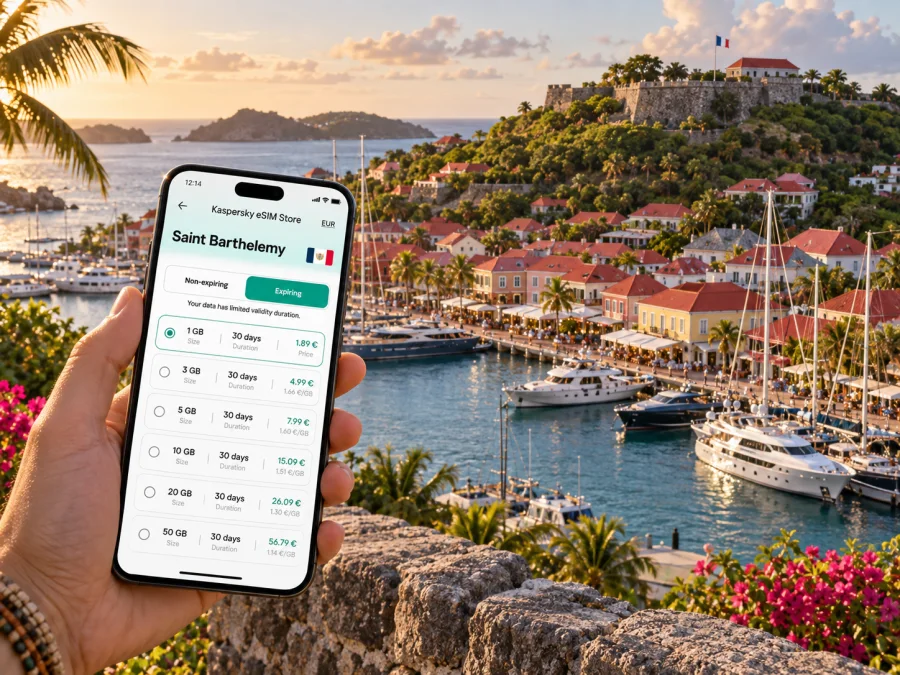
Gustavia eSIM: mobile connection and internet for your visit
Gustavia is a compact harbor town where plans can change between a ferry arrival, a walk through the central streets, and a ride to a beach or hillside stay. Mobile internet is useful here for checking arrival details, contacting a driver or host, finding a restaurant, and keeping a map available as you move between the waterfront and the rest of Saint Barthelemy. An eSIM can make that data connection easier to prepare before the trip, while your route and coverage still depend on the travel plan and local network conditions.
This guide focuses on using an eSIM around Gustavia: what to plan before leaving, how to handle the port and airport transfer, where connectivity can help in town, and how to prepare for excursions beyond the harbor. It is written for visitors staying in the capital as well as those using Gustavia as their first or last stop on the island.
Why mobile data matters in Gustavia
Gustavia is walkable at its center, but a visit often involves more than the waterfront. You may arrive by ferry, meet a transfer, walk past the harbor shops, return to a hotel, and later travel to a beach or a dinner reservation. Keeping mobile data available can help with the small decisions between those activities: confirming a meeting point, checking a map, messaging your accommodation, or reviewing a booking while away from Wi-Fi.
The town’s harbor is its visual and practical reference point. Many visitors orient themselves by the quays and the streets climbing away from them. A map helps when several lanes look similar or when a walking route changes direction between a shop, a restaurant, and a viewpoint. Downloading or saving important details in advance is still sensible: a phone can run low on battery, a network can be busy, and a map app may need data to refresh.
For a short city visit, think of mobile internet as a travel tool rather than a substitute for planning. Keep your accommodation address, transfer contact, and ferry or flight information somewhere accessible offline. Use data for live updates and navigation when needed, and make sure you know which line on your phone is selected for data after installing an eSIM.
Arriving at the harbor or through Saint-Jean
Gustavia’s port is a natural arrival point for travelers coming by ferry or boat. If your journey includes a connection through Saint Martin or Sint Maarten, the final approach to the harbor may be a memorable part of the trip, but it also creates a practical handoff: you need to find your onward ride, reach your lodging, or coordinate with someone meeting you. A working data connection can help you send a message as you disembark and check the exact meeting point rather than relying on a vague description such as “near the port.”
The island’s Rémy de Haenen Airport is at Saint-Jean, outside Gustavia’s harbor center. Visitors arriving by air generally need to arrange a road transfer into town or to their accommodation. Before landing, save the property’s address and any arrival instructions. If a host or driver is meeting you, agree on a clear location and keep their number or messaging details available. Data helps if plans shift, but it is wise to have the essential information in a note or booking record that does not depend on a fresh connection.
| Arrival situation | Useful preparation | Where mobile data helps |
|---|---|---|
| Ferry into Gustavia | Confirm the port meeting point and lodging address | Send an arrival message and open a route from the quay |
| Flight into Saint-Jean | Arrange a ride before landing and save the destination | Coordinate pickup and check the route toward town |
| Yacht or private boat | Confirm the agreed shore transfer | Share updates when the pickup time changes |
| Short stop in town | Keep the next departure and meeting details handy | Check directions without losing time to repeated searches |
Schedules and arrangements can change, so confirm them with the carrier, accommodation, or transfer provider and leave time between bookings. An eSIM does not replace a ticket or confirmed ride; it helps you reach trip information and contacts.
Getting around the center
The central part of Gustavia is best explored on foot when the weather, mobility needs, and schedule allow. The harbor, shops, cafés, restaurants, and historic streets sit close enough for many visitors to combine them in one outing. Comfortable shoes matter: the streets are not all flat, and a route that looks short on a screen can include a slope, steps, or a turn that is easy to miss while distracted by the waterfront.
Start with a simple sequence instead of trying to cover everything at once. From the quay, identify the street or landmark closest to your destination, then check the route before leaving the harbor area. If you are meeting someone, send a specific pin or agree on a recognizable entrance. For a group, pick a meeting point that is easy to describe and remain there if one person’s map loads more slowly.
A map is especially useful when moving between the harbor and higher streets, returning to a hotel after dinner, or finding a particular address among compact blocks. Keep the screen brightness comfortable rather than maximum, and avoid walking while staring at your phone on uneven sections. Pause in a safe place to check the next turn, then put the device away and enjoy the surroundings.
A simple navigation routine
- Save your hotel, rental, or meeting address before you set off.
- Open the route while you have a reliable connection, then check the walking directions.
- Note a nearby landmark as a backup to the street address.
- If you leave the central area, confirm the return ride or pickup point before departing.
- Keep your phone charged; a compact power bank can be useful during a full day out.
In a small town, constant map use is unnecessary, but having directions ready helps when needed. Mobile data can also support translation, reservation messages, and apps, subject to each service’s availability and requirements.
Choosing where to stay and how to stay reachable
Gustavia offers the convenience of being close to the harbor and many central addresses. Other visitors stay in accommodation elsewhere on Saint Barthelemy and come into town for dinner, shopping, the port, or a connection. The best choice depends on what you want to do, how much you plan to move around, and whether you prefer walking from your door or arranging a ride.
If you stay in the center, save the lodging location precisely: a booking name alone may not be enough when communicating with a driver. If you stay outside town, confirm how to reach the property and how you will return after an evening out. A map pin and a written address can prevent confusion, especially if the property is on a narrow or hilly road. Share the expected arrival time with your host, then update them if your ferry, flight, or transfer changes.
For a work trip, check the accommodation’s Wi-Fi and plan mobile data for travel between your room, meetings, and meals. If you need to join a call, test the setup early and keep an alternate way to contact colleagues. When comparing stays, consider distance to the harbor, access to transfers, road conditions, luggage, and late-arrival timing.
eSIM preparation for a Gustavia trip
An eSIM is a digital SIM profile that can be added to a compatible device. For travel, the useful benefit is preparation: you can select a data option for the destination in advance, complete setup according to the instructions, and keep your regular SIM available for calls or messages if your device and plan support that arrangement. The exact features, validity, supported networks, and activation conditions depend on the selected plan, so read its details before purchase.
Kaspersky eSIM Store is an app and website where you can choose, purchase, and activate an eSIM with a suitable plan for mobile internet during an international trip. It is a way to organize the eSIM purchase and setup in one place; mobile service itself depends on the plan and the local network it uses. To compare eSIM options for a trip to Saint Barthelemy, review the data allowance, validity period, activation rules, and any destination or network details shown for each option.
Before choosing, estimate what you will actually use. A visitor who mainly checks maps and messages has different needs from someone uploading large photo files, taking video calls, or using a phone as a hotspot. Your usage also depends on hotel Wi-Fi and how often you stream or sync photos. Choose based on the trip length and likely habits, and leave room for navigation and unexpected schedule changes.
| Trip pattern | Common data tasks | Planning point |
|---|---|---|
| One-day visit | Maps, messages, booking details | Set up essentials before leaving the harbor |
| Several nights in town | Navigation, restaurant searches, photos, chat | Consider how often you will rely on Wi-Fi |
| Work and leisure | Email, calendar, maps, messaging, occasional calls | Test work apps before relying on them away from Wi-Fi |
| Island-wide outings | Directions, ride coordination, updates | Save destinations and pickup details before leaving |
Do not assume that one plan fits every phone or every trip. Check whether your device supports eSIM, whether it is unlocked if required, which line will be used for mobile data, and whether data roaming must be enabled for the travel profile. Follow the product instructions rather than changing settings at random. If you are unsure whether your phone or tablet supports eSIM, check your device before choosing a plan.
Install and activate before you need it
If possible, review the setup steps before departure and install the profile while you have stable Wi-Fi. The timing of activation can vary by plan, so read the specific terms and avoid activating too early if the validity period starts at activation or first network connection. Keep the purchase confirmation and QR code accessible, and do not delete an installed profile unless you understand how it can be restored.
Use the instructions for your operating system: eSIM setup for Android or eSIM setup for iOS. Menu labels can differ by device and software version, so follow the steps shown for your phone. Before travel, confirm that your regular line is still configured as intended and that the travel eSIM is selected for data when you want to use it.
A practical sequence is:
- Check the plan’s destination, data amount, validity, and activation terms.
- Confirm device support and available storage or settings access.
- Install the eSIM over a stable connection, following the relevant device instructions.
- Label the new line clearly, such as “Travel data,” to distinguish it from your regular SIM.
- Set mobile data to the travel line when appropriate, and review roaming settings according to the plan instructions.
- After arrival, allow the device to register and check that data works before relying on navigation.
If setup does not complete, pause before deleting anything. Check that the phone has a connection, that the QR code or manual details were entered correctly, and that the plan’s activation instructions have been followed. For account or installation issues, use the support route shown in the service you purchased from. A second installation attempt may not be possible for every plan, so preserve the profile and purchase details until everything is working.
Gustavia as a starting point for island trips
Many itineraries use Gustavia as a base for exploring beyond the town. A ride to Saint-Jean, a beach visit, a restaurant elsewhere on the island, or a scenic drive involves more than typing a destination into a map. Roads can be narrow and hilly, parking and drop-off arrangements vary, and the exact meeting point matters. If you are renting a vehicle or arranging a driver, clarify pickup, return, and any practical requirements directly with the provider.
For each excursion, save the destination and return details before leaving town. Send the itinerary to someone in your group, especially if you will split up. If plans change, mobile data makes it easier to update a host or arrange a new pickup, but it cannot guarantee signal in every setting. Keep the day’s essentials in a note: where you are going, how you plan to return, and who to contact.
A city-focused data plan can still be useful outside the center when its stated destination coverage includes your route. Check the plan details rather than inferring coverage from the fact that Gustavia is on Saint Barthelemy. Local reception can vary with terrain, buildings, and the network, so download maps for offline use when possible and avoid depending on one app for every step.
Before you leave for Gustavia
Use this checklist during trip preparation:
- Confirm how you are arriving: harbor, Saint-Jean airport, or a private transfer.
- Save your lodging address, host details, and any ferry or flight records.
- Check your eSIM’s destination, data allowance, validity, and activation conditions.
- Confirm device support and know which line will handle mobile data.
- Install the profile while connected to a stable network, if the plan instructions allow it.
- Save the central addresses and transport pickup points you expect to use.
- Ask your accommodation how to arrange journeys outside the town center.
- Download useful maps or booking details for offline access.
- Bring a charging cable or power bank for a long day away from your room.
Frequently asked questions
Can I rely on an eSIM as soon as I arrive in Gustavia?
It depends on the plan’s activation terms, completed setup, and local network. Follow the instructions and check data after arrival before relying on it for a time-sensitive transfer.
Is Gustavia easy to explore without mobile data?
The center is compact and many visitors explore on foot. Save addresses and maps in advance; data is useful for live directions and contacting a driver, especially beyond the center.
Should I use an eSIM for a short stopover?
It can help with maps, messages, and bookings. Check that validity and activation terms fit your travel dates.
Will one eSIM work throughout Saint Barthelemy?
Coverage depends on the plan and local reception. Review its destination details and keep offline information for places where reception may be limited.
What should I do if my map does not load?
Check the data-line selection, then try a saved map. Confirm the address or ask your host or driver for a clear landmark.
Can I keep my normal number active?
Many devices support a regular SIM and eSIM together, depending on the phone and plan. Choose your data line and review call and message routing before departure.
Plan your connection before the harbor day
Gustavia rewards an unhurried visit: a harbor walk, a meal in town, and a carefully planned ride can fit together without turning every moment into a navigation task. Prepare the essentials before arrival, use a map when you need it, and keep your transfer and accommodation details close by. That leaves more attention for the waterfront and the character of the streets.
When you are ready to prepare mobile data for the trip, choose an eSIM plan for Saint Barthelemy in Kaspersky eSIM Store. Review its terms, complete setup on a supported device, and keep your itinerary available offline as well as online.


