
Travel connectivity guide
Gyumri eSIM for mobile internet in Armenia
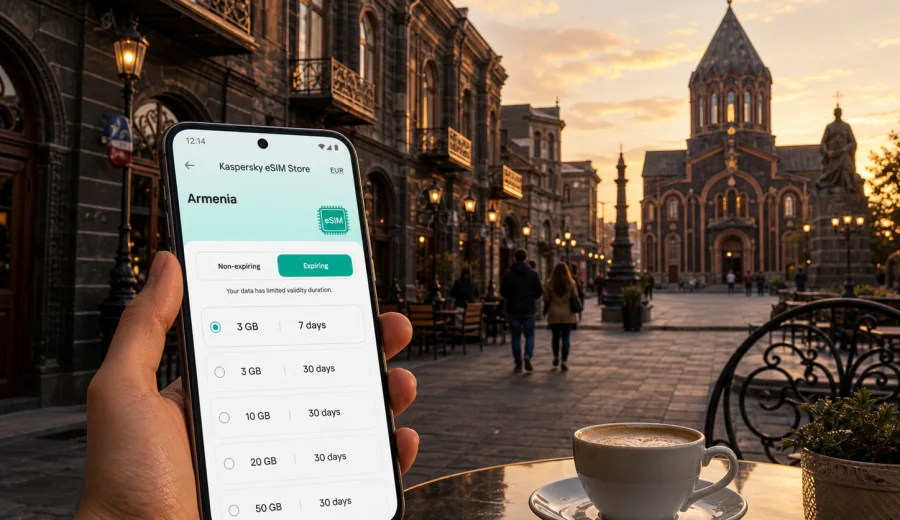
Gyumri eSIM: mobile connection and internet for your trip
Gyumri is compact, but a trip here still involves many online tasks: checking an arrival time at the airport, calling a taxi from the station, finding a guesthouse in the Kumayri district, translating a menu, or sending photos from Vardanants Square. An eSIM can make those moments easier because you can prepare mobile internet before you look for a local SIM card.
This guide focuses on Gyumri, not Armenia in general. The right setup depends on how you arrive, where you stay, and whether Gyumri is your main destination or a wider Armenia stop.
Why mobile internet matters in Gyumri
Gyumri is slower paced than a capital city, and that is part of its appeal. Streets in the old center are walkable, cafes are close to museums, and many hotels are within a short taxi ride of Vardanants Square. Still, travelers rely on mobile data for practical details that change during the day.
You may need internet in Gyumri for:
- navigation from Shirak International Airport, the railway station, or an intercity minibus stop;
- maps in the Kumayri district, where small streets and courtyards can be confusing on a first visit;
- hotel check-in messages, booking confirmations, and digital receipts;
- translation in restaurants, museums, workshops, and local markets;
- messaging with hosts, colleagues, guides, drivers, or family;
- route checks for day trips to Marmashen Monastery, Harichavank, Lake Arpi, or Yerevan.
Public Wi-Fi can be useful in hotels and cafes, but it is not a complete travel plan. It may require a password, slow down at busy hours, or fail to help when you are outside with luggage and need a map.
Arrival scenarios: airport, train, and road
Gyumri has its own airport, but many international travelers still arrive through Yerevan and continue by road or rail. Your eSIM choice should match that first day, when you most often need maps, messages, and transport apps.
| Arrival route | What you may need online | Practical eSIM note |
|---|---|---|
| Shirak International Airport | Taxi contact, hotel address, map to the center | Install the eSIM before landing if your device allows it, then enable it after arrival. |
| Train from Yerevan | Station arrival time, hotel directions, offline backup map | A small or medium data package may be enough for a short city stay. |
| Multi-city Armenia route | Maps, bookings, translation, photo sharing | Consider the full number of days in Armenia, not only the nights in Gyumri. |
The city center is not hard to navigate, but arrival points are not always where first-time visitors expect them to be. Mobile data reduces guesswork.
Where eSIM helps most inside the city
Gyumri rewards walking. The old black tuff architecture, quiet courtyards, churches, museums, and cafes are close enough for a relaxed day on foot. Mobile internet helps because the trip is built from many short decisions: which street to take, where to find a taxi after dinner, and whether a cafe is suitable for a work call.
In the city center, data is useful for:
- saving your hotel or apartment location before exploring;
- checking walking routes around Vardanants Square and the Kumayri historic district;
- using translation tools when English is not enough;
- confirming opening hours from inside a taxi or cafe;
- checking weather before heading to viewpoints or nearby monasteries;
- sharing location with a driver, guide, or host.
Gyumri can be cold, windy, or snowy outside the warm season. In winter, mobile connection is especially useful when you do not want to stand outside searching for Wi-Fi.
Choosing an eSIM data plan for a Gyumri trip
An eSIM for Gyumri usually means choosing a plan for Armenia, because the city is inside Armenia. The important choice is not only the destination, but also the duration and data volume.
Use this simple approach:
1. Count the full travel period in Armenia, including arrival and departure days.
2. Decide whether Gyumri is a short stop, a weekend base, or part of a longer route.
3. Estimate your data habits: maps and messaging use less data than video, cloud backups, and long video calls.
4. Confirm that your phone supports eSIM and is not locked by a mobile operator.
5. Read the plan conditions before payment, including validity period, destination, and data volume.
For a light city break, messaging, maps, email, and occasional browsing may fit a smaller package. For a longer stay, business calls, photo uploads, hotspot use, or frequent navigation between cities, a larger package is safer.
How much data might you need in Gyumri?
Data use varies by device settings and app behavior, but the scenarios below help set expectations.
| Trip style | Typical online behavior | Data planning idea |
|---|---|---|
| One-day stopover | Maps, taxi, messages, a few searches | A small package may be enough if you use hotel or cafe Wi-Fi for heavy tasks. |
| Weekend in Gyumri | Navigation, bookings, translation, social sharing | A medium package gives more room for photos and route changes. |
| Business visit | Email, documents, calls, hotspot backup | Choose more data and check whether hotspot use is allowed by the selected plan. |
| Armenia route with Gyumri | Intercity navigation, hotel changes, day trips | Match the plan to the full route, not just the city stay. |
If you plan to upload many videos or use your phone as a hotspot for a laptop, choose a larger allowance than you would for a simple sightseeing day.
Prepare before you travel
The best time to prepare mobile internet for Gyumri is before you are tired, cold, or trying to find an address. You can install an eSIM before travel and activate it according to the instructions and plan conditions.
Before buying any eSIM plan, check that your device supports eSIM. Also check that the phone is not locked to a carrier.
A practical pre-trip checklist:
- update your phone operating system while you are still on stable Wi-Fi;
- download an offline map of Gyumri and the route from Yerevan or the airport;
- keep your eSIM installation details available in email or your profile;
- make sure you know which SIM line will use mobile data;
- check roaming-data settings for the eSIM if the installation instructions require it.
When you install the profile, follow the device-specific steps rather than guessing from memory. You can use the Android eSIM installation guide or the iOS eSIM installation guide when you set up the profile.
A simple mid-trip plan for staying online
Once your route is clear, choose a plan that matches Armenia and the number of days you will use data. In Kaspersky eSIM Store, you can review available options, compare data volume and validity, and prepare an eSIM for a compatible device before your arrival in Gyumri. If you are planning this city trip now, you can choose a mobile internet plan for Armenia and use it as the basis for your Gyumri stay.
This is useful if you arrive late, move between the station, hotel, and restaurant on the same evening, or continue to another city the next morning.
Local movement: taxis, walking, and short transfers
Many Gyumri visits combine walking with short taxi rides. You might walk around the center during the day, then take a taxi to a restaurant, the Black Fortress area, a guesthouse outside the most central streets, or the station. Mobile internet helps you:
- share a precise pickup point;
- send a hotel pin instead of spelling a street name;
- translate a short message if the driver does not speak your language;
- check the route if you are new to the city;
- contact your host if the entrance is inside a courtyard or side street.
For walking, keep a map open but avoid draining the battery. Gyumri's old streets are photogenic, and it is easy to stop often for photos, cafes, or small museums. A power bank is useful if you plan a full day outside.
Hotels, apartments, and guesthouses
Gyumri has hotels, small guesthouses, apartments, and family-run stays. Wi-Fi quality can vary by building, room location, and the number of guests online. An eSIM is useful as a backup for check-in, work, and route planning.
Before arrival, message your host or hotel to confirm:
- the exact entrance or meeting point;
- check-in time and late-arrival procedure;
- how to contact the host if you cannot find the door;
- whether Wi-Fi is suitable for video calls or only light browsing.
Use stable Wi-Fi for large files and long meetings when possible, and keep mobile data for movement, urgent messages, and backup access.
Business trips and remote work in Gyumri
Gyumri is not only a leisure stop. Some travelers come for meetings, creative projects, NGO work, education, local production, or regional logistics. For a business visit, prepare a data setup that covers:
- messaging with local contacts and drivers;
- backup access to email and cloud documents;
- hotspot use if it is permitted by the selected plan;
- quick translation during site visits or informal meetings;
- navigation to offices, workshops, hotels, and restaurants.
If you expect video calls, ask your hotel or meeting location about Wi-Fi and keep key files available offline.
Stopovers and day trips from Gyumri
Gyumri can be a base for short routes around Shirak Province and beyond. Travelers often combine the city with monasteries, mountain landscapes, villages, or a return to Yerevan. Prepared mobile data is useful when you leave the center.
Common uses on trips from Gyumri include:
- checking the road route to Marmashen Monastery;
- coordinating a driver for Harichavank or other regional stops;
- sending your live location to friends or family;
- confirming train or bus times for the return route;
- translating short messages with a driver or guesthouse.
Coverage and speed depend on local networks and conditions, so keep offline maps and key addresses saved.
eSIM, calls, and messages: what to expect
Travel eSIM plans are usually designed for mobile data. They may not include a local phone number, traditional voice calls, or SMS unless that is clearly stated in the selected plan conditions. For many travelers in Gyumri, messaging apps, email, maps, taxi apps, and translation tools are the main need.
Check these details before you pay:
- destination: the plan should cover Armenia for a Gyumri trip;
- validity: the active period should match your full stay;
- data volume: choose enough for your route and habits;
- activation rules: some plans start counting from installation, others from first network connection;
- tethering: verify hotspot rules if you plan to connect a laptop;
- support path: know where to ask for help if installation does not go as expected.
If you must receive SMS from your bank or airline, keep your regular SIM available for that purpose and set mobile data to the eSIM if that suits your phone settings.
Quick setup steps
The exact screens differ by phone, but the travel logic is simple.
1. Confirm that your phone supports eSIM and is not carrier-locked.
2. Choose Armenia as the destination and select a plan by data volume and validity.
3. Complete the order and open the eSIM details in your profile or email.
4. Install the eSIM using the QR code or in-app instructions.
5. Set the eSIM as your mobile data line when the plan conditions allow.
6. Turn on data roaming for the eSIM if the instructions require it.
7. Test maps and messaging before leaving the airport, station, hotel, or cafe.
Do not delete the eSIM profile after installation unless you are sure you no longer need it.
Practical data-saving tips in Gyumri
You can make a modest plan last longer with a few small habits:
- download offline maps before leaving your hotel;
- pause automatic photo and video backup on mobile data;
- use hotel Wi-Fi for app updates and large files;
- close navigation after you reach the destination;
- keep video streaming for Wi-Fi unless your plan is large enough;
- monitor data use in your phone settings during the trip.
These steps matter most if Gyumri is part of a wider route with airport transfers, Yerevan, mountain roads, and several hotel changes.
FAQ about eSIM for Gyumri
Do I need a city-specific eSIM for Gyumri?
No. For Gyumri, you normally choose an eSIM plan that covers Armenia. The city shapes your travel scenario; the country defines the plan destination.
Will an eSIM replace my regular phone number?
Usually no. Travel eSIM plans are commonly focused on mobile data. Keep your regular SIM active if you need calls or SMS.
Is public Wi-Fi enough for Gyumri?
It can help in hotels and cafes, but it is less useful while moving around the city, arriving with luggage, taking taxis, or heading out on day trips.
What should I do if the eSIM does not connect?
Check that the eSIM is installed, selected for mobile data, and allowed to use data roaming if required. Restart the phone and review the installation instructions. If the issue continues, contact support with your device model and plan details.
Choose mobile internet for your Gyumri trip
Gyumri is easiest to enjoy when the practical parts of the trip stay simple: maps open when you need them, taxi messages arrive on time, and hotel details are available while you move between the station, the old center, cafes, museums, and nearby routes.
Kaspersky eSIM Store helps you prepare that setup through the site or app. You can review destination-based eSIM options, check data volume and validity, install the profile on a compatible phone, and manage mobile internet for your travel days. Before you go, choose an eSIM plan for your trip to Armenia and make Gyumri easier to navigate from the first hour.