Travel connectivity guide
Haarlem eSIM: Mobile Internet for Your City Trip
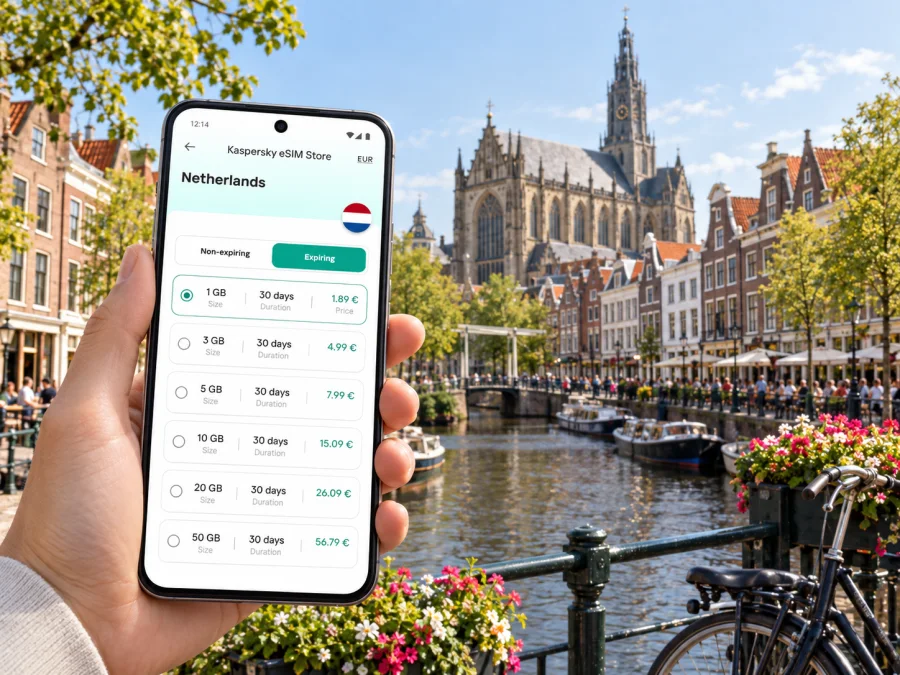
Haarlem eSIM: mobile connection and internet for your city trip
Haarlem is compact enough to explore on foot, yet a visit can involve several different journeys: arriving from Schiphol, finding a hotel beyond the historic centre, checking train times, navigating between museums, and making a day trip along the coast or to Amsterdam. A mobile internet connection helps bring those pieces together. With an eSIM prepared for the Netherlands, you can use maps, messages and travel information without first looking for a physical SIM shop.
The useful question is not simply how much data to buy. It is how you expect to move through Haarlem, whether you will leave the city, how long you are staying, and which tasks you want your phone to handle. A walking weekend, a remote-work stay and a one-night stopover call for different amounts of data and different preparation.
What mobile internet helps with in Haarlem
Haarlem’s centre is easy to approach as a series of short walks: from the station toward the Grote Markt, along the Spaarne, through shopping streets, and between cafés, courtyards and museums. A map can help you choose a route, locate a meeting point or check whether your accommodation is on the station side of the centre. It is especially useful when you arrive with luggage or have limited time before a reservation.
| Haarlem travel moment | What your phone can help you do |
|---|---|
| Leaving the airport | Check directions to your first stop and contact your accommodation |
| Walking in the centre | Follow a map between the station, Grote Markt and the Spaarne |
| Taking public transport | Review current journey information before setting off |
| Meeting a colleague | Share an address, message about delays and find the entrance |
| Planning a day out | Compare the return journey with the time you want to leave |
Arriving in Haarlem from Schiphol
Schiphol is the main international airport many visitors use for Haarlem. From the airport, you can continue by public transport; depending on your destination and current services, a bus or a rail connection may fit your journey. Routes and departure points can change, so check live journey information after you land rather than relying on a screenshot saved weeks earlier.
If you are taking a train, Haarlem’s main station is a practical starting point for the historic centre. The walk from the station leads toward the central streets and Grote Markt, while accommodation farther away may make a bus, taxi or another connection more convenient. Haarlem also has Haarlem Spaarnwoude station, so make sure your destination is the station that matches your hotel or meeting address.
A simple arrival sequence:
- Confirm whether your first stop is Haarlem station or Haarlem Spaarnwoude.
- Check current directions from Schiphol to that stop, including any transfer.
- Save the accommodation address and any check-in instructions for offline access where possible.
- Once connected, send a brief arrival update and follow the final walking or local-transit leg.
Finding your way around the centre
Haarlem’s central area rewards walking. The main station and the Grote Markt are close enough to connect naturally in a first stroll, and central sights cluster around streets that are often more pleasant to explore on foot than to cross repeatedly by car. The Spaarne gives the city a clear geographic reference: when planning a route, notice whether your next stop is on the same side of the river or requires crossing it.
Use navigation in a way that suits the moment:
- For a first orientation: locate the station, Grote Markt, your accommodation and the Spaarne before setting out.
- For a museum visit: search the exact venue name and verify the entrance; some destinations have more than one nearby street address.
- For a relaxed walk: choose one area at a time rather than following a long list of pins across town.
- For an evening return: check the route back before leaving, especially if you are staying outside the centre.
Choose a base that fits your plans
Your accommodation location affects how often you rely on maps and transport. Staying near Haarlem station is convenient when you expect frequent train journeys or arrive with luggage. A central address can make it easier to return between a daytime visit and dinner. A hotel or apartment farther from the centre may be quieter or better suited to a longer stay, but it can add a local journey at the beginning and end of each day.
Before booking, check the address on a map and look at the route to the places you will actually visit. “Haarlem” in a listing may mean the centre, a residential street, or an address nearer a different station. If you are travelling for work, check the route to your meeting venue at the expected time and ask the host about check-in arrangements rather than assuming the front desk is staffed around the clock.
| Stay pattern | Useful location check | Likely phone use |
|---|---|---|
| One-night stopover | Distance to the station and confirmed check-in hours | Airport directions, messages and one or two local routes |
| Weekend in the centre | Walk to Grote Markt, museums and dining plans | Walking directions, reservations and sharing photos |
| Business visit | Door-to-door route to the venue and a quiet place to work | Email, video meetings, maps and schedule updates |
| Longer stay | Grocery, transit and return-trip options near the address | More frequent navigation, calls in apps and online tasks |
Trains, buses and trips beyond Haarlem
Haarlem is connected by train with cities including Amsterdam, Leiden, Rotterdam and Utrecht. This makes the city a useful base for a broader itinerary, but it also means your phone may be switching between a local walk and an intercity journey in the same day. Check the route and return options before leaving Haarlem, particularly when you have a timed activity or a late dinner planned.
For journeys within the city, buses can help when your destination is outside a comfortable walk or when weather and luggage make walking less attractive. Public transport routes, stops and timetables can change. Use current journey information, check the stop name and direction, and allow time to reach the right side of the road or platform. If a planned connection is disrupted, an active data connection can help you compare alternatives; it cannot guarantee that a particular service will be running.
For a day trip, plan with three pieces of information in mind:
- Outbound route: the departure station, any transfer and the time you need to arrive.
- Local arrival: the walk or bus from the destination station to the place you want to visit.
- Return margin: a realistic time to get back to Haarlem, collect belongings or reach a dinner reservation.
Plan an eSIM around your Haarlem itinerary
Kaspersky eSIM Store is an app and website where you can choose, arrange and activate an eSIM with a suitable plan for mobile internet on an international trip. For Haarlem, the relevant destination is the Netherlands: the city is a stop within your wider Dutch itinerary, not a separate country plan. You can review eSIM options for a trip to the Netherlands and compare the plan details with the length and shape of your stay.
Think through your likely data use rather than choosing by city name alone. A short visit with occasional maps and messages has different needs from a work trip with calls in messaging apps, cloud documents and frequent uploads. The chosen plan’s data allowance, validity period and destination coverage should match the whole itinerary, including any side trips.
| Your likely use | Planning approach |
|---|---|
| Maps and occasional messages | Estimate the number of travel days and check the plan validity |
| Photos, social apps and frequent searches | Allow for uploads and background app activity |
| Remote work | Consider video calls, file access and a dependable Wi-Fi fallback |
| Haarlem plus other Dutch stops | Confirm that the plan applies to each part of the route |
Remember what an eSIM plan is for: mobile internet. It does not automatically include a regular phone number, voice calls or SMS unless the specific plan says so. You can use internet-based messaging and calling apps when you have a connection, while keeping your usual number available according to your phone settings and home plan.
Prepare and install before you leave
Preparation is easier while you have stable Wi-Fi and time to read the plan details. First, check whether your device supports eSIM and confirm it is not carrier-locked. Then check that the Netherlands is included, the plan validity covers your travel dates and the data amount suits your expected use. Review the activation instructions for the selected plan; activation timing and setup steps can vary.
A useful pre-trip checklist:
- Confirm eSIM support and check for any carrier restriction.
- Compare the destination, data allowance, validity and other plan conditions.
- Install or arrange the eSIM while connected to reliable Wi-Fi, if the plan instructions allow it.
- Label the travel eSIM clearly in your phone settings so you can distinguish it from your regular line.
- Keep your home line’s calling and data settings in mind to avoid unexpected roaming use.
- Save the first accommodation address, check-in details and key tickets for offline access.
If you need the setup steps, follow the Android eSIM installation instructions or the iOS eSIM installation instructions. Follow the instructions for your device and the selected plan. Do not delete an installed eSIM profile during troubleshooting unless the plan’s instructions or support team advises you to do so; some profiles may not be reusable after removal.
On arrival, select the travel eSIM for mobile data if that is how your plan is configured. Some devices or plans may require data roaming to be enabled for that eSIM. Check the plan instructions and your phone settings, and make sure the home line is not selected for mobile data unless you intend to use it. The exact labels differ between Android devices and iPhones.
A practical first-day routine
A city visit feels smoother when you avoid solving every detail at the station. Before travelling, keep the accommodation address, check-in time and first route easy to find. Once you arrive in Haarlem, take a moment to confirm whether you are at the correct station, then choose either a walk or local transport based on bags, weather and the address.
If you have only a short stopover, prioritise a direct route and a clear return time. Avoid adding a distant side trip if it leaves little room for a missed connection or a slower walk. When the city is your base for several nights, you can spread visits across different neighbourhoods and decide each morning whether to walk, take a bus or travel by train.
If the connection or route does not work as expected
Frequently asked questions
Is an eSIM useful for a short visit to Haarlem?
It can be useful if you expect to use maps, messages, transport information or online bookings during your stay. Consider the trip length and plan validity, then compare the data allowance with your expected use. For a very short visit with Wi-Fi at your accommodation and little need for mobile data, you may need less data than someone working remotely or taking several day trips.
Should I choose a Haarlem plan or a Netherlands plan?
Haarlem is in the Netherlands, so check destination plans for the country and confirm that the selected plan’s terms fit your itinerary. A city article helps you plan local use; it does not imply that a separate Haarlem destination plan exists.
Can I use an eSIM for ordinary calls and text messages?
An eSIM plan for mobile data does not automatically provide a conventional phone number, voice calls or SMS. Check the specific plan conditions. Internet-based calling and messaging apps can work over a data connection, subject to the app and service you use.
Can I travel from Haarlem to Amsterdam or another Dutch city?
NS lists direct train journeys connecting Haarlem with places including Amsterdam, Leiden, Rotterdam and Utrecht. Check the live planner for the travel date, route and return options, since schedules and disruptions can change.
What should I check before installing an eSIM?
Confirm device support, any carrier lock, the plan destination, validity and data allowance. Read the setup instructions for your device and plan, and install while you have reliable internet access if the instructions recommend it.
Set up for the trip you actually have
A weekend around the Grote Markt, a hotel near Haarlem station and a business meeting beyond the centre all create different demands on your phone. Start with your arrival route, the places you expect to visit and whether you plan to leave Haarlem. Then choose a data allowance and validity that fit those real travel days, and keep maps, tickets and addresses easy to reach.
When you are ready, choose an eSIM plan for your Netherlands trip, review its conditions and prepare the eSIM before departure. With the basics arranged, your phone can help you navigate Haarlem’s streets, check a connection and stay in touch while you focus on the visit.


