Travel connectivity guide
Hadibu eSIM: Mobile Internet for Your Socotra Trip
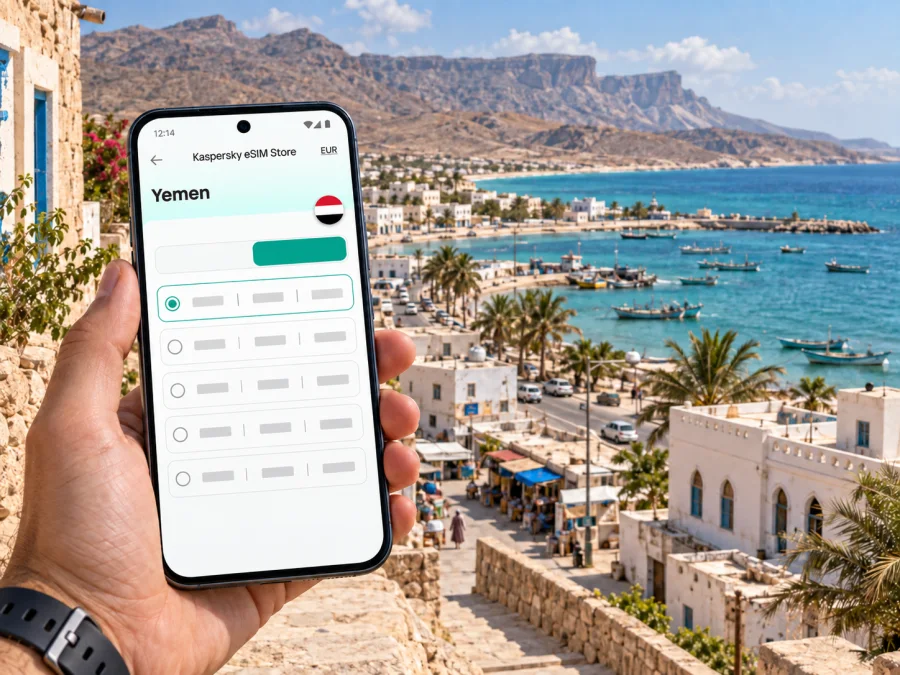
Hadibu eSIM: Mobile Connection and Internet for Your Socotra Trip
Hadibu is the practical first stop for many journeys across Socotra: a coastal town on the island’s northeastern side, and the administrative centre of the archipelago. Visitors often pass through it on the way from the airport to a guesthouse, arrange onward travel from town, or return here between excursions. A mobile connection can help with those transitions, but the experience is different from relying on a dense urban transit network. On Socotra, plans, local advice and offline backups matter as much as a map app.
An eSIM can prepare your phone for mobile data without adding a physical SIM card. Before choosing one for Hadibu, check that the plan explicitly includes Yemen and review its validity, data allowance, supported network and activation conditions. Coverage depends on the local network and where you travel; an eSIM does not make service available in places where the underlying network has no signal.
What to expect from Hadibu as a visitor
Hadibu is a working island town rather than a purpose-built resort district. It is a place to settle in, speak with your host or trip organiser, arrange local transport and collect practical information before travelling farther across Socotra. The town is also part of the wider Socotra Archipelago, a UNESCO World Heritage property recognised for its distinctive biodiversity. That context is useful when planning excursions: travel here often combines time in town with journeys through coastal and inland landscapes, where facilities and mobile service may be more limited.
For a first-time visitor, the main connectivity challenge is not simply finding a signal at one address. It is managing several different moments: locating your accommodation after arrival, coordinating with a driver, checking a saved route, sending a message when plans change, and keeping essential details accessible if data drops out. Treat mobile internet as one useful layer in a broader travel plan.
A simple arrival sequence
- Confirm the meeting point and contact method with your accommodation or trip organiser before departure.
- Save your booking, flight details, host contact and written directions offline.
- Check that the eSIM is installed, the intended data line is selected and the plan’s activation rule is understood.
- Follow the agreed pickup plan, then ask your host for local guidance before arranging the next leg.
After checking in, take a moment to confirm how to describe the property to a driver and which entrance or nearby meeting point is easiest to recognise. Save that wording in a note, not only in a chat thread. If your itinerary changes, message the organiser while you still have a usable connection and confirm that they received the update. These small steps make it easier to navigate Hadibu without depending on a map search at the exact moment you need directions.
Getting around town and arranging onward travel
Hadibu is a working island town, so keep transport arrangements simple and confirm them directly. Walking may suit nearby errands, depending on the weather, luggage and exact location. For a transfer with bags or travel beyond town, ask your accommodation or organiser to arrange transport. Agree on the pickup time, meeting place and payment method; do not assume a familiar ride-hailing app or fixed timetable will be available.
A map can help you orient yourself, save a pin and understand the town’s relationship to the coast. It may not show informal tracks, current road conditions or access rules. Download the map area where possible and compare it with directions from someone who knows the route. Keep your accommodation pin and name saved so you can show them without loading a new map.
| Travel moment | Mobile data can help with | Keep offline |
|---|---|---|
| Finding your accommodation | Opening a saved location or messaging your host | Property name, contact and meeting point |
| Meeting a driver | Sending an update or sharing your location when service allows | Agreed time and recognisable place |
| Leaving town for an excursion | Checking messages before departure | Driver details, route notes and return plan |
Coverage and transport availability vary. For a longer journey, ask the organiser how to communicate if service drops and what to do if the group is separated.
Choosing an eSIM plan for Hadibu
Choose for the whole itinerary, not just the time spent in town. A short visit with occasional messages and map checks differs from a longer trip with frequent uploads or hotspot use. Compare the plan’s allowance and validity with your dates, and check when its validity begins.
Before checkout, review:
- Destination: Yemen must be explicitly included. A regional label alone is not enough.
- Validity and activation: Follow the terms shown for that plan; installation and activation may be separate steps.
- Data allowance: Maps and messages generally use less data than video, cloud backups or tethering. Check whether hotspot use is supported.
- Network and device: Performance depends on the plan, local network, device settings and location. A data eSIM may not include a phone number, voice calls or SMS.
- Support: Keep the plan instructions available offline and know where to get help if setup fails.
You can review eSIM options for Yemen and compare details for your dates and expected use. Kaspersky eSIM Store is an app and website that helps travellers choose, order and activate an eSIM with a suitable data plan for an international trip. It is not a mobile network; access depends on the plan and local network conditions.
Preparing your phone before departure
A little setup at home makes arrival easier. First check that your handset supports eSIM and is not restricted in a way that prevents using another mobile plan. Check whether your device supports eSIM. Then make sure you can access the account or email used to receive installation details, and keep a copy of the instructions somewhere available offline.
If you purchase a plan before travelling, read its installation and activation requirements carefully. Some travellers install the profile before departure and activate it later; the correct sequence depends on the plan’s terms. Do not delete an installed eSIM profile simply because you have temporarily switched data lines. Removing a profile can require a fresh installation process, so follow the provider’s instructions if anything goes wrong.
Installation checklist
- Confirm the plan’s destination, allowance, validity and activation rule.
- Install over a dependable connection if the instructions require it, and label the eSIM clearly.
- Choose which line handles data and which handles calls or messages from your usual number.
- Follow the plan-specific data roaming guidance and save its instructions offline.
- Check the selected data line and activation status before troubleshooting.
For step-by-step help, use the Android eSIM installation instructions or the iOS eSIM installation instructions. Menu names vary by device and software version, so follow the instructions for your phone.
Navigation: online when useful, offline when necessary
Save a small set of essentials instead of expecting one live map to solve every navigation problem. Before leaving a connection, store your accommodation pin and name, host and organiser contacts, pickup details, booking confirmations and maps or route notes for the places you expect to visit.
Use live navigation as a guide. A visible track is not automatically a suitable road or permitted route. For travel beyond Hadibu, confirm directions and access locally, and do not set out on an unfamiliar route based only on a line on a screen.
When the map stops updating
If the map becomes blank or stops refreshing, pause somewhere safe and check the basics in order: airplane mode is off, the intended eSIM line is selected for data, the plan is active, and the phone has not disabled data for that line. Move only if your driver or local companion advises it is appropriate. You can still open saved pins, screenshots and downloaded maps without a live connection. Contact your host through the agreed channel when access returns, and use a prearranged meeting point if messaging is unavailable.
Do not reset network settings or remove the eSIM profile as a first response. Those steps can erase useful configuration or make recovery harder. Check the plan-specific troubleshooting instructions, then contact the relevant support channel if the issue persists. Keep your ordinary SIM settings in mind too, especially if you need incoming calls or verification codes on your regular number.
Short stopovers and longer stays
For a short stop, confirm transport and pickup arrangements before leaving your accommodation, keep onward travel details close at hand, and leave a margin for delays. Do not plan a distant outing around an assumed timetable or a connection that has not been verified.
For a longer stay, save the next day’s meeting point and route notes in advance, monitor data use, and discuss communication gaps before travelling away from Hadibu. A clear meeting procedure agreed beforehand is more useful than a message sent after service disappears.
Excursions from Hadibu
Many itineraries use Hadibu as a base for seeing other parts of Socotra. The archipelago is recognised by UNESCO for its distinctive biodiversity, and visitors may arrange coastal or inland outings with a local guide or organiser. Confirm each journey locally: a map pin is not proof that a route is open or that access is permitted.
Before leaving town, agree who is driving, where to meet, when you expect to return and what to do if the group separates. Save route notes and contacts offline. Follow local guidance and avoid damaging fragile landscapes; mobile data cannot replace supplies, a guide or a clear return plan.
Common questions about mobile internet in Hadibu
Will an eSIM work everywhere in Hadibu and across Socotra?
No plan can guarantee service everywhere. Access depends on the specific plan, its local network arrangements, your device and your location. Confirm Yemen is included and ask the plan provider for current details. Expect that service may be limited away from town and keep maps, contacts and itinerary information available offline.
Is mobile data enough for directions around Hadibu?
It helps with saved locations, messages and online maps when service is available. For street-level directions or travel outside town, combine digital maps with direct local guidance. Save the accommodation’s name and location before setting out, and do not rely on live routing as the only source of information.
A compact pre-trip checklist
Before booking an eSIM
- Confirm the plan includes Yemen and check its validity, data terms and activation conditions.
- Compare the allowance with your likely use in town and during excursions.
- Verify device compatibility and check whether hotspot, calls or SMS are included.
Before travelling to Hadibu
- Install or prepare the eSIM according to the plan instructions.
- Save accommodation, organiser and driver details offline.
- Download useful maps and booking information while you have a reliable connection.
- Agree on arrival pickup and excursion communication arrangements.
During the stay
- Check which line is selected for data and monitor usage.
- Confirm longer journeys with a local host or organiser.
- Keep a backup plan for navigation and meeting if mobile service is unavailable.
Prepare your connection for Hadibu
A well-planned eSIM setup can make it easier to coordinate arrival, find saved information and stay in touch when a suitable local network is available. Choose a plan whose Yemen coverage, validity and data allowance fit your actual itinerary, then follow its installation and activation steps before relying on it during the trip.
Use Kaspersky eSIM Store to compare a suitable option and prepare your eSIM for travel. Choose a data plan for your trip to Yemen and keep your Hadibu contacts, maps and travel arrangements available offline as well.


