Travel connectivity guide
Hagatna eSIM: Mobile Internet in Guam
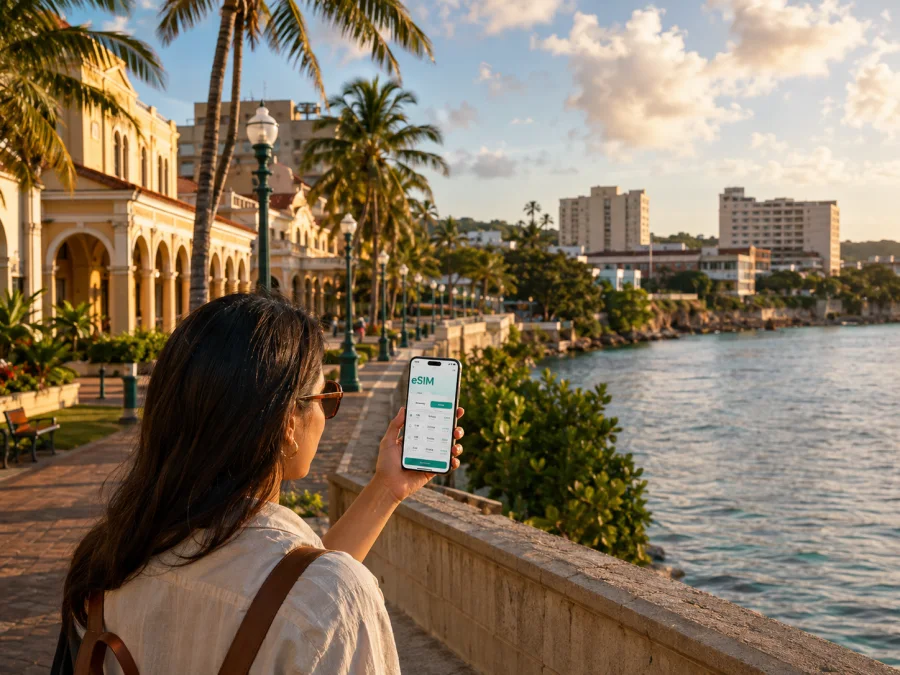
Hagatna eSIM for Mobile Connection and Internet in Guam
Hagatna is a practical base for seeing Guam beyond a resort itinerary. The capital sits on the western side of the island beside Agana Bay, with government offices, historic sites, museums, restaurants, the marina and well-known cultural venues close together. A visit may last an afternoon, a full business day or several nights, but each version of the trip has the same small requirement: a dependable way to use maps, messages, reservations and travel information without looking for a physical SIM card as soon as you arrive.
An eSIM, or virtual SIM card, can help you prepare mobile internet for a trip to Hagatna. You select a prepaid eSIM tariff for Guam, check its data volume and validity, install the profile on a compatible, unlocked phone, and choose it for mobile data when you need it. Kaspersky eSIM Store is an app and website that helps you choose, arrange and activate an eSIM tariff for an overseas trip. The tariff itself is associated with the selected direction and local operator arrangements; Kaspersky eSIM Store is not a mobile operator.
When an eSIM can be useful in Hagatna
The first hours after landing
The main international gateway is A.B. Won Pat International Airport, located outside Hagatna in the central-western urban area. From the terminal, you may need to confirm a transfer, find a taxi counter, contact a host, check a rental-car reservation or open a map before you reach the capital. Installing an eSIM before departure means you can make those first decisions using mobile data instead of waiting for hotel Wi-Fi.
This is especially helpful when your arrival plan is flexible. If a flight is delayed, a driver changes the meeting point or a property sends a last-minute check-in message, the useful thing is not a large amount of data; it is having the right connection available while you are moving from the airport toward Hagatna. Keep the airport address, accommodation details and emergency contacts saved offline as a second layer of preparation.
Walking between historic and cultural sites
Hagatna’s central sights reward a route planned around short walks and brief stops. Plaza de España preserves structures associated with the former Spanish governor’s complex. The Guam Museum, Skinner Plaza, the Dulce Nombre de Maria Cathedral Basilica and Latte Stone Park are part of the capital’s cultural landscape. The Chamorro Village, near Paseo de Susana and the marina, adds food, crafts and community activity to the same general visit.
Mobile internet helps you adjust the order of those stops, check opening information supplied by a venue, share your location and translate or save practical details while you are outside. A map is also useful for seeing where a shoreline walk ends and where you need to rejoin a main road. The city is compact in comparison with a large metropolitan destination, but heat, rain, hills and the timing of a planned visit still make live navigation valuable.
Moving between the capital and nearby areas
Many trips combine Hagatna with accommodation or activities in nearby villages. Marine Corps Drive runs through the capital from east to west, while Route 4 connects the shoreline with the island’s interior. Your daily route may therefore include Hagatna’s civic center, the marina, a hotel in Tamuning or Tumon, and a meeting or excursion elsewhere on Guam.
In this situation, data is useful for comparing the next leg with the time you have left, sending a new arrival estimate and checking whether a pickup point has changed. If you are driving, let a passenger handle the map whenever possible and download key directions before leaving a stable connection. If you use a taxi or arranged transfer, keep the exact destination and a contact number in a note so the journey does not depend on a single app.
Business visits and remote work
Hagatna is the seat of Guam’s executive, legislative and judicial branches and has professional services, banks, offices and restaurants. A work trip may be built around one meeting near the government center, a second appointment along the main road and a video call from a hotel or café outside the formal business district.
For that kind of day, choose a tariff by estimating the work tasks that genuinely need mobile data: messages, email, maps, document access, a few calls through work applications and perhaps a short video meeting. Large file transfers, automatic photo backup and high-definition video can consume data quickly. Set them to use Wi-Fi when the tariff has a limited allowance, and keep the eSIM selected for data while retaining your primary number for calls if your phone supports dual-SIM settings.
Short stopovers
A stopover in Hagatna can be simple: collect your bags, reach the capital, walk a small historic route, eat near the waterfront and return to your next transfer. A short stay does not automatically require a large tariff. It requires a validity period that covers the hours you will actually use the eSIM and enough data for navigation, messages and reservations.
Getting oriented: areas, routes and places to stay
| Part of the Hagatna visit | What you may do there | Why mobile data helps |
|---|---|---|
| Historic center around Plaza de España | See heritage structures, the cathedral and civic landmarks | Open walking directions and check the order of stops |
| Paseo, marina and waterfront | Visit Chamorro Village, walk by the water, meet a driver | Share a meeting point and confirm pickup details |
| Marine Corps Drive corridor | Pass through the capital, reach offices, restaurants or transfers | Recalculate a route and send an updated arrival time |
| Nearby Tamuning or Tumon | Stay at a hotel, connect with airport transport or join a tour | Manage hotel messages and cross-town transport |
| Route toward Asan, Piti or the south | Continue an island day trip from Hagatna | Keep navigation and reservations available outside the center |
Choosing accommodation by route rather than by label
If your priority is historic Hagatna, choose accommodation with a clear route to the capital. If you are staying in a neighbouring resort or conference area, confirm how you will reach the first stop and return. Use the eSIM for maps and messages, but keep booking numbers and addresses offline.
Public transport, taxis and a rental car
Guam Regional Transit Authority publishes fixed-route and paratransit information. Its current service information describes fixed-route service from Monday through Saturday and no regular Sunday bus service; schedules and holiday exceptions can change, so check the latest timetable before relying on a bus. Taxis, arranged transfers and rental cars suit different plans, but confirm pickup, parking, fuel and return conditions in advance.
How to choose an eSIM tariff for a Hagatna trip
Start with the whole Guam itinerary, not just the hours spent in the capital. Then answer four questions:
- How many days will the eSIM need to remain valid?
- Will you mainly use maps and messaging, or also work applications and photo uploads?
- Will you move between Hagatna, hotel areas and other villages?
- Do you need a second line for your usual number while the eSIM handles data?
| Travel pattern | Typical mobile-data tasks | Selection approach |
|---|---|---|
| Light city visit | Maps, text messages, occasional bookings and email | Consider a smaller data allowance with validity matching the stay |
| Sightseeing and island movement | Frequent navigation, ride coordination, translations, social updates | Allow room for repeated map use and route changes |
| Business itinerary | Email, cloud documents, messaging, hotspot or video meetings | Estimate work usage separately and check whether tethering is allowed |
| Family or shared planning | Multiple people coordinating routes, photos and reservations | Decide whether one phone is enough or whether each traveller needs a plan |
Read the tariff details before purchase. Check the destination or region, data allowance, validity, activation rules, top-up conditions and any restrictions on hotspot use. Some plans begin their validity when the eSIM connects or is activated, while others have different conditions. Follow the displayed terms for the selected plan rather than relying on a generic assumption.
When you are ready, you can choose an eSIM tariff for a trip to Guam and compare the available data and validity options. This country tariff is the relevant choice for Hagatna.
Match validity to the complete trip, including arrival and departure days. Leave a modest buffer for route changes, check whether the tariff allows hotspot use, and review the selection if the itinerary expands beyond Hagatna. Turn off automatic updates, cloud photo synchronisation and video autoplay for the eSIM line when your phone offers per-line controls.
How to install an eSIM before departure or after arrival
Install the profile with a stable internet connection, ideally before leaving for Guam. If the tariff uses a QR code, keep it visible on another screen or use manual entry. Before buying, check whether your device supports eSIM and confirm that it is not locked to another operator.
The exact menu names differ by phone, but the sequence is usually straightforward:
1. Check the phone
Confirm eSIM support, available space for another plan and the absence of an operator lock. Keep your primary SIM active if you need its number.
2. Open mobile-network settings
Open mobile-network or cellular settings and select the option to add an eSIM or mobile plan.
3. Add the eSIM profile
Scan the QR code from the Kaspersky eSIM Store profile or enter the details manually. Give the new line a clear label such as “Guam data”.
4. Choose the data line
Set the Guam eSIM as the line for mobile data. Keep calls and messages on your primary line only if that matches your plan and roaming settings.
5. Activate at the right time
Follow the tariff’s activation terms. At the airport or in Hagatna, enable the eSIM, allow data roaming for that line when required, and give the phone a few minutes to register. Read the Android eSIM installation instructions or follow the iOS eSIM installation instructions for platform-specific screens.
If data does not appear, check that the eSIM is on, the correct data line is selected, data roaming is enabled when required, and airplane mode is off. Restart the phone if needed. Do not delete the profile while troubleshooting unless support or the tariff instructions tell you to.
Practical Hagatna scenarios
A one-day heritage route
Install the eSIM at home, save airport and hotel details, then use mobile data for the transfer into Hagatna. Begin near Plaza de España, continue to the cathedral and museum area, and leave time for the waterfront or Chamorro Village. Keep the return route and reservation offline.
A three-day business visit
Choose validity for the full stay. Save office addresses, send a test message, and use the capital’s road corridors to plan buffers between appointments. Reserve heavier uploads or video calls for a reliable indoor connection.
A family trip or island drive
Save the hotel address, key contacts and a named meeting point. For a drive beyond Hagatna, confirm the rental-car pickup before leaving the airport, download essential directions and choose a Guam tariff whose validity covers the return to the airport.
Questions travellers ask about eSIM in Hagatna
Is an eSIM useful for a short visit to Hagatna?
Yes, if you need maps, messages, reservations or airport coordination during a brief stop. Choose a tariff whose validity and data allowance fit the stopover rather than the longest possible plan.
Does an eSIM give me a regular phone number?
Usually, a travel eSIM tariff is intended for mobile data and does not include a standard phone number, voice calls or SMS unless the selected terms say otherwise. You can use internet-based messaging and calling applications for communication when appropriate.
What should I do if the phone shows no data?
Confirm that the eSIM is enabled, selected for mobile data and allowed to use data roaming when required. Check the instructions, toggle airplane mode or restart the phone, and contact support if the issue continues. Avoid deleting the profile during troubleshooting.
Final checklist before leaving for Hagatna
- [ ] Confirm the phone supports eSIM and is unlocked.
- [ ] Choose a Guam tariff by total trip length, route and expected data use.
- [ ] Read the allowance, validity, activation, top-up and hotspot conditions.
- [ ] Install the profile while you have a stable connection, or save the setup details securely.
- [ ] Label the eSIM clearly and decide which line will handle mobile data.
- [ ] Save airport, accommodation, meeting and return-transfer details offline.
- [ ] Keep the primary SIM’s data roaming disabled unless you deliberately need it.
- [ ] Pack a charger or power bank for maps and messages.
- [ ] Check current transport information before depending on a bus schedule.
Hagatna is easiest to navigate when a compatible phone, a Guam tariff, saved addresses and a clear data-line setting are ready before the first transfer. The selected tariff’s terms determine its data, validity and activation details.
Prepare your mobile internet for the trip
Review the available options and choose an eSIM tariff for your Hagatna itinerary in Guam. Install it before departure or when you arrive, select it for mobile data, and keep the tariff information available while you explore the capital and continue around the island.


