Travel connectivity guide
Haifa eSIM: Mobile Internet in Israel
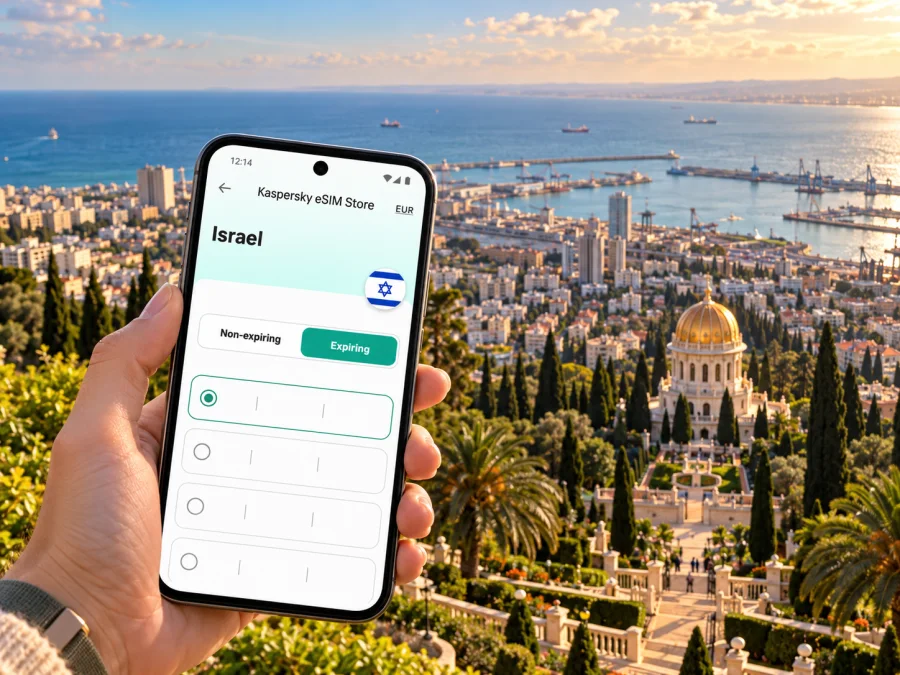
Haifa eSIM: mobile connection and internet for your trip
Haifa rewards a little planning. The city climbs from the Mediterranean shore up the slopes of Mount Carmel, so a short journey can involve a seafront railway station, a steep street, a bus connection and a viewpoint above Haifa Bay. An eSIM is a digital SIM profile installed on a compatible, unlocked device. For a visit to Haifa, it can provide mobile data under the terms of the selected travel plan, while leaving your physical SIM in place if your phone supports dual SIM use. It does not automatically include a local phone number, ordinary voice calls or SMS: check the plan details, and use internet-based calling or messaging when appropriate.
This guide covers arrival, local movement, the Carmel ridge, the Lower Town and day trips along Israel’s northern coast. Coverage, speeds and plan conditions depend on the selected plan, provider and location; keep an offline map and essential details available.
Before you travel: build a simple connection plan
Start with the tasks you expect to do online. A visitor who mainly needs maps, ride coordination and occasional messages may use much less data than someone who uploads video, joins long video calls or streams entertainment. Estimate for your own habits rather than choosing a plan based on a generic daily figure.
| Your travel pattern | What to check when choosing a plan |
|---|---|
| A short city break | Whether the validity period covers your arrival and departure dates, including any late-night or early-morning travel |
| Several days of sightseeing | Whether the data allowance is enough for maps, attraction information, messages and photo uploads |
| A work visit | Whether your expected calls are online calls, and whether the plan allows hotspot use if you need to connect a laptop |
| Haifa plus other stops in Israel | That the destination and validity apply across the whole route, not only to one city or a limited zone |
| A long stay | How validity is counted, what happens when data runs out and whether top-ups or a further plan are available |
Read the conditions before paying. Check the destination, data amount, validity start rule, supported network arrangements, speed or fair-use limits if listed, hotspot rules, and what happens when the allowance is used. The plan page is the source for the offer currently shown; conditions and availability can change. Do not assume that a plan for Israel includes calls, SMS or data roaming in neighboring countries.
Device and line checks
Confirm that your exact phone variant supports eSIM, that it is not carrier-locked, and that you can add another cellular profile. Specifications may differ between regional versions sold under the same device name. Check the manufacturer’s information for your exact model and region, then use the device compatibility check before purchase: check whether your device supports eSIM.
If you need to keep receiving calls or verification messages on your usual number, ask your home operator about roaming and charges. Decide which line should handle mobile data, and whether data switching between lines should be disabled. A travel eSIM and your regular SIM can sometimes be active together, but the exact options depend on the phone and plan. Record the steps to change the data line before leaving home.
Arriving in Haifa and getting oriented
Haifa has its own airport, but it is not safe to infer from that fact that it serves your international itinerary. Confirm the airport and terminal on your ticket. If you arrive at Ben Gurion Airport, Israel Railways is one possible onward option; check its live route planner and service notices for a connection to Haifa, since schedules, works and holiday service may affect the journey. Haifa has several stations, so match the final station to your accommodation and first stop.
At the airport, mobile data is useful for retrieving a hotel address, checking a train or bus update, arranging a pickup and contacting a travel companion. Save the accommodation address in both English and Hebrew if available. Keep a screenshot of the booking confirmation and directions in case your battery is low or the connection is delayed.
Haifa’s terrain matters when choosing a route. The Lower Town, port area and German Colony sit closer to the waterfront; Hadar occupies a higher central slope; and Carmel neighborhoods rise farther above the bay. A map may show two places close together while the walk between them is steep. Compare elevation and route type as well as distance, especially with luggage or a tight appointment.
The German Colony, along Ben-Gurion Boulevard, is a useful landmark for visitors heading toward the Bahá’í Gardens and the lower slopes of Mount Carmel. Wadi Nisnas and the Lower Town are nearby areas with different street patterns and daily rhythms. Use the exact entrance or meeting point provided by a venue: “the gardens” can refer to several gates, viewpoints or tour locations, and access rules differ by area.
Getting around: use your phone as a travel tool
Haifa’s transport options include buses, Israel Railways, the Carmelit funicular and the cable car between the Bat Galim promenade and Stella Maris. They serve different routes; the hillside makes them complementary rather than interchangeable. Check current operating information before you set off, especially in the evening, on Fridays, on Saturdays and around public holidays. Service times and routes can change.
The Carmelit links the Lower Town with Hadar and the Central Carmel area through six stations. It can be a practical way to move between these central zones, but it does not take you to every attraction or neighborhood. Check which station is closest to your destination and how much uphill or downhill walking remains. If the service is not running when you need it, use a current bus route or another suitable option.
The cable car connects the Bat Galim promenade area with Stella Maris and offers a short ride above the slope. Treat it as an attraction and a route option, not as a guaranteed transfer: check its current opening information, ticketing and service status before planning around it. From the upper station, allow time for the walk to your next stop and check whether the route suits your footwear and mobility.
For rail journeys, identify the station by its full name. Haifa’s stations are spread along the coast, so “Haifa station” is not specific enough for a pickup or a train search. If a route planner suggests Haifa Center HaShmona, Bat Galim or Hof HaCarmel, compare the station location with your hotel and onward route. A live map can help you choose an exit and locate a bus stop, but follow station signs and current transport notices.
Plan around Haifa’s neighborhoods
Lower Town and the waterfront. This area is convenient for rail arrivals, port-side appointments and visits to the German Colony. Save the exact hotel pin and entrance, since a building may face a different street from the one shown in a broad search result. If you are meeting someone, share a named public landmark rather than an approximate location.
The German Colony. Ben-Gurion Boulevard leads the eye toward the Bahá’í Shrine and terraces above. It is a natural place to pause, eat or orient yourself, but the terraces and gardens are not a single unrestricted walking route. Check which visits and entrances are currently open, and respect posted access rules. Before climbing, confirm the next stop and whether the route is uphill.
Wadi Nisnas. Use a map to locate a particular café, cultural venue or meeting point. Narrow lanes and changing activity can make a pin more useful than a broad neighborhood label. Download directions in advance if you plan to wander without a fixed schedule.
Hadar. This central hillside district has shops, services and cultural destinations, and it connects to the Carmelit. For a day with several stops, group nearby addresses together and check the slope between them. A short map distance can still mean a substantial climb.
Carmel and the upper city. Hotels, viewpoints and appointments may be spread across the ridge. Confirm whether a destination is near a Carmelit station, bus stop or a specific street. For evening plans, check the return journey before you go, since a funicular or cable car may not run at the time you need.
Bat Galim and Stella Maris. These western destinations bring together the promenade, coastal views and the upper cable car area. Check the path between the seafront and your next stop and allow time for the change in elevation. Weather, maintenance or operating hours may affect the cable car; keep another route in mind.
Choose data for the trip you actually have
There is no universal data allowance for Haifa. Navigation typically uses less data than continuous video, but background updates, cloud photo backup, social feeds and hotspot use can add up. Review your device’s mobile-data usage settings and pause automatic backups or app updates on cellular data if you want to conserve your allowance.
A useful estimate starts with your itinerary:
- Maps and public transport: expect to check routes repeatedly, but download an offline map as a backup.
- Messaging and email: text messages and email usually use modest data; attachments and media increase use.
- Photos and social posting: uploading full-resolution photos or video can consume more than viewing a route.
- Online calls: audio and video calls use data at different rates; check your app settings and work needs.
- Laptop hotspot: tethering can use data quickly if your laptop syncs files or downloads updates. Confirm hotspot is allowed and set the laptop to a metered connection.
Pick a plan by comparing the allowance and validity with those expected uses. If the offer lists a fixed validity period, confirm when the countdown begins: it may start at installation, first connection or another event specified by the provider. Install at a time and in a place where you have reliable Wi‑Fi and can follow the instructions without rushing, unless the plan’s activation rules say to wait until arrival.
For Israel, choose the destination shown for Israel rather than assuming that a regional plan is necessary for a Haifa-only stay. If your itinerary crosses borders, verify every country separately in the plan terms. Border proximity does not mean a plan includes service in another country, and a network name shown on a phone does not establish the full conditions of your plan.
When you have compared the route, allowance and validity, you can review eSIM options for a trip to Israel. Check the current details shown for each option before selecting one; this is a country destination page, not a Haifa-specific tariff or a promise about local coverage.
Install before departure, activate with care
Installation is easier when you have stable Wi‑Fi, access to your account and enough battery. Read the selected plan’s instructions first. Some eSIM profiles can be installed in advance and used later; others have specific activation rules. Follow the timing stated for your selected plan, and do not delete an installed profile unless the provider’s instructions tell you to do so.
Setup checklist
- Update your phone if needed, confirm it is unlocked and verify eSIM support for your exact regional variant.
- Purchase the plan that matches Israel and your travel dates, after reviewing its allowance, validity, network and hotspot terms.
- Install the eSIM using the available in-app flow or QR instructions while connected to Wi‑Fi. Keep the QR code accessible on another screen or printed page if required.
- Label the line “Israel travel” or another clear name so you can identify it later.
- Choose which line handles mobile data. Keep your home line’s voice and messaging settings as needed, and review roaming charges with your home operator.
- When the plan rules permit, select the eSIM for data and enable data roaming for that line if the instructions require it. The setting is separate from roaming on your regular SIM.
- After arrival, allow the phone to register and check that mobile data works. If it does not, review the selected data line, roaming setting, coverage conditions and APN instructions supplied with the plan.
Use the relevant guide for your operating system: eSIM setup instructions for Android and eSIM setup instructions for iOS. Menus vary by phone model and software version, so follow the instructions that match your device.
If mobile data does not connect
First check the basics: airplane mode is off, the eSIM line is enabled, the correct line is selected for mobile data, and the plan is active under its stated rules. If the provider’s instructions require data roaming or a particular APN, confirm those settings. Restarting the phone may help it register again, but do not erase the eSIM profile as a troubleshooting shortcut.
Then move to an open area and allow time for the phone to connect. Service can vary indoors, underground, on a hillside or in a crowded place. Check whether the plan supports the available network at your location and whether there is a known interruption. If the problem persists, contact the support channel listed with the plan and provide the device model, location, time and steps already tried. Use Wi‑Fi for urgent communication while you troubleshoot.
Scenarios visitors often overlook
You land late and need to reach a hotel. Save the address, booking details and a screenshot of directions before boarding. Check whether a train or bus will be running at your arrival time, then keep a taxi or pre-arranged pickup as an alternative. Do not base the plan on a timetable viewed days earlier.
You are visiting the Bahá’í Gardens. Confirm current visitor access, tour information and the required entrance before travelling. Use a saved map to reach the correct location, and plan a separate route back down the hill rather than assuming the garden visit itself connects every terrace.
You are taking a day trip north. Check the train or bus destination, any changes and the return service before you leave Haifa. A city plan may be valid for Israel, but route coverage and plan eligibility depend on the actual plan terms. Download tickets and addresses, and keep an offline map for the destination.
You need your home number for account verification. Keep the home SIM enabled only if you understand its roaming charges and settings. A data-only travel eSIM may not receive ordinary SMS or calls. Where possible, set up account recovery before travel and use an internet-based option when the service supports it.
Frequently asked questions
Is Haifa in Israel?
Yes. Haifa is a city in northern Israel on the Mediterranean coast, built along Mount Carmel and overlooking Haifa Bay. A country-level Israel plan is the relevant starting point for checking travel data options; it does not guarantee a particular signal or speed at every address.
Will an eSIM work everywhere in Haifa?
No plan can be assumed to work everywhere. Availability depends on its provider, partner network, device, indoor conditions and location. Check the plan terms and keep offline directions or Wi‑Fi as a backup, especially in buildings, underground spaces and hilly areas.
Does an eSIM include a local phone number?
Not necessarily. Travel eSIM plans may provide data only. Check the specific terms for voice calls and SMS. Internet-based calling and messaging can work over mobile data when the relevant app and recipient support them.
Can I install the eSIM before I arrive?
That depends on the selected plan’s activation rules. Read when validity begins and follow the provider’s setup instructions. If the rule is unclear, ask support before installing so that the validity period does not start earlier than you intend.
How do I know whether my phone supports eSIM?
Check the exact model and regional variant with its manufacturer and confirm that the phone is carrier-unlocked. Use the compatibility checker before purchase, because names that look identical may refer to different regional hardware versions.
Which Haifa transport should I use?
It depends on where you are going. Rail serves coastal stations and longer journeys; buses reach many neighborhoods; the Carmelit connects central hillside areas; and the cable car links Bat Galim with Stella Maris. Compare the current route, service time, remaining walk and elevation for your exact destination.
Can I use the same plan outside Haifa?
Check the plan’s destination and coverage terms. A plan for Israel may suit a wider itinerary if its terms say so, but do not assume that a plan includes a neighboring country or every route. Verify cross-border travel separately.
A final check before leaving
- Confirm your airport, arrival time and first transport option.
- Save your accommodation address, essential bookings and offline directions.
- Check eSIM support and carrier lock status for your exact device variant.
- Match the destination, validity, data allowance and hotspot conditions to your itinerary.
- Follow the plan’s activation instructions and know which phone line will use data.
- Check live transport information again on the day, especially for evening and weekend travel.
When you are ready, choose an eSIM plan for your trip to Israel in Kaspersky eSIM Store. Review the current conditions, install the eSIM according to its instructions and keep offline travel details available as a backup.


