
Travel connectivity guide
eSIM in Haiti: mobile internet for travel
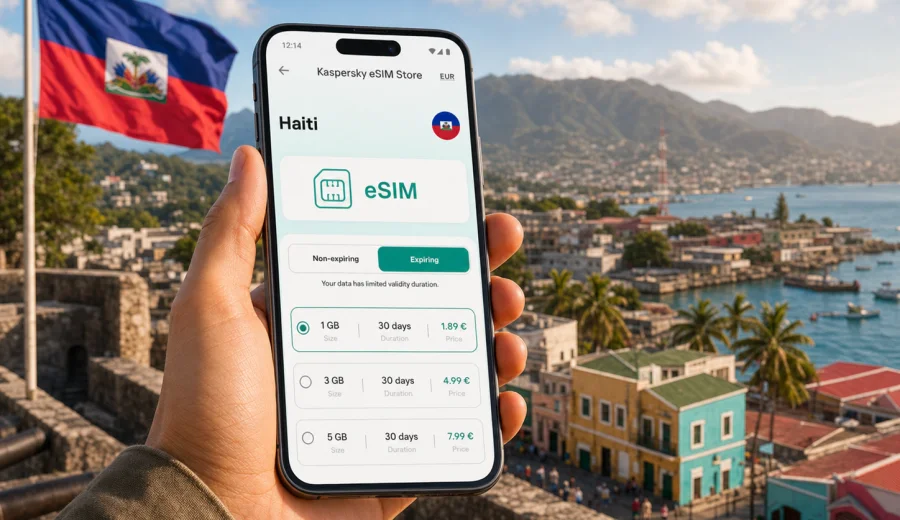
eSIM in Haiti: mobile connection and internet for your trip
Haiti is a country where mobile internet can make the difference between a smooth trip and a trip full of small delays. You may need maps in Port-au-Prince, a ride-hailing app near the airport, a messenger call to your hotel in Cap-Haitien, or a translation app when you are arranging transport to Jacmel, the Citadelle area, or a coastal guesthouse. An eSIM helps you prepare mobile connection before you start moving around the country, without looking for a physical SIM card immediately after arrival.
For many travelers, the main question is simple: how do you stay online in Haiti without depending only on hotel Wi-Fi, public hotspots, or expensive roaming? A travel eSIM can be a practical answer if your phone supports eSIM and the selected tariff matches your route, trip length, and data habits.
This guide explains how to think about mobile internet in Haiti, when an eSIM is useful, what to check before buying a tariff, and how to prepare your phone so you can use data more confidently during the trip.
Quick answer
An eSIM for Haiti is a digital SIM profile that you install on a compatible smartphone or tablet. It can give you mobile data for travel without inserting a physical SIM card. You choose a suitable data package, install the eSIM, activate it according to the tariff conditions, and use mobile internet for maps, messaging, transport apps, bookings, and travel updates.
An eSIM is especially useful if you want to:
- prepare mobile internet before arrival;
- avoid changing your main physical SIM card;
- keep your usual number available for calls or banking SMS where your home operator allows it;
- see the data volume and validity period before you travel;
- reduce dependence on public Wi-Fi during everyday travel tasks.
The important part is to check compatibility first. Not every phone supports eSIM, and some devices may be locked by an operator. Before you choose a tariff, check your device and confirm that eSIM can be installed on it.
Why mobile internet matters in Haiti
Haiti travel often involves several practical moments where online access is useful. You may arrive through Toussaint Louverture International Airport in Port-au-Prince, continue to a hotel or office, arrange a local driver, or coordinate with people who know the area. In the north, travelers may move between Cap-Haitien, coastal roads, historical sites, and accommodation outside the city center. In the south, routes can involve beaches, smaller towns, and areas where you may want maps and messages ready before you leave stronger Wi-Fi.
Mobile data helps with tasks that are easy to underestimate:
- saving hotel addresses and booking details;
- checking the route before getting into a car;
- sending your live location to a contact;
- using translation tools;
- confirming meeting times;
- reading travel documents stored in email;
- checking payment or bank notifications;
- contacting support if plans change.
Wi-Fi is still useful, especially in hotels, offices, cafes, and private homes. But Wi-Fi is not always available when you are in transit. A travel eSIM gives you a separate data option for the moments between Wi-Fi networks.
eSIM, roaming, Wi-Fi, or local SIM: what fits your trip?
There is no single best option for every traveler. The right choice depends on how long you stay, how much data you need, how comfortable you are buying a local SIM, and whether you want to prepare everything in advance.
| Option | Best for | What to check |
|---|---|---|
| Travel eSIM | Short trips, business visits, prepared travel, keeping your physical SIM in place | Device compatibility, tariff validity, data volume, activation rules |
| Home operator roaming | Travelers who need their home number active and accept roaming conditions | Daily fees, data limits, speed rules, roaming availability |
| Local physical SIM | Longer stays or users who need local services | Registration rules, shop availability, phone compatibility, time needed after arrival |
| Wi-Fi only | Very light internet use in fixed locations | Availability, security, whether you can manage transport and maps offline |
An eSIM is often the most convenient middle ground for travel data. It does not replace every local telecom scenario, and it usually does not include a standard local phone number unless a particular tariff clearly says so. For most visitors, its main role is mobile internet: maps, messengers, email, bookings, and web access.
How much data do you need for Haiti?
The right data volume depends on your habits. A traveler who mostly uses maps and messages may need much less than someone who uploads video, joins video meetings, or shares a laptop connection.
Use this planning guide before choosing a tariff:
| Travel style | Typical data use | Practical recommendation |
|---|---|---|
| Light use | Messaging, maps, email, occasional browsing | Choose a smaller package and download offline maps before departure |
| Standard travel | Maps, messengers, booking apps, social media, photo sharing | Choose a medium package with enough validity for the full trip |
| Work trip | Email, documents, calls, navigation, occasional hotspot | Choose more data and monitor usage daily |
| Heavy use | Video calls, cloud backups, streaming, hotspot for laptop | Choose a larger package and restrict background app activity |
Video, automatic photo backup, app updates, and hotspot use consume data quickly. If you are traveling in Haiti for several days, it is better to plan for the whole route instead of only the first day. A tariff with a longer validity period can be more convenient if you move between cities or do not know exactly when you will need data most.
What to check before you choose an eSIM tariff
Before you complete an order, take a minute to check the details. This helps avoid the most common problems with travel eSIMs.
Checklist:
- Your device supports eSIM.
- Your phone is not locked to one operator.
- The tariff is for Haiti or for a region that includes Haiti.
- The data volume matches your expected use.
- The validity period covers your travel dates.
- You understand when the validity period starts.
- You know whether hotspot use is allowed under the selected tariff.
- You have stable Wi-Fi for installation.
- You keep the QR code or installation details accessible until setup is complete.
If your phone supports dual SIM, you can usually keep your regular SIM active for calls or messages and use the eSIM for mobile data. The exact settings depend on your device and your home operator’s roaming rules.
Choosing and preparing a tariff before departure
For Haiti, preparation matters because the first online task often appears immediately after arrival: confirming transport, finding a meeting point, opening a map, or messaging the person waiting for you. If you prefer to set up mobile internet before the trip, you can use Kaspersky eSIM Store to choose an eSIM tariff for Haiti and review the available data options before you travel.
Kaspersky eSIM Store is an app and website where you can select a destination, review suitable eSIM tariffs for mobile internet abroad, complete the order, and install the eSIM on a compatible device. It is not a mobile operator and does not provide its own network. The practical value is that it helps you prepare a travel data option in one place, with tariff details visible before you decide.
When comparing available options, focus on three questions:
1. How many days will you need mobile data in Haiti?
2. Which apps must work without Wi-Fi?
3. Will you use the phone only for yourself, or also as a hotspot?
If you are unsure, choose based on your realistic daily routine. For example, a traveler who checks maps, messages, and email may be comfortable with less data than someone who takes video calls or uploads media every evening.
Step-by-step: how to use an eSIM for Haiti
The exact screens vary by phone model, but the general process is straightforward.
1. Check that your smartphone or tablet supports eSIM and is not operator-locked.
2. Choose Haiti as your destination and select a tariff by data volume and validity.
3. Complete the order and keep the installation details available.
4. Connect to stable Wi-Fi before installing the eSIM profile.
5. Install the eSIM on your device.
6. Set the eSIM as the line for mobile data.
7. Keep your main SIM for calls or messages if you need it.
8. Activate the eSIM according to the tariff instructions.
9. Monitor data use during the trip.
If you need detailed setup guidance, use the installation pages for your operating system: Android instructions and iOS instructions. Install the eSIM only on the device where you plan to use it, because eSIM transfer rules can be limited by the device and profile conditions.
Practical scenarios in Haiti
Different trips create different internet needs. These examples can help you choose a package without guessing.
Arrival and first day in Port-au-Prince
You may need mobile data for airport pickup, hotel directions, messaging, and checking booking details. A small or medium data package may be enough if you mostly use maps and messaging. Download essential documents before departure so the eSIM is not your only copy.
Business visit
If your trip includes meetings, email, shared documents, and messenger calls, choose more data than you would for a holiday. Disable automatic cloud backups and app updates on mobile data. If video meetings are unavoidable, use Wi-Fi where possible and keep mobile data as backup.
Travel beyond one city
If your route includes Cap-Haitien, Jacmel, coastal areas, or mountain roads, mobile internet is useful for maps and coordination. Network quality can vary by location and local conditions, so download offline maps and key addresses before longer transfers.
Family or group travel
One person often becomes the “online organizer” for the group. If that is you, plan for extra data: maps, restaurant searches, messages, tickets, and travel documents for several people can add up. If you use hotspot, check whether the selected tariff allows it and keep an eye on battery life.
Data-saving settings before you fly
Small settings can make a travel data package last longer. Do this while you still have home Wi-Fi:
- Download offline maps for the areas you expect to visit.
- Save hotel addresses, booking confirmations, and emergency contacts offline.
- Turn off automatic app updates on mobile data.
- Pause automatic photo and video backup.
- Limit background data for streaming and social media apps.
- Download translation language packs if your app supports it.
- Set your eSIM as mobile data only after installation.
- Track data use in your phone settings or app profile.
These steps are simple, but they are especially useful in travel because they prevent background apps from using data before you notice.
Common mistakes to avoid
Many eSIM issues are caused by preparation, not by the eSIM concept itself. Avoid these mistakes:
- buying a tariff before checking device compatibility;
- trying to install an eSIM on a locked phone;
- installing the eSIM on the wrong device;
- deleting the eSIM profile after installation without checking whether reinstalling is possible;
- leaving mobile data assigned to the wrong SIM line;
- using video streaming or cloud backup on mobile data by accident;
- forgetting that many travel eSIM tariffs are data-only;
- assuming that every location has the same network conditions.
The safest approach is to install with stable Wi-Fi, read the activation instructions, and keep the eSIM profile on the device unless support tells you otherwise.
eSIM for Haiti: useful facts for travelers
- eSIM is a digital SIM profile, not a physical card.
- For travel, eSIM is mainly used for mobile internet.
- A data-only eSIM usually does not include a regular phone number for voice calls or SMS.
- You can often keep your home SIM active while using eSIM for data.
- Device compatibility is essential.
- The tariff conditions define data volume, validity period, destination, and other usage rules.
- Mobile network experience can vary by location, building, weather, local infrastructure, and device settings.
- Public Wi-Fi can still be useful, but it should not be your only plan if you need reliable access while moving.
FAQ
Can I install an eSIM before traveling to Haiti?
In many cases, yes. You can usually install the eSIM before departure while connected to Wi-Fi. Activation timing depends on the tariff instructions, so read them before you travel.
Does an eSIM give me a Haitian phone number?
Most travel eSIM tariffs are designed for mobile data. They usually do not include a standard local phone number, voice calls, or SMS unless this is stated in the selected tariff conditions. For calls, many travelers use internet-based messengers.
Can I use my normal SIM at the same time?
On many dual-SIM phones, yes. You can keep your regular SIM available for calls or messages and assign mobile data to the eSIM. Check your phone settings carefully to avoid unintended roaming charges on your home SIM.
Is eSIM better than roaming?
It depends on your home operator’s roaming terms and your data needs. An eSIM can be a convenient alternative because you see the travel data package and validity before purchase. Roaming may still be useful if you need your regular number active in the usual way.
What if my phone does not support eSIM?
You will need another option, such as roaming, Wi-Fi, or a physical SIM if available and suitable for your trip. Do not buy an eSIM until you confirm that your device supports it.
Should I keep offline backups?
Yes. Save maps, hotel addresses, tickets, passport copies, and contacts offline. Mobile data is useful, but important travel information should not depend on one connection method.
Final preparation checklist
Before you leave for Haiti, make sure you have:
- checked eSIM compatibility on your phone;
- selected a tariff with enough data and validity;
- installed the eSIM using stable Wi-Fi;
- saved installation details and support information;
- downloaded offline maps and key documents;
- disabled heavy background data use;
- confirmed which SIM line handles mobile data;
- checked whether data roaming must be enabled for the eSIM line.
This preparation gives you a clearer start to the trip. You know which line provides mobile internet, which apps can use data, and how much traffic you have available.
Choose mobile internet for your Haiti trip
If your phone supports eSIM, preparing a travel data option before arrival can make the first day in Haiti easier. You can review the available data packages, choose the validity period that fits your route, and install the eSIM before you need it on the road.
Use Kaspersky eSIM Store to prepare an eSIM tariff for your trip to Haiti and keep mobile internet ready for maps, messages, bookings, and everyday travel tasks.