Travel connectivity guide
Hakone eSIM: Internet and Mobile Connection
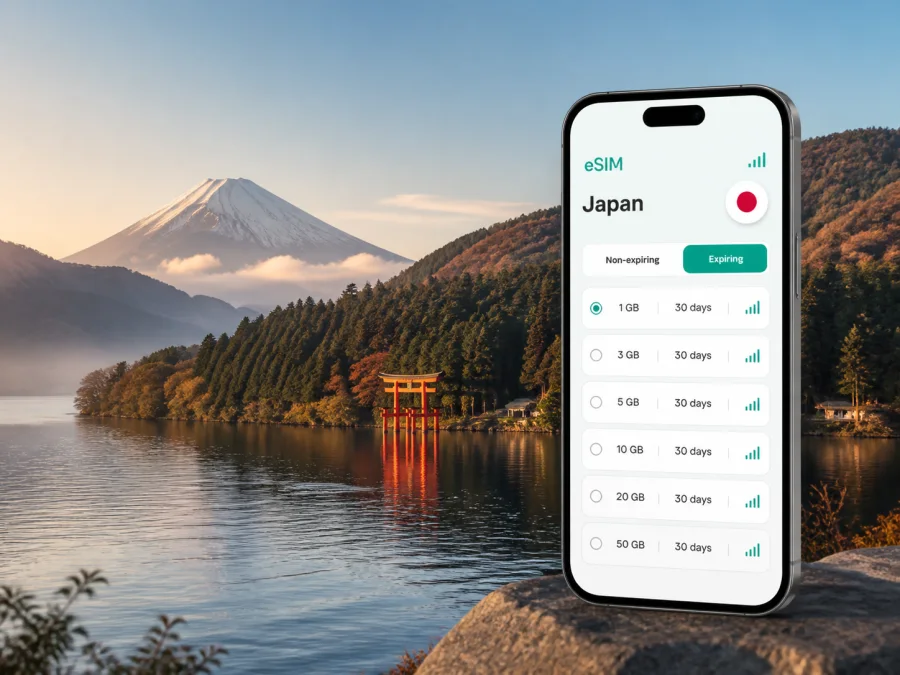
Hakone eSIM: mobile connection and internet for your trip
Hakone is a mountain destination where a good mobile connection helps from the first transfer to the last lakeside walk. You may arrive through Tokyo and Odawara, move between Hakone-Yumoto, Gora and Lake Ashi, check in at a ryokan away from the main road, or continue elsewhere in Japan. An eSIM can keep mobile internet available for maps, messages, reservations and transport information without changing your physical SIM card.
Kaspersky eSIM Store is an app and website that helps you choose, arrange and activate an eSIM with a suitable tariff for mobile internet abroad. Review its data volume and validity period. An eSIM data tariff is not a regular phone number: voice calls and SMS are not included unless the specific conditions say otherwise. Internet-based services can handle calls, messages and bookings when data is available.
Why mobile internet matters in Hakone
Hakone is easy to underestimate on a map. Attractions and accommodation are spread across valleys, slopes and the shore of Lake Ashi. One outing can involve a train, mountain railway, bus, cable car, ropeway, boat and walks between stops, making data useful at each transition.
You may need mobile internet to:
- check a route when a planned mountain connection is delayed or temporarily changed;
- find a bus stop or confirm the direction of a local service;
- read a hotel or ryokan message while you are still travelling;
- show a reservation, translate a short notice or contact your accommodation;
- compare a route through Hakone-Yumoto, Gora, Sengokuhara or Motohakone;
- check weather conditions before heading towards Owakudani or the lake.
Wi-Fi is useful in hotels, cafés and stations, but may not be available when a route decision is needed. With a Japan eSIM, your phone can use mobile data while your usual physical SIM remains available for its normal settings, subject to your device and home operator.
The short answer
For Hakone, choose a Japan eSIM tariff by trip length, expected data use and whether you continue beyond the town. Install it with reliable internet, then select it for mobile data. Conditions depend on the tariff, device and local network.
Hakone arrival: plan the first connection before the mountains
Many visitors reach Hakone from another Japanese destination. Odawara is a common rail gateway; travellers arriving through Tokyo first organise a transfer from an airport or city station. After landing, the key questions are where to collect luggage, which departure to use and how to reach the exact accommodation address.
Save essential details before leaving home, but keep mobile data ready for changes:
- Keep accommodation, check-in and booking details offline.
- Save the route to the relevant gateway, such as Odawara or Hakone-Yumoto.
- Install the Japan eSIM before departure if the device and tariff allow it.
- Keep your usual number available, but choose the travel eSIM for data.
- Confirm the first connection against current operating information.
This is especially helpful when accommodation is wooded or uphill: a driver or hotel desk may need the exact property name, not just “Hakone”. For a late arrival, follow the property’s check-in procedure and keep the phone charged.
Moving around Hakone: use data as a practical travel tool
Hakone has connected transport zones rather than one urban grid. The Hakone Tozan Railway links the lower area with Gora; from there, travellers may continue by cable car and ropeway towards Owakudani and Togendai. Buses serve other areas, while the Lake Ashi sightseeing route adds another transfer pattern. Services can change with weather or maintenance.
The combination depends on your accommodation and stops. Use mobile internet to answer three questions:
| Travel question | What to check on your phone | Why it helps |
|---|---|---|
| Where do I start? | The nearest station, bus stop or pier | Hakone accommodation can be several minutes or more from the main route. |
| Which connection is next? | Current departure information and service notices | Mountain transport can be affected by weather, maintenance or operating changes. |
| Where do I get off? | The stop name and walking route to the next point | Similar-sounding locations are easy to confuse when changing between transport modes. |
Keep screenshots as a backup, not as a live timetable. If a ropeway, bus, railway or boat changes, data helps you find the next realistic option.
A useful rule for route planning
Build each day around one main area and leave room for transfers. A route combining Gora, Owakudani and Lake Ashi has several points where signs, departures and queues matter. Your phone is most valuable between experiences: platform, bus stop, accommodation and pier.
District-by-district connection scenarios
| Hakone area | Where mobile internet is most useful |
|---|---|
| Hakone-Yumoto | Confirm the onward platform, locate the right accommodation entrance, arrange luggage or message a property about arrival. |
| Miyanoshita | Follow the final uphill or narrow-road section to a hotel or ryokan instead of relying on a broad map pin. |
| Gora | Check the next railway, cable-car or mountain connection before leaving the station, especially with luggage or children. |
| Sengokuhara | Match a museum, garden or hotel entrance with the nearest stop and plan the return before evening. |
| Motohakone and Hakone-machi | Find the correct bus stop or pier, share a meeting point and check conditions before a lakeside transfer. |
| Owakudani and higher areas | Keep a charged phone and use data for operating notices or a revised route when mountain conditions change. |
Treat each area as a separate travel zone. A short distance on the map may still mean a steep walk, a bus transfer or a wait for the next connection.
Choosing a Japan eSIM tariff for Hakone
There is no single data amount for every Hakone visitor. Two nights with hotel Wi-Fi differs from remote work, photo uploads or continuing to Kyoto. Choose the tariff whose destination, validity and data allowance match the full route.
Use this decision framework:
| Your trip pattern | Likely data activity | What to consider |
|---|---|---|
| Short stopover | Maps, messages, bookings and occasional translation | A smaller package may be enough if you download key information first. |
| Several days in Hakone | Navigation across areas, photos and regular messaging | Allow for repeated route checks and transport changes. |
| Longer Japan holiday | Daily maps, reservations, uploads and travel between regions | Check validity for the entire itinerary, not only the Hakone nights. |
| Business stay | Email, collaboration tools, calls and hotspot use if allowed | Estimate work data separately from sightseeing data. |
| Multi-city Japan route | Data across Hakone and later destinations | A Japan-wide destination tariff may be more practical than planning city by city. |
Before selecting, compare:
- destination coverage stated for Japan or the relevant region;
- data volume and how quickly your usual apps consume it;
- validity period and the point at which usage begins;
- whether tethering or hotspot use is allowed under the selected conditions;
- the available top-up or balance-management options;
- return and unused-profile conditions before installation or activation.
Prices, data allowances and validity periods can change, so rely on the conditions displayed at purchase. Choose an eSIM tariff for a trip to Hakone after estimating your route and usage.
Install the eSIM before departure
Installing the profile before your flight can make the first hours in Hakone easier, but the timing and activation behaviour depend on the tariff and device. You need a compatible, unlocked device and an internet connection for the installation stage. If you use the installation section of the app or website, follow the current on-screen instructions. For device-specific guidance, see the Android eSIM installation instructions or the iOS eSIM installation instructions.
A careful installation sequence
- Check the device. Confirm eSIM support and operator unlocking. Check your device compatibility before choosing a tariff.
- Choose the destination. Select Japan and review data volume, validity, activation conditions and restrictions.
- Complete the purchase. Keep the confirmation and QR code or profile details in your account.
- Add the mobile plan. Open mobile-network settings, choose add eSIM and follow the prompts.
- Name the line. Use a label such as “Japan travel” to distinguish it from your home line.
- Choose the data line. Set the Japan eSIM for mobile data at the time allowed by the tariff.
- Review roaming. Some devices require data roaming for the eSIM; follow the tariff instructions.
- Test the setup. Confirm data uses the intended line and your home SIM is not using roaming data.
If the QR code is displayed on the same phone, use manual entry or another screen according to the device instructions. Do not delete a profile because it does not connect immediately; check the data line, network setting, tariff status and local conditions first.
Hakone hotels, ryokan and remote work
Accommodation is part of the connection plan. A station hotel, hillside ryokan and lakeside property create different arrival tasks, so save the exact property name, address, check-in window and shuttle or meeting-point details offline.
For remote work, assess the whole working session rather than only browser traffic. Video meetings, cloud files and hotspot sharing can consume more data than maps and messages. Decide whether large files and updates can wait for hotel Wi-Fi, whether hotspot use is permitted, and whether the phone will stay charged through the meeting and return journey.
Keep the itinerary flexible and check the property’s own Wi-Fi, opening hours and meeting arrangements. Mobile data is a practical layer that supports the plan.
A simple data-saving checklist
- Download map areas and route notes over reliable Wi-Fi.
- Turn off automatic photo backup and postpone updates on mobile data.
- Use lower video quality when your work allows it.
- Close navigation after reaching a destination and disconnect hotspot devices.
- Check the remaining balance during a longer trip.
This keeps the package available for Hakone’s transfers, terrain and last-minute messages.
What to do if the connection does not work
Use a fixed order so that troubleshooting stays manageable:
- Move somewhere safe and more open if possible; mountain roads and indoor areas can affect reception.
- Confirm the Japan eSIM is installed and selected for data, then check tariff status, balance, validity and data roaming if required.
- Toggle airplane mode once and wait before restarting. If the issue continues, contact support with the device model, eSIM status and steps tried.
Avoid repeatedly deleting and reinstalling a profile: some tariffs may limit transfer or reinstallation after activation. If unsure, keep it in place and check support instructions.
Hakone trip scenarios
- Two-night onsen break: Save the Odawara-to-accommodation route, booking details and departure plan. A smaller package may suit light maps and messages if its validity covers all travel days.
- Tokyo–Hakone stopover: With luggage and limited time, choose one main area, save the return route and use data mainly for transfers, storage, accommodation and the next departure.
- Business trip: Use the eSIM for messages, maps and schedule checks; keep large work files on hotel or office Wi-Fi where possible, and save the meeting address plus a fallback route.
- Longer Japan itinerary: Base the Japan tariff on the full trip, label the profile clearly and monitor balance as you continue beyond Hakone.
Frequently asked questions
Do I need a separate eSIM just for Hakone?
Not necessarily. Hakone is in Japan, so a Japan destination tariff may suit a route that includes Hakone and other cities. Choose by destination, validity and data allowance; a separate city profile is not required.
Can I keep my usual phone number active?
You can often keep the physical SIM installed while using the eSIM for data, but dual-SIM behaviour depends on the phone and home operator. Review the lines for data, calls and SMS; voice and text are not included unless stated.
Will an eSIM replace public Wi-Fi at every stay?
It can reduce dependence on public Wi-Fi, but signal quality and indoor reception vary. Hotels and ryokan may have their own arrangements, so keep important booking details offline.
Can I use the eSIM for a laptop?
A phone may share data through hotspot, depending on the device and tariff. Check tethering rules before relying on it for work.
When should I install the profile?
Install it before departure with stable internet and time to read the prompts. Activation or data use may begin according to the tariff conditions; if you install after arrival, you still need internet for setup.
What should I check before purchase?
Check eSIM support, operator unlocking, Japan as the destination, data volume, validity, activation timing, hotspot conditions and unused-profile rules.
Final preparation for a connected Hakone trip
The reliable setup is simple: confirm the route, save key details, choose a Japan eSIM tariff for the whole journey, install it on a compatible unlocked device and verify the data line. In Hakone, leave room for transport, weather and distances between stops and accommodation.
When you are ready, choose a Japan eSIM tariff for your Hakone trip, follow the installation steps for your device and keep the tariff conditions available. Kaspersky eSIM Store helps you prepare the eSIM workflow so you can spend less time looking for a connection and more time navigating Hakone with a clear plan.


