Travel connectivity guide
Halotel eSIM in United Republic of Tanzania: What to Check
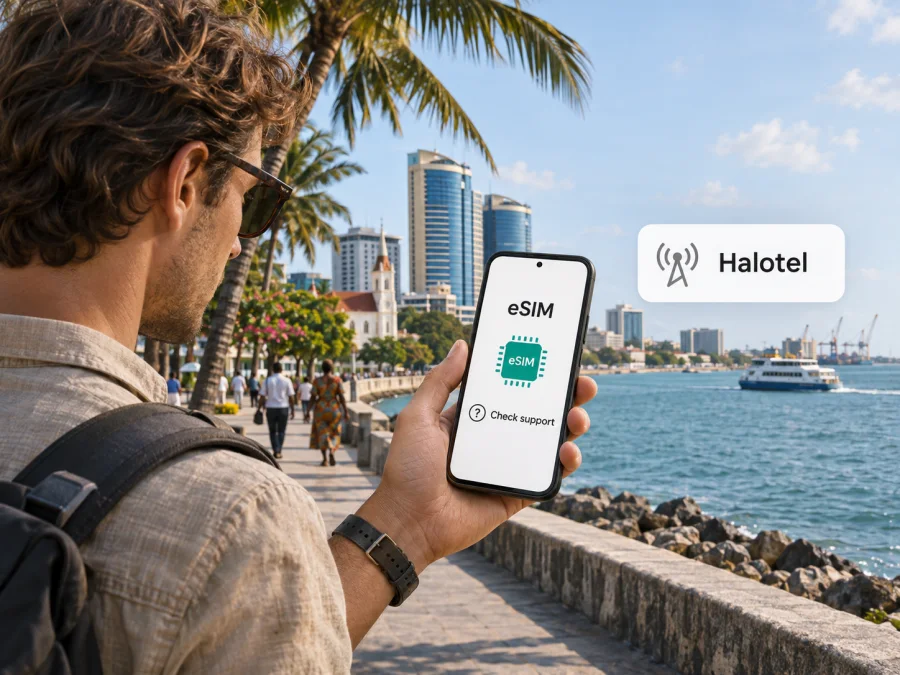
Halotel eSIM in the United Republic of Tanzania: what travellers should know
If you are travelling to the United Republic of Tanzania and searching for a Halotel eSIM, the first thing to know is that public confirmation of Halotel eSIM support was not found in the operator’s current customer information reviewed on 3 November 2026. Halotel’s official website describes mobile, internet and 5G services, but its public pages do not explain how to order, register, install or activate an eSIM. That gap is not proof that the service is unavailable; it means you should confirm the exact option with Halotel before relying on it.
This guide keeps those two questions separate: what is publicly documented about Halotel’s services in Tanzania, and what a visitor should verify before choosing a local SIM, eSIM or separate travel data option. Network access, registration rules and device compatibility are practical matters, and current details can change. Check the operator’s own support team for the answer that applies to your travel dates and location.
Halotel and the Tanzanian mobile market
Halotel is the consumer brand used by Viettel Tanzania PLC. Halotel’s About Us page, checked on 3 November 2026, identifies the company and describes its mobile and internet services in Tanzania. Its public website also has sections for mobile service, internet, voice, messaging, international services, customer care and 5G for mobile. This makes Halotel a local network operator and service provider, rather than a travel eSIM brand that operates independently across countries.
Is a Halotel eSIM available?
As of 3 November 2026, a public Halotel page confirming eSIM support, visitor eSIM sales, a compatible-device list or an eSIM activation guide could not be verified. The official Halotel site reviewed for this guide includes mobile service, 5G, customer care and other service information, but it does not document eSIM ordering or installation. For that reason, this article does not claim that Halotel offers eSIMs.
Before departure, contact Halotel through the customer-care details published on its official site and ask a direct, specific question: “Can a visitor to the United Republic of Tanzania obtain a Halotel eSIM for this exact phone model and variant?” If the answer is yes, ask whether the eSIM is for a new line or a conversion of an existing line, how a visitor registers, where the profile can be issued, which network settings are needed, and how to reach support if activation fails. Request current written instructions. If the answer is no, unclear or limited to an in-person process you cannot complete, arrange a backup for essential data access.
Choosing between a local SIM and a travel eSIM
A travel eSIM is a separate option for mobile data during a trip. It can be useful if you want to set up a data profile before arrival, keep your home SIM in the phone, or avoid relying on airport Wi-Fi to get online. A travel data eSIM does not necessarily provide a Tanzanian phone number, ordinary voice calling or SMS. Check the product description and terms carefully. Internet calling and messaging apps can use data, but they do not replace text messages used for bank verification or calls to local services.
Kaspersky eSIM Store is a website and app that helps travellers choose, arrange and activate an eSIM data plan for a destination. It is not a Tanzanian mobile operator, does not own Halotel’s network and does not itself provide mobile coverage. The Kaspersky eSIM Store destination page lists current travel eSIM availability for the United Republic of Tanzania; review its current details directly before deciding whether it matches your route and usage. It is a travel-data alternative, not a Halotel product or a claim about Halotel eSIM support.
What to check before travelling
Use this checklist before deciding how to connect:
- Confirm your destination and route. Tanzania includes mainland destinations and islands such as Unguja and Pemba. A network’s service can vary by settlement, road, terrain and indoor location. Ask about each area where you need reliable access.
- Check the exact phone variant. Support may vary by model, regional version, carrier lock and software configuration. Use the manufacturer’s eSIM instructions and verify that your phone can add a second mobile profile.
- Ask Halotel about eSIM directly. Confirm visitor eligibility, new-line or conversion availability, purchase channel, registration steps and post-sale support. Do not rely on a third-party compatibility badge as evidence of operator support.
- Prepare valid travel identification. TCRA’s visitor SIM registration guidance describes registration through service-provider or authorised-agent channels and verification using a visitor’s travel document. Procedures may depend on the circumstances of entry and current operator processes. Confirm the required original documents and registration location before travelling.
- Check whether you need a local number. A data-only travel eSIM may not receive ordinary calls or SMS. If you need local calling, SMS verification, mobile money or an account tied to a local number, ask the provider whether that function is supported and what registration it requires.
- Review roaming and dual-SIM settings. Keep your home SIM selected for calls or messages if needed, and select the intended profile for mobile data. Turn off data roaming on the home line if you want to avoid unintended charges. A travel eSIM may require data roaming on its own line; follow the instructions for that specific profile.
- Keep installation access available. Install while connected to stable Wi-Fi, or save the QR code and instructions on another device. Some activation methods require a one-time code or an internet connection. Do not delete an eSIM profile to troubleshoot unless support tells you to; a QR code may not be reusable.
- Plan for weak or unavailable signal. Download maps, booking details and travel documents for offline use. Keep a second way to contact your accommodation or guide if mobile data is temporarily unavailable.
Visitor SIM registration in Tanzania
TCRA’s Guidelines and Procedures for Visitors’ SIM Card Registration identify visitors as non-citizens intending to stay for a limited period and set out registration steps for visitor SIM cards. The published guidance says visitors should present a travel document and that providers register visitor SIM cards through customer centres, provider shops or authorised agents. It also explains that where normal document verification is unavailable, the process may be handled through designated service channels. The Tanzania Communications Regulatory Authority published the guidance in August 2021; its public guidance page was last updated on 28 July 2026. Check the latest instructions before relying on an older copy.
These rules concern visitor SIM registration generally; they do not confirm that Halotel offers a visitor eSIM or that an eSIM can be registered without an in-person step. Ask Halotel whether its current eSIM process, if available, follows the same channel and identification requirements. Bring the travel document used for entry and allow time for registration. Do not assume that a digital profile can bypass identity checks required for a local mobile subscription.
Coverage, network technologies and expectations
Halotel’s official site, checked on 3 November 2026, promotes 5G for mobile and 5G router services. This confirms that the operator describes 5G services as part of its offer; it does not mean 5G is available everywhere in the United Republic of Tanzania, on every handset or on every subscription. Halotel’s 5G information includes a device-support section, which is a reminder to check both the phone’s radio capabilities and the exact service terms. Do not treat a device’s ability to use 5G as proof of local signal at a particular address.
For independent public context, TCRA’s Communications Statistics Report for the quarter ending June 2025 includes network availability and measured service coverage for named areas, including mainland locations and Zanzibar areas such as Unguja and Pemba. The report presents 2G, 3G and 4G measurements for Halotel and other operators in those selected areas. Such measurements are dated and area-specific. They are helpful for understanding that regulatory monitoring occurs across more than one part of the country, but they cannot predict service inside a building, on a particular safari route or at the exact hour you arrive.
The network a phone uses depends on several factors: local infrastructure, terrain, congestion, indoor walls, weather-related disruption, handset bands and settings, SIM provisioning and roaming arrangements. A map is an estimate, and a reported technology is not a promise of continuous data. If you will travel outside major towns, ask Halotel or your accommodation about recent experience on the specific route, and save critical information offline. Consider whether you need data continuously or only in populated stops, and plan an alternative if your itinerary includes remote areas.
A travel eSIM can also rely on a local partner network, but the actual supported network can vary by product and may change. Read the destination and network details shown for the exact eSIM at the time of purchase. Do not assume that a travel eSIM uses Halotel merely because Halotel operates in Tanzania, and do not expect the same coverage profile as a direct Halotel subscription unless that is expressly stated in the current product information.
If you need a data-only alternative while checking local service, browse the current travel eSIM options for the United Republic of Tanzania and review the details shown there. This destination page is for travel eSIM options; it does not represent a Halotel tariff or confirm that Halotel supports eSIM.
Installing and activating a travel eSIM
The installation flow depends on the device and the provider. Check the exact model and regional variant with the manufacturer before purchase. Make sure the phone is not carrier-locked, that eSIM is supported in the country where the device was sold, and that the operating system is up to date. If the device has an eSIM compatibility checker, use it as one check rather than treating it as confirmation of Halotel service.
A general travel eSIM setup sequence is:
- Connect to Wi-Fi and confirm that the device supports eSIM and can add a mobile plan.
- Choose the destination and read the provider’s current description, including whether the product is data-only and how activation is triggered.
- Install the profile using the provider’s app, device settings or QR code. Follow the prompts and keep the QR code available until setup is complete.
- Label the new mobile plan clearly, for example “Travel data,” so it is easy to distinguish from your home line.
- Select the travel profile for mobile data when appropriate. Keep your home line settings for voice and messages as needed, and check its roaming controls.
- Activate the plan according to its instructions. Some profiles can be installed before travel while data use begins only after connection to a supported network; others follow a different start rule. Check before installation.
- Once in Tanzania, confirm that the correct line is enabled, data selection is correct and any required roaming setting applies only to the intended eSIM.
These are general steps for a travel eSIM, not a Halotel activation guide. Halotel’s current public pages do not confirm a local eSIM procedure. Follow the instructions supplied for the exact profile, and use the phone maker’s Android or iOS directions for the software version on your device. Before choosing a travel option, review device compatibility. Do not remove a profile or reset network settings until you know how to reinstall it.
Using a local SIM and a travel eSIM together
A dual-SIM phone may let you keep a home SIM and another profile available, but the supported combinations vary by model. You can often choose one line for mobile data and keep another line available for calls or messages. Check whether your phone permits that setup and whether each provider allows the service you need. Having two profiles does not prevent charges from your home operator if its line uses roaming.
Before departure, decide which line should handle each function. If you need your usual number for incoming verification messages, check your home carrier’s roaming terms and disable data roaming on that line if appropriate. If you later obtain a Halotel SIM or eSIM, confirm directly with Halotel how the line works alongside your existing profile. The operator’s eSIM support was not confirmed in the public pages reviewed, so do not plan on a dual-profile Halotel setup until it is verified.
What a travel data eSIM does and does not replace
A travel data eSIM is intended for internet access under the terms of its specific offer. It may not include a Tanzanian phone number, conventional voice calls or SMS. Messaging and calling apps can use data, but they may not replace SMS for account verification or calls to local services. If you need a local number, ask Halotel which service and registration process is available to a visitor.
A separate travel eSIM can help you prepare for mobile data without a physical SIM, but it cannot guarantee uninterrupted service or solve a device lock, compatibility issue, registration requirement or coverage gap. The network partner depends on the exact product. Check its current destination and network information, and keep key addresses, bookings and maps available offline. Kaspersky eSIM Store helps users choose, arrange and activate a travel eSIM plan through its website and app; it does not operate Halotel’s network or provide Halotel service.
Frequently asked questions
Can I buy a Halotel eSIM before travelling?
Halotel’s official pages reviewed on 3 November 2026 do not confirm visitor eSIM sales. Ask about remote purchase, registration and your exact phone variant before relying on one.
Can visitors use a Halotel prepaid service?
Halotel’s official site describes mobile services, but the visitor eligibility and current prepaid activation requirements were not confirmed in the public pages reviewed. Ask Halotel which services a visitor can register for and how to activate them. This guide does not list or compare plan names, prices or package parameters.
Does Halotel have 5G in Tanzania?
Halotel publishes 5G mobile and router information, but this does not establish availability at every location or on every visitor line. Check current service and device support for your destination.
Can an eSIM from a travel store use Halotel’s network?
Do not assume that it does. The network partner for a travel eSIM depends on the particular product, and it should be stated in the provider’s current information. Halotel’s presence in the country does not by itself establish that a separate travel eSIM will use its network.
Will a travel eSIM give me a Tanzanian phone number?
Many travel eSIMs are data-only and do not provide a local number, voice service or SMS. Read the product terms before selecting one. If you need a local number, ask Halotel about a registered local line and the documents, channels and device support required.
Can I keep my home SIM active?
Often a compatible dual-SIM phone can keep a home SIM and an eSIM profile available, but behavior varies by model and configuration. You can usually select which line handles mobile data. Check your home carrier’s roaming terms and be deliberate about the data line to avoid unexpected roaming use.
What should I do if there is no signal?
Check whether the profile is enabled and selected for data, whether your phone supports the local network bands, and whether you are in an area with coverage. Move outdoors or to a more open location if practical, then restart the device once. For eSIM provisioning or account problems, contact the provider. Keep a backup plan for remote parts of your itinerary.
Plan your connection before the trip
Start by deciding whether you need a local number, mobile data only, or both. Verify your phone’s eSIM capability and carrier status, then contact Halotel for current confirmation about visitor access, registration and coverage on your route. Official information reviewed for this article confirms that Halotel provides mobile services and promotes 5G, while public confirmation of a Halotel eSIM was not found. The TCRA visitor-registration guidance and June 2025 service statistics add useful context, but neither substitutes for current operator instructions or a location-specific coverage check.
If you need a separate mobile-data option, browse the current United Republic of Tanzania eSIM destination page in Kaspersky eSIM Store and review its terms before choosing. Destination availability and details can change. Kaspersky eSIM Store is a website and app for arranging travel eSIM data; it is not Halotel, does not provide Halotel service and is not affiliated with the operator.
This independent guide is not affiliated with Halotel or Viettel Tanzania PLC. Confirm current service availability, registration requirements, device support and coverage directly with the relevant provider before travel.


