
Travel connectivity guide
Hamad Town eSIM for Mobile Internet
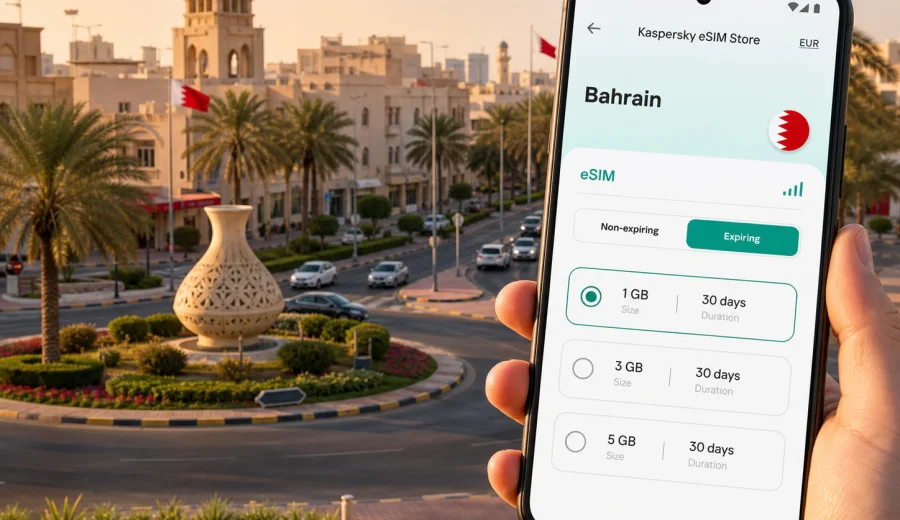
Hamad Town eSIM: mobile connection and internet for your trip
Hamad Town is a practical base for many Bahrain trips: residential visits, family stays, work around the Northern Governorate, events near the central road network, and day trips toward Manama, Riffa, A'ali, Budaiya, or the Bahrain International Circuit area. It is not a resort district where everything is in one hotel lobby. You will probably move between roundabouts, homes, malls, offices, schools, cafes, and nearby cities. That makes mobile internet less of a luxury and more of a daily travel tool.
An eSIM can help you prepare mobile data for Hamad Town without looking for a physical SIM card after arrival. With Kaspersky eSIM Store, you can use the app or website to choose, arrange, and activate an eSIM with a suitable tariff for mobile internet in Bahrain. You still need a compatible device, and the exact conditions depend on the selected tariff, but the basic idea is simple: prepare data before you need maps, messages, taxi apps, or hotel directions.
This guide focuses on how to use eSIM for Hamad Town specifically: arrival, local movement, navigation between neighborhoods, short business visits, family trips, stopovers, and routes from Hamad Town to other parts of Bahrain.
Why mobile internet matters in Hamad Town
Hamad Town is organized around numbered roundabouts and residential blocks. For a visitor, that can be convenient once you understand the layout, but confusing in the first hours. Addresses may be shared as a nearby roundabout, a mosque, a school, a majlis, a shop, or a road name. A stable data connection helps you translate those directions into a route you can actually follow.
Mobile internet is useful in Hamad Town for:
- opening maps when a driver, host, or colleague gives you a landmark-based address;
- using ride-hailing or taxi apps for trips to Manama, Seef, Isa Town, Riffa, or Bahrain International Airport;
- messaging family, hosts, clients, or hotel staff when plans change;
- checking prayer times, opening hours, delivery updates, or meeting locations;
- using translation tools in shops, clinics, or service counters;
- sharing your live location when someone is picking you up near a roundabout;
- keeping work email, video calls, and document access available during a short visit.
Public Wi-Fi can help in hotels, malls, and some cafes, but it is not a good primary plan for moving around Hamad Town. You may need internet while you are between places, inside a car, outside a building, or waiting for someone to collect you. An eSIM tariff gives you a prepared mobile data option on a compatible phone, so you are not dependent on finding a Wi-Fi password at every stop.
Arrival scenarios: airport, causeway, and first transfer
Most international visitors arrive through Bahrain International Airport on Muharraq Island, then travel across the country by car. The drive to Hamad Town depends on traffic, the exact address, and the route through Manama or central Bahrain. If you are arriving late, during weekend traffic, or before a family event, mobile data is useful before you leave the airport.
You may also enter Bahrain by road through the King Fahd Causeway from Saudi Arabia. In that case, Hamad Town can be part of a same-day family visit, a business appointment, or a stop before continuing to Manama or Riffa. A prepared eSIM is useful because you may want data as soon as you cross the border, before you have time to find a local SIM shop.
For the first transfer, mobile internet helps with several small but important tasks:
| Moment | Why data helps | Practical tip |
|---|---|---|
| Before leaving the airport | Confirm the Hamad Town address, roundabout, or pickup point | Save the address and host contact before landing |
| In a taxi or ride-hailing car | Follow the route and estimate arrival time | Share live location if someone is waiting |
| Late arrival | Message your host or hotel if the flight is delayed | Keep the eSIM installation details available offline |
| Causeway entry | Check route changes and meeting time after border formalities | Activate data only when the tariff conditions make sense for your trip |
If you are staying outside Hamad Town but visiting it daily, the same logic applies. Your hotel may be in Manama, Seef, Juffair, or near the airport, while your actual appointments are in Hamad Town. Mobile data keeps those cross-city trips manageable.
City focus: what makes Hamad Town different from a general Bahrain trip
A general Bahrain travel guide often talks about Manama, malls, museums, beaches, and the financial district. Hamad Town has a different rhythm. It is more residential, more car-oriented, and more dependent on precise local directions. That changes how you should think about mobile data.
For a visitor, the main eSIM use cases are not only posting travel photos. They are practical:
- finding the correct roundabout and nearby road;
- coordinating with relatives or colleagues who know the city locally;
- checking whether a shop, clinic, office, or service center is open;
- arranging a car between Hamad Town and other districts;
- keeping children, elderly relatives, or travel companions reachable;
- handling work messages while moving between home visits and meetings.
If you are in Hamad Town for a family visit, you may spend time in private homes rather than tourist sites. If you are there for work, you may move between offices, warehouses, government-related appointments, and nearby commercial areas. If you are there for a stopover, you may need a short, reliable data setup for one or two days. In each case, the best eSIM tariff is the one that matches your actual route, duration, and data habits.
How to choose an eSIM tariff for Hamad Town
Start with the country, then refine by trip length and data use. For Hamad Town, the relevant destination is Bahrain, even if your daily route includes Manama, Riffa, Isa Town, A'ali, Budaiya, or the airport. A country tariff for Bahrain is usually the simplest starting point for a city article like this because Hamad Town is part of the same national travel route.
Use this quick estimate before choosing:
| Trip style | Likely data needs | What to check before selecting |
|---|---|---|
| Short stopover or one-day visit | Low to moderate | Maps, messaging, taxi apps, light browsing |
| Family visit for several days | Moderate | Messaging, video calls, location sharing, delivery apps |
| Business trip | Moderate to high | Email, cloud documents, hotspot rules, video meetings |
| Longer stay with hotel Wi-Fi | Moderate | Use mobile data outside the hotel and Wi-Fi for heavy downloads |
| Road route around Bahrain | Moderate | Navigation, route changes, parking, pickup points |
Do not choose only by the largest data allowance. Look at the validity period, when data use starts, whether top-up is available, and whether the device supports eSIM. A smaller tariff can be enough for a short visit if you mainly need maps and messaging. A larger allowance may make sense if you expect video calls, file sharing, or hotspot use, provided the selected tariff allows the way you plan to use it.
Before buying, check whether your device supports eSIM. Also confirm that the phone is not locked to another mobile operator. eSIM setup can fail on a locked or incompatible device even if the tariff itself is suitable for the destination.
A practical data plan for different Hamad Town visitors
Hamad Town trips often fall into a few recognizable patterns. Matching your eSIM choice to the pattern is more useful than trying to guess a perfect number of gigabytes.
Family visit. You may use messaging heavily, receive location pins, join group calls, and move between homes. Keep mobile data available during transfers, and use trusted Wi-Fi for large photo backups or long video calls when possible.
Business appointment. You may need data for email, online forms, document review, and route updates. Check whether your tariff conditions allow hotspot use before relying on a laptop connection. If a video meeting is important, test your setup before the meeting time.
Stopover. If Hamad Town is part of a short Bahrain stop, prioritize quick setup, enough data for navigation, and a validity period that fits the visit. There is little value in a long validity period if you leave the country the next day.
Road-based itinerary. If you plan to move from Hamad Town to Manama, Riffa, the Bahrain International Circuit area, the causeway, or coastal districts, choose a tariff that covers the whole Bahrain route rather than thinking of Hamad Town as a separate island of coverage.
For a trip centered on Hamad Town, you can prepare an eSIM tariff for Bahrain before you travel and keep the setup ready for maps, messaging, transport apps, and daily coordination after arrival.
Installing eSIM before the trip or after arrival
You can install an eSIM before you travel or after you arrive, depending on the tariff conditions and your device. The safest workflow is to prepare everything while you still have a stable home or hotel connection, then activate mobile data when you need it and when the selected tariff instructions allow it.
Basic steps:
1. Check that your phone supports eSIM and is not operator-locked.
2. Choose Bahrain as the destination and select a tariff by data volume and validity period.
3. Complete the purchase in Kaspersky eSIM Store.
4. Install the eSIM profile by following the instructions on your device.
5. Set the eSIM as the mobile data line when you want to use it in Bahrain.
6. Enable data roaming for the eSIM if the installation instructions or device settings require it.
7. Keep your primary SIM available for calls or SMS if you still need your regular number.
For setup help, use the Android installation instructions or the iOS installation instructions. The exact screens can vary by phone model and operating system version, so follow the steps shown on your device.
Remember that eSIM tariffs for travel are usually focused on mobile data. A normal phone number, voice calls, and SMS are not included unless the selected tariff clearly says otherwise. For calls and messages, you can use internet-based apps while mobile data is active.
Moving around Hamad Town with mobile data
Hamad Town is easier when you can combine local directions with digital navigation. A host may tell you to come to a specific roundabout, then continue past a school or mosque. A map app can fill the gap between that local description and the turn-by-turn route.
Mobile data can help with:
- taxi and ride-hailing pickup points near roundabouts;
- route changes caused by traffic or roadworks;
- checking whether a destination is closer from Riffa, A'ali, or Manama;
- finding parking near shops, clinics, or family homes;
- coordinating multiple cars during weddings, family gatherings, or business visits;
- confirming a pickup point if several roads have similar names.
If you will be driven by a relative or colleague, you still need data. You may be asked to send your current location, open a shared pin, or message someone when you arrive. In residential areas, this can be more practical than trying to describe where you are by street name.
Hotels, apartments, and work stays
Many visitors who spend time in Hamad Town sleep elsewhere. Hotels are more common in Manama, Seef, Juffair, Amwaj, or near the airport, while Hamad Town may be the place for a family visit, training session, or meeting. This split makes mobile internet important because your day is not contained inside one building.
If you work during the trip, plan data use around the tasks that cannot wait for Wi-Fi:
| Work task | Use mobile data? | Better approach |
|---|---|---|
| Messaging and email | Yes | Keep notifications and calendar available |
| Video calls | Sometimes | Use Wi-Fi when possible, mobile data as backup |
| Large file uploads | Usually avoid | Wait for trusted hotel or office Wi-Fi |
| Map navigation | Yes | Keep mobile data active during transfers |
| Laptop hotspot | Depends | Check tariff conditions before relying on it |
For remote work, do not wait until the morning of a meeting to test the eSIM. Install it in advance, check that your device can switch mobile data lines, and keep the setup instructions accessible. If you use two SIM lines, label them clearly on your phone so you know which one is using data.
Short trips from Hamad Town
Hamad Town is well placed for movement across Bahrain. With mobile data ready, you can treat the city as a base for short routes rather than a single destination.
Common directions include:
- Manama and Seef: offices, malls, restaurants, banking, conferences, and hotels.
- Riffa and Isa Town: family visits, education, sports, local shopping, and government-related errands.
- A'ali and Saar: residential visits, cafes, and local services.
- Bahrain International Circuit area: events, motorsport weekends, and nearby attractions.
- Budaiya and the northern coast: cafes, homes, seaside stops, and evening drives.
- Bahrain International Airport: arrivals, departures, rental cars, and pickup coordination.
In a small country, it is easy to underestimate data needs because distances look short. The need often comes from coordination rather than distance: route changes, pickup messages, payment confirmations, digital tickets, parking, and last-minute address updates.
Before you rely on eSIM for the whole trip
Use this checklist before you make eSIM your main mobile data option in Hamad Town:
- Your phone supports eSIM.
- Your phone is not locked to a single operator.
- You know whether your regular SIM must stay active for bank SMS or calls.
- You have read the tariff validity period and data allowance.
- You understand when the validity period starts.
- You know whether data roaming must be enabled for the eSIM line.
- You have saved installation instructions before traveling.
- You have a backup connection for setup, such as home Wi-Fi, hotel Wi-Fi, or airport Wi-Fi.
- You have checked whether hotspot use is allowed if you plan to connect a laptop.
This checklist is especially important if you are traveling for a wedding, a family emergency, a business deadline, or a short stopover. In those situations, you do not want to troubleshoot basic compatibility while someone is waiting for you.
Common mistakes to avoid in Hamad Town
Waiting until you are in the car to install eSIM. Install while you have a stable connection and enough time to read the prompts on your phone.
Choosing a tariff only by price. A tariff should fit your duration, route, and expected data use. The lowest-cost option is not always the right match for a business call or a week of family coordination.
Assuming eSIM includes a local phone number. Many travel eSIM tariffs are data-only. Check the terms if you need calls or SMS.
Forgetting which line uses data. On dual-SIM phones, make sure mobile data is assigned to the eSIM when you want to use the travel tariff.
Using mobile data for everything. Save large backups, app updates, and cloud sync for trusted Wi-Fi when possible. This keeps the mobile data allowance for navigation, messaging, and urgent tasks.
Quick answers about eSIM in Hamad Town
Is Hamad Town a separate eSIM destination from Bahrain?
No. For this city trip, choose Bahrain as the destination. Hamad Town is the city context for how you will use mobile internet.
Can I install eSIM before flying to Bahrain?
Usually, yes, if your device is compatible and you follow the selected tariff instructions. Check when the validity period starts before activating data.
Do I need eSIM if my hotel has Wi-Fi?
Hotel Wi-Fi helps inside the building. eSIM is useful between the airport, Hamad Town addresses, meetings, homes, malls, and other districts.
Can I keep my regular SIM active?
On many compatible phones, you can keep your regular SIM for calls or SMS and use eSIM for mobile data. Check your device settings and your home operator's roaming conditions.
Will eSIM work for every phone?
No. eSIM requires a compatible, unlocked device. Check compatibility before purchase and follow the installation steps for your operating system.
Can I use eSIM for calls?
Travel eSIM tariffs are commonly focused on data. Voice calls and SMS are not included unless the selected tariff states otherwise. You can use internet-based calling apps over mobile data.
Final preparation for Hamad Town
For Hamad Town, the strongest reason to prepare eSIM is control. You can land in Bahrain, confirm your route, message your host, follow pickup instructions, and move between residential and business locations without depending on a physical SIM shop or a Wi-Fi password at every stop.
Before you travel, decide how long you will be in Bahrain, how often you will move between Hamad Town and other districts, and how much data you need for maps, messaging, work, and calls through internet apps. Then choose a tariff with a suitable data allowance and validity period, install it on a compatible device, and keep the setup instructions available.
When you are ready to prepare mobile internet for the trip, choose an eSIM tariff for Bahrain in Kaspersky eSIM Store and set it up before your Hamad Town itinerary begins.