Travel connectivity guide
Hammamet eSIM: Mobile Internet for Tunisia Travel
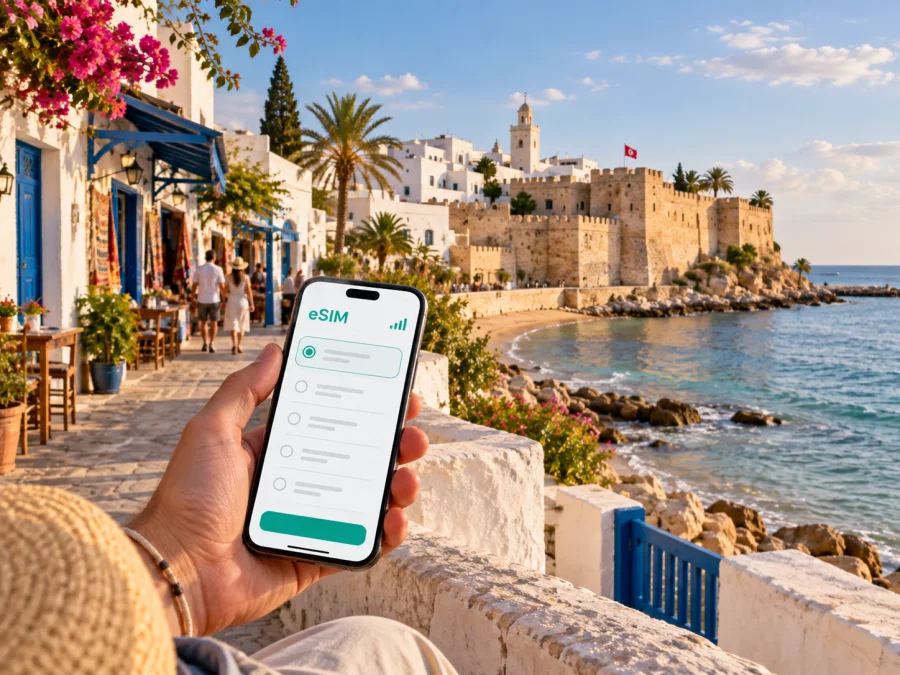
Hammamet eSIM: mobile connection and internet for a trip to Tunisia
Hammamet is the kind of destination where a day can move between a walled old town, a beach, a hotel meeting room and a quiet road across Cap Bon. That variety makes a dependable mobile connection useful from the moment you land. You may need a map for the transfer, a message to your accommodation, a taxi pickup point, a restaurant reservation, a translation, or a live route to a different part of town. A local eSIM plan for Tunisia can keep those small decisions practical without making a physical SIM card part of your arrival routine.
For a short holiday, an eSIM is also easier to plan around. You can choose a prepaid data allowance and validity period before the trip, install the digital SIM on a compatible phone, and decide when it should become the line used for mobile data. Check the tariff conditions and device settings before departure.
Why mobile internet matters in Hammamet
Hammamet is not one compact resort with a single travel rhythm. The historic medina sits by the sea, while Hammamet Nord, the modern centre, hotel areas and Yasmine Hammamet spread along the coast and inland roads. A hotel name alone may not tell you how close you are to the old town, the marina or a louage station. Mobile internet helps you turn that broad geography into manageable steps.
With data available, you can:
- confirm the exact location of your hotel before leaving the airport;
- share your arrival time and meeting point with a host, driver or colleague;
- check a route between the medina, Hammamet Nord and Yasmine Hammamet;
- read a map while walking through the old town and return to your accommodation;
- compare a taxi pickup point with the address shown in your booking;
- use translation and messaging apps when a conversation is difficult;
- keep a digital boarding pass, reservation or work file available during a stopover.
Arriving in Hammamet: prepare the first connection
Most journeys to Hammamet begin with a transfer from an airport rather than inside the town itself. Depending on your flight, you may use Tunis-Carthage, Enfidha-Hammamet or another Tunisian airport and continue by arranged transfer, taxi, coach, louage or a combination of transport. The right choice depends on your arrival time, luggage, hotel location and onward plans. Before departure, save the accommodation address in a format you can show to a driver, and keep the same address in an offline note in case your phone needs a few minutes to connect.
The first hour is where a data plan is especially useful. You may need to:
- send a message when baggage collection is complete;
- locate the official pickup area or the meeting point named by your hotel;
- open a route to Hammamet and then check the final approach to your accommodation;
- call up a booking confirmation or send the property your estimated arrival time;
- switch from airport Wi-Fi to the eSIM data line once the connection is ready.
The parts of Hammamet you will use most
Knowing the city’s main areas helps you choose a data allowance and avoid giving a driver an imprecise destination.
| Area | What it is useful for | Where mobile internet helps |
|---|---|---|
| Historic medina and kasbah | Sea views, souks, cafés, the old walls and a walkable cultural stop | Walking directions, opening-time checks, meeting points and translation |
| Hammamet centre | Everyday shops, services, restaurants and local errands | Finding an address, messaging a host and checking the return route |
| Hammamet Nord | Hotels and coastal accommodation north of the old town | Hotel transfers, restaurant searches and route planning along the coast |
| Yasmine Hammamet | A purpose-built resort area south of the historic core, with hotels, a marina and an evening promenade | Confirming the correct resort, navigating between hotel and marina, and arranging transport |
| Roads towards Nabeul and Cap Bon | Excursions, regional connections and day trips | Checking departure points, timing a return and keeping reservations accessible |
The historic medina and Yasmine Hammamet are both associated with the city but offer different experiences. If a reservation uses only “Hammamet”, verify the neighbourhood before setting out; the distinction can affect transfer time and the best transport option.
Choosing a tariff for the way you will use Hammamet
Start with your itinerary rather than an arbitrary data amount. A traveller who mainly reads messages and checks maps has a different pattern from someone who uploads photos, joins video meetings or shares a connection with another device. The package details should show the data allowance, validity period, destination and any conditions that affect activation or use.
| Trip pattern | Typical data activities | What to consider |
|---|---|---|
| Weekend in the medina | Maps, messages, restaurant searches and occasional photos | A smaller allowance may be sufficient if you use hotel Wi-Fi for large files |
| Beach holiday in a hotel district | Daily navigation, social apps, bookings and music | Match the validity to the full stay, including arrival and departure days |
| Work trip | Email, maps, messaging, document access and occasional calls in apps | Leave room for updates and avoid using mobile data for large video files unless needed |
| Road or rail itinerary | Frequent route checks, tickets, messages and translation | Choose validity for the whole route, not only the Hammamet nights |
| Shared travel with heavier use | Photos, video, hotspot or several connected devices | Check whether tethering is supported and plan a larger allowance if the tariff permits it |
These are planning categories, not promises about consumption. Video, automatic photo backup and cloud updates can use much more data than maps and messages, so review those settings before departure.
When you are ready to compare options, you can choose an eSIM tariff for a trip to Tunisia. Kaspersky eSIM Store is an app and website that helps you select, arrange and activate an eSIM with a suitable mobile-data tariff for an overseas trip. Review the allowance, validity and conditions shown for the selected option before completing the purchase.
Walking, taxis and longer transfers
The medina is best approached on foot: save your accommodation pin and agree on a visible meeting point near the seafront or kasbah. For short trips between hotels, restaurants and the centre, taxis can be more practical than walking along roads without a continuous pedestrian route. Keep the hotel address visible and confirm the destination before setting off.
For travel outside Hammamet, you may use buses, regional trains or louages, the shared minibuses used for intercity journeys. Departure points and timetables can change, so confirm them locally. The rail connection commonly associated with Hammamet is Bir Bou Regba, outside the centre, which may require a taxi for the last part. Allow extra time when you have a flight or fixed appointment.
A simple transport routine works well:
- save the accommodation pin and the nearest main road;
- write down the name of the destination in more than one spelling if necessary;
- take a screenshot of the route and departure information before leaving Wi-Fi;
- keep a small amount of battery for the return journey;
- use live navigation when conditions change, but ask locally if a road or entrance is unclear.
Screenshots of the route, reservation and return point are useful when you leave hotel Wi-Fi. Large resorts can have several entrances, so note the reception location and the place where taxis should collect you.
A practical setup before departure
Prepare the eSIM before you are standing with luggage and trying to find an airport network. The exact screens depend on the phone model and software, but the sequence is straightforward.
Step 1: check the device
Make sure the phone supports eSIM and is not restricted by an operator lock. If you are unsure, use the device compatibility check before choosing a tariff. Also check that your phone has enough battery and that you can connect to Wi-Fi during installation.
Step 2: select the direction and conditions
Choose Tunisia for a Hammamet itinerary and compare the data allowance and validity with the number of travel days. If your plans include Tunis, Nabeul, Sousse or another stop, make sure the selected destination or region covers the route you actually intend to take. Do not choose based on city name alone when the tariff conditions are defined by country or region.
Step 3: install the eSIM
Follow the installation instructions shown after purchase. Depending on the device, you may scan a QR code or use an in-app flow. For help, use the Android installation instructions or the iOS installation instructions. Keep your main SIM active if you need its ordinary number for calls or SMS, and label the lines clearly.
Step 4: choose the data line at the right time
Some travellers install the eSIM at home and enable it after landing; others activate it shortly before departure. The correct timing depends on the tariff’s validity rules. Read when validity begins, then select the data line that matches the eSIM. Keep data roaming on only for the line that needs it, if the device requires this setting for the selected eSIM. Turn off data switching if you do not want the phone to move to your primary line unexpectedly.
Step 5: test the essentials
After activation, open a simple webpage, check a map and send a test message. If it does not work immediately, review the APN or network instructions, confirm that the eSIM is assigned to mobile data, and contact support with the device model if needed.
To preserve the allowance, disable automatic updates and cloud photo backup over mobile data, restrict background refresh for video apps, and save maps or language packs before leaving home. Check the remaining balance in the app or profile rather than guessing.
Hammamet for business trips and short stopovers
Business travel changes the priority from sightseeing to timing. A meeting may be in a hotel conference space, a resort near Yasmine Hammamet or a venue outside the historic centre. Save the address, contact details and return route before leaving Wi-Fi. For a one-night stopover, choose one area for the evening and verify the travel time to your next appointment.
Short trips from Hammamet
Hammamet is a useful base for Cap Bon, Nabeul, Tunis and other coastal destinations. Routes and departure times can vary, so confirm them close to departure. Keep the Hammamet departure point, destination address and return location in your notes, and check that the tariff covers the whole route. An eSIM is a travel tool, not a guarantee of service in every indoor or rural location, so keep offline directions and a charged phone.
FAQ: eSIM and mobile connection in Hammamet
Can I install an eSIM before flying to Hammamet?
Usually, installation can be prepared before departure on a compatible, unlocked device. The timing of activation and validity depends on the tariff, so use Wi-Fi for installation and read its conditions.
Is an eSIM a replacement for my regular SIM?
Not necessarily. A travel eSIM is commonly used for mobile data, while your primary SIM can remain available for its number, calls and SMS. Check the tariff and dual-SIM settings before travelling.
Which area should I enter when searching for my hotel?
Use the exact address supplied by the property. “Hammamet” can refer to the historic centre, Hammamet Nord, the modern town or Yasmine Hammamet. A map pin and the hotel’s own directions are more reliable than a shortened city label.
What should I do if the connection does not start?
Check that the eSIM is enabled, assigned as the mobile-data line and configured as described in the instructions. Review data roaming if required, restart the phone and confirm that the tariff is active. Contact support with the device model if needed.
A simple Hammamet connection checklist
Before leaving home:
- confirm that the phone supports eSIM and is unlocked;
- choose a Tunisia tariff with suitable data and validity;
- install the eSIM over Wi-Fi and label it clearly;
- save the hotel address, airport transfer and first meeting point;
- download essential maps, tickets and reservations;
- decide which line will handle mobile data after arrival.
On arrival:
- enable the eSIM according to its conditions;
- test a map, message and simple webpage;
- check the route from your arrival point to the correct Hammamet district;
- keep the main SIM settings unchanged if you need its number;
- monitor usage when sharing data or uploading media.
During the stay:
- use the medina, Hammamet Nord and Yasmine Hammamet as separate map areas;
- confirm louage, coach and rail details close to departure;
- keep return directions available offline;
- review the remaining allowance before a longer trip across Tunisia.
Prepare mobile internet before your Hammamet trip
Hammamet rewards flexible plans: a slow walk through the medina, a beach afternoon, a meeting near Yasmine or an onward journey across Cap Bon. An eSIM can make the practical parts easier by giving you a prepared way to use maps, messages and travel information.
Check compatibility, select the Tunisia option that fits your data needs, read the validity conditions and install the eSIM over a stable connection. Then prepare an eSIM tariff for your Hammamet journey and keep the hotel address, transport details and offline backups close at hand.


