Travel connectivity guide
Harbin eSIM: Mobile Internet Guide for China
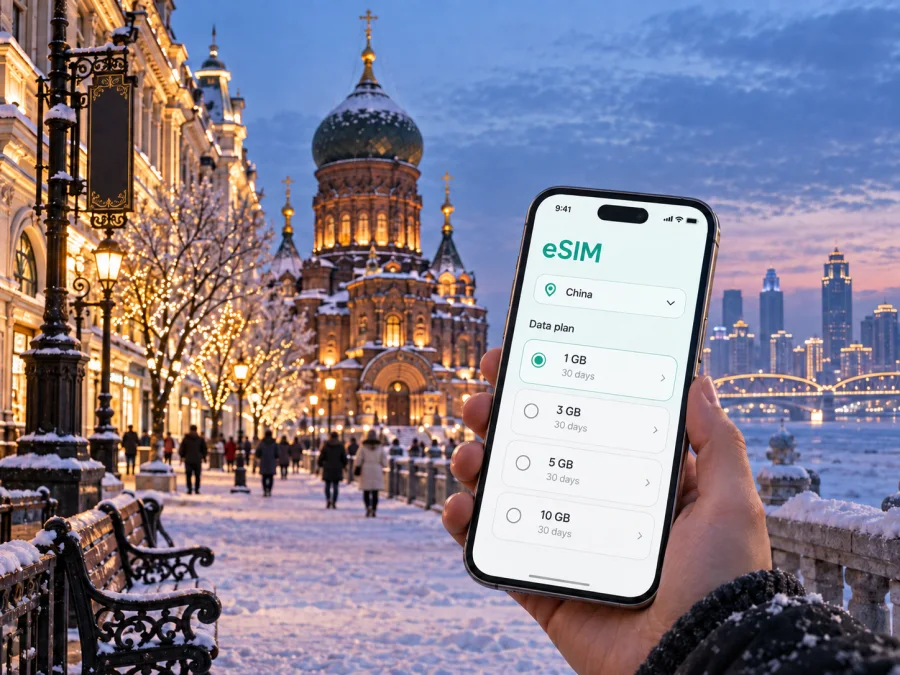
Harbin eSIM for Mobile Connection and Internet: A Practical China Travel Guide
Harbin is a city where a reliable mobile connection makes the first day easier. You may need an airport transfer, a hotel address in Chinese, a walking route through the centre, or a meeting point across the Songhua River. In winter, your phone helps you move between warm cafés, transport hubs, and ice attractions.
An eSIM, or digital SIM, can prepare mobile internet for Harbin without replacing the physical SIM in your phone. Kaspersky eSIM Store is an app and website where you can choose, arrange, and activate an eSIM with a suitable plan for mobile data during an overseas trip. The right choice depends on your route, length of stay, and device compatibility.
Why an eSIM can be useful in Harbin
Harbin travel combines many small data tasks: airport navigation, a hotel message, a map check near Central Street, a ride request in Songbei, or a work call. A data eSIM lets you plan those tasks in advance while keeping your home number available when your phone supports dual-SIM use.
The arrangement is particularly helpful in these situations:
- You want directions as soon as you leave the airport or railway station.
- You are travelling between Daoli, Nangang, Daowai, and Songbei.
- You have a short stopover or a work schedule that depends on maps and messages.
- You plan winter sightseeing or a longer regional trip from Harbin.
An eSIM is normally a data solution, not a replacement for a regular phone number. Unless the plan says otherwise, do not assume that it includes ordinary voice calls or SMS. Review its country or regional scope, validity, data allowance, and activation conditions before setup.
Arriving in Harbin: make the first connection simple
The arrival sequence matters more than the size of the data package. Have the essentials ready before the plane lands, especially if you arrive in the evening or during a cold spell.
Before leaving home
- Confirm that your phone is unlocked and supports eSIM; check the exact model because versions can vary by sales region.
- Decide whether the eSIM is for data only and whether your home line must remain available.
- Save your hotel address, first transfer, tickets, and key contacts offline.
- Keep the QR code or activation details accessible according to the plan instructions.
At Harbin Taiping International Airport
After landing, check the transfer details, confirm the destination address, and share your expected arrival. Compare a taxi or pre-arranged car with the booking before leaving the terminal. For public transport, identify the correct stop and save the route before walking outside.
Winter changes the rhythm of this process. A short outdoor wait can feel much longer than the same wait in mild weather, and gloves make it awkward to type a long address. Prepare the destination in advance and keep a compact power bank in an accessible pocket. If the phone is very cold, allow it to warm gradually rather than placing it directly against a strong heat source.
The first practical test is simple: open a map, search for the accommodation, and send one short message. If it does not work, check the selected data line, mobile-data settings, and plan instructions before assuming the eSIM has failed.
Getting around the city without losing your route
Harbin is spread across several areas, and the Songhua River is an important point of orientation. A day may move from the historic centre to the riverfront, Songbei, a railway station, or a seasonal attraction. Keep the destination, street name, and hotel visible while changing transport.
Daoli and the historic centre
Daoli is a practical base for Central Street, Saint Sophia Cathedral, riverfront walks, cafés, and hotels. Use a map for the next block or entrance, and save the hotel name and address instead of relying on memory.
Treat Central Street as a sequence of short stops: walk, identify a landmark, check the next turn, and continue. A mobile connection helps when a restaurant, museum, or attraction changes your plan.
Saint Sophia Cathedral and its surrounding square are easy to combine with a central walking route, but the square can feel very different in daylight, at night, and during busy travel periods. Use the phone for the route and opening information that applies on your dates; avoid treating an old screenshot or an unconfirmed schedule as final.
Songbei and the riverfront
Songbei lies across the river and is a frequent destination for hotels, offices, cultural venues, and winter attractions. If you stay there, check the transfer before setting a dinner reservation or meeting time.
For the riverfront and nearby parks, keep a flexible plan: one outdoor stop, one indoor alternative, and the address of your next warm place. Cold weather can change the time you want to spend outside.
Nangang and Daowai
Nangang is useful for railway access, offices, shops, and hotels; central sights may be a day trip from there. Daowai has a different commercial and architectural atmosphere, including the historic Chinese Baroque area. Save Chinese and English destination names and verify the address before ordering a ride.
The metro, buses, taxis, and ride-hailing services suit different times, weather, luggage, and destinations. Keep a second route available; a short taxi or ride-hailing segment can be more comfortable with heavy bags or very low temperatures.
How to choose a data plan for a Harbin trip
Start with your itinerary, not with a large number on a plan card. A visitor who spends most of the day walking and checking maps needs a different pattern from a remote worker who joins meetings and uploads files. The following guide is a planning aid; the actual amount depends on your apps, video quality, automatic updates, and photo backups.
| Travel pattern | Typical data tasks | What to check before choosing |
|---|---|---|
| Short stopover | Airport transfer, hotel message, maps, a few searches | Validity begins when you activate or when the eSIM first connects; confirm the timing |
| Two or three days in the centre | Navigation, bookings, messages, translation, photos | Whether your phone is set to stop background updates and cloud backups |
| Business stay | Video meetings, documents, messaging, hotspot or tethering | Whether hotspot use is allowed and how much data your work tools consume |
| Multi-city itinerary | Harbin plus regional destinations in China | Whether the plan covers the whole country or only a defined region and how validity is counted |
If you take many photos or videos, disable automatic cloud uploads until you deliberately choose mobile data. Video calls and streaming use more data than maps or text messages, so match validity and allowance to the visit.
Kaspersky eSIM Store can help you compare the direction, plan duration, data allowance, and other conditions shown for the selected option. To prepare the mobile internet for China before departure, choose an eSIM plan for your trip to China after checking those details and your device requirements.
Installing and activating an eSIM
Install the profile before departure if you have a stable internet connection and enough time to correct a setting. Some travellers prefer to add the profile at the hotel after arrival. Both approaches can work when the plan conditions allow them, but activation rules differ, so read the supplied instructions carefully.
Before installation, check whether your device is compatible with eSIM and make sure it is not locked to another operator. Keep Wi-Fi or another working connection available while adding the profile, because the phone may need to download the eSIM configuration.
A simple setup sequence
- Open the Kaspersky eSIM Store app or website and review the destination and plan conditions.
- Keep the activation information available, then open mobile-network settings and choose add eSIM.
- Scan the QR code or follow the supplied activation flow.
- Label the line “China data” and select it for mobile data when ready.
- If required, enable data roaming for the travel eSIM only, then test a map or simple web page.
The menus differ by device and operating-system version. Use the Android installation instructions or the iOS installation instructions for the relevant steps. Do not delete the eSIM profile just because the signal is not visible immediately; first check the selected data line, the plan validity, and the instructions for activation.
Settings that prevent common mistakes
Dual-SIM phones are convenient, but they require clear choices. Before going out in Harbin, select the travel eSIM for mobile data, consider turning off automatic data switching, and follow the plan instructions for data roaming. Restrict large downloads, automatic updates, and photo backups when you are on mobile data. Use hotspot only when the plan permits it, and keep hotel addresses and meeting locations in a form you can show to a driver or hotel desk.
The exact menu labels vary by phone. Decide which line pays for data, which line receives calls or SMS, and which apps can use data in the background. On a longer stay, check usage in the app or phone settings so that a large upload does not consume the allowance unexpectedly.
Harbin for business travellers
Business travel may take you from a hotel or office in Nangang to a meeting in Songbei, then onward to a railway station or the airport. Put each address into your calendar with a transfer buffer, keep the Chinese address beside the English company name, and save the first appointment as a screenshot. A plan suitable for maps may not suit daily video meetings or hotspot use, so estimate data from the actual work tasks and keep hotel Wi-Fi as a second option.
Short stopovers and trips beyond Harbin
For a short stopover, keep the route compact: accommodation, one central walk, a meal, and a dependable return route. Leave time for luggage, transfers, and weather. If you continue to a ski or snow destination such as Yabuli, or to another city by train, check current schedules and confirm that the eSIM plan covers the full route in China. Save the next hotel address and ticket information before leaving Harbin.
Before returning to Harbin Taiping International Airport, save the transfer details, check the route from your hotel, and allow extra time during snow or busy travel periods. Keep the eSIM active until the transfer is complete.
If the connection is not working as expected
Use a short diagnostic sequence instead of changing several settings at once:
- Confirm that the profile is installed and selected for mobile data.
- Check that the plan has started, remains valid, and has data available.
- Move to a clearer location, toggle airplane mode, and retry a simple map search.
- Review the data-roaming or APN requirements in the plan instructions, then restart if needed.
- Contact support with the device model, eSIM status, and steps already tried.
Avoid deleting the profile during troubleshooting unless support or the official instructions tell you to do so. A QR code may have a limited installation policy, and removing a working profile can create an avoidable problem. If only one app fails, test a different basic service before concluding that the mobile connection is unavailable.
Harbin eSIM checklist
- [ ] Confirm that the phone supports eSIM and is unlocked.
- [ ] Check that the China plan fits the itinerary and keep activation details accessible.
- [ ] Save the first hotel address, transfer, tickets, and meeting details offline.
- [ ] Select the travel eSIM for data and review automatic switching and backups.
- [ ] Carry a charger or power bank for winter plans.
Frequently asked questions
Is an eSIM useful for a first visit to Harbin?
Yes, it can simplify the first hours after arrival by giving you a planned way to use mobile data for maps, messages, hotel details, and transport coordination. Its usefulness depends on your phone’s compatibility, the selected plan, and your itinerary.
Should I install the eSIM before flying to China?
Installing before departure can be convenient because you have time, power, and a stable connection. Adding it after arrival may also be suitable when the plan permits it. Follow the activation conditions and keep the QR code or profile details available.
What data allowance do I need in Harbin?
There is no universal amount. Maps, text messages, and occasional searches use less data than video calls, streaming, hotspot use, and automatic photo uploads. Match the allowance to your number of days and how you expect to use the phone.
Will the same plan help on a trip from Harbin to another city?
It may, if the plan is valid across China or the stated region. Check the plan scope before leaving the city; do not assume that a city reference means every part of the country is included.
Prepare your Harbin trip
The most useful eSIM setup is a small part of a larger arrival plan: confirm compatibility, choose a data allowance that matches your route, save your first addresses, and decide which SIM will handle mobile data. In Harbin, that preparation is valuable whether you are walking between Central Street and the riverfront, travelling across the city for a meeting, visiting Songbei in winter, or continuing by train to another destination.
When you are ready, choose an eSIM plan for mobile internet in China, install it using the relevant instructions, and test the travel line before you set out. A clear plan for data lets you spend less time adjusting phone settings and more time navigating Harbin at your own pace.


