Travel connectivity guide
Hawalli eSIM: Mobile Internet and Connection Guide
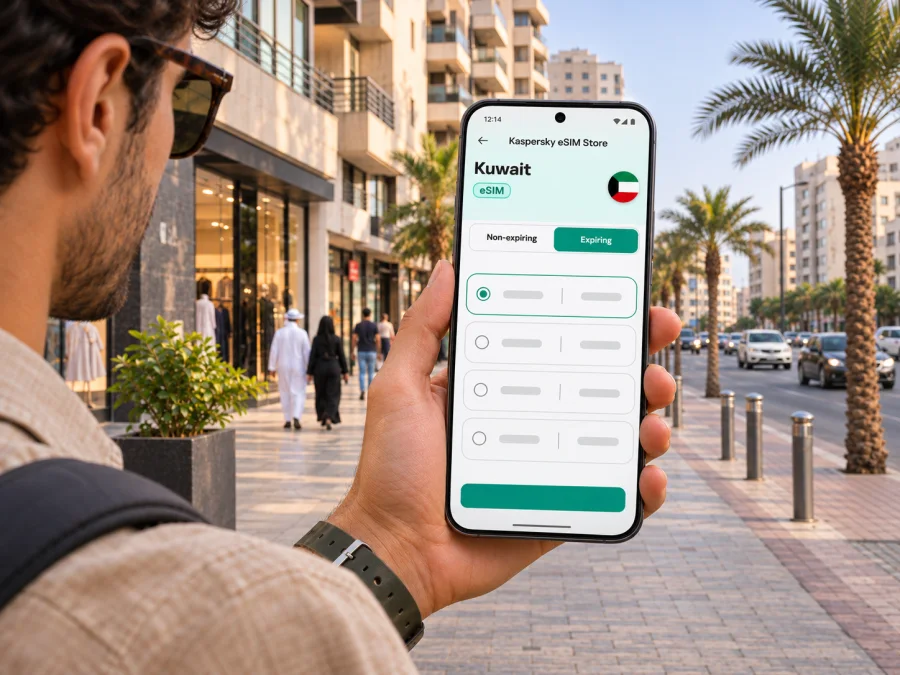
Hawalli eSIM: Mobile Connection and Internet for Your Visit
Hawalli is a useful base for a Kuwait City-area visit, whether you are arriving for meetings, staying with family, or using the district as a starting point for the coast and nearby neighborhoods. A phone with mobile internet can help you find a hotel entrance, confirm a ride, check a route, translate a message, and keep travel details close at hand. An eSIM can make that connection easier to prepare because it is installed digitally instead of on a removable plastic SIM card.
The name Hawalli needs a little context. It refers to an urban locality as well as to Hawalli Governorate, one of Kuwait’s six governorates. This guide is about the city/locality of Hawalli: the streets and daily travel around your accommodation, appointments, cafés, and nearby destinations. It is not a guide to every place within the wider governorate, and a country-level eSIM destination page should not be mistaken for a Hawalli-specific network or tariff.
Why mobile internet helps in Hawalli
Hawalli is an urban district within Kuwait’s built-up area. Many visitors move between an address in Hawalli and other places such as Kuwait City, Salmiya, or the airport rather than spending every day within one small walking zone. A mobile connection is practical for checking the exact address, following a route, contacting a driver, looking up opening hours, and adjusting plans if a meeting or pickup changes.
The most useful preparation is simple: save the address in a form you can show a driver, keep your hotel or host’s contact details accessible, and have a working data option for the times you are away from Wi-Fi. Navigation apps may need data to load a route or updated traffic information. Downloading an offline map before you leave can provide a backup, but it does not replace a live connection for fresh directions, messages, or ride updates.
| Trip moment | What mobile internet can help with | A sensible backup |
|---|---|---|
| Arrival | Finding the pickup point, checking a hotel message, and contacting your driver | Keep the full address and booking reference saved offline |
| First trip to Hawalli | Following a route and confirming the correct building or entrance | Save a map pin and ask the accommodation for a landmark |
| Workday | Joining online meetings, checking schedules, and messaging colleagues | Download meeting details and important documents in advance |
| Evening plans | Checking a venue’s current details and arranging a return ride | Save the venue name and address before leaving |
| Day trip | Coordinating pickup and checking the route back | Keep your accommodation address available without data |
A map pin is often more helpful than a district name alone. Ask your host for a precise pin, building name, street, and nearby landmark; save them in a note or screenshot in case data is not ready.
Choose a data option for the whole Kuwait itinerary
When you choose an eSIM, start with the route rather than the city name. Your plan may include several places in Kuwait, even if you sleep in Hawalli. Confirm that its destination coverage includes Kuwait and that the terms suit the dates and amount of data you expect to use. A country-level plan applies according to its listed conditions; it does not represent a separate Hawalli city network.
For a short stay based in one hotel, messaging, maps, browsing, and occasional ride coordination may use less data than frequent video calls, hotspot use, or streaming. For work travel, think about whether you will upload files, join calls on mobile data, or connect a laptop. For a longer stay, account for every day and any side trips. These are planning cues, not a promise of a fixed data amount: app settings, video quality, background syncing, and Wi-Fi availability all affect consumption.
Before you choose, compare the terms shown for each available option:
- Destination: Kuwait must be explicitly included for your trip.
- Data allowance: estimate navigation, messaging, browsing, and any work use; reduce video quality when possible.
- Validity: check when the validity period starts and whether it covers your arrival and departure dates.
- Network and usage terms: read any listed restrictions, tethering conditions, or fair-use limits.
- Price and currency: review the final amount and what is included before payment.
- Installation requirements: confirm whether the eSIM is installed by QR code or another method and whether you need Wi-Fi during setup.
How to plan your connection before departure
A few checks at home reduce the number of things you need to solve after landing. Start by confirming whether your phone supports eSIM and is not locked to a carrier. Device support can depend on the exact model and the version sold in a particular market. A product family name alone is not enough to confirm compatibility, so use the manufacturer’s information for your precise variant and check the compatibility list before paying.
- Check the exact phone variant. Look in your device settings or the manufacturer’s specifications for eSIM support. Some regional versions of an otherwise familiar model may differ.
- Check carrier lock status. A device tied to a home carrier may refuse an eSIM from another provider. Ask your carrier how to verify this before travel.
- Review the plan destination and conditions. Make sure Kuwait is covered and that the data allowance, validity, and activation rules fit your dates.
- Install while you have reliable Wi-Fi. Follow the instructions for your device. Keep the QR code or activation details available until setup is complete; do not share them publicly.
- Name the travel line clearly. A label such as “Kuwait data” can make it easier to select the right line later.
- Set the lines intentionally. Keep your home SIM available for calls or SMS if needed, and choose the travel eSIM for mobile data when its plan is active. Check the settings on your particular phone.
- Wait to enable data roaming unless the plan instructions say otherwise. Some travel eSIMs require it, others do not. Follow the supplied setup guidance rather than assuming one setting applies to all plans.
If you need a walkthrough, use the Android eSIM installation guide or the iPhone and iOS eSIM installation guide. The steps and menu names vary by operating-system version, so use the instructions that match your device.
You can review eSIM options for Kuwait and compare the current terms for your travel dates. Treat the page as a starting point for checking country-level options; packages, conditions, and supported networks can change, and none should be assumed to provide identical performance in every building or street in Hawalli.
Before purchase, check whether your device supports eSIM. Check the exact model and regional variant, and confirm that your phone is carrier-unlocked. If it does not support eSIM, alternatives include asking your home operator about roaming, using a local physical SIM where available and appropriate, or relying on Wi-Fi for limited tasks. Compare the terms and setup requirements before choosing.
Getting from the airport and finding your address
Kuwait International Airport publishes information about airport taxis, buses, car services, parking, and limousine services. Choose a transport option based on your arrival time, luggage, and destination, and check current instructions before travelling because airport arrangements can change. Hawalli is not the airport district, so allow time for the journey and confirm the drop-off point with your accommodation.
When arranging pickup, send the driver the building or hotel pin rather than only the word “Hawalli.” Keep a backup note with the address in English and, if your host can provide it, Arabic. At a large building, identify the entrance, tower, block, or reception desk. These details are useful even when maps work well because the final approach may depend on a specific driveway or side entrance.
At the terminal, confirm the pickup details, check the saved pin, and keep the address available offline. If data is unavailable, show the address to your driver or ask airport staff for help. Recheck eSIM settings over Wi-Fi at your accommodation.
Do not assume that an eSIM will connect the moment you scan its QR code. Installation and service activation can be separate steps, and the plan may start according to its terms. If the phone shows no service, check whether the profile is installed, whether the correct line is selected for mobile data, and whether the plan’s activation instructions have been followed. Avoid deleting an eSIM profile while troubleshooting unless the provider’s instructions tell you to do so; some profiles cannot be installed again after removal.
Moving around Hawalli and nearby districts
Hawalli is best approached as one stop within a wider urban itinerary. A visitor may stay in Hawalli and travel elsewhere for a meeting, shopping, a waterfront walk, or a family visit. Build time into plans for road travel, and check your destination and pickup location before setting out. If an appointment is important, send the exact location to your contact and agree on a recognizable meeting point.
For each trip, confirm the venue address with your host, check the route before leaving, and save a return pin plus a nearby landmark. If travelling to Salmiya or Kuwait City, enter the venue itself rather than relying on the district name. For late plans, arrange the pickup point before going out.
Map directions work best with a pin or written address from your host. Transliteration varies, and similar street or building names can be confusing.
Choose the connection approach that fits your stay
An eSIM is one option for mobile data in Kuwait. Depending on your circumstances, you might also use roaming from your home carrier, a local SIM, or Wi-Fi. The best fit depends on your device, the duration of your visit, whether you need your regular number, the plan’s terms, and how often you will need internet away from the accommodation.
| Option | Could suit you when | Check before relying on it |
|---|---|---|
| Travel eSIM | Your phone supports eSIM and you want to prepare data digitally | Destination, validity, activation, device compatibility, and whether calls or SMS are included |
| Home-carrier roaming | Keeping your existing number and billing relationship is important | Current roaming charges, data limits, and whether Kuwait is included |
| Local physical SIM | You prefer a local mobile service or your device has no eSIM support | Availability, registration requirements, plan terms, and device compatibility |
| Wi-Fi | You are mainly at a hotel, office, or café with a trusted connection | Whether access is available when travelling between locations and what sign-in steps apply |
You can also keep a home SIM active for important calls while using a data-only eSIM for maps and messaging. Check dual-SIM controls and home-carrier fees first. Voice calls and SMS are included only when a plan explicitly says so; calling apps use data and remain subject to their own service requirements.
Data habits for work, maps, and messaging
Mobile data use is shaped more by what you do than by the district where you are. Maps and text messages are usually lighter than video streaming or repeated cloud backups. If you expect to work remotely, estimate the number of video meetings and file transfers rather than selecting a package from trip length alone.
Before your first day, download maps and meeting files over Wi-Fi, limit automatic updates and photo backups on mobile data, and lower video quality if needed. Check data use after a day or two and carry a charger if you will navigate, use the camera, and share a hotspot.
A hotspot can use data quickly and may not be allowed by every plan. Confirm tethering terms, download important files in advance, and identify a Wi-Fi backup for work calls.
If the eSIM does not connect
Change one setting at a time. Check plan instructions, eSIM status, mobile-data line selection, and local signal conditions. A weak indoor signal at one location does not indicate service across the whole city.
Try this order:
- Confirm the eSIM profile appears in cellular or mobile-network settings.
- Check that the profile is enabled and selected for mobile data.
- Review the plan instructions for activation timing, network selection, and data-roaming requirements.
- Toggle airplane mode once or restart the device if the instructions allow it.
- Move to a different location or outdoors to see whether the issue is limited to the building.
- Check that the plan is valid for Kuwait and has remaining data or active validity.
- Contact the service’s support team with your device model, operating-system version, and a description of the steps already tried.
Keep the installation QR code and account details private. When asking for help, share only the information support requests through its official channel. Avoid posting screenshots that expose an activation code, personal account information, or a full phone number.
Hawalli connection checklist
Before the trip
- Verify eSIM capability for the exact device and regional variant.
- Confirm the phone is unlocked for use with another provider.
- Compare Kuwait destination, validity, data allowance, and activation rules.
- Save your accommodation address, host contact, and map pin.
- Install the eSIM over Wi-Fi if the instructions recommend advance installation.
- Keep your home SIM settings and roaming charges in mind.
On arrival
- Confirm the transport pickup point and destination pin.
- Select the correct line for mobile data.
- Follow the plan’s activation instructions and check whether roaming must be enabled for that eSIM.
- Keep an offline copy of your address and booking details.
- Check connectivity before leaving a Wi-Fi area for a long trip or important appointment.
During your stay
- Use precise pins for buildings and meeting points.
- Keep an eye on data use if you stream, make video calls, or share a hotspot.
- Save return directions for evening plans.
- Contact support if a connection issue persists after the basic checks.
Frequently asked questions
Is Hawalli a city or a governorate?
Both names are used in Kuwait’s geographic context. Hawalli is an urban locality and also the name of one of the country’s six governorates. In this guide, “Hawalli” means the city/locality, while the governorate is broader administrative context.
Does a Kuwait eSIM provide a separate Hawalli plan?
Not necessarily. A country-level eSIM option is selected for Kuwait, and its actual coverage and terms depend on the package. Do not assume there is a dedicated Hawalli tariff or identical performance in every part of the locality. Check the current destination and conditions before purchase.
Will an eSIM include a local phone number?
Only if the specific plan explicitly includes one. Many travel eSIM plans are designed for mobile data and do not include ordinary voice calls or SMS. Check the plan description and use messaging or calling apps over data if appropriate.
Can I install the eSIM after I arrive?
That depends on the plan and your access to Wi-Fi or another internet connection. Installing in advance can make arrival simpler, but activation timing varies. Follow the instructions shown for the specific eSIM and avoid removing its profile unless told to do so.
What if my phone has a different regional version?
Check the exact model number and the manufacturer’s information. Some regional variants can differ in eSIM support even when their retail names look alike. Do not rely on the model family name alone.
Is Wi-Fi enough for a Hawalli stay?
It may be enough if you remain mostly at one hotel, home, or office with dependable Wi-Fi. If you will move around, coordinate rides, or use maps away from those locations, a mobile-data option can be useful. Consider how you will get online between Wi-Fi points.
Does mobile data guarantee navigation or service indoors?
No. A working data plan does not guarantee a signal in every building, room, or street. Indoor conditions, device settings, local network availability, and the plan’s terms can affect service. Save important addresses and directions offline as a backup.
Prepare your Hawalli trip
A smoother arrival starts with a few details set up before you travel: confirm the address, save a precise pin, check your phone’s eSIM support, and choose a Kuwait data option whose terms fit your trip. Kaspersky eSIM Store is an app and website where you can choose, purchase, and activate an eSIM with a suitable tariff for mobile internet while travelling abroad. The service and network behind any plan depend on its current listed conditions.
When you are ready, compare current eSIM options for Kuwait, review the data allowance and validity, and follow the installation guidance for your device. Keep the address and pickup details saved so you can focus on finding your way around Hawalli after landing.


