Travel connectivity guide
Heraklion eSIM: Mobile Data & Travel Tips
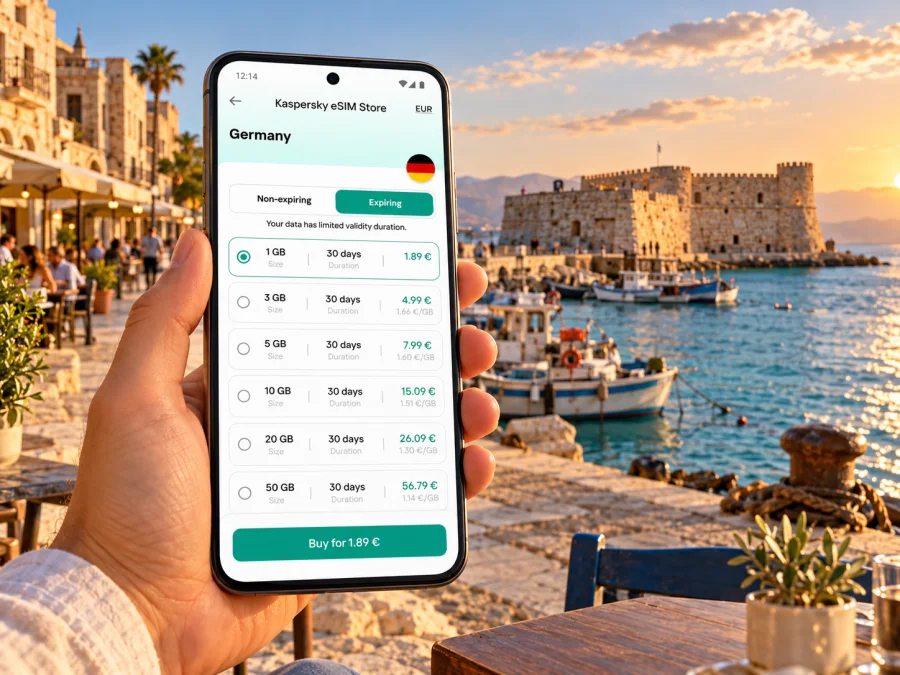
Heraklion eSIM: mobile connection and internet for your Crete trip
Heraklion is a practical base for exploring Crete as well as a destination in its own right. A working mobile data connection can help you check an airport transfer, find a hotel entrance in the old centre, follow a bus journey, confirm a museum visit or keep in touch while plans shift. An eSIM can be a convenient way to prepare mobile internet for Greece without swapping the physical SIM in your phone, provided your device supports eSIM and the plan you choose covers your route.
This guide focuses on the moments when connectivity matters in Heraklion: arriving at Nikos Kazantzakis Airport, moving between the centre and the harbour, planning a visit to Knossos, handling a short stopover and continuing elsewhere on Crete. Coverage and service depend on the local networks and the terms of the selected plan; an eSIM is not a promise of uninterrupted signal in every street or building.
When mobile internet helps in Heraklion
The first useful check may happen before you leave the airport. You may need to message your host, compare a taxi pickup point with a bus stop, open a map, or tell someone that your flight has landed. Heraklion International Airport, also known as Nikos Kazantzakis Airport, is close to the city, but the last part of the journey still depends on your accommodation, luggage, arrival time and traffic. Having mobile data ready makes it easier to compare your options instead of relying on a remembered address or a screenshot alone.
Once you reach the centre, the city is compact enough for many visitors to combine walking with local transport. A map helps you distinguish the harbour and waterfront from the streets inside the Venetian walls, locate a hotel entrance, and plan a route between landmarks. In narrow or busy streets, a pin placed at the exact building entrance can be more useful than a broad address. Save the accommodation address offline as a backup, especially if you expect to arrive late or your phone battery is low.
Airport arrival: a simple first-hour plan
Before flying, save your hotel name, address and contact details in a note that is available offline. After landing, check the latest public transport information or arrange the transfer you have already planned. The airport is served by city buses, but routes and operating times can change; check the current timetable and announcements before relying on a particular departure. If you use a taxi or a pre-booked ride, confirm the pickup point and vehicle details in the relevant app rather than assuming that mobile service will make the pickup automatic.
Use this short sequence after landing:
- Turn off airplane mode when it is safe and permitted to use your phone.
- Confirm that the intended travel line is selected for mobile data and that data roaming is enabled for that line if the plan instructions require it.
- Wait for the phone to register on an available local network. Follow the plan’s setup instructions if it does not connect.
- Open a map and confirm the route to your accommodation, then send a short arrival message.
- Keep the airport bus or transfer details available offline in case your battery or signal becomes unreliable.
A digital travel plan is helpful, but it should not be the only copy of essential information. Keep a screenshot or written note of the accommodation address, meeting point and booking reference. If you are travelling with other people, agree on a meeting place before separating in the terminal.
Getting around the centre
Heraklion’s city bus operator publishes routes, timetables and announcements online and offers information about electronic tickets and bus locations. Its route pages are useful for checking a journey to a particular neighbourhood or destination, while live information can help when a bus is delayed. Verify the route on the day: timetables may be updated, and temporary diversions can affect stops. A map app can help you compare walking and bus options, but the operator’s current information should guide the final decision.
For a short central visit, walking may be the simplest way to move between the old harbour, the central squares, cafés and the city’s historic streets. Use a map to orient yourself at junctions and to find the return route, but take in the surroundings rather than watching the screen continuously. When you need a ride, check the pickup location carefully: a pin on a pedestrian street or a one-way road may not be a usable meeting point for a vehicle.
Where a connection is useful around the city
Heraklion rewards a route that alternates between the centre and the waterfront. The municipality describes a visitor walk beginning near the fishing harbour and the Venetian fortress known as Koules, with the old town and its historic buildings further inland. In these areas, mobile internet helps with orientation, opening hours and meeting points, while a saved offline map remains useful if a lane is busy or reception dips inside a stone building.
| Travel moment | What mobile data can help with | Useful backup |
|---|---|---|
| Airport to accommodation | Route options, messages, updated pickup details | Saved address and booking reference |
| Exploring the old centre | Walking directions, venue searches, translation | Offline map of central Heraklion |
| City bus journey | Current route and timetable checks | Note the destination and stop name |
| Visit to Knossos | Directions and current visitor information | Screenshot of the route and ticket details |
| Work or video call | Meeting link, messages, hotspot if permitted | Hotel Wi-Fi and a downloaded work file |
| Day trip beyond Heraklion | Navigation and coordination | Offline maps and transport confirmation |
The table is a planning aid, not a coverage guarantee. A network may be weaker indoors, underground, inside a large building or outside the city. Keep important tickets and confirmations accessible without a connection.
Where you stay changes the shape of your day. An address in the historic centre may make it easier to walk between central sights, while accommodation closer to the port, airport side or an outer neighbourhood can mean checking a bus or arranging a ride more often. Before booking, compare the route from the property to the places you actually plan to visit, note the nearest stop and save the exact entrance pin. Recheck current city-bus information for the relevant route, since service details can change.
A visit to Knossos
The archaeological site of Knossos lies south of central Heraklion and is commonly paired with a city visit. Use a map to plan the journey from your accommodation and confirm the current way to reach the entrance. The municipal visitor guide gives the distance as about five kilometres from the city, but your exact route and travel time will depend on where you start and how you travel. Do not treat that approximate distance as a promise about journey duration.
If you are taking a bus, check the operator’s latest line information and any service notices before leaving. Keep the return plan in mind as well: after a long visit, it is useful to know where the stop is, what alternatives are available and how to contact your driver or travel companion. For a taxi, confirm the agreed pickup point and whether a return ride needs to be booked in advance. Current opening times, ticket conditions and access arrangements can vary by season, so check the official visitor information close to your visit.
Choosing an eSIM plan for Heraklion
Start with the complete itinerary, not only the first hotel. If your trip stays in Heraklion, a Greece plan may be sufficient if its stated coverage and validity match your needs. If you are continuing to other parts of Crete, check whether the plan applies nationally and whether any regional or country limits affect your route. A plan intended for Greece should not be assumed to cover nearby countries simply because they are geographically close.
Kaspersky eSIM Store is an app and website where you can choose, arrange and activate an eSIM with a data plan for an international trip. The available options and terms can change, so read the plan details shown at the time of purchase. Use the Greece plan page to review currently available options and confirm that the destination, validity period, data allowance and activation conditions fit your journey.
Match the plan to your travel habits
Estimate how you expect to use your phone rather than choosing by trip length alone. A traveller who mainly checks maps, messages and transport information has different needs from someone who streams video, uploads large photo libraries or works through a hotspot. Your existing habits, app settings and access to Wi-Fi all affect data use.
| Your likely use | Planning approach |
|---|---|
| Maps, messaging and occasional searches | Check how many days the plan remains valid and whether the data allowance covers ordinary navigation and communication. |
| Frequent photos and social posting | Review automatic cloud backups and video uploads; pause large background transfers when appropriate. |
| Remote work or video meetings | Estimate call duration, keep hotel Wi-Fi as a backup, and confirm whether tethering is permitted by the plan. |
| Several stops across Crete | Confirm the plan’s geographic coverage and whether the same eSIM remains suitable for the full route. |
| A brief stopover | Compare the plan’s activation trigger and validity against the actual time you will spend in Greece. |
Before purchase, check the plan’s validity start rule. Some eSIMs begin their validity when installed, while others start when they first connect to a supported network; the exact rule is plan-specific. If you install before departure, make sure you understand whether installation alone starts the clock. When the start condition is unclear, consult the plan details or support before activating it.
Also check whether the plan is data-only. Do not assume it includes a Greek phone number, traditional voice calls or SMS. Messaging and calling apps can work over mobile data, but that depends on the app, your account and the person you are contacting. Keep your usual number available for services that rely on it, and understand any roaming charges from your home provider before travelling.
Install and prepare before you fly
Installing an eSIM before departure can reduce setup tasks after landing, but follow the instructions for your exact device and plan. A stable Wi-Fi connection is normally helpful during installation. Keep the installation details available until the eSIM appears in your phone’s cellular or SIM settings. Avoid deleting an eSIM profile unless the plan instructions or support tell you how to restore it; some profiles cannot simply be scanned a second time.
Before buying, check whether your device supports eSIM. Compatibility varies by exact model, country or regional variant, and carrier lock status. The same product family can include versions with different SIM capabilities, so do not rely only on a series name or a general list found online. Confirm the full model number and the device maker’s specifications for the market where your handset was sold. If the phone is locked to a carrier, ask that carrier whether another eSIM can be added and used abroad.
A preparation checklist
- Confirm that the phone is eSIM-capable and is not restricted by a carrier lock.
- Check the precise plan destination, coverage terms, data amount and validity.
- Read whether installation or first network connection starts the validity period.
- Make sure you can access the account, QR code or activation details while installing.
- Update your phone software before travelling if the manufacturer recommends it.
- Save accommodation, transfer and booking details for offline access.
- Decide which SIM line will handle mobile data and which line, if any, will handle calls and texts.
- Review roaming settings for both lines so you understand which one could incur charges.
For setup steps, follow the Android eSIM installation guide or the iPhone eSIM installation guide, depending on your device. Menu names differ between operating-system versions and manufacturers, so use the instructions that match your phone. Do not scan a QR code from a screenshot on the same phone unless your device supports that workflow; some models require a second screen or manual entry.
On arrival: confirm the data line
After landing, open your SIM or cellular settings and check that the travel eSIM is enabled. Set it as the mobile data line if that is how the plan is intended to be used. If the plan requires data roaming, enable roaming for that eSIM only after checking its terms. Keep roaming disabled on your home line unless you intentionally want to use your home provider abroad and understand the charges.
If data does not work immediately, give the phone a moment to register, then check the selected line, mobile data setting and any plan-specific instructions. Restarting the device may help in some cases. Avoid changing multiple network settings at once; make one change, wait, and test a simple webpage or messaging action. If the phone shows no service, the plan could be inactive, the selected network may be unavailable at that location, or a device setting may need attention. Use the plan’s support channel for account or activation issues.
Short stays, business travel and day trips
A short layover in Heraklion calls for a different setup from a week in the city. First check how much time you actually have between arrival and onward travel, including the time needed to clear the airport and return for departure. For a brief city visit, mobile data can help with a transfer, directions and messages, but it is sensible to keep a return-time buffer and avoid relying on a single app or route. Confirm that any plan you buy can be activated and used within the time available.
For a day trip from Heraklion, download offline maps for the destination and the return route. Coverage can vary on coastal roads, in mountainous areas and inside buildings, so keep directions and reservations available offline. Confirm current intercity transport information with the relevant operator; city bus information is not the same as regional coach information. If plans change, mobile access makes it easier to contact accommodation or transport providers, but it cannot replace checking schedules and confirming a seat where needed.
Keep data use manageable
Common questions
Will an eSIM work everywhere in Heraklion?
No plan can guarantee service everywhere. Reception depends on the local network used by the plan, the location, indoor conditions, device settings and other factors. Check the plan’s coverage information and keep offline access to essential maps and reservations.
Can I keep my regular number active?
Many compatible phones can hold more than one SIM line, but exact support depends on the device and its configuration. You may be able to keep your home line enabled for calls or messages and select the travel eSIM for data. Review your home provider’s roaming rules and confirm which line is selected for each function to avoid unexpected charges.
Does a travel eSIM include calls and text messages?
Not necessarily. Check the plan description to see whether it is data-only or includes voice and SMS. Internet calling and messaging apps use data and require the other person to be reachable through that service.
Should I install it at home or after I arrive?
Either can work if the plan’s terms allow it. Installing before departure gives you time to resolve setup questions over a reliable connection. If installation starts the plan’s validity, however, you may prefer to wait until closer to travel or until arrival. Read the activation rule before scanning the code.
What should I do if maps stop loading?
Use an offline map or saved directions, check whether mobile data is assigned to the travel eSIM, and confirm the plan has not reached its allowance or validity limit. Move to a place with a clearer signal if possible. For transport changes, check current operator information when you regain access rather than relying on an old screenshot of a timetable.
Can I use the same eSIM on a trip beyond Heraklion?
That depends on the plan’s geographic coverage and validity. Check its terms for Greece and the areas on your itinerary. A city-focused article does not imply a separate Heraklion network or city-specific tariff.
A calmer way to stay connected
For Heraklion, the practical goal is to have mobile data ready for the moments when it saves time: finding your accommodation from the airport, checking a bus journey, navigating between the harbour and the centre, or coordinating a visit to Knossos. Choose a plan around your actual route and phone use, verify that your exact device variant can use eSIM, and keep offline copies of the details you would need if signal or battery runs low.
When you are ready to prepare, use the Greece options in Kaspersky eSIM Store to review the current plan terms and choose one that suits your trip. Install it according to the device-specific instructions, confirm the right data line after arrival, and keep a backup route for the parts of your day that matter most.


