Travel connectivity guide
Hermanus eSIM: Mobile Internet for Travel
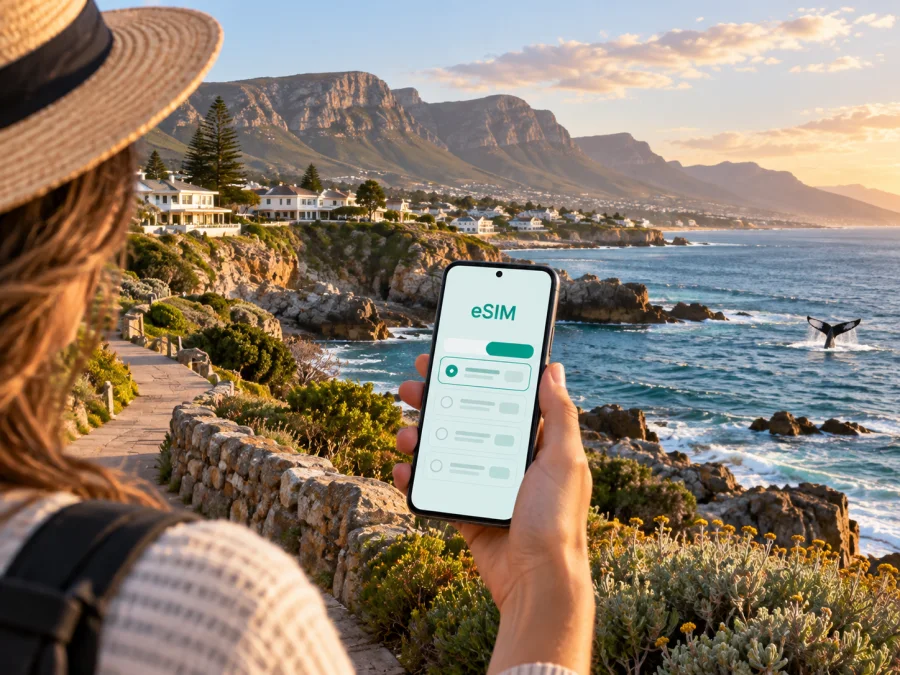
eSIM for Hermanus: mobile connection and internet for your trip
Hermanus is a coastal town in South Africa’s Western Cape, set beside Walker Bay and backed by the Kleinrivier Mountains. A visit can combine a slow morning on the Cliff Path, a day in Fernkloof Nature Reserve, a meeting in town and a drive through the Overberg. In each of those situations, a reliable mobile connection and internet access make the practical parts of the journey easier: finding your accommodation, checking a route, confirming a booking, calling a ride or sending a message when plans change.
An eSIM is a digital SIM that can provide mobile data on a compatible, unlocked device without replacing your physical SIM card. For a trip to Hermanus, it can be useful to prepare the data profile before departure and choose a prepaid tariff for South Africa that matches the length and rhythm of your stay. Kaspersky eSIM Store is an app and website where you can choose, arrange and activate an eSIM with a suitable tariff for mobile internet while travelling abroad.
Why mobile internet matters in Hermanus
Hermanus is easy to enjoy at a relaxed pace, but the town’s most attractive experiences are spread between the centre, the shoreline, the mountain slopes and nearby villages. Your phone may be doing several jobs at once:
- navigation from the airport road to a guesthouse, hotel or self-catering apartment;
- directions between the Old Harbour, Gearing’s Point, the New Harbour and a beach;
- walking maps for the Cliff Path and trails in Fernkloof Nature Reserve;
- messages with hosts, guides, restaurants and colleagues;
- online check-ins, work calls and two-factor authentication for a business trip;
- weather and sea-condition checks before a coastal walk or boat outing;
- translation, digital payments and ride coordination when you do not want to search for public Wi‑Fi.
An eSIM does not replace every form of communication. A travel data tariff normally does not include a regular local phone number, voice calls or SMS unless the conditions of that particular tariff say otherwise. You can use messaging and calling apps over mobile data, while keeping your usual SIM available for the services you still need. Before you travel, check which line your phone will use for calls, messages and mobile data so that you do not change settings accidentally.
Arriving in Hermanus from Cape Town
Many international visitors reach Hermanus after landing at Cape Town International Airport and continue by road. Exact travel time depends on traffic, weather, roadworks, stops and the route selected, so allow a buffer rather than planning around a rigid estimate.
Mobile internet helps at each handover in this arrival scenario. At the airport, you can open the address of your accommodation, send a message to a driver and save a map area for the road ahead. During a stop, you can check whether the booking details have changed. On arrival, you can use turn-by-turn navigation instead of trying to orient yourself with unfamiliar road signs while carrying luggage.
A practical arrival sequence
- Before leaving home, save the accommodation name, address and contact details in an accessible place.
- Install the eSIM while you have a stable internet connection, if your device and tariff allow installation before the trip.
- Keep your primary line available for essential calls, but select the travel eSIM as the mobile-data line when you are ready to use it.
- When the vehicle leaves the airport, check that the correct line is selected and that data roaming is enabled for the eSIM if the device requires it.
- Confirm the final approach to Hermanus only after the route has loaded; mountain roads and coastal detours can make a printed expectation less useful than a current map.
Do not assume that every phone uses the same menu names. If the eSIM does not connect, check the profile, the selected data line, the tariff conditions and the device instructions before deleting anything. An eSIM profile may not be transferable after activation, depending on its conditions.
Choosing a base: centre, coast and nearby neighbourhoods
Your data needs depend on how you use Hermanus, not just how many nights you stay.
| Stay pattern | Main mobile-data tasks |
|---|---|
| Central weekend | Maps, messages, bookings and short searches |
| Coastal walk | Route checks, weather, photos and location sharing |
| Nature stay | Trail details, transport coordination and safety messages |
| Work or road trip | Calls, documents, hotspot use and navigation |
The historic centre and Old Harbour suit travellers who want to combine walking with short rides. Westcliff is near the New Harbour; Voëlklip and Grotto Beach are useful for the eastern coast. Onrus and Sandbaai are farther along the coastal approach and may suit a quieter base or a car-based itinerary. Check the exact accommodation pin, entrance and meeting point rather than relying only on a neighbourhood label.
A mid-trip checklist for choosing your South Africa tariff
Once you know whether Hermanus is a short stop or the centre of a longer Western Cape itinerary, compare the conditions shown for the South Africa destination. Choose an eSIM tariff for a trip to South Africa after checking the details that affect your own route.
Look at these points before selecting an option:
- Coverage area: confirm that the tariff applies to South Africa and fits any additional countries on your itinerary.
- Validity: compare the tariff’s duration with your arrival and departure dates, including days spent travelling to or from Hermanus.
- Data amount: count maps, work calls, uploads and streaming separately instead of guessing from the number of nights.
- Activation conditions: read when the validity period begins and what action starts data use.
- Top-up or replacement rules: note what the service allows if your original estimate is too small.
- Device requirements: make sure the phone supports eSIM and is not locked to another operator.
There is no universal “right” amount of data for Hermanus. A phone used mainly for text messages and navigation consumes a different amount from one used for video meetings, cloud photo backups or hotspot work. Wi‑Fi at your accommodation may reduce mobile use, but it is sensible to keep enough data for the road, check-in and changes to your plans.
Moving around the town and coast
Hermanus rewards a mixed approach to transport. Explore central areas and parts of the coastline on foot, and use a car, transfer or planned excursion for nature reserves, beaches farther from your base and trips through the Overberg. Plan around the starting point, daylight, weather and the return journey.
Walking the Cliff Path
The Hermanus Cliff Path follows the coast for almost 12 kilometres between the New Harbour and the mouth of the Klein River, with access points along the way. It is not necessary to walk the whole route. Pick a section that suits your time, footwear and weather, and use the path as a sequence of viewpoints rather than a race from one end to the other.
Maps and location sharing are useful if you meet someone at a different access point, return by a separate route or want to identify your position near a beach or lookout. Keep the phone charged, carry water and remember that cliffs and uneven surfaces deserve attention even when a section looks easy on a screen. Download the accommodation address and a basic route before leaving so that you are not dependent on a live connection at every step.
Visiting Fernkloof Nature Reserve
Fernkloof Nature Reserve lies above Hermanus, about three kilometres east of the town centre, in the Kleinrivier Mountains. It offers a network of trails through coastal mountain fynbos, with route length and difficulty varying by section. Treat a nature-reserve visit as an outdoor activity, not as a normal town walk: check access information, allow extra time, follow marked paths and plan how you will return.
Your phone can support the visit by storing the reserve’s opening information, meeting details and emergency contacts, but it should not replace preparation. A battery pack, water, sun protection and suitable footwear matter more than a perfect map pin. In areas with limited or changing reception, a saved plan is safer than assuming that a new search will always load.
Beaches, harbours and short rides
Grotto Beach, Voëlklip, the Old Harbour and the New Harbour create different coastal scenarios. Check parking, the return ride and meeting points in advance. Use the phone for coordination, not as a reason to walk close to edges or ignore local signs.
For a transfer or taxi, send the exact entrance or meeting point rather than only the name of a hotel. This is particularly useful when several properties have similar names or when a property is set back from the main road. If you are using a ride app, keep the trip details visible until you have confirmed the vehicle and destination.
Hermanus for business travel and remote work
A work trip adds authentication, messages, documents and video calls to the same arrival and transport tasks. Test the eSIM before the meeting day, save the venue address, keep essential files available offline and carry a charger. Use mobile data for time-sensitive tasks, trusted Wi‑Fi for large downloads and a stable indoor position for calls. If you plan to use a hotspot, check that the selected tariff and device support that use.
How to install and activate an eSIM
The safest time to install an eSIM is when you have a stable internet connection and enough battery. Some travellers install the profile before flying and activate mobile data after landing; others wait until they arrive. Follow the conditions shown for your tariff and the instructions for your phone.
- Check the device. Confirm eSIM support and make sure the phone is not operator-locked. Some model or regional versions differ, so do not rely only on the product family name. Before selecting a tariff, check whether your device is compatible.
- Choose the destination and tariff. Match the South Africa option to the trip’s dates, route and expected data use.
- Install the profile. Use the on-screen flow or the QR code supplied in your profile or email. Do not scan a code repeatedly if the phone shows that the profile has already been added.
- Label the line clearly. A label such as “South Africa travel” can help you avoid selecting the wrong SIM when you arrive.
- Select mobile data. Set the travel eSIM as the line for mobile data when you are ready to use it. Keep data switching under control if your phone offers that setting.
- Enable data roaming if required. Some devices need this setting for a travel eSIM to connect; follow the tariff and device instructions.
- Test a simple task. Open a map or send a message, then check the selected data line and the tariff status.
For platform-specific help, use the Android eSIM installation instructions or the iOS eSIM installation instructions. The exact labels may vary by operating-system version. If activation does not complete, check the internet connection used for installation, the QR code, the selected line and the conditions of the tariff before removing the profile.
Questions travellers ask about eSIM in Hermanus
Will an eSIM give me a local phone number?
Usually no. A travel eSIM tariff is generally intended for mobile data, and regular calls or SMS are not included unless the specific conditions say so. You can use messaging and calling apps over the internet and keep your primary SIM for services that require your usual number.
Should I install the eSIM before flying to South Africa?
You can install it before departure if the tariff instructions and your device support that sequence. Doing so on a stable connection gives you time to resolve compatibility or activation questions. You may prefer to wait to enable mobile data until arrival so that the travel profile is used during the intended part of the trip.
What should I do if mobile data does not work after landing?
Check that the travel eSIM is enabled, selected for mobile data and allowed to use data roaming if required. Confirm that the tariff is active, move to an open location if the signal is weak and restart the phone only after saving any information you need. If the issue remains, contact support with the device model and the steps already tried.
Prepare your Hermanus connection before the journey
Hermanus is a town of changing distances: a central café, a coastal path, a mountain trail and a road-trip stop can all be part of the same itinerary. Preparing mobile data around those real movements helps you spend less time searching for a connection and more time choosing the next walk, view or meeting point.
Before departure, use this final checklist:
- confirm the phone supports eSIM and is unlocked;
- choose a South Africa tariff whose validity covers the whole route;
- install the profile on a stable connection when appropriate;
- save accommodation and transfer details;
- decide which line will handle data, calls and messages;
- check the roaming-data setting required by the device;
- download important maps and documents;
- carry power for long coastal or mountain outings.
When you are ready, prepare an eSIM tariff for your Hermanus trip through the South Africa destination page. Review the displayed conditions, install the profile on a compatible device and activate mobile data when your journey begins. That simple preparation can make airport arrival, town navigation, work, walking and onward travel easier to manage.


