Travel connectivity guide
Herzliya eSIM: Mobile Internet Guide
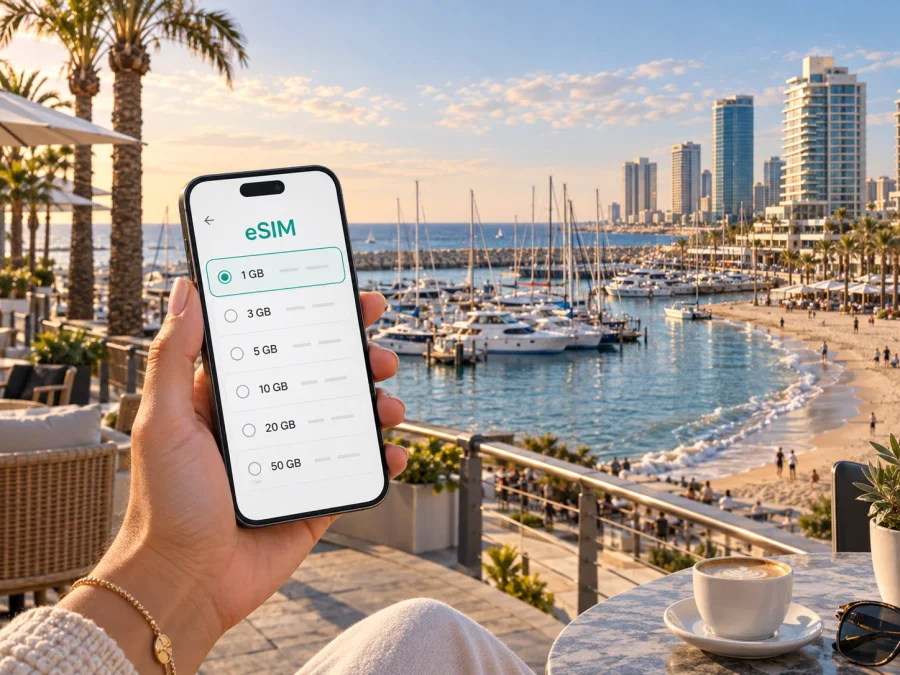
Herzliya eSIM: Mobile Connection and Internet for Your Israel Trip
Herzliya is a base for a trip to Israel when you want the coast, business districts and easy access to the greater Tel Aviv area without staying in the center of Tel Aviv. A working mobile connection helps from the moment you arrive: you may need to check a transfer, find the right hotel entrance, contact a host, follow a walking route or confirm a meeting. An eSIM can provide mobile internet for those tasks without removing the physical SIM already in your phone.
The useful way to plan an eSIM for Herzliya is to think about your actual route rather than the city name alone. Will you arrive through Ben Gurion Airport? Are you staying near the beach or in Herzliya Pituah? Will you travel to Tel Aviv, Netanya or Jerusalem during the same trip? The answer affects the country or regional option, the amount of data you need and when you should install the profile.
When mobile internet is useful in Herzliya
Herzliya trips often combine several different kinds of movement. A leisure visitor may alternate between a hotel, the beach, the marina and restaurants. A business traveller may move between a hotel, offices in Herzliya Pituah and meetings in Tel Aviv. A family may need maps, ride bookings and messaging while carrying luggage or travelling with children. Reliable access to data is therefore more useful than a connection planned only for one attraction.
Here are the moments when a prepared eSIM can make the day easier:
- Arrival: check the accommodation address, message the host and keep a map available while leaving the airport.
- First transfer: compare the available route options, find the station or bus stop and share your arrival time.
- Local navigation: walk between the beach, marina, cafés and your hotel without repeatedly searching for public Wi‑Fi.
- Business travel: join a work chat, receive a calendar update, open a meeting address or send a document when plans change.
- Short visits and onward travel: keep data available for a stopover, a coastal itinerary or a route that continues from Herzliya to another destination in Israel, subject to the selected tariff’s terms.
Herzliya arrival: prepare before you leave the airport
Ben Gurion Airport is the main international gateway for visitors heading to Herzliya. From the airport, your first practical task is usually not sightseeing but orientation: identifying the correct terminal exit, checking the route to your accommodation and telling someone where you are. Even a short arrival transfer is easier when you can use maps and messages immediately.
Before the flight, save the hotel name, street address and reservation details in your phone. Keep the office address and contact number in an offline note if you are meeting colleagues.
A simple arrival sequence looks like this:
- Connect to airport Wi‑Fi if it is convenient and complete any pending setup while you still have time and power.
- Keep your primary line available for calls or messages if you need it, but select the travel eSIM for mobile data when your plan is active.
- Open the route to Herzliya and check the final destination, not only the city name. A hotel by the coast and an office farther inland may require different local movements.
- Confirm your transfer or meeting point before leaving the terminal.
- Once you arrive, test maps, messaging and one ordinary web page before you put the phone away.
Installing a profile and using data are separate steps: the eSIM may be added before departure while data begins only after you select the line and enable the required settings. Keep the purchase information accessible.
Choosing an eSIM tariff for Herzliya
Kaspersky eSIM Store is an app and website that helps you choose, arrange and activate an eSIM with a suitable tariff for mobile internet during an international trip. For Herzliya, start with the Israel destination and match the profile to your itinerary. It is normally chosen for the country or region covered by the offer rather than for one street or neighbourhood.
Use these four questions before making a choice:
| Question | What to consider for a Herzliya trip |
|---|---|
| Where will the eSIM work? | Confirm that the selected destination includes Israel and covers the route you plan to take from Herzliya. |
| How long will you need data? | Count arrival day, hotel days, meetings, excursions and the return journey rather than only the number of nights. |
| How much traffic is realistic? | Maps and messages usually need less data than video calls, photo backups, streaming or hotspot use. |
| When should it be installed? | Installation before departure can reduce arrival stress, while activation should follow the tariff instructions. |
For a short break, a modest allowance may be enough if you download maps in advance and use video sparingly. A business trip can require more headroom for meetings, files and frequent navigation. Check the conditions before relying on hotspot use.
Compare traffic volume, validity period, destination, price and activation conditions together. More data is not automatically right for a short stay, while a smaller allowance may be uncomfortable if calls and uploads matter. Review the selected option before payment.
When you are ready, choose an eSIM tariff for your trip to Israel and compare the available conditions for your route.
Getting around Herzliya without losing your route
Herzliya is easier to navigate when you treat it as a set of connected areas rather than one compact sightseeing zone. The beachfront and marina have a different rhythm from the city centre. Herzliya Pituah is associated with offices, hotels, restaurants and business appointments, while residential areas can be farther from the coast. Your phone is most useful when it helps you bridge those areas at the right time of day.
Public buses and the railway are part of the wider travel picture, but routes and timetables should be checked for the date and destination. The railway station is not door-to-door navigation: you still need to reach it from the hotel and continue from the arrival station. Save the full address and verify the walking section.
For local movement, use this routine:
- Search for the exact hotel, office, venue or beach entrance rather than a broad neighbourhood label.
- Check the route again when a meeting ends, because the best return option may differ from the morning journey.
- Keep a screenshot of the address and a contact message in case your battery becomes low.
- If you use a taxi or ride service, confirm the pickup point in a visible landmark and share the trip details with a travel companion.
Navigation consumes battery. Lower screen brightness, use downloaded maps where appropriate and carry a power bank for a full day between the beach, offices and restaurants.
Beaches, marina and waterfront plans
The Herzliya waterfront may mean a beach morning, a marina walk, a coastal meal or an evening after meetings. Save the hotel address, a map pin for the meeting point and a way to message your group before you leave. Search for the exact venue or beach entrance rather than a broad area name, and use walking directions for the final section.
Heat, wind and opening hours can change the plan, so keep the phone charged and the route flexible.
Herzliya Pituah and business travel
Herzliya Pituah brings offices, hotels, restaurants and meeting spaces into the same business-travel picture. Before a meeting day, save the building address, floor and reception instructions; keep the agenda and key documents available locally; and ask for a contact who can help if the entrance is difficult to find. Check whether your work platform needs a sign-in or verification step and whether hotspot use is allowed by the tariff.
Installing and activating your eSIM
Install the eSIM while you have a stable internet connection and enough battery. That might be at home, in a hotel or at the airport. Do not delete your primary SIM just because the travel profile has been added: your existing line may still be useful for account access, calls or messages.
The general sequence is:
- Check that the phone supports eSIM and is not restricted by an operator lock. Before payment, check your device compatibility.
- Select the Israel destination and review the tariff’s data volume, validity and activation terms.
- Complete the purchase in Kaspersky eSIM Store and keep the confirmation available.
- Follow the device prompts or QR-code instructions to add the eSIM profile.
- Label the profile clearly, for example “Israel travel”, so that you do not confuse it with your primary line.
- Set the travel profile as the line for mobile data when you want to use it.
- Follow the tariff instructions about data roaming and activation; settings vary by device and offer.
- Test a map, message and ordinary web page, then check which line is selected for data.
For detailed device steps, use the Android eSIM installation instructions or the iOS eSIM installation instructions. If the profile does not activate, do not repeatedly delete and reinstall it. First check the connection used for setup, the selected data line, the activation conditions and the device settings, then contact support if the issue remains.
What to check before the flight
The following checklist covers the issues most likely to interrupt a Herzliya arrival:
- [ ] The phone supports eSIM and is not operator-locked; check device compatibility before purchase.
- [ ] The selected destination is Israel, and its terms fit the wider route if you will leave Herzliya.
- [ ] The validity period covers the day you expect to start using data and the rest of the trip.
- [ ] Your hotel, office and transfer details are stored both online and in a local note.
- [ ] You know which SIM will handle calls and messages and which profile will handle mobile data.
- [ ] Data roaming and automatic switching settings are understood for the travel profile.
- [ ] Maps, tickets, reservations and essential documents are available if the connection is interrupted.
- [ ] Your phone has enough storage, battery and the latest practical system updates.
- [ ] You have a way to charge the phone during a long arrival or meeting day.
The word “roaming” can describe different things in the settings. Your primary line may incur charges if it remains selected for data, while the travel eSIM may require data roaming to be enabled for its own service. Check the labels carefully and disable automatic data switching if your phone might change lines without asking.
Three practical Herzliya travel scenarios
| Scenario | Useful preparation |
|---|---|
| Weekend by the coast | Install before departure, save hotel and marina details, and reserve data for directions, bookings and messages. |
| Work trip with evening plans | Allow for maps, documents and possible calls; keep the office address offline and make the travel profile the deliberate data line. |
| Short stopover | Check validity and Israel route coverage, save onward travel details and avoid background downloads after landing. |
In each case, decide what must work, prepare before the stressful moment and leave room for a route change.
What an eSIM does—and what it does not do
An eSIM is a digital SIM profile added to a supported phone for mobile data under the selected tariff’s conditions. It does not automatically replace your usual number, and voice calls or SMS are not included unless the tariff says so. Messaging and calling apps can use the data connection, subject to the app, account and network conditions.
Kaspersky eSIM Store helps you select a destination, review tariff conditions and manage the eSIM through its app or website. It is not a mobile operator or the local network itself. Coverage, speed, activation and the start of validity depend on the selected offer and the networks involved, so read the purchase details carefully.
Frequently asked questions
Is an eSIM useful if I stay only in Herzliya?
It can help with arrival navigation, messages, reservations and local movement. Match the destination and validity to the visit.
Should I install the eSIM before flying to Israel?
Installing before departure can simplify arrival. Use a stable connection and remember that adding the profile does not necessarily start its validity.
Can I use the same eSIM when I travel from Herzliya to Tel Aviv?
That depends on the destination and tariff terms. If the offer covers Israel, the route may fit the same country plan; confirm the conditions before relying on it.
Will my ordinary phone number keep working?
Your primary SIM can remain in the phone, but calls, SMS and data settings depend on your operator and device. Travel eSIM tariffs are primarily for mobile data unless stated otherwise.
What if mobile data does not start?
Check that the travel profile is enabled, selected for data and configured as instructed. Confirm whether data roaming is required and that the phone has not switched to the primary line. If the issue remains, keep the confirmation details and contact support.
A calm final preparation for Herzliya
Solve eSIM questions before you are standing outside the terminal or hurrying between meetings. Choose the Israel destination, compare traffic and validity, check your device, install the profile on a stable connection and save the addresses that matter.
When your route is clear, prepare an eSIM tariff for your Herzliya trip and review the terms before activating it. That leaves you free to focus on the coast, the marina and your meetings.


