Travel connectivity guide
Hiroshima eSIM: Mobile Internet for Japan Trips
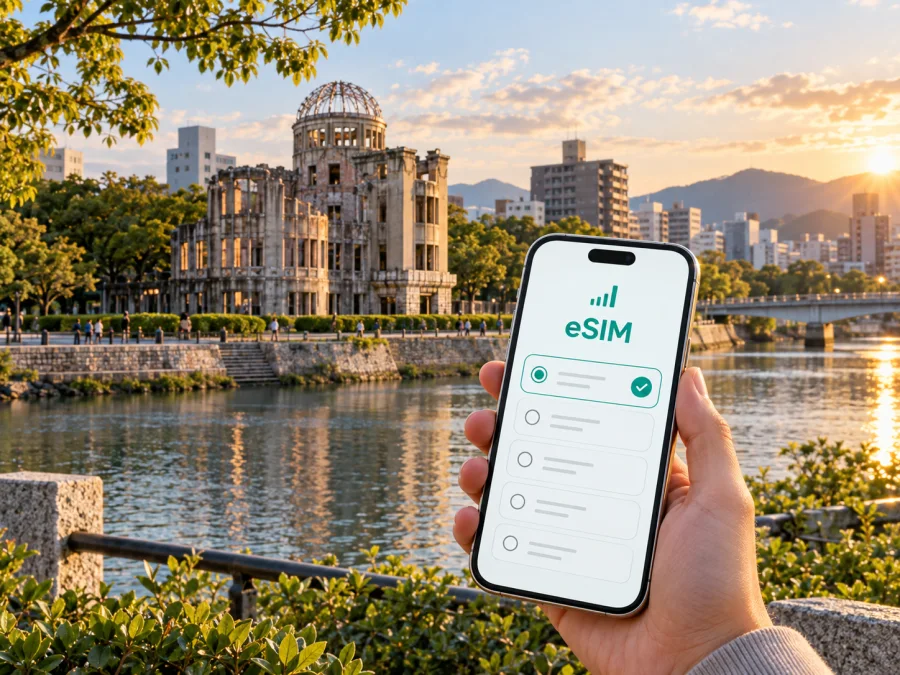
Hiroshima eSIM for Mobile Connection and Internet on Your Japan Trip
Hiroshima is a city where a short stop, a business meeting and a full cultural itinerary can all involve different kinds of movement. You may arrive at Hiroshima Station by shinkansen, come into the region through Hiroshima Airport, stay near the station or downtown, and spend the same day walking around the Peace Memorial Park, taking a streetcar, or planning a trip toward Miyajima. In each situation, mobile internet helps with maps, reservations, translation, messages and changes to your route.
An eSIM is a digital SIM card that can be installed on a compatible phone without removing your everyday physical SIM. For Hiroshima, it can help you prepare a prepaid Japan data plan before departure or after arrival. Kaspersky eSIM Store is an app and website where you can select, arrange and activate an eSIM with a suitable plan for mobile internet during an international trip. Check the destination, data allowance and validity shown at purchase.
Why mobile internet matters in Hiroshima
Hiroshima’s central sightseeing area is walkable in parts, but the city is spread along rivers and extends toward the port and residential districts. A paper itinerary rarely covers every small decision. You may need to locate the correct streetcar platform, check a restaurant’s opening information, show a booking, translate a notice, or send an update when a meeting ends later than expected.
Mobile data is especially useful in the first hours after arrival. It can help you:
- find the route from Hiroshima Station or an airport bus stop to your accommodation;
- check the location of a hotel entrance, meeting room or restaurant;
- follow a walking route around the Peace Memorial Park and riverfront;
- compare a streetcar, local train, bus or taxi;
- keep reservations and digital tickets available;
- look up a departure platform or ferry connection outside the city.
The benefit is flexibility: you can make small route changes without searching for public Wi-Fi each time. A mobile connection can also reduce reliance on hotel or café networks when you are handling a booking, work task or unfamiliar walk.
Arrival scenarios: Hiroshima Airport, Hiroshima Station and the city centre
Hiroshima Airport is outside the city centre, so travellers arriving there normally continue by airport bus or another prearranged transfer. Before leaving the terminal, data lets you check the bus stop, message your accommodation and open the address in a map. Transfer time depends on traffic, weather and your destination.
Hiroshima Station is a direct starting point for many visitors, with shinkansen and local rail services plus connections to the city’s streetcar and bus network. The best first route depends on whether you stay near the station, Hatchobori, Kamiyacho, the Peace Memorial Park area or Ujina.
Before leaving the terminal or station, save the accommodation address, confirm your first transport leg, and keep the destination name visible in your booking. If you are meeting someone at Hiroshima Station, agree on a precise entrance or floor: “at the station” can mean several different places. A working data connection lets you exchange a pin or update the meeting point when the group arrives at different times.
Moving around Hiroshima: use data for decisions, not just directions
Hiroshima’s streetcars are a distinctive way to reach the Peace Memorial Park area, central shopping streets and the port side. Buses and local rail may suit other districts or longer legs, while walking is often simplest between nearby attractions and along the riverside.
Routes can look simple on a map but become less obvious with luggage or a transfer. Mobile internet helps you identify the next stop, compare walking time with a vehicle and adjust a route for a stroller, suitcase or tight business schedule.
Before boarding, check the whole route and the stop where you need to get off. Allow extra time when changing between rail, streetcar, bus and walking, and keep your hotel address in an offline note in case the battery runs low. For a taxi or restaurant, use the exact entrance or current booking details rather than relying only on a broad district name.
Which Hiroshima areas benefit from a connected phone?
The right base depends on the purpose of your trip. eSIM does not choose a neighbourhood for you; it helps you stay online while you make location-based decisions.
| Area or base | Typical reason to stay or visit | Where mobile data helps |
|---|---|---|
| Hiroshima Station | Rail arrival, departure, shopping and a convenient base for onward travel | Platform information, hotel directions, meeting points and transfers |
| Hatchobori and Kamiyacho | Central shopping, dining, offices and access to the wider streetcar network | Restaurant details, walking routes, work messages and route changes |
| Peace Memorial Park area | A reflective visit to the park, museum area, riverfront and nearby monuments | Respectful navigation, timed reservations and access information |
| Yokogawa and western approaches | A different local base with rail and streetcar connections | Comparing rail, streetcar and walking options |
| Ujina and the port side | Waterfront stays, port connections and a quieter city setting | Port directions, accommodation access and onward travel planning |
The table is a planning aid, not a claim that one district is best for every visitor. Data helps you adjust after checking actual distances and opening conditions.
A practical data plan for a Hiroshima itinerary
The right eSIM plan depends on what you will do with your phone, how long you will stay in Japan and whether Hiroshima is one stop on a wider route. Start with the itinerary, then estimate usage. A phone used mainly for short map checks and messages needs less data than one used for video calls, photo backup, hotspot work or frequent streaming.
Consider these questions before choosing:
- How many days will you spend in Hiroshima and elsewhere in Japan?
- Will the plan cover the whole country or a wider region?
- Will work require video meetings, a laptop connection or a hotspot?
- How often will you use navigation, translation and photo sharing?
- When does validity start under the plan’s terms?
A short stopover may call for a different allowance from a two-week route through several Japanese cities. For business, allow for maps, email, messaging and internet calls; for leisure, include translation, bookings and photo sharing. Compare expected use with stated data and validity.
Kaspersky eSIM Store can help you choose an eSIM plan for a trip to Hiroshima by showing the destination and available plan conditions. Review data, validity, price, activation requirements and restrictions before payment. A prepaid plan makes the expected cost easier to see, but suitability still depends on your route and usage.
Preparing before you leave
Preparation is easiest when the eSIM is treated as one item in a wider travel checklist. If the device and plan support it, install before departure and enable data when appropriate; otherwise complete the process after reaching a stable connection. Keep the QR code accessible, select the correct data line, and do not delete an existing profile without understanding the consequences. An activated profile may not be transferable to another device.
How to install and activate an eSIM for Hiroshima
Start by confirming that your phone supports eSIM and is not operator-locked. Check your device compatibility before purchase; models can differ by region, and the settings shown on Android and iOS are not identical. You also need a connection for the installation process and access to the QR code or profile details supplied after purchase.
1. Check the device and the plan
Confirm eSIM support, the absence of an operator lock and the plan’s destination. Keep the phone charged.
2. Open the mobile network settings
Find the option for adding a mobile plan or eSIM and follow the on-screen instructions for your model.
3. Scan the QR code or use the supplied details
Use the QR code from your Kaspersky eSIM Store profile or the supplied installation details. Complete one prompt at a time.
4. Label the new line clearly
Give the profile a name such as “Japan data” so you can identify it beside your regular SIM.
5. Select the eSIM for mobile data
Choose the Japan eSIM as the line for mobile data. Keep your primary line for functions that require your ordinary number unless your operator advises otherwise.
6. Check data roaming for the eSIM
Some devices or plans may require data roaming for the travel eSIM. Follow the plan instructions and confirm which line has roaming enabled; avoid changing the regular SIM blindly.
7. Test the connection carefully
Open a simple webpage or map and check that the eSIM is being used for data. Connection can take several minutes and depends on the device and local network. If you want to start later, follow the plan’s validity conditions.
For more detailed operating-system guidance, use the Android installation instructions or the iOS installation instructions. If the profile does not install, check the device, internet connection, QR code and selected line before contacting support.
Hiroshima scenarios for tourists and business travellers
A first afternoon after arrival
After leaving luggage at a hotel near the station, data helps you choose between walking and a streetcar toward the Peace Memorial Park, keep the hotel location ready for the return trip and message a travel companion. Save the next address before you start walking.
A workday in the city
For a meeting, map the hotel, station, office and a backup café in advance. A connected phone supports email, calendar changes and route adjustments. If you need a laptop hotspot, verify that the plan permits tethering and monitor the allowance.
A short stopover
If Hiroshima is a one-night stop, prioritise the arrival route, accommodation and one or two nearby destinations. A suitable validity period may matter more than a large allowance. Keep onward departure details available.
A day trip toward Miyajima
Miyajima is a common extension of a Hiroshima itinerary. A route may combine local rail or streetcar travel with a ferry from the Miyajimaguchi area, so check departures, allow for transfers and keep destination names clear in your map. Data is useful when your return time is fixed.
What to check before purchase and activation
Use this short checklist when you are ready to select a plan:
- Destination: Japan is the country setting for a Hiroshima trip; verify whether the plan also suits the rest of your route.
- Validity: Check when the plan starts, how long it remains available and whether activation rules apply.
- Data: Match the allowance to maps, messaging, work, media and hotspot use.
- Device: Confirm eSIM support and the absence of an operator lock.
- Calls and SMS: A data eSIM does not normally include a regular phone number, voice calls or SMS unless the specific plan says otherwise.
- Settings: Know which line handles mobile data and whether data roaming is required for the eSIM.
- Transfer and refunds: Do not assume an activated profile can be moved; any refund depends on the purchase conditions and use.
- Support: Keep your order details and device information available if you need help.
These checks are more useful than choosing a plan from a single headline number. They connect the product conditions with the way you will actually move through Hiroshima.
Frequently asked questions
Is an eSIM useful for a short visit to Hiroshima?
Yes, it can be. A short trip still involves arrival directions, transport searches, bookings and messages. Compare the plan’s validity and data allowance with the length of your stopover, and remember that the suitability of a plan depends on its conditions and your usage.
Does a travel eSIM provide a Japanese phone number?
No, not unless the selected plan explicitly includes one. The eSIM described here is intended for mobile internet. Ordinary calls and SMS are not included by default; internet messaging apps can be used when you have data.
Should I install the eSIM before arriving in Hiroshima?
It depends on the plan and your preferred workflow. Installing before departure can reduce the number of tasks after landing, while activation may be intended for a later moment. Read the plan conditions, keep a reliable internet connection for installation and decide when the travel line should become the mobile-data line.
What if the phone cannot install the profile?
Check eSIM compatibility, operator lock status, the internet connection, the QR code or profile details and available device settings. If the issue remains, contact support with the order information and phone model. Do not repeatedly delete and reinstall a profile without checking the plan conditions.
Prepare your eSIM for Hiroshima
When your route and device are ready, choose a Japan eSIM plan for your Hiroshima trip. Review the conditions, install the profile on a compatible device, select it for mobile data when appropriate, and keep the activation details available. This gives you a clear way to prepare mobile internet for arrival, city movement, business tasks and excursions from Hiroshima without carrying an additional physical SIM.


