
Travel connectivity guide
Hobart eSIM for mobile internet in Australia
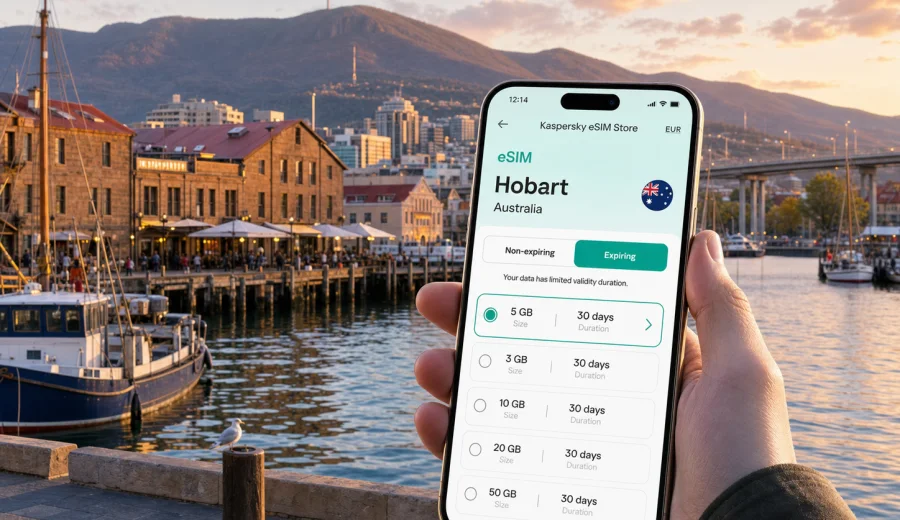
Hobart eSIM: mobile connection and internet for a practical city trip
Hobart is compact, scenic, and easy to enjoy when your phone is ready from the first hour. The airport sits outside the city, many hotels and apartments are spread between the waterfront, Battery Point, Sandy Bay, North Hobart, and the eastern shore, and several popular day trips start before local shops or hotel desks are convenient. An eSIM can make the arrival simpler because you can prepare mobile internet before you fly and use maps, transport apps, bookings, messages, and online check-in without looking for a physical SIM card.
This guide is focused on Hobart, not Australia in general. It explains where mobile data is useful in the city, how to estimate traffic for a short stay or longer Tasmanian route, and what to check before buying an eSIM.
Why eSIM is useful in Hobart
Hobart feels manageable on foot, but your phone still works hard. You may use it for the route from Hobart Airport to the CBD, live maps around the waterfront, restaurant bookings in Salamanca, ferry and museum planning, rideshares after dinner, or a rental-car route toward Mount Wellington, Richmond, Bruny Island, or Port Arthur.
An eSIM is especially helpful if you want mobile internet without changing your main physical SIM card. You can keep your regular number in the phone, add a data eSIM for the trip, and choose which line uses mobile data. Voice calls and SMS are not usually included in data-only eSIM plans unless a specific plan says otherwise, so plan to use internet-based calls and messaging apps when needed.
Practical Hobart moments where mobile data matters:
| Trip moment | Why mobile internet helps |
|---|---|
| Arrival at Hobart Airport | Check transfers, rideshare pickup points, hotel messages, and maps before leaving the terminal. |
| Waterfront and Salamanca | Navigate lanes, markets, restaurants, galleries, and evening plans without relying on public Wi-Fi. |
| Hotel or apartment check-in | Open booking confirmations, access codes, payment apps, and host messages. |
| Business travel | Join calls, share documents, use calendar changes, and move between meetings without waiting for Wi-Fi. |
| Self-drive days | Keep maps and route changes available when driving toward viewpoints, wineries, beaches, or historic towns. |
| Short stopovers | Use a small data allowance for navigation, messages, and quick searches without visiting a mobile shop. |
Arrival: from the airport to your first address
The first hour in Hobart is often when mobile internet is most useful. Hobart Airport is east of the city, and many travelers continue by shuttle, taxi, rideshare, rental car, or private transfer. If your phone has data, you can check the exact address, message the hotel, monitor the route, and confirm whether your accommodation is closer to the waterfront, the CBD, North Hobart, Sandy Bay, or the eastern shore.
Before landing, save these details where you can open them offline:
- hotel name, address, and check-in instructions;
- flight number and transfer confirmation;
- a map pin for the airport and your first accommodation;
- rental-car booking details if you are driving;
- emergency contacts and travel insurance details;
- the QR code or installation instructions for your eSIM, if provided.
After landing, avoid rushing through activation settings while standing in a queue. If your eSIM is already installed, you usually only need to select it for mobile data and follow the plan's activation rules. Some plans start when installed, others when they connect to a supported network, so read the plan conditions before the trip.
Local movement in Hobart
Hobart's central districts are close together, but the hills, one-way streets, waterfront roads, and different shorelines can make navigation less obvious than it looks on a map. Mobile internet helps you adjust quickly when a restaurant changes the booking time, when the weather makes Mount Wellington less appealing, or when you decide to swap a museum visit for a harbor walk.
For walking, data is useful around the waterfront, Salamanca Place, Battery Point, the CBD grid, and North Hobart's dining streets. For public transport, it helps you check routes and next steps, especially if you are moving between the CBD, Sandy Bay, Kingston, Glenorchy, Bellerive, or other suburbs. For taxis and rideshare, it helps you confirm the pickup point, share your location, and contact the driver.
If you rent a car, mobile internet supports live routing, but it should not be your only plan. Save offline maps before longer drives and keep accommodation details available without a connection. Weather can change quickly around kunanyi/Mount Wellington, coastal roads, and forested areas, and coverage may be uneven outside the city.
How much data to choose for Hobart
The best data allowance depends on your trip style, not only the number of days. A light user who mainly checks maps and messages may need much less data than a traveler who uses video calls, cloud documents, social media uploads, and hotspot mode for a laptop.
Use this simple planning guide:
| Traveler type | Typical phone use in Hobart | Data planning approach |
|---|---|---|
| Short stopover | Maps, messages, transport, quick searches | Choose a modest allowance for one or two days. |
| Weekend visitor | Navigation, bookings, photos, messaging, restaurant searches | Pick a plan that covers daily map use and regular social updates. |
| Business traveler | Email, calendar, document access, video calls, hotspot in emergencies | Allow extra data and check whether hotspot use is allowed by the selected plan. |
| Road-trip traveler | Hobart plus regional driving, maps, weather, bookings | Choose a larger allowance or a longer validity period for Tasmania and mainland connections. |
| Family trip coordinator | Multiple bookings, maps, tickets, messaging, occasional tethering | Estimate data for the main organizer's phone and keep key documents offline. |
Streaming video, large cloud backups, app updates, and automatic photo sync can consume data quickly. Before the trip, update apps on Wi-Fi, download offline maps, disable automatic media downloads in messaging apps, and set your travel eSIM as the data line only when you are ready to use it.
Choosing an eSIM plan for Hobart
For a Hobart city trip, the destination behind the plan is Australia. The country matters because city pages use the country landing where the relevant data plans are listed. When comparing options, look at coverage destination, data allowance, validity, price, activation rules, and whether top-ups are available for the plan you choose.
Kaspersky eSIM Store is an app and website where you can quickly choose, arrange, and activate an eSIM with a suitable mobile data plan for international travel. It helps you compare plan conditions before you travel, then manage the eSIM through the site or app. It is not a mobile operator and does not own the local network; actual service conditions depend on the selected plan, compatible device, and available local networks.
If Hobart is your main destination, use the Australia destination page to prepare an eSIM data plan for your trip to Hobart. This is the natural point to compare plan sizes and validity after you have estimated how much mobile data your Hobart itinerary needs.
What to check before buying
The most important check is device compatibility. Your phone or tablet must support eSIM, and it must not be locked in a way that prevents using another mobile profile. Before purchase, check your device and confirm that you know how to add an eSIM profile in your device settings.
Also review:
- the destination covered by the plan, especially if your route includes mainland Australia after Hobart;
- when validity starts and how long the plan remains active;
- whether the plan is data-only or includes any additional services;
- whether tethering or hotspot use is allowed by the selected plan;
- whether top-up is available if you need more data;
- refund and support conditions before activation;
- whether data roaming must be enabled for the eSIM profile on your device.
Keep your primary SIM available for banking messages or calls if needed. Many travelers use their regular SIM for their main number and the eSIM for mobile data. In the phone settings, check which line is used for mobile data, which line is used for calls, and whether automatic data switching is enabled.
Installation before the trip or after arrival
Installing an eSIM before departure can reduce stress on arrival, because you do not need to depend on airport Wi-Fi while handling luggage, transport, and messages. Still, activation rules vary by plan. Read the plan details before installation so you understand when the validity period begins.
A practical setup sequence:
1. Confirm that your device supports eSIM and is not operator locked.
2. Choose an Australia data plan that fits your Hobart dates and expected usage.
3. Complete the order through the site or app.
4. Add the eSIM using the provided QR code or in-app instructions.
5. Label the new line clearly, for example "Travel eSIM".
6. Keep your main SIM for calls and messages if you need your usual number.
7. When ready, select the eSIM for mobile data and follow the activation instructions.
For device-specific setup, follow the Android installation guide or the iOS installation guide. If the phone asks whether to turn on data roaming for the travel eSIM, follow the instructions for your selected plan. On some devices and plans, data roaming must be enabled for the eSIM profile to connect correctly.
Quick checklist for a Hobart eSIM setup
Use this checklist a day or two before departure:
- Check that your device supports eSIM.
- Confirm that the device is not locked to one operator.
- Choose Australia as the destination for Hobart.
- Match data allowance to your itinerary, not only trip length.
- Read the validity and activation rules.
- Install the eSIM while you still have stable Wi-Fi.
- Save the QR code or setup details where you can access them.
- Download offline maps for Hobart and regional drives.
- Turn off automatic app updates on mobile data.
- Keep hotel, flight, and transfer details available offline.
eSIM, roaming, local SIM, and Wi-Fi in Hobart
Different connection options suit different travelers. The point is not that one option is always best, but that eSIM can be a practical middle ground for visitors who want mobile data without a shop visit or physical SIM swap.
| Option | Good for | What to watch |
|---|---|---|
| Travel eSIM | Preparing mobile data before arrival, short trips, business travel, city plus regional routes | Requires a compatible unlocked device and a plan that fits your destination and usage. |
| Home roaming | Keeping your usual line simple for calls and messages | Costs and data limits depend on your home operator's roaming terms. |
| Local physical SIM | Longer stays where you specifically want a local SIM arrangement | Usually requires time to buy, install, and manage a physical card. |
| Public Wi-Fi | Large downloads at trusted hotels or offices | Not always available when moving and may be less convenient for maps, transport, and messages. |
For many Hobart visitors, the most practical setup is a travel eSIM for mobile data, the regular SIM kept active for the usual number, and trusted Wi-Fi reserved for heavy downloads.
FAQ
Is an eSIM useful for Hobart if the city is small?
Yes, because the value is not only city size. Mobile data helps during airport arrival, hotel check-in, walking navigation, restaurant bookings, ferry planning, business communication, and day trips outside the CBD.
Which destination should I choose for a Hobart trip?
Choose Australia. Hobart is in Tasmania, Australia, so the relevant country destination for the data plan is Australia. If your route continues to another country, compare whether a separate country plan or a regional option fits better.
Can I install the eSIM before I fly?
In many cases, yes. Installing before departure can be convenient, but check the plan rules first because validity may start at installation or when the eSIM first connects to a supported network.
Will the eSIM give me a local phone number?
Usually, travel eSIM plans for mobile internet are data-only unless the plan clearly says otherwise. For calls and messages, you can use internet-based apps, while keeping your regular SIM active for your usual number if needed.
Can I use the eSIM for trips from Hobart?
Yes, if the selected plan covers Australia and remains valid for your travel dates. For regional Tasmania routes, download offline maps as a backup because signal can vary outside urban areas.
What if I need help with setup?
Use the installation instructions for your device and check that the eSIM is selected for mobile data. If questions remain, contact support and include your device model, operating system version, and the step where the issue appears.
Prepare mobile internet for Hobart
A good Hobart trip is easier when mobile data is ready before you need it. Check your device, estimate your data use, save offline backups, and choose an Australia plan that fits your stay, whether you are landing for meetings, spending a weekend by the waterfront, or starting a longer Tasmania route.
Kaspersky eSIM Store helps you choose, arrange, and activate an eSIM with a suitable data plan for travel. Before you fly, you can choose an eSIM data plan for Australia and prepare your phone for mobile internet in Hobart without searching for a physical SIM card after arrival.