Travel connectivity guide
Hofn eSIM: Mobile Internet for Iceland Trips
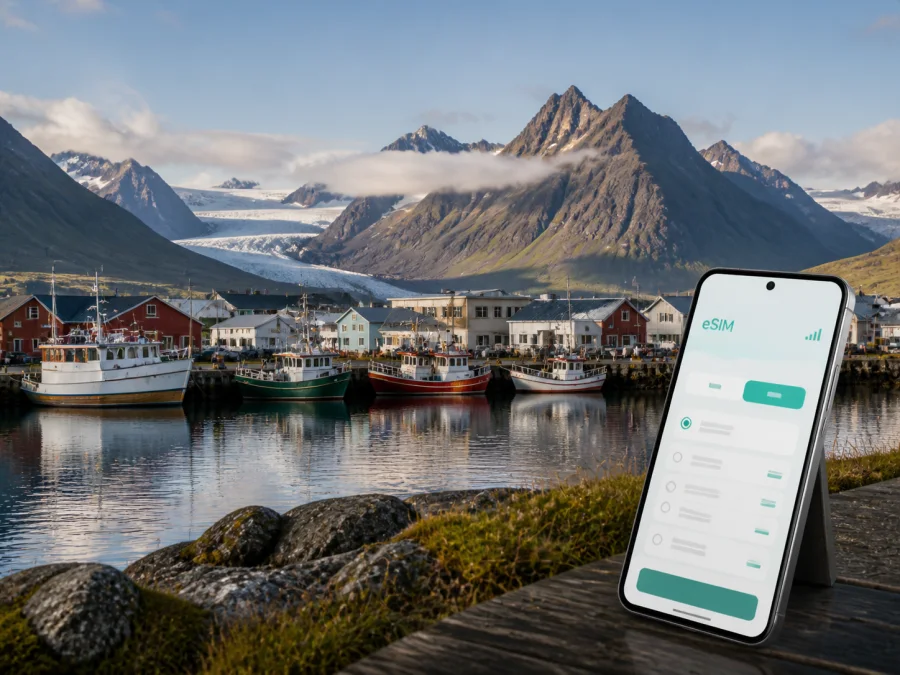
Hofn eSIM: mobile connection and internet for your Iceland trip
Hofn is a compact harbour town in southeast Iceland and a practical pause on a longer journey. Travellers come here for the coastline, the fishing harbour, views towards Vatnajokull, and access to places such as Jokulsarlon, Diamond Beach, Stokksnes and Vestrahorn. A reliable mobile connection helps with the less glamorous parts of the trip too: finding a guesthouse after a long drive, checking a changing road situation, sharing a meeting point, or confirming a tour time.
An eSIM, or digital SIM, lets you use mobile internet in Iceland without replacing your physical SIM. You choose a destination plan, install it on a compatible unlocked device, and select it for mobile data. Kaspersky eSIM Store is an app and website that helps you choose, arrange and activate an eSIM plan for an overseas trip. Allowance, validity, price and conditions depend on the selected plan.
When an eSIM can help in Hofn
Hofn is easy to underestimate on a map. The built-up area is small, but many useful travel decisions happen beyond the town centre. You may be driving from the west along Route 1, arriving at Hornafjordur Airport, staying near the harbour, or leaving early for a glacier-lagoon excursion. In each situation, mobile data is most useful when you need it immediately and do not want your plans to depend on finding Wi-Fi first.
The first hours after arrival
If you fly into Hornafjordur Airport, it is about 5 kilometres north of Hofn. Data can help you confirm a car-hire collection, message your accommodation, open a booking or check the route into town.
Navigation around the harbour and town centre
The harbour is one of Hofn’s defining features, while accommodation, cafés, restaurants and practical services are spread through the built-up area and along the access roads. With mobile data, you can walk from a guesthouse to dinner, find a supermarket or service point, and send a location to someone travelling with you. This is particularly useful when your booking uses a building name rather than an obvious street address.
Driving to nearby sights
Hofn works well as a base for exploring the southeast, but most notable sights around it are not a quick walk from the centre. Jökulsárlón Glacier Lagoon and Diamond Beach lie to the west, while Stokksnes and Vestrahorn are east of town. Routes, parking areas, weather and daylight can affect the order of a day. Mobile internet lets you check the latest information available to you, confirm an activity meeting point and tell your accommodation when you expect to return.
Do not treat a live map as a substitute for road preparation. Icelandic weather can change quickly, so check conditions before setting out, allow extra time, and be ready to change the plan.
Tours, bookings and messages
Glacier activities, boat trips and guided excursions often involve a fixed meeting time and precise meeting location. An eSIM plan can support the practical communication around a booking. It is intended for mobile internet; a separate phone number, conventional calls and SMS are not included unless the specific plan says otherwise.
Work and short business trips
Hofn may be part of a field visit, a photography assignment, a hospitality trip or a route through several Icelandic towns. A data plan can help with email, document access, navigation, calendars and a video call when the connection and conditions allow. Before relying on it for a critical meeting, check the Wi-Fi and power arrangements at your accommodation and keep files available offline.
For a business traveller, consider calls, file transfers, cloud services and hotspot use rather than choosing by trip length alone.
Hofn travel scenarios and the data they need
The right amount of data depends on what you will actually do, how long you will be in Iceland and whether your accommodation provides usable Wi-Fi. Think in scenarios rather than choosing a plan from the town name alone.
| Hofn scenario | Typical mobile-data tasks | Planning question |
|---|---|---|
| Airport arrival | Route to town, car-hire message, accommodation check-in | Will you need data as soon as you land? |
| One-night Ring Road stop | Maps, bookings, messages and weather checks | Can you keep video and automatic backups off mobile data? |
| Several nights in Hofn | Day-trip navigation, restaurant searches, tour updates | Will data be shared with another device? |
| Glacier or lagoon excursion | Meeting point, timing, messages and photos | Is the route available offline as a backup? |
| Business stay | Email, calls in apps, documents and hotspot use | How much work happens away from Wi-Fi? |
| Multi-stop route | Navigation, accommodation and itinerary changes | Does the plan cover the full route? |
Choose coverage that matches the complete route, then match the allowance and validity to your behaviour. A route from Reykjavik through Hofn and into the Eastfjords is one travel scenario, not a town-only visit.
How to choose an eSIM plan for a trip to Hofn
Start with the itinerary. Write down the arrival day, the number of nights in Hofn, planned drives to the west and east, and the departure point. Then consider how often you will use mobile data away from accommodation.
1. Match the destination to the route
Select Iceland as the destination when Hofn is part of an Iceland-only itinerary. If the journey continues into another country, examine the terms of the relevant regional option instead. The country shown in the plan should match the places where you intend to use mobile data; do not assume that a plan for one destination automatically includes another.
2. Estimate your real use
Maps, text messages and occasional searches usually require less data than video, photo backups, social-media uploads or a hotspot for a laptop. A useful preparation exercise is to list your likely high-use moments:
- opening navigation for each driving leg;
- checking conditions and tour messages;
- using translation, restaurant or booking services;
- making internet calls to family or colleagues;
- uploading photographs or backing up a phone;
- sharing data with a laptop, tablet or travel companion.
If most of these happen on Wi-Fi, a smaller allowance may be sufficient. If Hofn is a working base and the phone will support several devices, allow more room and monitor your balance. Conditions, speed and validity are determined by the selected plan, so read the details before confirming the purchase.
3. Check when validity begins
Before installation or activation, read when the plan starts counting down. If you install before departure, make sure your settings do not select it for mobile data earlier than planned. Activation behaviour depends on the eSIM profile, device and plan conditions.
4. Keep the primary SIM under control
If you keep your regular SIM active for calls or messages, check which line is selected for mobile data. Turn off data switching if your phone offers that setting, so it does not move data use to the wrong line. Also review background refresh, automatic updates, cloud backup and video autoplay. These small settings can matter during a driving day when you are away from a charger.
After comparing the route, validity and data allowance, you can choose an eSIM plan for Iceland. Review the destination and conditions of the available option before you proceed.
Installing an eSIM before travelling or after arrival
Install the profile while you have a stable internet connection, such as at home or in your accommodation. Keep the QR code or activation details accessible and avoid deleting the profile after installation: an eSIM may not be transferable to another device once activated, depending on the plan or profile conditions.
Before you begin, confirm that your phone supports eSIM and is not locked to an operator. Models can vary by region of sale. Check your device compatibility before purchase, especially if you are travelling with an older phone, a regional model or a device supplied under a contract.
A practical installation sequence
- Check the conditions. Make sure the phone supports eSIM, has enough battery and is connected to the internet.
- Open mobile-network settings. Choose the option for adding a mobile plan or eSIM.
- Scan the QR code. Use the QR code supplied in your Kaspersky eSIM Store profile or purchase email, following the on-screen prompts.
- Label the line clearly. Use a name such as “Iceland trip” so you can identify it beside your regular SIM.
- Select the data line. Choose the Iceland eSIM for mobile data when you are ready to use it.
- Check data roaming for the eSIM. Some devices or plans may require data roaming to be enabled for the eSIM. Follow the plan instructions rather than changing settings on every line.
- Test carefully. After activation, open a simple page or send a message through an internet app. Connection can take a few minutes and depends on the device and local network.
For device-specific steps, use the Android eSIM installation instructions or the iOS eSIM installation instructions. If you install before flying, keep the eSIM inactive for data until you want the plan to begin, if the settings allow it.
Staying connected while moving through Hofn
The town is compact, but the wider trip is shaped by distances. A few habits make mobile data more useful.
Organise the phone before leaving your accommodation
Save your accommodation, airport or meeting-point details and the next stop. Screenshot important bookings and download map areas where possible, remembering that offline maps do not show every live change.
Treat the harbour area and town centre as a reset point
Use time in central Hofn to charge devices and review the next leg. Wi-Fi at a café or accommodation may help, but an eSIM remains useful for a route check or short message while you are outside.
Prepare for drives to the west
The road west from Hofn leads towards the glacier-lagoon area and the South Coast. Jökulsárlón and Diamond Beach are popular stops, but the day depends on pace, weather and other visits. Keep offline backups and a flexible schedule.
Prepare for drives to the east
Stokksnes and Vestrahorn are natural landmarks east of Hofn, with the Eastfjords farther along the route. Check the return distance before leaving town and do not rush in poor conditions.
A Hofn checklist for different trip lengths
For a short stopover
- Prepare the eSIM and save accommodation and airport details.
- Check whether the next leg continues west or east from Hofn.
- Use mobile data for arrival messages, navigation and booking updates.
- Charge the phone before the next driving leg.
For several nights or work
- Choose validity for the full stay and surrounding route.
- Estimate photo, video, hotspot and work use separately from map use.
- Confirm tour times before leaving town and keep a weather-flexible option.
- Monitor the allowance and keep essential documents offline.
Common questions about eSIM use in Hofn
Is an eSIM suitable for a trip to Hofn?
Yes, if your phone supports eSIM, is not operator-locked and the selected plan covers Iceland. It can be useful for navigation, messages, bookings and internet-based calls while you travel around Hofn and the southeast. Check the plan’s allowance, validity and limitations before purchase.
Do I need a separate plan just for Hofn?
Not necessarily. Hofn is in Iceland, so an Iceland plan may be the relevant choice for a route that includes the town and other parts of the country. What matters is the coverage stated in the plan and the full itinerary, not simply the city name. If your route crosses a border, review whether a regional plan is more appropriate.
Can I use the eSIM for ordinary calls and SMS?
Only if this is expressly included in the selected plan. In the usual travel-data scenario, the eSIM is for mobile internet and does not add a conventional telephone number. Use messaging and calling apps over data when that suits your trip, and keep your regular line available if you need its existing number.
Should I install the eSIM before arriving in Iceland?
Often that is convenient because you can install it with a stable connection and troubleshoot before departure. You can also install it after arrival if you have suitable internet access. Read the plan’s activation terms and be careful about which line is selected for mobile data so the validity period starts when you intend.
What if the eSIM does not connect immediately?
Check that the eSIM is turned on, selected for mobile data and permitted to use data roaming if required. Confirm that your regular line has not taken over data switching, then wait a few minutes and restart the device if appropriate. If the issue continues, check compatibility and plan details before contacting support.
Before you leave for Hofn
The best time to solve a connectivity problem is before the route becomes time-sensitive. Confirm the destination, validity and allowance; check the phone, save the QR code, label the eSIM and decide which line will handle mobile data. Save accommodation and activity details for the longer drives around Hofn and the southeast.
Kaspersky eSIM Store helps you compare the available destination options, choose and arrange a suitable eSIM plan, and activate it on a compatible device for mobile internet during your Iceland trip. When the route is clear, choose your Iceland eSIM plan and prepare the phone before you set out for Hofn.


