Travel connectivity guide
Hoi An eSIM: Mobile Internet and Connection Guide
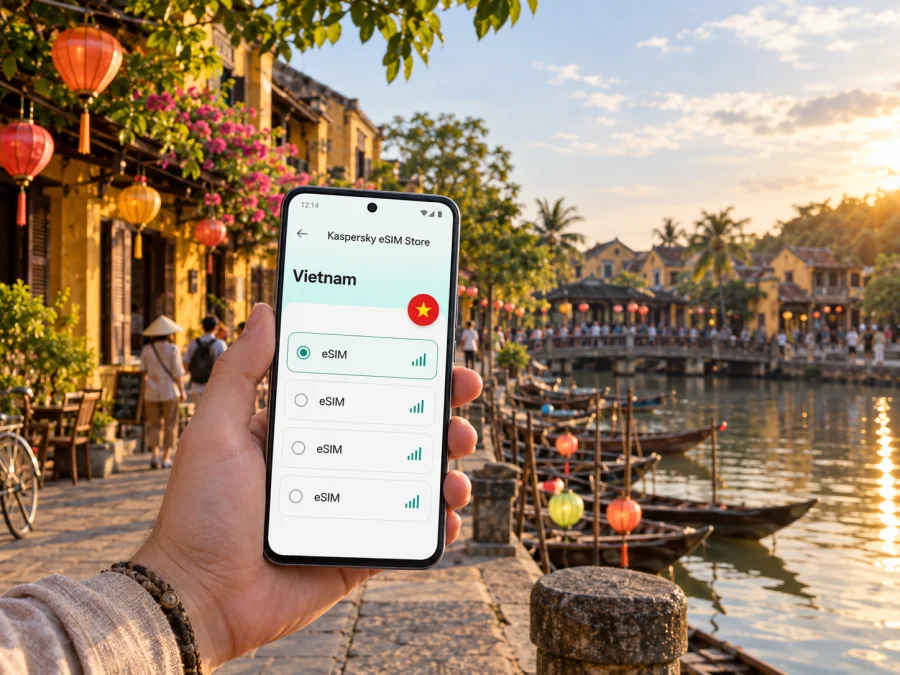
Hoi An eSIM: mobile connection and internet for your trip
In Hoi An, a short walk can take you from old merchant houses to the Thu Bon riverfront, a café, or a route toward the coast. Mobile data can help with arrival directions, pickups, bookings, and messages. An eSIM provides mobile data without removing your physical SIM, if your phone supports it and the plan covers Vietnam. Prepare the essentials before departure, then use your phone when it helps and put it away as you explore.
When mobile data is useful around Hoi An
Hoi An’s historic centre is compact enough to explore on foot, but a visit may also include a road arrival, lodging beyond the pedestrian lanes, a meal by the river, and a ride toward the coast. Mobile data helps connect those parts of the day: directions, check-in details, pickup messages, translations, and updates for people at home.
Useful moments include:
- On arrival: open transfer details and message your host if plans change.
- Finding your stay: compare the map pin with the entrance, especially on a smaller lane.
- Exploring the Ancient Town: locate a saved restaurant, riverside meeting place, or attraction.
- Going to the coast: check the route and coordinate a return pickup.
- Staying in touch: share an update or use an internet calling app when your plan includes data.
Save the accommodation address before you leave the airport. Place names may appear in Vietnamese, English, or both; a clear address can help when showing the destination to a driver. Agree on a meeting point before separating, and keep it in a message everyone can access.
From Da Nang arrival to your Hoi An stay
Many visitors reach Hoi An by road from Da Nang, including after flying into Da Nang International Airport. The trip is commonly described as roughly 30 kilometres; route and travel time vary with traffic and the exact drop-off point. Arrange the onward leg with your accommodation or transport provider, and treat live estimates as guidance rather than a promise.
Before leaving the airport, make sure you can retrieve your lodging address and transfer details even if your connection drops. Save a note with the property name, full address, and contact method. If you use a ride service, confirm its pickup point and match the vehicle details. If you and the driver are at different exits, message or call through the available service to clarify.
Arrival checklist
- Keep the original accommodation message and a copy of the address, including the Vietnamese version if provided.
- Note check-in instructions and the best way to contact your host.
- Know whether a driver is meeting you or whether you will arrange transport after landing.
- Keep your usual SIM available for calls or account verification if needed.
- Start the road journey with a charged phone and carry a power bank on a long travel day.
Send the hotel name as well as the address to your driver. A general destination such as “Old Town” may not identify the right street or entrance. Compare a supplied map pin with the written address before setting off.
Using maps without letting the map lead the day
The riverside and Ancient Town invite unhurried wandering. Use a map to orient yourself and find a particular address, then put the phone away as you explore. Follow local signs and directions where access is restricted; a navigation app may not reflect temporary rules or the most pleasant pedestrian route.
For a walk through the old streets, save a few places rather than plotting every minute: your lodging, one planned visit, a meal, and a meeting point. Before leaving the centre for the coast or countryside, check the route and return option. Search by a venue’s full name, confirm the result is in Hoi An, and keep its address in text as well as a map pin.
| Part of the day | Keep handy | Why it helps |
|---|---|---|
| Arrival | Address, host message, transfer details | Resolve a pickup or entrance question |
| Ancient Town walk | A few saved places, offline map, meeting point | Stay oriented without constant searching |
| Evening return | Lodging pin, transport contact, charged phone | Find your way back after dinner |
Download an offline map if your app supports it, but keep mobile data available for updates and messages. Share a live location only with people who need it, and have a meeting point ready if your group separates.
Choosing an eSIM plan for a Hoi An visit
Hoi An is in Vietnam, so look for an eSIM plan that covers Vietnam and fits your trip dates. A city name in your itinerary does not necessarily mean a separate city-specific product is needed. Coverage, validity, data allowance, and activation rules depend on the selected offer; read its details before purchase.
Estimate use from your habits. Navigation, messaging, booking updates, and occasional browsing differ from frequent video uploads, video calls, or using your phone as a laptop hotspot. If you plan to work remotely, check the allowance and hotspot conditions and confirm your accommodation has a suitable backup connection. Choose according to your route and typical use, not just the largest or smallest number displayed.
Kaspersky eSIM Store is an app and website where you can choose, purchase, and activate an eSIM with a suitable plan for mobile internet on an international trip. To compare available options, review eSIM plans for Vietnam and check the terms shown for your selected offer.
Before confirming, check:
- Destination coverage includes Vietnam.
- The validity period fits your full trip, including onward travel.
- The data allowance suits your use of maps, messages, browsing, and work apps.
- You understand when validity begins and any activation conditions.
- Your phone supports eSIM and is not carrier-locked.
- You know which line provides mobile data and whether its instructions require data roaming.
To conserve a limited allowance, prioritize maps, messages, and bookings; use Wi-Fi for large downloads where practical and turn off automatic video playback. Conditions differ by offer, so rely on its own details.
Match the plan to your trip
A quick visit focused on the Ancient Town may need data mainly for directions and coordination. A longer stay can mean more trips between the centre, coast, and nearby places, or regular work messages and calls through internet apps. Use the plan’s stated terms to make a realistic choice.
| Travel pattern | Likely online tasks | Consider |
|---|---|---|
| Short stay | Arrival, maps, restaurant searches | Validity covering the visit and onward leg |
| Several days with beach time | Directions, pickup coordination | Allowance for maps and return arrangements |
| Work and sightseeing | Email, documents, online calls | Data and hotspot terms, plus accommodation Wi-Fi |
| Multi-stop Vietnam trip | Booking updates and maps | Country coverage and total itinerary length |
This is a planning comparison, not a promise about a particular offer. Check its conditions before purchase.
Install an eSIM before departure or after arrival
If your phone supports eSIM, installing the profile before travel can reduce setup after landing. Follow the plan’s instructions and check when validity begins; you can select it for mobile data when you are ready to use it. If you prefer to install after arrival, make sure you have a stable internet connection. Device menus vary by model and operating system.
- Confirm eSIM support and that the phone is not carrier-locked. Check your device’s eSIM compatibility.
- Choose an offer for Vietnam and review data, validity, coverage, and activation conditions.
- Install the profile using the supplied steps: Android eSIM installation guide or iOS eSIM installation guide.
- Label the new line clearly, such as “Vietnam data.”
- Select it for mobile data when ready, keeping your regular SIM settings as intended for calls and verification.
- If data does not connect, check the selected line, activation instructions, and whether the eSIM requires data roaming.
Do not delete the profile as a troubleshooting shortcut unless the plan instructions say to; reinstalling may not always be possible. Keep QR codes and activation details private.
What to check on your phone
Compatibility depends on the exact model and sometimes its sales region; a carrier lock can also prevent use. Check the phone’s current settings before purchase. If it belongs to your employer, confirm that its policies allow a travel eSIM.
Decide how the two lines should work. You may keep your regular SIM available for calls or verification and set the eSIM as the mobile-data line. Your home carrier may charge roaming fees, depending on its plan and your settings. Review its terms and set the home line as intended. The eSIM’s data-roaming setting is separate and should follow that plan’s instructions.
- [ ] The exact model supports eSIM in its sales region.
- [ ] The phone is not carrier-locked.
- [ ] You can access the account or email with the eSIM details.
- [ ] You know which line handles calls and which provides mobile data.
- [ ] Essential instructions are saved somewhere accessible offline.
Getting around Hoi An and nearby areas
Walking is often the most direct way to move between the Ancient Town’s landmarks, cafés, shops, and riverfront. For longer journeys, ask your accommodation about a suitable option for the route and current conditions. Some visitors cycle between the centre and nearby areas; comfort depends on weather, traffic, and road familiarity. Agree on a return time and meeting point if you rent a bicycle or arrange a car.
Hoi An also makes it possible to combine the historic centre with places beyond it. An Bang Beach is a well-known coastal outing; Tra Que and Cam Thanh offer different countryside and village settings. Check each destination’s location, opening arrangements, and transport for the day. A map and messaging access can help coordinate the return pickup.
Before an outing, save the destination and accommodation pins, confirm transport and return options, carry a charged phone, and tell your companion or host if plans change. If your group separates, agree on a meeting point and make sure each person can navigate or contact the others. One connected phone may be enough for a group walk, but it becomes a single point of failure if the battery runs low.
eSIM for work, longer stays, and stopovers
Hoi An may be a leisure stop, a base for several days, or one leg of a central Vietnam itinerary. Mobile data can help business travellers with maps, email, calendar updates, and messaging. Test work account access before departure and check employer device requirements. A data eSIM does not automatically provide a regular number, voice service, or SMS.
For remote work, confirm accommodation Wi-Fi for video meetings or large uploads, and treat mobile data as a backup within its allowance and hotspot terms. For a short stopover, save onward tickets, hotel details, and transfer information before landing. Compare plan validity with the full itinerary, not just your Hoi An nights.
Use your connection thoughtfully
Download key bookings and maps in advance, and turn off automatic photo backups over mobile data if you want to control usage. Keep your phone secured and use a screen lock. Follow a venue’s instructions if you use its Wi-Fi, and handle passwords and payment details carefully. Saving photos for later can reduce data use and leave more room to enjoy the town.
Frequently asked questions
Do I need a separate eSIM for Hoi An?
Look for a plan that covers Vietnam and confirm the offer’s conditions; do not assume a city-specific product is required.
Will mobile data help with the journey from Da Nang?
It can help with directions and messages if the plan is active and covers Vietnam. Arrange transport separately and keep the address offline.
Can I use the eSIM for ordinary calls?
A data plan does not automatically include a standard number, voice service, or SMS. Internet calling apps may work over data.
Should I install before flying?
Installing in advance can reduce arrival tasks. Check when validity begins, or install later using a dependable internet connection and the plan instructions.
Can I share one eSIM with companions?
Hotspot use depends on the device and plan. If your group separates, each person should have a way to navigate and contact the others.
Before you leave
- Confirm the accommodation address, check-in plan, and Da Nang transfer.
- Choose a Vietnam plan that fits the trip dates and expected data use.
- Review allowance, validity, activation conditions, and hotspot terms.
- Check eSIM support and carrier-lock status.
- Save key bookings offline and charge your phone.
- Decide which line handles calls and which provides mobile data.
Prepare your eSIM for Hoi An
Choose a plan for Vietnam that matches your stay, expected data use, and route beyond Hoi An. Review the plan details, confirm your phone is ready, and install the profile when convenient. You can choose an eSIM plan for your Vietnam trip through Kaspersky eSIM Store, an app and website for selecting, purchasing, and activating an eSIM for mobile internet abroad.


