
Travel connectivity guide
Holetown eSIM: Mobile Internet for Barbados
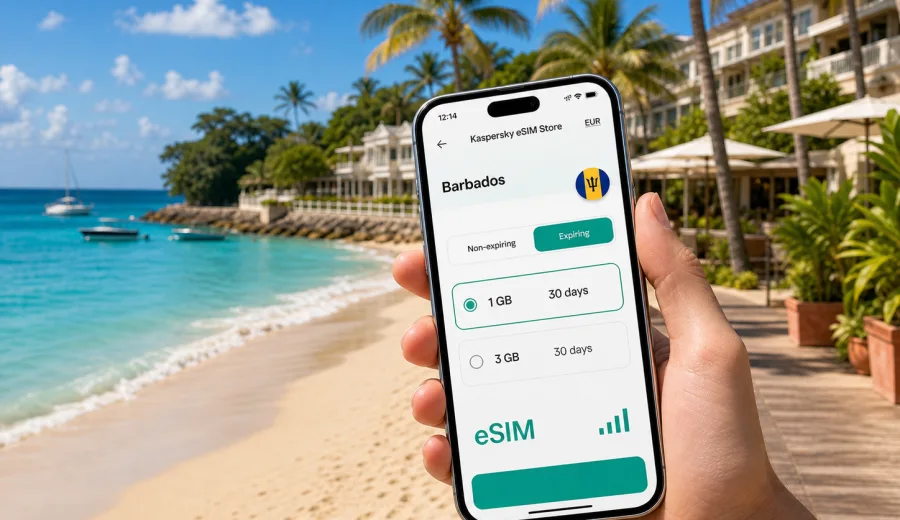
Holetown eSIM: mobile connection and internet for a trip to Barbados
Holetown is one of the easiest places in Barbados to enjoy a relaxed beach trip, but mobile internet quickly becomes practical rather than optional. You may need maps for the west coast road, messages with your hotel, restaurant bookings in Limegrove, ride arrangements after dinner, or a quick video call before moving on to Bridgetown or Speightstown. An eSIM helps you prepare mobile data without searching for a physical SIM card after arrival.
This guide focuses on Holetown itself: arriving in Barbados, reaching the west coast, moving between beaches and hotels, using maps around town, planning day trips, and choosing a data plan that fits a short holiday, a longer stay, or a business visit. The country matters because the eSIM plan must match Barbados, but the practical questions are local: where you will use your phone, when you need data most, and how much traffic your trip is likely to require.
Why mobile internet matters in Holetown
Holetown is compact, but visitors often move between several zones during the same day: hotel, beach, shops, restaurants, and transport pickup points. Public Wi-Fi may be available in some hotels, cafes, and shopping areas, but it is not something to rely on for every step of the trip.
An eSIM can be useful in Holetown when you need to:
- open maps while walking between the beach, restaurants, shops, and your hotel;
- message a driver, host, tour operator, or travel companion;
- check weather and sea conditions before a beach day or boat trip;
- manage online reservations for restaurants, villas, or excursions;
- use translation, banking, airline, and booking apps without waiting for Wi-Fi;
- share location with family or colleagues;
- work for a short period from a hotel, apartment, or coworking-friendly cafe.
The point is not to replace every connection you use. Hotel Wi-Fi is still useful for large downloads or laptop work. eSIM is most valuable for the moments between Wi-Fi networks: airport transfer, walking routes, transport changes, quick checks, and messaging when plans shift.
Arrival in Barbados and the first hours online
Most international visitors reach Holetown after landing at Grantley Adams International Airport on the south-east side of Barbados. Holetown is on the west coast, so the first mobile-data need usually appears before you even reach town: confirming pickup details, following the route, checking the address of your hotel, or messaging someone that you have landed.
If your eSIM is installed before the flight, the arrival process is simpler. After landing, you can enable the eSIM line for mobile data, keep your primary SIM available if your device supports dual SIM settings, and allow a few minutes for the phone to connect according to the selected plan.
For Holetown, the first-hour checklist is practical:
- save your hotel or villa address before departure;
- install the eSIM while you still have reliable home Wi-Fi;
- keep the QR code or installation details available in your email or profile;
- check whether your phone supports eSIM and is not locked to one mobile operator;
- decide which SIM line will handle mobile data after landing;
- avoid large app updates until you are on hotel Wi-Fi.
This preparation helps you use mobile internet when it matters most: airport exit, transfer, check-in, and the first navigation around town.
Local movement: beaches, hotels, shops, and restaurants
Holetown is known for the west coast beach setting, beachfront hotels, restaurants, and the retail area around Limegrove Lifestyle Centre. Many visitors stay close to the coast, but the day can still involve frequent small movements: beach to lunch, lunch to shopping, hotel to sunset drinks, and then dinner in Holetown or a nearby town.
Mobile internet helps with small decisions: comparing walking time and taxi time, checking whether a restaurant is open, finding the correct entrance to a villa or resort, and coordinating with people who are staying elsewhere.
For everyday Holetown use, a moderate data plan can be enough if you keep your habits under control. Maps, messaging, email, and light browsing use far less data than video, cloud backups, and constant social media uploads. If you expect to stream video, upload many high-resolution beach clips, or use your phone as a hotspot for a laptop, choose a larger package and check whether tethering is allowed by the plan.
Choosing a data plan for Holetown
When you choose an eSIM plan for Holetown, the destination should be Barbados, not a separate city page. Check the destination, data allowance, validity period, price, and any important conditions before purchase.
Good questions to ask before you pay:
- Is Barbados included in the plan destination?
- How many days will the plan remain valid after activation?
- How much data do you realistically need for maps, messaging, browsing, and uploads?
- Does the plan include voice calls or SMS, or is it data-only?
- Can you use tethering if you need a hotspot?
- When does the validity period begin?
- What happens if you use all the data before the trip ends?
Kaspersky eSIM Store helps you choose, arrange, and activate an eSIM with a suitable mobile-data plan for an overseas trip. If Holetown is your base, you can review the available options and prepare an eSIM plan for Barbados before you travel, then install it on a compatible device and manage the plan through the site or app.
How much data is enough for a Holetown trip?
Use this rough planning guide:
| Activity | Data impact | Holetown example |
|---|---|---|
| Messaging and location sharing | Low | Coordinating dinner, taxi pickup, or beach plans |
| Maps and route checks | Low to medium | Finding hotels, restaurants, beaches, and road routes |
| Email and browsing | Low to medium | Checking bookings, flight updates, and tour details |
| Social media with photos | Medium | Posting from the beach or Limegrove area |
| Video calls | High | Work calls or family calls from your accommodation |
| Streaming video | High | Better saved for hotel Wi-Fi when possible |
| Hotspot for laptop | Variable to high | Useful for work, but check plan conditions first |
If you mostly use hotel Wi-Fi and need mobile data only outside, a smaller plan may be enough. If you expect calls, uploads, or hotspot use, choose more data than your minimum estimate.
Installing eSIM before the trip or after arrival
Installing the eSIM before departure is usually smoother because you can use reliable Wi-Fi and take your time. If you install after arrival, make sure you already have a stable connection, such as airport or hotel Wi-Fi, because eSIM setup requires internet access.
Before installation, check that your device supports eSIM and is not restricted by an operator lock. You can use the internal compatibility check here: Check your device. If your phone is compatible, follow the device-specific steps and keep the installation details available until the eSIM is active. For setup help, use the Android installation guide or the iOS installation guide.
A simple installation sequence looks like this:
1. Choose Barbados as the destination and review the plan conditions.
2. Confirm that your phone supports eSIM and is unlocked for mobile service.
3. Buy the selected plan through Kaspersky eSIM Store.
4. Install the eSIM using the QR code or on-screen instructions.
5. Keep your primary SIM for calls if needed and set the eSIM for mobile data.
6. After arrival, enable data roaming for the eSIM if the instructions require it.
7. Test maps or a browser page before leaving the airport or hotel.
Do not delete the eSIM profile after installation unless you are sure you no longer need it. Reinstall and transfer rules depend on the plan.
Navigation around Holetown
Holetown is not difficult to understand, but a live map makes the trip easier. The west coast road links many hotels, beaches, restaurants, and nearby towns, and a short distance on the map may feel different in heat, traffic, or after dark.
Mobile data helps when you are:
- walking from your hotel to the beach and want the safest route;
- finding a restaurant entrance after dark;
- checking traffic before a transfer to Bridgetown or the airport;
- sharing a live location with a driver;
- saving the location of your villa or apartment;
- changing plans because of weather or opening hours.
Offline maps are still worth downloading. They reduce data use, while mobile data helps with live traffic, opening hours, ride messages, and booking changes.
Hotels, villas, and remote work
Holetown attracts visitors staying in beachfront hotels, apartments, private villas, and longer-stay rentals. Wi-Fi quality can vary by property and room position, so mobile data is useful when you need to work, attend calls, or respond to urgent messages.
For a work-friendly setup:
- ask the accommodation about Wi-Fi speed and reliability before arrival;
- install eSIM before you leave home;
- check whether your plan allows hotspot use;
- keep video calls on Wi-Fi when possible to save mobile data;
- use mobile data for urgent messages, authentication codes, maps, and backup access;
- avoid large system updates on mobile data.
For a holiday combined with remote work, eSIM is a practical backup for messages, authentication, and urgent changes when property Wi-Fi is not enough.
Short stopovers and split stays
Some visitors do not spend the whole trip in Holetown. You may stay one or two nights on the west coast, then move to Bridgetown, the south coast, Speightstown, or another resort area.
In split-stay scenarios, country coverage matters more than the town name. A Barbados plan can support mobile data across the trip, subject to the plan terms and local network conditions.
For a short stopover, prioritize:
- quick installation before arrival;
- enough data for transfers, maps, and messaging;
- clear validity dates that match your itinerary;
- easy access to the plan details in your profile or app;
- a backup copy of hotel and flight information.
Avoiding common eSIM mistakes in Holetown
Most eSIM problems come from installing too late, choosing the wrong destination, misunderstanding validity, or using a device that does not support eSIM.
Avoid these common mistakes:
- buying a plan for the wrong country or region;
- assuming eSIM includes a local phone number when the plan is data-only;
- deleting the eSIM profile while it is still needed;
- starting heavy video uploads on mobile data without checking the allowance;
- forgetting to enable the correct mobile-data line;
- leaving mobile data on your home SIM and triggering roaming charges;
- assuming every public Wi-Fi network will be reliable enough for setup.
The safe approach is simple: choose carefully, install early, check compatibility, and read the plan conditions before relying on eSIM for your first transfer.
Practical scenarios in Holetown
- Beach day: maps, lunch options, weather checks, and group messages outside hotel Wi-Fi.
- Dinner and transport: table bookings, driver messages, location sharing, and maps after dark.
- Family trip: one organizer phone for routes, excursion details, and urgent contacts.
- Business visit: email, authentication, short calls, and backup access between hotel and meetings.
- Island route: Holetown as a base for Bridgetown, Bathsheba, Oistins, or Speightstown.
Quick checklist before you fly
Use this checklist before departure:
- Confirm that your phone supports eSIM.
- Check that the device is not locked to a single operator.
- Choose a plan that includes Barbados.
- Match data allowance and validity to your Holetown itinerary.
- Install the eSIM while connected to stable Wi-Fi.
- Save your hotel address and transfer details offline.
- Download offline maps for Barbados.
- Decide which SIM handles mobile data after arrival.
- Keep the Android or iOS installation instructions available.
- Turn off automatic cloud backups on mobile data if your allowance is limited.
This preparation can make the arrival day smoother, so you can focus on reaching Holetown and checking in instead of solving mobile internet at the last minute.
FAQ: eSIM for Holetown
Is Holetown a separate eSIM destination?
Usually no. For a trip to Holetown, choose a plan for Barbados. The plan destination should match the country or region listed in the tariff.
Does eSIM include phone calls and SMS?
Many travel eSIM plans are focused on mobile data. Calls and SMS are not included unless the selected plan says so. You can use internet-based messaging and calling apps over mobile data.
Should I install eSIM before flying to Barbados?
Installing before departure is usually easier because you can use a stable Wi-Fi connection. You can then enable mobile data for the eSIM after landing, following the plan instructions.
Can I keep my regular SIM active?
On many dual-SIM phones, yes. You can keep your regular SIM for calls or messages and use the eSIM for mobile data. Check settings carefully so mobile data does not stay on an expensive roaming line.
Is hotel Wi-Fi enough in Holetown?
Hotel Wi-Fi may be enough inside the property. eSIM is useful outside the hotel: transfers, maps, restaurant bookings, messaging, and backup access when Wi-Fi is unavailable.
What if I run out of data?
Options depend on the selected plan and account settings. Before buying, check whether top-ups are available and how the plan behaves when the allowance is used.
Prepare mobile internet for Holetown with Kaspersky eSIM Store
Holetown is a relaxed destination, but the best parts of the trip are easier when your phone is ready: airport transfer, maps, hotel messages, dinner plans, beach days, work checks, and day trips around Barbados. With Kaspersky eSIM Store, you can choose a suitable eSIM plan for your Barbados trip, install it on a compatible device, and manage mobile data through the site or app.
Before you travel, review the destination, data allowance, validity period, and device requirements. Then choose an eSIM plan for Barbados and arrive in Holetown with mobile internet prepared for the practical moments of the trip.