Travel connectivity guide
Honor 200 Pro 8GB RAM eSIM: compatibility
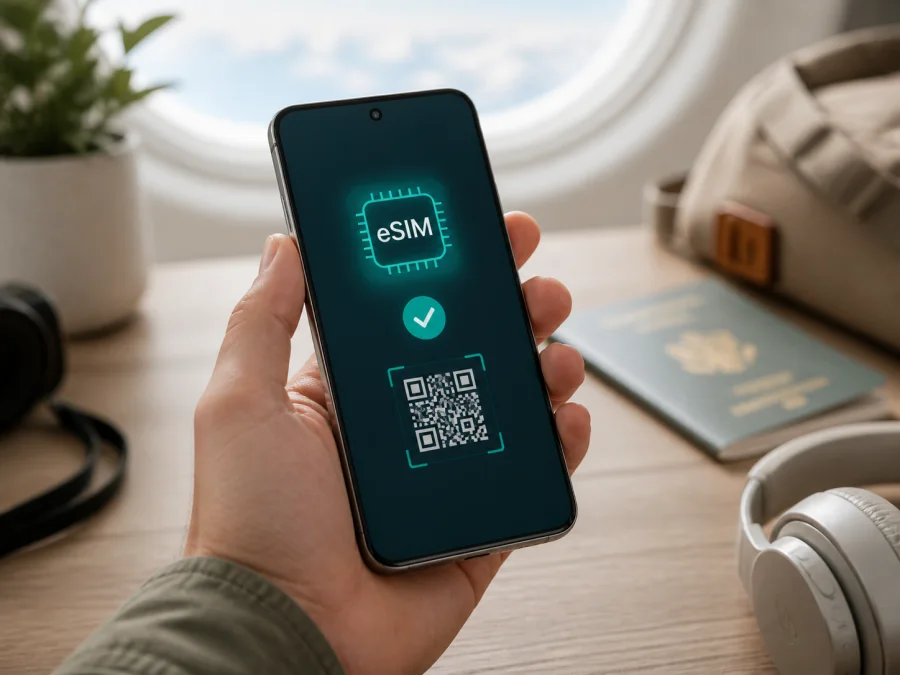
Honor 200 Pro 8GB RAM eSIM: compatibility and setup
If you have an Honor 200 Pro 8GB RAM and need mobile data abroad, the answer is conditional. HONOR currently lists HONOR 200 Pro as an eSIM-capable device, but it also warns that the feature may vary with the country of origin. An official regional specification describes SIM 2 as either a nano-SIM or eSIM on a dual-SIM version. For this exact 8GB RAM listing, verify the individual handset before ordering a travel plan.
The practical proof is an EID and an Add eSIM option in settings. If both are missing, treat the unit as incompatible even if a shop listing says otherwise. RAM is part of the exact search variant, but it does not prove that an eSIM module is present.
Quick answer for Honor 200 Pro 8GB RAM
HONOR’s global eSIM page, updated May 7, 2026, includes HONOR 200 Pro in its supported-device list. The manufacturer also gives the path Settings > Mobile network > SIM management > Add eSIM. A regional HONOR specification gives more detail: SIM 1 is a nano-SIM and SIM 2 can be configured as an eSIM or nano-SIM on the dual-SIM model; the single-SIM model uses eSIM for SIM 2.
So the accurate answer is potentially yes, but not universally. The model family has official eSIM support, while the exact Honor 200 Pro 8GB RAM unit still depends on sales region, model code, firmware and carrier restrictions. HONOR expressly says that a listed device may not support eSIM in a particular country of origin. Check the device itself rather than relying on the name alone.
An eSIM is a digital SIM profile stored in the phone. It can provide mobile data without replacing the physical SIM, subject to the unit’s dual-SIM rules and the plan’s terms. A travel eSIM is normally data-only: it does not automatically include a local number, ordinary calls or SMS. Messaging and calling apps can work over its internet connection.
Official compatibility and regional differences
The current manufacturer information establishes three points:
- HONOR lists HONOR 200 Pro among its devices that support eSIM.
- HONOR documents QR-code scanning, manual entry and pre-assigned-plan installation, with the EID potentially needed for the last method.
- HONOR warns that country of origin can change eSIM availability, even when the model appears in the list.
The regional specification confirms an eSIM-capable SIM arrangement, but it does not prove that every retailer’s 8GB RAM label refers to that configuration. Imported, carrier-branded and refurbished phones may have different firmware or restrictions.
| Item | Meaning for Honor 200 Pro 8GB RAM |
|---|---|
| Exact variant | This guide concerns Honor 200 Pro 8GB RAM; it is not merged with another memory or storage version. |
| Family status | HONOR’s current global eSIM information lists HONOR 200 Pro. |
| SIM arrangement | A regional official specification describes nano-SIM in SIM 1 and nano-SIM or eSIM in SIM 2 for a dual-SIM version. |
| Regional caveat | Country of origin, firmware and carrier policy can remove or restrict eSIM. |
| RAM and 5G | Neither 8GB RAM nor 5G alone proves eSIM availability. |
| Strongest practical proof | An EID plus an Add eSIM control on the actual handset. |
5G and eSIM are separate capabilities. 5G describes radio technology; eSIM describes how a subscriber profile is stored and activated. A 5G phone may lack eSIM, and a compatible eSIM may use 4G when 5G is unavailable on the plan or in the destination. Service also depends on local coverage and the travel plan.
There are two compatibility questions to answer. First, can this phone install and use an eSIM? Second, does the selected plan cover the country or route, data volume, validity period and activation method you need? Passing only the first test is not enough.
Compatibility check before buying
Use the exact phone in your hands for the following checks. The settings on your handset are decisive.
Check the EID
Open Settings > About phone and look for EID. Menu wording can vary with MagicOS language and version, so search Settings for “EID” if necessary. The EID is a long identifier and is different from the IMEI. HONOR also notes that it may be printed on the phone’s box.
An EID is strong evidence that the hardware supports eSIM. It does not override a regional or carrier restriction, so continue with the menu and unlock checks.
Check SIM management
Open Settings > Mobile network > SIM management. Look for Add eSIM, Add mobile plan or equivalent wording. HONOR’s documented label is Add eSIM. Do not confuse it with adding a physical SIM. Opening the flow far enough to see QR scanning or manual entry is sufficient; do not scan a purchased code as a test.
If there is no EID and no eSIM control, consider this particular Honor 200 Pro 8GB RAM incompatible. A factory reset cannot add missing hardware capability.
Check origin, lock and software
Ask for the phone’s market and exact model identifier, especially if it is imported or refurbished. Confirm that it is not carrier-locked: a lock can prevent another provider’s profile from being added or registered, even when the menu is visible.
Install official system updates while reliable Wi-Fi is available, set date and time automatically, and pause a VPN or filtering profile if it interferes with activation. Do not repeatedly delete and reinstall a profile: some codes are single-use.
Check the plan
Before payment, review destination, coverage, allowance, validity, activation window and hotspot rules. A country plan may not cover a multi-country itinerary. Note when validity begins: it may be tied to installation, first connection or another event. Treat an internet-only plan as data-only unless its conditions say otherwise.
For a compact internal checklist, check your device here before committing to a travel data plan.
How to install and activate eSIM
Labels can differ by MagicOS release, but the flow is consistent. Keep the QR code on another screen or paper; the phone cannot normally scan a code displayed on its own screen.
- Connect to stable Wi-Fi and charge the phone. Keep the physical SIM installed if you want your regular line available.
- Open Settings > Mobile network > SIM management.
- Tap Add eSIM. If this option is absent, stop and recheck compatibility rather than using an unrelated SIM menu.
- Select QR-code scanning, manual entry or a pre-assigned plan, depending on the activation details supplied with your plan.
- Review the profile and approve the download. Keep Wi-Fi on and do not restart during installation.
- Label the profile, for example Travel data, so it is easy to identify beside the physical SIM.
- When asked, choose the line for mobile data. You can change this later under SIM management.
- Turn on the travel eSIM and select it as the Mobile data line. Disable automatic data switching if you do not want the phone to fall back to your home SIM.
- Enable data roaming for the travel eSIM only if the plan’s instructions require it. This setting can be necessary for an international data profile.
- Turn Wi-Fi off and test a webpage or messaging app. Allow several minutes for registration and restart once if needed.
For platform-specific guidance, see the Android instructions at https://kasperskyesimstore.com/instructions/android/ or the iOS instructions at https://kasperskyesimstore.com/instructions/ios/. The Honor 200 Pro 8GB RAM uses Android.
Kaspersky eSIM Store is an app and website where you can choose, arrange and activate an eSIM with a suitable mobile-data plan for an international trip. It is not a mobile operator, network owner or direct provider of mobile internet. The app or site helps you review a destination and plan conditions; the phone then installs the profile.
Using eSIM for mobile data while travelling
Install before departure only when the plan allows it and you understand when validity starts. Early installation helps troubleshooting on home Wi-Fi, but some plans start at installation or first connection. The plan conditions control this point.
After landing, confirm that the travel profile is enabled and selected for mobile data. Keep your home line active only if you need its calls or messages and understand its roaming terms. Disabling it can reduce accidental charges. Do not delete the travel profile until the plan or support team confirms that it is safe; reuse and transfer rules vary.
Short city break
Maps, messaging and light browsing generally use less data than work or streaming. Estimate usage, download large files over Wi-Fi, select the travel eSIM on arrival and test navigation before leaving the airport.
Work and hotspot
Video calls, cloud files, photo backups and laptop tethering consume data quickly. Confirm hotspot use is allowed, disable automatic updates and watch the data counter. An eSIM does not guarantee unlimited speed, coverage or tethering.
Several countries
Check every stop before selecting a regional plan. At each border, allow time for registration and confirm that the travel profile remains the data line. Network choice can vary even when the plan covers the route.
Calls and SMS remain tied to the physical line unless the plan says otherwise. Set separate defaults and avoid automatic data switching unless you accept possible home-line roaming.
Troubleshooting
Add eSIM or EID is missing
Search About phone for EID and SIM management for Add eSIM. If neither exists, verify model identifier, origin and software channel. A retailer badge is not enough.
QR code will not scan
Display it on another device, raise brightness and clean the camera lens. Use manual activation only when the plan supplies the values. Do not guess fields or reuse a single-use code.
Profile will not download
Check Wi-Fi, automatic time, battery, storage and any VPN, private DNS or filter. Confirm that the code belongs to this purchase and was not installed elsewhere. Save the error message for support.
Installed, but no mobile data
Confirm that the eSIM is enabled and selected for data. Check destination, validity and allowance. Enable roaming if required, turn Wi-Fi off, restart once and wait for registration.
Wrong SIM is using data
Choose Travel data explicitly, disable automatic switching and review the home SIM’s roaming setting. The physical line can still create charges.
Works in one country but not another
Confirm that the new country is covered and let the phone select a network automatically. If 5G is unavailable, temporarily choose 4G to distinguish a radio issue from wider registration trouble.
Device is locked
Ask the original carrier or seller about unlocking. Kaspersky eSIM Store cannot remove an operator lock, change regional firmware or guarantee service on a restricted handset.
FAQ
Does every Honor 200 Pro 8GB RAM support eSIM?
No universal promise is safe. HONOR lists HONOR 200 Pro and documents eSIM in a regional specification, but warns that origin affects availability. Verify EID and Add eSIM.
Is 8GB RAM the reason eSIM may be missing?
Not by itself. RAM describes memory; eSIM depends on hardware, firmware, market and carrier restrictions.
Does 5G prove eSIM support?
No. They are independent capabilities. A 5G phone may lack eSIM, and an eSIM-capable phone may use 4G abroad.
Can I keep the physical SIM?
On an eSIM-capable dual-SIM configuration, the regional specification describes nano-SIM in SIM 1 and nano-SIM or eSIM in SIM 2. Actual simultaneous-use rules depend on the unit and software.
Do I need Wi-Fi?
Usually you need a working connection to download the profile. Wi-Fi is safest. Keep the code on another screen.
Can I move the eSIM later?
Do not assume so. Some profiles transfer, some require a new activation and some cannot be reused. Check the plan before deleting the profile.
Is Kaspersky eSIM Store my operator?
No. It is an app and website for choosing, arranging and activating an eSIM with a mobile-data plan for an international trip. It is not the network owner or the provider of mobile internet.
Summary
The correct answer for Honor 200 Pro 8GB RAM is: supported in some official configurations, but verify the individual unit. HONOR’s current global information lists HONOR 200 Pro and provides the Add eSIM path; regional information describes eSIM on SIM 2. The manufacturer’s regional warning means imported and carrier-specific stock needs extra care.
The decisive checks are an EID under Settings > About phone, Add eSIM under Settings > Mobile network > SIM management, an unlocked phone and a plan that covers the itinerary. After setup, select the travel eSIM for data, enable roaming only when required and monitor which line is active.
Final device check and trip eSIM
Before paying for a plan, complete this check on the exact Honor 200 Pro 8GB RAM:
- [ ] EID is visible in About phone.
- [ ] Add eSIM is visible in SIM management.
- [ ] The phone’s market is known and there is no carrier lock.
- [ ] Software is updated and Wi-Fi is available for installation.
- [ ] Destination, validity, allowance, activation timing and hotspot terms fit the trip.
- [ ] You know which line will use mobile data and whether eSIM roaming is required.
- [ ] The QR code or manual details are available on another device.
When every item is confirmed, use the Kaspersky eSIM Store app or website to choose a suitable destination and mobile-data plan, arrange it and activate the eSIM on the compatible phone. If any item is uncertain, verify the handset or plan first. That pause helps prevent buying a profile that this specific Honor 200 Pro 8GB RAM cannot install or use.


