Travel connectivity guide
Honor 400 Lite eSIM Compatibility and Setup
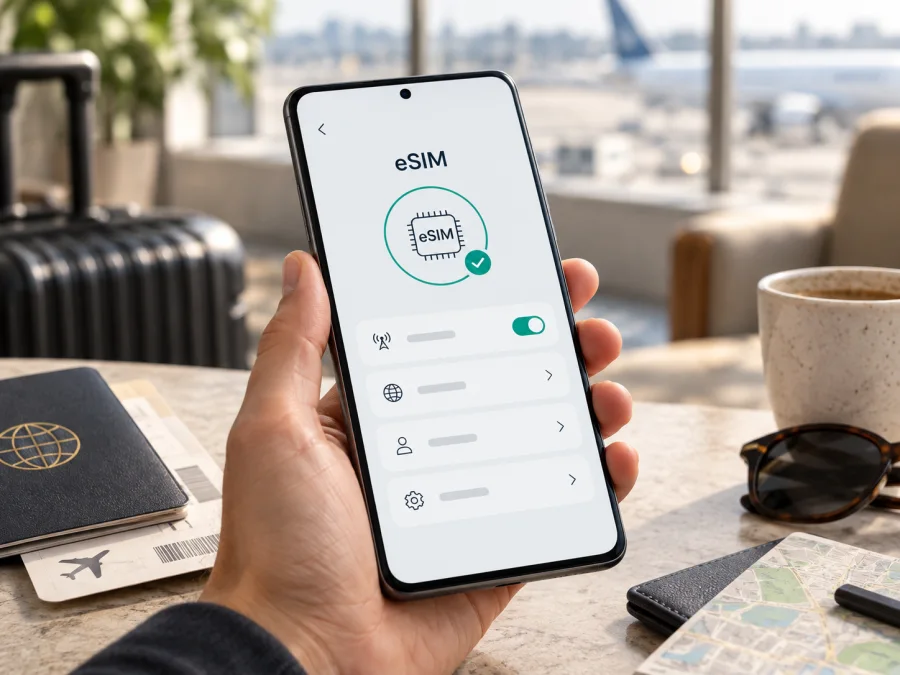
Honor 400 Lite eSIM compatibility: what to check before you travel
The Honor 400 Lite supports eSIM only in a specific regional version. HONOR’s official specifications identify the European model code Amber-N31C1 as eSIM-capable; on that version, SIM 2 can be configured as either a nano-SIM or an eSIM. The retail name alone cannot confirm compatibility, because other regional versions may not include or enable eSIM.
Check the model code, EID and eSIM controls on the actual phone before you buy a plan. A 5G label, “dual SIM” listing or another Honor 400 Lite’s features are not enough. Country, carrier and plan conditions can also affect activation.
Honor 400 Lite specifications at a glance
| Item | What to know |
|---|---|
| Device | Honor 400 Lite |
| eSIM | Supported on European model Amber-N31C1; country and carrier availability still apply |
| SIM arrangement | SIM 1: nano-SIM; SIM 2: nano-SIM or eSIM on the supported model |
| Network generations | 5G NR, 4G LTE, 3G WCDMA and 2G GSM are listed in HONOR’s regional specifications |
| Software | Regional pages list MagicOS 9.0 based on Android 15; software can vary by market and update |
| Memory | Configurations vary by market and do not establish eSIM support |
An eSIM is a digital SIM profile downloaded to compatible hardware. It still needs a mobile plan and a supported network to connect. The listed 5G capability describes network technology; it does not prove that eSIM is present or guarantee 5G access with every plan.
Which Honor 400 Lite version supports eSIM?
HONOR’s official specification pages say only the European Honor 400 Lite model Amber-N31C1 supports eSIM. They list SIM 2 as “nano SIM/eSIM” and warn that eSIM availability can vary by country and carrier. In short, Amber-N31C1 is the confirmed eSIM variant. If your phone is from another region, treat support as unconfirmed until the model code and device settings say otherwise.
Regional versions can share a product name and appearance while differing in radio bands, SIM hardware or software features. “Dual SIM” may mean two physical nano-SIMs; it does not necessarily mean one physical SIM plus an eSIM. Listings that say “global” without a full model code are not sufficient confirmation.
Before buying, ask the seller for the model code shown on the box or in Settings → About phone. Confirm it is Amber-N31C1, that the phone is intended for the European market and that it is unlocked. Storage and RAM options can vary by region, but memory capacity does not prove eSIM support. Nor does 5G: radio generation and eSIM are separate capabilities. If the seller cannot confirm the code, wait for clarification rather than relying on the family name.
Check compatibility on the phone before you buy a plan
Use the model identity, the phone’s eSIM indicators and the plan’s own conditions together. A compatible handset can still be locked or unsupported by a particular carrier, and an EID alone does not confirm destination coverage.
<a id="kesim-device-compatibility"></a>
Compatibility checklist
- Confirm the model code. In Settings, open About phone or Device information. Check the model number, not only the product name. The supported European version is Amber-N31C1; compare it with the box label as well.
- Look for an EID. Check Settings → About phone → Status or SIM status; wording varies by MagicOS release. You can also enter
*#06#in the phone app and see whether an EID appears with the IMEI. An EID is a sensitive device identifier, so do not post it publicly. - Find the eSIM menu. HONOR’s documented path is Settings → Mobile network → SIM management → Add eSIM. Menu labels may differ slightly by region or software. A missing EID and missing Add eSIM option are reasons to pause and confirm the version.
- Check for a carrier lock. A locked phone may refuse another provider’s profile even when eSIM hardware is present. Ask the original carrier or seller whether it is unlocked.
- Review the plan. Check country or regional coverage, data allowance, validity, activation timing, hotspot rules and supported networks before purchase.
If the menu is absent, install available system updates and verify the model with HONOR or the seller; repeated resets or a different QR code cannot add missing hardware. If the phone is not Amber-N31C1, HONOR’s published specification does not confirm eSIM support for that version. A practical decision rule is to confirm both the full model code and the Add eSIM control before proceeding. Then check that the device is unlocked and that the chosen plan covers your destination. If any of those details are unclear, ask the seller or manufacturer to verify the exact regional version first.
Check your device against its model code and settings before choosing a travel plan.
What eSIM means for SIM 2
On Amber-N31C1, SIM 2 can be configured as a nano-SIM or eSIM. Think of these as two options for the second SIM slot, not proof that every combination of active lines is available. If a physical card is in slot 2, review the phone’s prompts before changing the configuration; the card may need to be removed.
Before departure, label the lines clearly and choose which one handles mobile data, calls and SMS. A travel eSIM may be used for data alongside a home SIM when the phone and carrier allow it. A data-only plan usually does not include an ordinary phone number, voice calls or SMS unless its terms explicitly say so. Messaging and internet calls can use the data connection.
Install and activate an eSIM on Honor 400 Lite
Use a stable internet connection, preferably Wi-Fi, and keep the phone charged. Have the plan’s QR code or manual activation details ready. Some QR codes can only be used once; do not scan them on another phone or delete an installed profile unless the provider confirms it can be reissued.
- Review the plan. Confirm destination, data amount, validity, activation trigger and supported network. A multi-country route needs coverage for each stop.
- Open the eSIM controls. On the supported model, go to Settings → Mobile network → SIM management → Add eSIM. If the option is absent, return to the compatibility checks instead of trying a code intended for another device.
- Download the profile. Select the QR-code option and scan the code supplied for this plan. Follow the prompts until the download completes. Use manual activation details only when the provider supplies them.
- Name the line. A label such as “Travel data” helps distinguish it from your home SIM and reduces the chance of selecting the wrong line.
- Enable it at the right time. Some plans allow installation before departure and start on first connection; others begin at installation or a chosen date. Follow the plan’s stated rule.
- Select data settings. Set the travel eSIM as the mobile-data line when ready. Keep calls and SMS on the line you intend to use. Enable data roaming for the travel profile only if the plan’s instructions require it.
- Test carefully. Turn Wi-Fi off briefly and try a webpage or messaging app. An installed profile may not connect until you reach a covered destination or its activation window begins.
See the Android eSIM installation instructions for general screen-by-screen help. If you are also preparing an Apple device for a fellow traveller, the iOS eSIM installation instructions cover that separate process. Honor 400 Lite menu names can vary with region and software updates, so use the labels shown on your own phone.
Using the Honor 400 Lite for mobile data on a trip
Before departure, install the profile if the plan permits it, save instructions somewhere available offline, and keep the QR code private. Download maps, tickets and hotel details over Wi-Fi. This makes arrival easier if you have not yet connected to a local network.
At the destination, enable the travel profile and select it for mobile data. Turn on data roaming for that profile if instructed. Check the selected line before enabling roaming: your home SIM may have separate charges. Keep home-SIM data roaming off unless you have deliberately chosen to use it. Calls or SMS on the home number can remain available if the phone and carrier allow it.
For a short city trip, compare your likely use with the data allowance and validity period. Maps, ride services, translation and messaging use data; photo or video uploads can use much more. For a longer or multi-country route, verify that the plan covers every country and lasts through the trip. A country-specific plan may stop providing data after you cross a border even though its profile stays installed.
The Honor 400 Lite can use 5G where the handset, plan, local network and coverage all support it. It may instead connect over LTE or another available generation. Check coverage for the places you will visit rather than choosing only by a 5G label. Reception varies by location and congestion, independently of eSIM compatibility.
Kaspersky eSIM Store is an app and website where travellers can choose, arrange and activate an eSIM with a mobile-data plan for an international trip. After confirming compatibility, you can compare destination, data allowance, validity and price. The eSIM is for mobile data unless the chosen plan explicitly includes other services; Kaspersky eSIM Store is not a mobile operator or network owner.
Troubleshooting: if the eSIM will not connect
No Add eSIM option: Check that the phone is Amber-N31C1, look for an EID and install any available system update. Restart once and reopen SIM management. If the EID and menu remain absent, ask HONOR or the seller to confirm the regional hardware; a reset cannot add eSIM support to an unsupported model.
QR code rejected: Confirm Wi-Fi is working, the code belongs to this plan and it has not already been used or expired. Make the display bright and steady while scanning. If it was previously installed, contact the provider before deleting the profile or requesting a replacement.
Profile installed, but no service: Check that the plan is active at your current location and date. Turn on the travel profile, select it for data, and enable roaming on that profile if required. Briefly toggle airplane mode or restart, then allow time for registration. Check that automatic network selection is enabled; use manual selection only as the provider directs.
No mobile data: Switch Wi-Fi off and verify Mobile data, the selected data SIM, profile status and any data limit. Confirm the travel line is selected. If the plan provides APN settings, follow those values exactly rather than guessing.
Works in one place but not another: Coverage and partner access vary. Recheck the plan’s included countries, validity and supported networks, then try a different location. Switching from 5G to LTE can be normal and does not by itself indicate a failed eSIM.
Unexpected home-SIM charges: Check which line is selected for data and whether roaming is enabled for the home SIM. Disable data switching between lines if that control is available and review your home carrier’s terms.
When contacting support, provide the full model code, MagicOS version, country and error message. Share an EID only through an official support channel when requested. Do not post the EID, QR code or activation token publicly.
Frequently asked questions
Does every Honor 400 Lite support eSIM?
No. HONOR identifies the European Amber-N31C1 as the eSIM version. Check the handset’s exact code, EID and Add eSIM menu; the retail name is not enough.
Does 5G mean the phone supports eSIM?
No. 5G and eSIM are separate features. 5G access also depends on the plan, carrier and coverage.
Can I use nano-SIM and eSIM together?
The supported model lists SIM 1 as nano-SIM and SIM 2 as nano-SIM or eSIM. Check SIM management for the combinations enabled by your software and carrier.
Does an EID guarantee a travel plan will work?
No. The phone must be unlocked, and the plan must support the device, destination and partner network.
Will installation start the plan’s validity?
It depends on the plan. Validity may start at installation, first connection or a specified activation date; check the terms before scanning.
Can I move the eSIM to another phone?
Do not assume so. Many profiles are device-bound or can only be installed once. Check transfer and reissue rules before removing the profile.
Does a data eSIM replace my number?
Usually not. A data-only plan does not include ordinary calls, SMS or a phone number unless its terms say so.
Before you leave
The answer for Honor 400 Lite is regional: eSIM is confirmed on the European Amber-N31C1, where SIM 2 can be set up as eSIM instead of a nano-SIM. HONOR also notes that availability depends on country and carrier. Do not apply this result automatically to a phone from another market.
Final device check and trip eSIM checklist
- Confirm Honor 400 Lite and Amber-N31C1 in Settings or on the box.
- Verify an EID and Settings → Mobile network → SIM management → Add eSIM.
- Confirm the phone is unlocked and the plan supports your destination and dates.
- Review data allowance, validity, activation timing, roaming instructions and supported networks before purchase.
- Install over a reliable connection, label the profile and keep home-SIM data settings under control.
- At your destination, select the travel eSIM for mobile data and test with Wi-Fi off.
Check the exact handset before committing to a plan. If your Honor 400 Lite passes the device and settings checks, Kaspersky eSIM Store’s app and website can help you choose, arrange and activate a suitable eSIM plan for mobile data on your trip.


