Travel connectivity guide
Honor 90 128GB eSIM: compatibility and setup
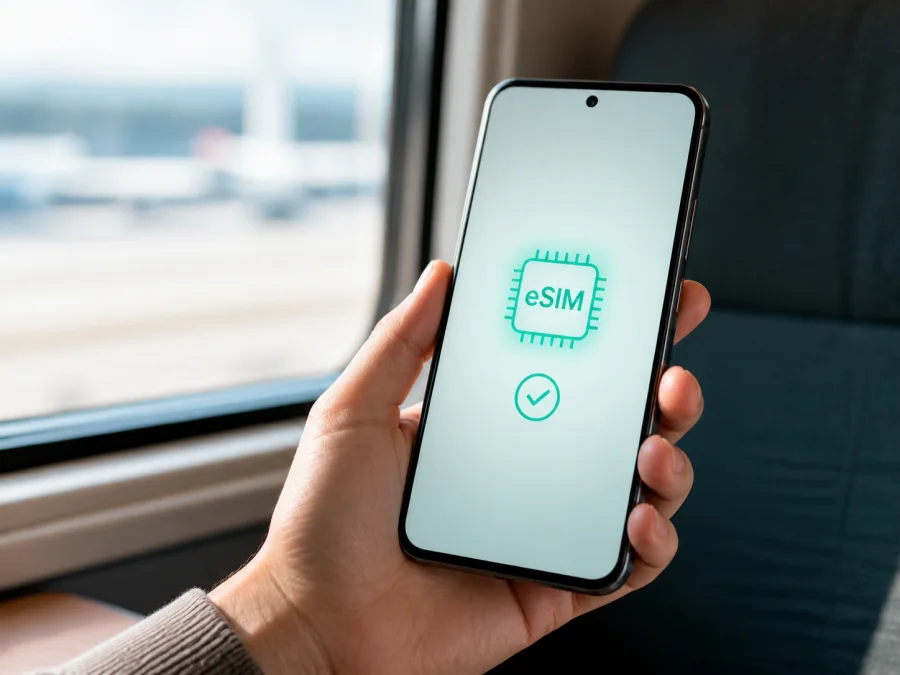
Honor 90 128GB eSIM: compatibility and setup
If you are checking whether the exact Honor 90 128GB can use an eSIM, the practical answer is: yes on the eSIM-capable dual-SIM version for an eligible market, but not necessarily on every regional unit. HONOR’s current global eSIM information lists the HONOR 90 among supported devices. HONOR also warns that eSIM availability can depend on the country of origin, the device version and the carrier. The 128GB storage size alone does not prove that a particular phone contains an eSIM chip.
The reliable confirmation comes from an EID and an Add eSIM option. If both are missing, treat the unit as physical-SIM-only.
Quick answer for Honor 90 128GB
The exact device in this guide is Honor 90 128GB. Storage identifies the variant; eSIM depends on the eligible dual-SIM configuration.
| Item | What to know |
|---|---|
| Exact device | Honor 90 128GB |
| eSIM result | Supported on eligible regional dual-SIM versions; not guaranteed for every country-of-origin version |
| SIM arrangement | On an eligible version, SIM 2 can be configured as eSIM or used as a nano-SIM |
| 5G and eSIM | Separate features; 5G service also depends on the local network and plan |
| Storage | 128GB identifies the requested memory variant but does not confirm eSIM hardware |
| Best proof | EID in About phone plus Add eSIM in SIM management |
| Typical travel use | Mobile data; voice, SMS and a regular number depend on the specific plan |
Does Honor 90 128GB support eSIM?
HONOR’s official device list includes HONOR 90, so an eligible Honor 90 128GB can use an eSIM profile for mobile data. HONOR’s regional specifications describe the supported dual-SIM configuration as SIM 1 nano-SIM plus SIM 2 nano-SIM/eSIM. SIM 2 is therefore selected as either a physical nano-SIM or an eSIM, not two independent SIM 2 slots.
The conclusion for your particular handset is conditional:
- If the phone shows an EID and Add eSIM, it reports the required eSIM function. Continue by checking the travel plan and destination.
- If there is no EID and no eSIM option, do not expect a QR code or the 128GB label to add the feature. The unit is likely a regional or physical-SIM configuration without eSIM access.
- If an EID is visible but activation fails, the phone may support eSIM while the carrier, plan, network lock, firmware or existing profiles prevent activation.
Why regional and operator versions differ
The Honor 90 128GB name tells you the family and storage, not the complete SIM configuration. HONOR explicitly says that a listed device may still lack eSIM in a particular country of origin. Its regional comparison limits eSIM to the dual-SIM model and notes that country and carrier availability apply.
Possible differences include:
- SIM hardware: one build may support eSIM on SIM 2, while another exposes only physical nano-SIM options.
- Firmware and carrier eligibility: MagicOS controls and the ability to receive a profile can differ by region, operator and enabled service.
- Network behavior: 5G, LTE, VoLTE, data roaming and second-line use depend on local networks and the selected service.
If you are buying second-hand, inspect the device or request an About phone photo with personal identifiers covered. Do not post the full EID publicly.
What to check before buying an eSIM plan
Run these checks over Wi-Fi. Confirm compatibility before requesting or purchasing a plan.
Device compatibility checklist
☐ Confirm that the phone is exactly Honor 90 128GB, not another memory or regional variant.
☐ Open Settings > About phone and look for EID. Some builds may label the entry Show EID.
☐ Open Settings > Mobile network > SIM management and look for Add eSIM or an eSIM control beside SIM 2.
☐ Check that the handset is carrier-unlocked. A profile may install but fail to register on a restricted phone.
☐ Check the plan’s destination, validity period, data allowance, activation rules and supported networks.
☐ Make sure the phone has enough battery and reliable Wi-Fi for installation.
☐ Decide which line handles calls and messages and which line handles mobile data. A travel eSIM may be data-only and may not include a regular number, voice or SMS.
Compare the on-screen result with the plan requirements. If the menu is absent, pause the purchase and ask the seller or provider to confirm the exact regional model. Do not rely on a screenshot from another Honor 90 128GB.
How to find the EID
HONOR’s support instructions use Settings > About phone > EID. If you do not see it, search Settings for “EID”; wording can vary after a MagicOS update. An EID is a device identifier, not the eSIM and not a QR code. A provider may request it when assigning a profile.
After both checks, Check your device against the plan requirements.
How Kaspersky eSIM Store fits the travel setup
Kaspersky eSIM Store is an app and website where you can choose, arrange and activate an eSIM with a suitable mobile-data plan for an overseas trip. It helps you review the destination, data amount, validity and other plan conditions before installation. It is not a mobile operator, network owner or provider of mobile coverage.
How to install an eSIM on Honor 90 128GB
This flow follows HONOR’s current guidance. Keep the QR code, activation code or assigned plan ready, and install only on the intended handset. Some profiles are device-bound and cannot be moved after activation under the plan’s conditions.
1. Connect to Wi-Fi
Connect the Honor 90 128GB to stable Wi-Fi. Leave your physical SIM in place if you want to keep your usual number, unless the phone asks you to disable a SIM 2 configuration.
2. Open SIM management
Open Settings, tap Mobile network, then SIM management. Look for Add eSIM or the add control for SIM 2. If it is missing, stop and repeat the EID check instead of scanning a code in an unrelated menu.
3. Select an installation method
- Scan a QR code: point the camera at the code supplied with the plan.
- Use a saved QR image: select the gallery option if it is offered.
- Enter details manually or install an assigned plan: follow the provider’s instructions and use only the details supplied for this device.
For Android-specific guidance, see the Android eSIM installation instructions. The Honor 90 128GB uses Android-based MagicOS, but the labels on your phone take priority.
4. Confirm the download
Review the plan name and confirm the download. Keep the phone online until the profile finishes installing. Do not reuse or share the QR code unless the plan provider says that it is reusable.
5. Name and enable the line
Name the profile Travel data or with the destination, then return to SIM management and enable it. If the phone asks you to disable a physical SIM 2, read the warning: an eligible dual-SIM arrangement may use SIM 2 as either nano-SIM or eSIM, not both at once.
If you need instructions for an iPhone or iPad used by a companion, see the approved iOS eSIM installation instructions. That link does not change the compatibility result for the Honor 90 128GB.
Activate eSIM for mobile data
Installation downloads a profile; activation enables it and lets the phone attempt registration. The plan may start its validity at installation, first connection or another event stated in its conditions. Check this before installing early.
- Open Settings > Mobile network > SIM management.
- Select the travel eSIM as the preferred SIM for mobile data.
- Keep your regular SIM for calls and SMS if you need your usual number.
- Turn off automatic switching of mobile data so the phone cannot move data back to the home SIM.
- Turn on data roaming for the travel eSIM only when the plan requires it.
- Turn off data roaming for the home SIM if you want to avoid charges from that line.
- Turn off Wi-Fi and test a simple webpage over mobile data.
MagicOS labels can vary. Check that the data indicator belongs to the travel profile. If the plan is data-only, use messaging and calling apps through the internet; do not expect a regular phone number unless the plan explicitly includes one.
Practical travel scenarios
Preparing at home
Check EID and Add eSIM before departure, while you have dependable Wi-Fi and time to contact support. Install in advance only if the plan allows it; some plans begin validity on installation.
Connecting after landing
Use airport or hotel Wi-Fi, enable the travel eSIM, select it for data and enable roaming if required. Allow a few minutes for registration.
Keeping your usual number
Keep the home SIM enabled for calls and SMS while selecting the travel eSIM for data, after checking the home operator’s roaming terms. Disable automatic data switching to avoid unwanted charges.
A multi-country route
Check every country or region on the itinerary. A regional plan may fit better than a single-destination plan, but compare coverage, allowance and validity. Do not delete and reinstall the profile at a border just because the network changes.
Common problems and checks
There is no EID
Open Settings > About phone again and search Settings for “EID”. If the entry and Add eSIM are still missing, treat the unit as incompatible and ask the seller or provider about the regional model. Do not buy a plan hoping that a QR code will create eSIM hardware.
The QR code will not scan
Increase brightness on the screen showing the code, clean the camera lens and keep the whole code visible. Use a saved-image option if available. If manual activation is supported, request the correct details from the provider. Never type activation data into an unrelated website.
The profile will not download
Check Wi-Fi, confirm that the code has not been used and verify that the plan is intended for this device. An expired or device-bound code may not be reusable.
The profile is installed but there is no data
Confirm that the eSIM is enabled and selected for mobile data. Check airplane mode, mobile data, destination coverage and data roaming if required. Restart the phone and allow a few minutes for registration. Make sure automatic data switching has not selected the home SIM.
The phone shows a network but apps are offline
Test a simple webpage, then check remaining data and validity. Review restrictive network settings and change APN fields only when the provider gives exact values; random edits can make a working profile unusable.
The eSIM conflicts with the physical SIM
An eligible configuration may require SIM 2 to be either nano-SIM or eSIM. In SIM management, disable the conflicting line and select the intended profile for data. Two active physical SIMs may not be possible while eSIM is selected on that regional build.
You want to remove the profile
Disable the eSIM before deleting it. Removing a profile from the phone does not necessarily cancel the plan or stop charges, and some deleted profiles cannot be restored. Contact the provider about cancellation, replacement or reinstallation.
FAQ
Is every Honor 90 128GB eSIM-compatible?
No. HONOR lists HONOR 90 as supported but warns that country-of-origin versions can differ. The eligible dual-SIM version supports eSIM on SIM 2; your phone should show EID and Add eSIM before purchase.
Does 128GB mean that eSIM is included?
No. 128GB describes storage, not the eSIM chipset, SIM configuration or regional firmware.
Can I use a travel eSIM with my physical SIM?
Usually, if the phone is an eligible dual-SIM version and the arrangement permits it. You may need to choose between a physical SIM and eSIM for SIM 2. Check roaming settings and charges.
Will a travel eSIM give me a phone number?
Not normally. Kaspersky eSIM Store helps you choose and activate an eSIM with a mobile-data plan for an overseas trip. Voice, SMS and a regular number are not included unless the specific plan says so.
Can I use the eSIM before the trip?
Only if the plan’s activation rules allow that timing. Read whether validity begins at installation or first connection.
Can I move the eSIM to another phone?
Do not assume so. Profiles can be device-bound or non-transferable after activation. Check the plan conditions before deleting or moving one.
What if my phone is carrier-locked?
An operator lock can block a travel profile even when the device has an EID. Ask the original operator to confirm that the phone is unlocked.
Is Kaspersky eSIM Store a mobile operator?
No. It is an app and website that helps you choose, arrange and activate an eSIM with a suitable travel data plan. Service and network access depend on the selected plan and its local network arrangements.
Final device check and travel eSIM choice
Before spending money on a plan, check the exact Honor 90 128GB in your hands: open Settings > About phone and confirm that an EID is shown; then open Settings > Mobile network > SIM management and confirm that Add eSIM is available. Verify that the phone is unlocked, that its regional version is eligible and that the selected plan covers every country or region on your itinerary. Confirm the data allowance, validity and activation timing.
If all checks are positive, choose an eSIM plan for the trip, install it over reliable Wi-Fi, select it as the mobile-data line and enable roaming only when required. Keep home-SIM settings under control to avoid unwanted roaming. If EID or Add eSIM is missing, pause the purchase and ask the seller or provider about the specific regional build. This device check is the most dependable way to decide whether your Honor 90 128GB is ready for eSIM mobile internet abroad.


