Travel connectivity guide
Honor Magic 4 Pro 12GB RAM eSIM Compatibility
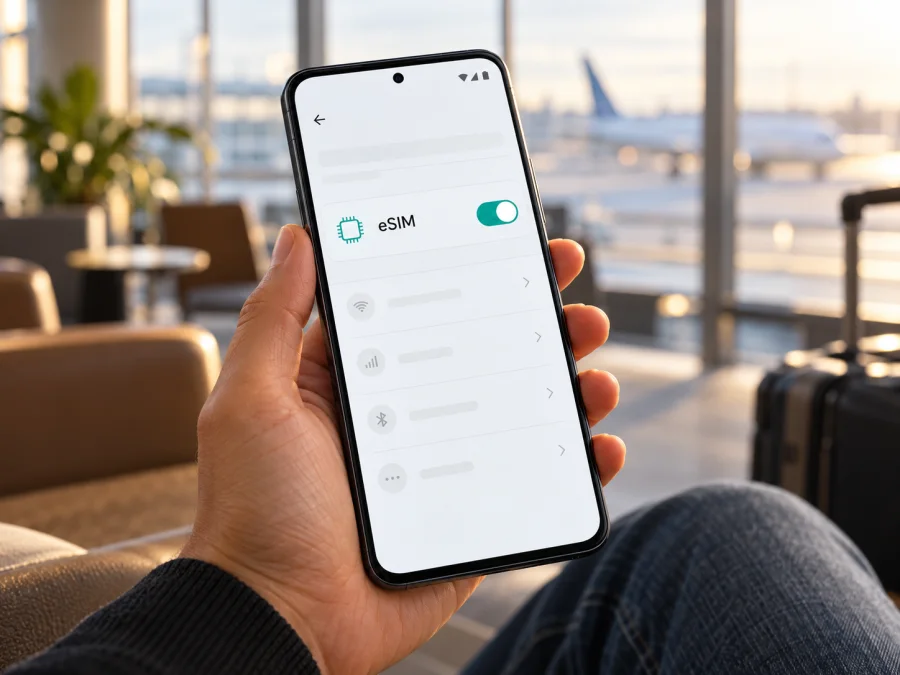
Honor Magic 4 Pro 12GB RAM eSIM: compatibility and setup
Quick answer: HONOR’s current eSIM support page lists the Magic4 Pro as an eSIM-capable model. That does not prove that every phone sold under this name supports eSIM. HONOR warns that availability can depend on the device’s country of origin, and its Spanish specification says eSIM is available only on the Dual SIM model, as the second SIM in place of the nano-SIM in the second tray. “12GB RAM” identifies a memory configuration, not the regional hardware or SIM version. Treat this exact phone as conditionally compatible: confirm an EID or an Add eSIM option on the handset before choosing a travel plan.
Does Honor Magic 4 Pro 12GB RAM support eSIM?
The useful distinction is between model-family support and the capabilities of an individual handset. HONOR’s support page, updated 7 May 2026, includes HONOR Magic4 Pro in its eSIM list and gives the setup path Settings → Mobile network → SIM management → Add eSIM. The same page warns that a listed model may not support eSIM depending on its country of origin. HONOR’s Spain specification makes the hardware distinction explicit: only the Dual SIM model supports eSIM, and SIM 2 can be either an eSIM or a nano-SIM. The operator and country must also support the service.
So the direct answer for Honor Magic 4 Pro 12GB RAM is: yes on eligible Dual SIM regional versions; not guaranteed from the 12GB RAM label alone. Do not infer support from the phone’s 5G capability, an available second SIM tray, or a seller’s generic model title. The exact model code, original sales market, firmware and visible eSIM controls matter. Some regional configurations may offer two physical nano-SIMs without an eSIM profile, while the supported configuration uses the second SIM position for either eSIM or a physical card. The eSIM and physical SIM 2 are alternatives, not two separate SIM 2 slots.
| Item | What can be established |
|---|---|
| Exact article variant | Honor Magic 4 Pro 12GB RAM |
| eSIM status | Conditional: HONOR lists Magic4 Pro, but not every regional unit is guaranteed to support it |
| Required hardware version | An eligible Dual SIM variant with eSIM enabled for its market |
| SIM position | SIM 2; eSIM or a nano-SIM in the second tray, depending on version and configuration |
| What “12GB RAM” confirms | Memory size only; it does not establish country of sale, model code, EID or eSIM availability |
| Final check | Look for an EID and Add eSIM in the phone’s own settings; verify the unit is unlocked |
HONOR’s global support list was checked on 2 November 2026. It names Magic4 Pro but cautions that support may differ by country of origin. HONOR’s Spain product specifications additionally say “only Dual SIM models support eSIM” and note that country and operator service affect availability. These manufacturer statements support the model-level answer, not an assumption that every 12GB RAM phone has the same radio hardware or software. If the handset is imported, refurbished, carrier-sold or has an unclear history, use its own settings and model code as the decisive checks.
What to check before buying a travel eSIM plan
A travel eSIM can be useful for mobile data abroad, but it needs a compatible, unlocked phone. Confirm the handset first, then select a plan for the destination. A successful scan of a QR code is not a substitute for compatibility: if the phone has no eSIM hardware or the feature is disabled for its market, the profile cannot be added.
Compatibility checklist
- [ ] Open Settings → About phone and note the full model number or model code. “Honor Magic 4 Pro 12GB RAM” is not a complete regional SKU.
- [ ] Check Settings → About phone → EID. An EID is the identifier associated with the embedded SIM. HONOR says it can also appear on the original box. Do not share this identifier publicly; it is useful when support asks you to confirm the device.
- [ ] Open Settings → Mobile network → SIM management and look for Add eSIM. Wording may differ slightly with Magic UI version or regional firmware.
- [ ] If neither an EID nor an add-eSIM option appears, do not assume the feature can be enabled with an update. Ask HONOR support or the seller to check the exact model code and sales market.
- [ ] Confirm the phone is not carrier-locked. A locked phone may reject a profile from another provider even when its hardware supports eSIM.
- [ ] Check that the destination and travel dates are included in the plan, and review the data allowance, validity period, network conditions and activation timing shown at checkout.
- [ ] Keep access to Wi-Fi or another working internet connection during installation. The QR code or activation details must be available while setting up the profile.
Why regional versions matter
The same model name can cover phones supplied for different markets. A manufacturer may list a product family as eSIM-capable while limiting the feature to certain regional or Dual SIM configurations. The source country is not always the country where the current owner lives: an imported handset keeps its original hardware and firmware characteristics. A retailer’s description may omit that distinction, especially when listings group several memory capacities or colours on one page.
HONOR’s Spanish specification identifies the Dual SIM version and describes SIM 2 as nano-SIM/eSIM; its global support page warns that the country of origin can affect support. Check a seller’s “global version” claim against the model code and the phone’s EID/menu. An EID also does not prove the phone is unlocked: ask the seller or original carrier to confirm that it can accept another provider’s profile.
If you want another guided check, check whether your device is compatible. Check before purchase because the RAM and storage configuration cannot confirm regional eSIM support. If the EID or menu option is missing, wait for HONOR or the seller to verify the handset before choosing a plan.
How to install and activate an eSIM
Use a stable Wi-Fi connection, keep the phone charged, and have the QR code ready on a second screen or printed page. An eSIM QR code is usually one-time-use; do not delete a profile or scan its code repeatedly unless the provider confirms that it can be reinstalled. If you have not yet selected a plan, first make sure the handset passes the checks above.
Add the profile on the HONOR phone
- Open Settings → Mobile network → SIM management. Confirm that Add eSIM is present. If it is absent, stop and check the model code, regional version and software with HONOR or the seller.
- Tap Add eSIM. Depending on the version, the phone may offer a QR scan, manual activation details or a pre-assigned plan. Follow the option supplied for your plan; do not enter guessed server addresses or codes.
- Scan the provider’s QR code from another device, or enter the activation information exactly as issued. Keep the display bright and avoid cropping the QR code. If your phone offers automatic installation, follow its prompts instead.
- Wait while the phone downloads and adds the profile. Give the profile a clear label such as “Travel data” so you can tell it apart from your usual SIM. A name is only a label; it does not change the plan’s coverage or billing.
- If asked when to enable the profile, you can leave it off until the trip if the plan’s activation rules allow that. Read the validity and activation terms: some plans begin their validity at installation, while others start when the eSIM first connects in the destination.
- When you are ready to use it, return to SIM management, enable the profile, and choose it as the mobile-data SIM. Keep your home SIM active for calls or messages only if you need it and understand your home operator’s roaming charges.
- At the destination, enable data roaming for the travel eSIM if the plan’s instructions require it. This switch lets that profile use a visited network; it does not itself define the price. Check that roaming is enabled on the travel profile, not accidentally on your home SIM.
- Allow several minutes for the eSIM to register. If mobile data does not start, check the provider’s APN instructions and enter an APN only when the plan details specify one. Save the setting, select the correct profile for data and restart the phone if needed.
The HONOR path above follows the manufacturer’s current setup instructions. The Kaspersky eSIM Store guide for Android is available here; its examples are written for Samsung, so menu names and screens can differ on HONOR. The iOS installation guide is included as the requested companion reference, but it applies to iPhone rather than this Android phone.
Using the travel eSIM abroad
Before the trip, choose which SIM handles each task. Keep your home SIM for calls and texts if needed, and assign mobile data to the travel eSIM. Menu labels vary; check the data-SIM selection after changing profiles. At your destination, enable the travel profile and select its network automatically unless plan instructions say otherwise. Enable data roaming on that profile only if required, and consider turning it off for your home SIM to avoid charges. Test a webpage with Wi-Fi off; signal bars alone do not confirm working data.
Kaspersky eSIM Store is an app and website where you can choose, arrange and activate an eSIM with a mobile-data plan for an international trip. Travel plans are data-focused; check their terms for voice, SMS, coverage, allowance, validity and activation. For a short break, offline maps and Wi-Fi can reduce data use; for navigation, video calls or hotspot use, allow more data and check tethering terms. A multi-country trip needs a plan that includes each stop.
Install before departure over reliable internet if the plan permits it. Keep activation details secure and do not delete a profile while troubleshooting unless the provider confirms it can be installed again.
Common problems and checks
There is no “Add eSIM” option
Check Settings → About phone for an EID and confirm the model code. Restarting or updating Magic UI can resolve a temporary menu issue, but it cannot add embedded-SIM hardware to a version that lacks it. If both EID and the add-eSIM control are missing, ask HONOR or the seller to verify whether this exact regional phone is an eSIM-capable Dual SIM version. Do not buy a plan until the handset is confirmed.
The QR code will not scan
Show the code on another screen or print it, increase its brightness and make sure it is not cropped. Confirm the phone has internet access. If the code is invalid or already used, stop retrying and check the activation details with the plan provider. Enter manual details only if the provider supplies them.
The profile installs but will not activate
Confirm the profile is enabled, the phone had internet during setup and the plan’s activation date has arrived. Check unlock status and automatic date/time, then restart once. If it remains pending, contact the provider with the model code and screen details; send the EID only through a trusted support channel when requested.
Signal is present but there is no internet
Select the travel eSIM for mobile data, turn data on, and enable roaming on that profile if required. With Wi-Fi off, confirm the destination and allowance are covered. Enter an APN only when the provider specifies it, then try automatic network selection and allow a few minutes to connect.
The phone connects to the wrong SIM or roaming costs appear
Review the data-SIM choice and automatic data switching. Turn off data roaming for the home SIM if you do not want it used abroad. Calls and SMS on that line may still follow your home operator’s roaming terms.
Internet stops or is slow
Check the plan’s remaining data and validity, then briefly toggle airplane mode or restart. Speed varies with local signal, congestion and plan terms. Do not delete the profile before asking the provider whether it can be reinstalled.
The handset is locked or the operator rejects the profile
An EID does not confirm that the phone is unlocked. Ask the original seller or carrier; if locked, resolve it with them or use another compatible unlocked phone.
FAQ
Does every Honor Magic 4 Pro 12GB RAM have eSIM?
No. HONOR lists Magic4 Pro as an eSIM-capable model, while warning that the country of origin matters. Its Spain specification limits eSIM to Dual SIM versions. RAM capacity alone does not identify that version. Check the EID, Add eSIM menu and model code on the actual phone.
Can I use eSIM and two physical SIM cards at once?
The official Spanish specification describes SIM 2 as an eSIM or a nano-SIM in the second tray. That means the eSIM and physical SIM 2 are alternative ways to use the second position, not three simultaneous SIMs. Check the instructions for your exact regional variant before removing or replacing a physical SIM.
Is a phone with an EID definitely ready for a travel plan?
Not by itself. Also check that Add eSIM is available, the device is unlocked, the plan supports the phone and destination, and the activation method is compatible. An EID is one useful confirmation, not a promise of operator acceptance or coverage.
Do I need to remove my home SIM?
Usually not if the handset and plan allow both profiles to be available, but settings and supported combinations vary. You can generally keep a home SIM for calls while assigning mobile data to the travel eSIM. Confirm which line is used for data and consider disabling data roaming on the home line.
Will the travel eSIM include a phone number?
A travel data plan is generally intended for mobile internet. Check its terms for included services; do not expect ordinary calls or SMS unless explicitly stated. Internet messaging and calling apps can use the data connection.
When should I install the eSIM?
Install it before the trip when you have reliable Wi-Fi and the plan permits advance installation. Read when the plan validity begins, since installation, scheduled activation and first connection can have different effects depending on the plan. Leave the profile disabled until needed if that matches its terms.
Before you choose a plan
For Honor Magic 4 Pro 12GB RAM, the dependable sequence is simple: check for an EID, find Add eSIM in SIM management, identify the regional model, and confirm that it is unlocked. HONOR’s official information supports eSIM on eligible Magic4 Pro Dual SIM versions, but the RAM label does not establish whether your individual handset is one of them. If those checks pass, choose a plan that covers your destination and route, and review its data amount, validity and activation rules.
Kaspersky eSIM Store’s English website lets you browse current travel eSIM options and check the destination and plan terms. It is a general starting point for browsing, not a country-specific tariff. Compare the plan with your itinerary, then install and assign the eSIM using the steps above. If the device check fails or remains unclear, confirm its exact variant with HONOR or the seller before arranging a plan.


