Travel connectivity guide
Honor Magic 4 Pro 8GB RAM eSIM: compatibility
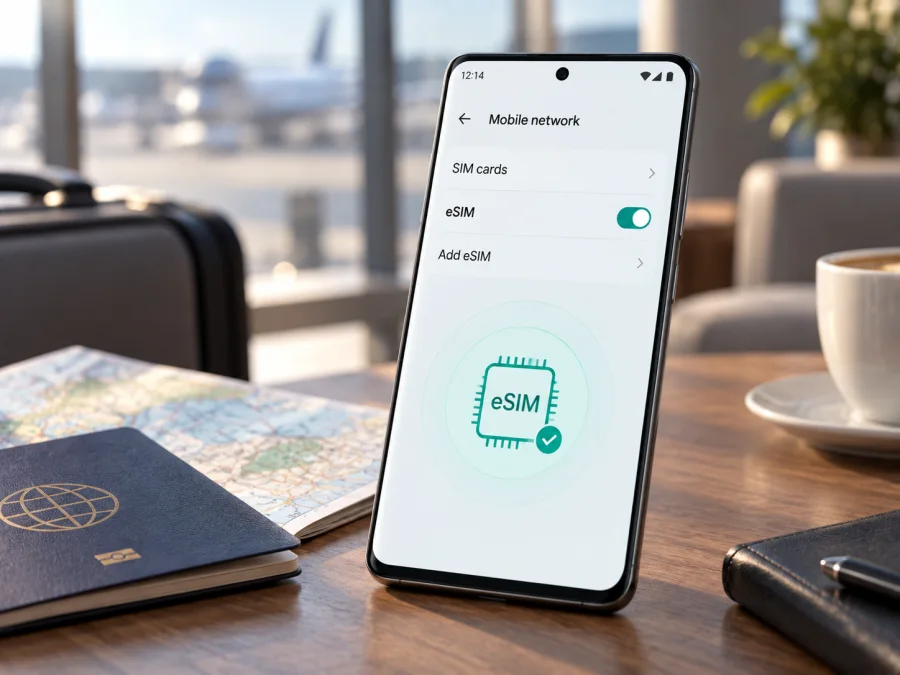
Honor Magic 4 Pro 8GB RAM eSIM: compatibility and setup
If you are checking whether an Honor Magic 4 Pro 8GB RAM can use an eSIM for mobile data while travelling, the short answer is conditional: eligible regional dual-SIM versions can support eSIM, but the 8GB RAM label does not confirm that capability by itself. HONOR’s current global eSIM information lists the HONOR Magic4 Pro among supported devices, while also warning that support can depend on the country of origin. The decisive test is whether your particular phone shows an EID and an option to add an eSIM in its own settings.
That distinction matters when buying a travel eSIM. Two phones sold under the same family name can have different SIM hardware, firmware or operator provisioning. An imported unit may expose only physical nano-SIM options even though an international Magic4 Pro page mentions eSIM. Memory configuration and cellular provisioning are separate characteristics, so check the phone you actually own before choosing a plan.
Quick answer for this exact device variant
| Item | What to know |
|---|---|
| Device page | Honor Magic 4 Pro 8GB RAM |
| eSIM answer | Conditional: supported on eligible regional dual-SIM variants; not guaranteed for every market or firmware |
| RAM label | Identifies the memory variant but does not prove eSIM availability |
| Best proof | EID in device information plus Add eSIM in SIM management |
| SIM relationship | eSIM may occupy the secondary SIM position and replace a physical SIM 2 |
| Travel use | Select a compatible eSIM for mobile data; the plan’s destination and terms still apply |
| Before purchase | Confirm EID, add-eSIM menu, unlocked status and destination coverage |
The wording “conditional” is intentional. HONOR’s current global list includes Magic4 Pro, and the manufacturer’s Magic4 Pro guidance describes EID lookup and eSIM activation. At the same time, HONOR says availability varies by device, operator, country and region. A regional specification can therefore be more relevant than a general model name. If your phone does not show the required menu or EID, treat it as incompatible for a travel eSIM until HONOR, the seller or the operator confirms otherwise.
Does Honor Magic 4 Pro 8GB RAM support eSIM?
It may. The exact Honor Magic 4 Pro 8GB RAM variant can use eSIM when it is an eligible dual-SIM regional version with the necessary eSIM hardware and software support. This is not a blanket yes for every unit. HONOR’s materials distinguish supported global versions from markets where eSIM is unavailable, and regional specifications state that only certain dual-SIM models support it. The operator must also offer eSIM service for the provider and plan you intend to use.
There are five separate conditions:
- The model family must include a version with eSIM hardware.
- The phone’s sales region must enable that hardware.
- The installed Magic UI build must expose eSIM controls.
- The operator must be able to issue and activate an eSIM.
- The selected plan must cover your destination and route.
The 8GB RAM detail should remain part of the identification, but it is not the switch that enables eSIM. When checking a used or imported phone, record the model and region from Settings > About phone, compare them with the seller’s listing, and then verify the EID on the actual device.
Regional and operator differences
HONOR’s user guidance notes that eSIM can vary by operator, country, region and device. Its global eSIM page lists Magic4 Pro but separately warns that eSIM may not be supported according to the country of origin. This explains why retailer listings and user reports can contradict one another.
An international dual-SIM version may show SIM 1 and SIM 2, with SIM 2 configurable as either a nano-SIM or eSIM. Another regional version can show two physical nano-SIM choices and no eSIM entry. A carrier-customized firmware build can also hide or limit eSIM functions. Some operators restrict eSIM to certain plans or require an unlocked phone. China-market documentation, for example, can list physical nano-SIM support only, while a European regional specification can describe eSIM on eligible dual-SIM models. Do not generalize one market’s specification to every imported unit.
<a id="kesim-device-compatibility"></a>What to check before buying an eSIM plan
Use this order of checks for Honor Magic 4 Pro 8GB RAM before selecting a travel eSIM, because unused plans may be subject to the provider’s activation and refund conditions.
1. Confirm the phone’s identity
Open Settings > About phone and note the model, software version and any model or region identifier. Make sure it is the phone you will take on the trip, not a related Magic4 model. Keep the exact label Honor Magic 4 Pro 8GB RAM in your device record so that memory variants are not mixed with another configuration. If the phone was imported, keep its original sales region too.
2. Find the EID
Open Settings > About phone and look for EID or Show EID. The EID is the identifier for the embedded SIM component. You do not need to publish it. A populated EID is strong evidence that the device has eSIM capability; its absence usually means the hardware or regional software does not expose the function. If necessary, use Settings search for “EID”.
If the EID remains absent after a restart and an available official update, do not assume a factory reset can add eSIM hardware. Ask the seller or HONOR support about the exact regional model. If an EID is visible but no Add eSIM control exists, treat that as a regional, firmware or operator limitation requiring confirmation.
3. Find Add eSIM
Open Settings > Mobile network > SIM management. On a supported build you may see Add eSIM or an add icon next to SIM 2. HONOR’s workflow places eSIM in the secondary SIM position. If SIM management shows only physical-card actions, pause before buying. Menu wording can vary by Magic UI version, but a supported unit should expose a clear path to add a profile.
4. Check the operator lock
The phone should be unlocked for the network profile you plan to use. A carrier lock can block a valid eSIM even when the hardware supports it. Review the original contract or ask the operator to confirm unlock status. A SIM PIN is different: it protects a SIM, while an operator restriction limits which networks the phone can accept.
5. Check the travel plan
Read the plan’s country or regional coverage, traffic allowance, validity period, activation rule and supported network arrangements. Confirm whether validity starts at installation or first connection. Check whether data roaming must be enabled for the travel eSIM and whether tethering is permitted.
Compatibility checklist
- [ ] The phone is the exact Honor Magic 4 Pro 8GB RAM unit you will take.
- [ ] The model and sales region are known.
- [ ] An EID is visible in Settings > About phone.
- [ ] Add eSIM is visible in SIM management.
- [ ] The phone is not operator-locked.
- [ ] The destination, traffic amount and validity fit the trip.
- [ ] Wi-Fi or another internet connection is available for installation.
If one of the first five checks fails, do not rely on an online title that merely says “eSIM compatible.” Kaspersky eSIM Store can help you choose, arrange and activate an eSIM with a travel data plan through its app or website, but the phone’s hardware, region, firmware and operator conditions determine whether installation succeeds.
Check your device before you choose a plan.
How to install an eSIM on Honor Magic 4 Pro 8GB RAM
Install the profile over stable Wi-Fi with enough battery. Keep the QR code or activation details on another screen. Do not remove the physical SIM you need for calls or messages until you have decided which line will carry data.
1. Prepare the phone
Confirm the EID and Add eSIM menu. Connect to Wi-Fi. Check for normal system updates in Settings and install one only when you have time to restart. Keep the QR code from the selected plan private.
2. Open SIM management
Go to Settings > Mobile network > SIM management. Choose Add eSIM or the add control beside the secondary SIM position. If the phone says that physical SIM 2 must be disabled, read the notice carefully: supported dual-SIM versions can share that logical position between a nano-SIM and eSIM.
3. Add the profile
Choose the QR-code option and scan the code supplied for the plan. If the camera cannot read it, use a gallery-scan option when available. If the provider supplies manual activation details, choose manual entry and type them exactly. Never guess a code or use one intended for another device.
4. Download and enable it
Allow the phone to download the profile without interrupting Wi-Fi. Installation can take several minutes. When it appears in SIM management, enable it and give it a clear name such as Travel data. Do not delete a profile to retry unless the provider tells you to; some activation codes are single-use.
5. Select the data line
Choose the new eSIM as the default line for mobile data. Keep the primary physical SIM enabled only if you understand possible roaming charges. Turn off automatic data switching so the phone does not silently fall back to the primary line.
6. Configure roaming
Many travel data plans use a partner network and require Data roaming on the travel eSIM. Enable it only for that line and follow the plan’s instructions. Leave roaming off for the primary SIM if you want to avoid unintended data use.
For a visual walkthrough, use the Android installation instructions and the iOS installation instructions. Honor Magic 4 Pro 8GB RAM is an Android phone, so the Android steps and labels on your device take priority; the iOS page is a general reference for the installation flow.
Activation and mobile data during a trip
Installation places the profile on the phone; activation occurs when the profile is enabled and the provider’s network conditions are met. Some plans start validity at installation, others at first connection. Read the plan conditions before installing if you want to delay the start.
Prepare at home
Verify EID and Add eSIM, choose a plan for the country or region, and install over Wi-Fi. Rename the profile by destination. Set the usual SIM as the temporary data line until arrival if the plan permits this, then keep the travel eSIM ready for the switch.
Connect after landing
Enable the travel eSIM and select it for mobile data. Turn on data roaming for that eSIM when required, and turn off roaming for the primary SIM. Wait for network registration, then test a simple webpage. A signal icon alone does not prove that data is flowing.
Use a hotspot carefully
If tethering is allowed, enable the hotspot after choosing the travel eSIM as the data line. Video calls, cloud sync and laptop updates can use traffic quickly. If tethering is excluded, keep the plan on the phone and check its conditions before sharing the connection.
Keep your usual number
Most travel eSIM plans are for mobile data and do not include a regular phone number, voice calls or SMS. You may keep the physical SIM for messages if your operator permits it, but roaming charges can apply. Messaging and calling apps can use the travel data connection. Make the data-line choice deliberate so the phone does not fall back to the primary SIM.
Change countries
If the plan covers a region, confirm that the next country is included. If it covers one destination only, do not delete the profile while you still need its records or balance information. Select another plan only after checking storage capacity, validity and activation conditions.
Common problems and checks
EID or Add eSIM is missing
Restart and search Settings for EID. Confirm that you are checking the real phone, not a seller’s screenshot. If the EID stays absent, treat this regional unit as not ready for eSIM. If EID exists but Add eSIM does not, ask HONOR, the seller or the operator about regional firmware and provisioning before buying.
The QR code will not scan
Increase the brightness of the screen showing the code, keep it complete and clean the camera lens. Make sure it belongs to this plan and has not already been used. Use manual entry or gallery scanning if provided. Do not repeatedly scan a one-time code.
The profile downloads but will not activate
Check Wi-Fi, the eSIM enable switch, data-line selection, destination coverage and activation timing. Enable roaming on the travel eSIM only when the plan requires it. A carrier lock, unsupported region, exhausted plan or network issue can also block activation. Save the exact error message for support.
There is signal but no internet
Confirm that mobile data is on and the travel eSIM is selected. Turn off automatic data switching. Check roaming for the correct line, toggle airplane mode briefly, and restart if needed. If manual APN details are required, enter only values supplied by the provider. Test a simple webpage before opening high-data apps.
The wrong SIM uses data
Re-select the travel eSIM under mobile data, disable data roaming on the primary SIM and turn off automatic switching. Check data usage after the change. Pause cloud backups and system updates when the allowance is limited.
The connection is slow or drops
Move to a location with better coverage and wait after a network change. Check that the plan supports a local partner network. A 5G-capable phone does not guarantee 5G on every plan or in every place. Use automatic network selection if the provider recommends it, then contact support with the country, time and network details.
You want to delete or transfer the profile
Disable the eSIM before deleting it and check the plan’s terms. Deleting a profile from the phone may not cancel the underlying plan. HONOR separates eSIM support from eSIM transfer support; Magic4 Pro is listed for eSIM, but transfer availability can be narrower. Treat the profile as device-bound unless the provider confirms transfer or reissue.
FAQ
Is Honor Magic 4 Pro 8GB RAM eSIM compatible?
Sometimes. Eligible regional dual-SIM versions of Magic4 Pro support eSIM, but the exact 8GB RAM label does not prove it. Check for both an EID and Add eSIM on the actual phone.
Does 8GB RAM affect eSIM support?
No. RAM identifies the memory configuration, while eSIM depends on cellular hardware, regional firmware and operator provisioning. Keep the full device name in your records, but make the decision from EID and SIM management.
Can an eSIM replace my regular SIM?
It can provide a separate mobile-data line on a supported version, but it does not automatically replace your regular number. Many travel eSIM plans are data-only, so understand roaming settings before keeping the primary line active.
Can I install before leaving home?
Usually, yes, when the phone is compatible and the plan allows advance installation. Whether validity starts immediately or at first connection depends on the plan. Follow its activation rule and use stable Wi-Fi.
Why does a general HONOR page say yes while my phone says no?
The general page describes a supported device family, while your unit may be a different country variant, operator build or SIM configuration. HONOR explicitly notes regional dependence. EID and Add eSIM are the practical checks for that unit.
Can I use the eSIM for calls and SMS?
Not by default. A travel eSIM arranged for mobile data usually does not include a normal number, voice calls or SMS unless its conditions say otherwise. Internet calling and messaging apps can use the active data connection.
What is Kaspersky eSIM Store?
Kaspersky eSIM Store is an app and website where you can choose a destination, review traffic and validity conditions, arrange an eSIM and activate it for mobile internet during a foreign trip. It is not a mobile operator and does not own the network; service remains subject to the selected plan, partner coverage, device compatibility and local conditions.
Final device check before your trip
Before you pay for or install a plan, repeat this check on the actual Honor Magic 4 Pro 8GB RAM:
- Open Settings > About phone and confirm the exact device and software.
- Find the EID and keep it private.
- Open Settings > Mobile network > SIM management.
- Confirm that Add eSIM is available.
- Check that the phone is not operator-locked.
- Match the plan’s destination, traffic, validity and activation rule to your itinerary.
- Install over Wi-Fi and select the eSIM for mobile data when ready.
- Turn off roaming on the primary SIM and enable it on the travel eSIM only if required.
If all checks pass, use Kaspersky eSIM Store through its app or website to choose and arrange an eSIM plan for the countries or regions on your route. If EID or Add eSIM is missing, pause the purchase and confirm the regional variant with HONOR, the seller or the operator. This final device check is the most reliable way to avoid buying a plan for a version of Honor Magic 4 Pro 8GB RAM that cannot add it.


