Travel connectivity guide
Honor Magic 5 Pro eSIM: compatibility and setup
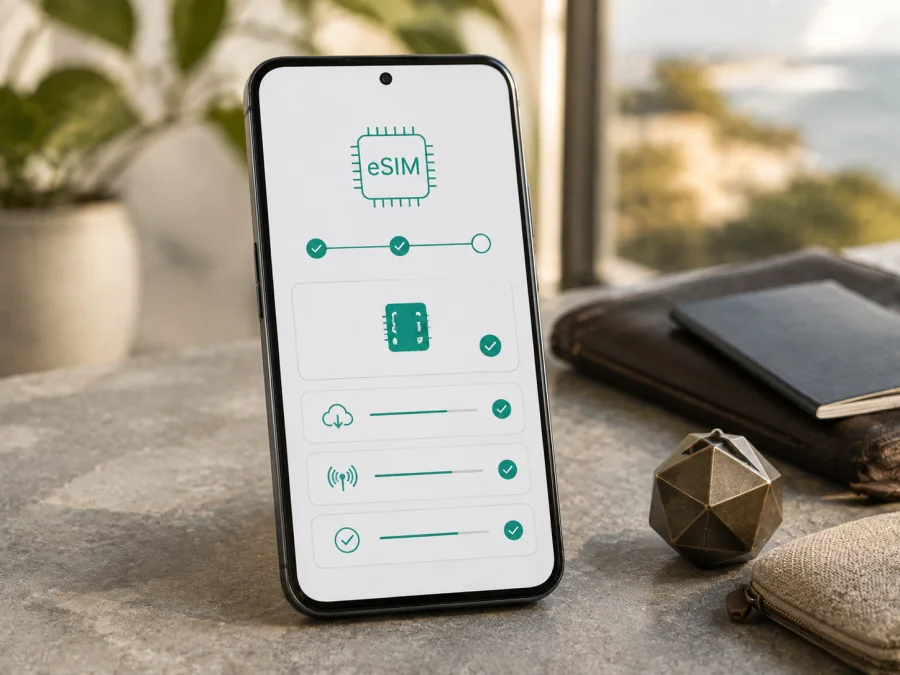
Honor Magic 5 Pro eSIM: compatibility and setup
If you are preparing for a trip and want mobile data without replacing your physical SIM card, the Honor Magic 5 Pro may be able to use an eSIM. HONOR currently lists this model among its eSIM-capable phones, but also says that availability can depend on the country of origin. Its regional specification adds another qualification: eSIM is available on the dual-SIM model, where SIM 2 can be configured as a nano-SIM or an eSIM.
The practical answer is therefore: eligible international or regional dual-SIM versions can support a travel eSIM, but the name alone is not enough. A market-specific or single-SIM unit can have the same retail name and lack the feature. The decisive checks are an EID and an option to add an eSIM. If neither appears, do not buy a data plan until the seller or HONOR confirms the exact unit.
What the official specifications mean
HONOR’s current global eSIM page includes Honor Magic 5 Pro in its supported-device list and warns that a listed phone may not support eSIM in every location. HONOR’s regional specification describes SIM 2 as a nano-SIM/eSIM option on the dual-SIM model and notes that availability can vary by country and carrier. These statements should be read together, not as a promise for every handset.
| Item | Eligible version | Travel relevance |
|---|---|---|
| Device | Honor Magic 5 Pro | Give the complete name when checking a listing or asking support. |
| eSIM hardware | Present on supported regional configurations | A QR code cannot add a profile to a phone without the embedded-SIM component. |
| SIM position | SIM 2 can be eSIM or nano-SIM on the dual-SIM model | A physical card in SIM 2 may need to be disabled. |
| EID | Visible in About phone when eSIM is available | Used when a provider provisions a profile. |
| Installation | QR code, image scan, manual code or assigned plan may be available | The method depends on the service and software. |
| Mobile data | Travel eSIM can be selected as the data SIM | Installation alone does not change data routing. |
| 5G and coverage | Depend on the local network, plan and bands | eSIM support does not guarantee a network generation or speed. |
| Calls and SMS | Usually outside a travel data plan | Keep your regular number if you need ordinary calls or texts. |
Regional and carrier differences
Two units sold as Honor Magic 5 Pro may not be identical. HONOR’s country-of-origin warning means the eSIM menu can be absent on one regional configuration and present on another. Ask the seller for the market, dual-SIM status and a screenshot showing EID or Add eSIM. A box or listing cannot replace an on-device check.
Carrier conditions are separate from hardware. HONOR says to contact the mobile provider when applying for an eSIM and notes that the feature can vary by carrier. The phone must be unlocked, the service must cover the destination and the plan must permit the intended data use. A network lock can stop activation even when an EID is present.
Menu labels may differ by MagicOS version or translation. Look for Mobile network, SIM management, Add eSIM or an eSIM control next to SIM 2. An update can change the interface, but cannot add missing hardware.
Choose a data setup for the journey
A common arrangement is to keep the physical SIM for calls or incoming messages and select the travel eSIM for mobile data. Your home operator can still charge for roaming or other services, so review its conditions before departure. Turn off automatic data switching if you want clear control over which line uses data.
For a short city break, navigation and messaging may use less data than a work trip with video calls and uploads. A multi-country route may need a regional plan. Kaspersky eSIM Store is an app and website where you can choose, arrange and activate an eSIM with a suitable tariff for mobile internet during an overseas trip. Compare the destination and validity.
Installation and activation are not always the same event. A profile can be downloaded at home but begin its validity when enabled or when it first registers on a supported network. The exact rule belongs to the selected plan. A typical travel eSIM provides mobile data rather than an ordinary phone number, voice service or SMS.
<a id="kesim-device-compatibility"></a>
Check compatibility before buying an eSIM tariff
Before choosing a travel eSIM for the Honor Magic 5 Pro, run this check.
Find the EID
Open Settings, then About phone, and look for EID or Show EID. HONOR’s support instructions identify EID as the embedded-SIM identifier and state that if EID information is not displayed, the phone does not support the feature.
Look for eSIM controls
Open Settings > Mobile network > SIM management. An eligible phone should show Add eSIM or an eSIM control associated with SIM 2. If you see only physical SIM slots and no Add eSIM action, treat the phone as incompatible until the exact version is verified.
Confirm the configuration and lock status
Check that the handset is the dual-SIM model. If a physical nano-SIM is already in SIM 2, the phone may ask you to disable that slot while adding an eSIM. Also ask the original seller or operator whether the phone is unlocked; an EID does not remove a network lock.
Check the travel plan
Confirm the destination, validity period, data allowance, activation rule, tethering conditions and any fair-use limit. A country plan may not cover a multi-country route. A travel data eSIM is intended for maps, messaging, bookings and work apps, not necessarily for a phone number. Read the selected plan before payment.
Compatibility checklist
- [ ] The phone is exactly an Honor Magic 5 Pro.
- [ ] The market and dual-SIM configuration are known.
- [ ] An EID is visible under About phone.
- [ ] Add eSIM appears under SIM management.
- [ ] The phone is not operator-locked.
- [ ] Wi-Fi or another internet connection is available for installation.
- [ ] The plan covers every country or region on the itinerary.
- [ ] Its data, validity and activation rules fit the trip.
For a final check, Check your device if you switch phones or reset the phone.
If any of the first five boxes is uncertain, pause before payment. Compatibility is easier to verify before purchase than after an unsuccessful installation.
How to install an eSIM on Honor Magic 5 Pro
First confirm compatibility, prepare the QR code or activation code, and connect to Wi-Fi. For a visual Android walkthrough, see the Android eSIM installation instructions. If you are preparing an iPhone for another traveller, the iOS eSIM installation instructions cover that device family.
1. Prepare the profile
Open the Kaspersky eSIM Store app or website, choose the destination and suitable data tariff, and keep the resulting QR code or activation details accessible. If the code is shown on the phone itself, use image scanning from the gallery when available or display the code on another screen.
2. Open SIM management
Open Settings. Tap Mobile network. Tap SIM management. Tap Add eSIM or the control next to SIM 2. If a physical SIM occupies SIM 2, follow the prompt to disable that slot.
3. Add the profile
Choose QR scanning, image scanning or manual entry according to the supplied details. Scan the code or enter the activation information exactly as provided. Keep the phone online and wait for the configuration to download. Do not restart the phone during the download.
4. Name and enable the line
Give the profile a clear name such as Travel data. Return to SIM management and enable the new eSIM if it is not already active. Some profiles enable automatically, so verify the switch rather than assuming activation is complete.
5. Select mobile data
Choose the travel eSIM as the line for Mobile data. Keep the regular SIM for calls or messages only if that matches your roaming plan. Open the travel profile’s settings and enable Data roaming only when the selected plan requires it. Check that the home SIM is not selected for data.
6. Test the connection
After arrival, turn off Wi-Fi briefly, check the signal and open a simple webpage. Registration can take a few minutes. If the plan says activation starts on first connection, avoid testing it before the intended start time. If there is no service, troubleshoot before deleting the profile.
Before departure, after arrival and after the trip
Install at home over Wi-Fi when the plan allows it. If validity begins on installation, wait until departure; if it begins on first network connection, installing in advance can be convenient. Keep the QR code available.
At the destination, enable the travel line, select it for data and allow roaming for that profile if required. For an airport arrival, this can provide maps and messages without searching for a physical SIM shop. On a multi-country route, check each border because a country eSIM may stop working outside that country.
When you return, switch mobile data to the regular SIM and disable data roaming on the travel profile if appropriate. Do not delete an eSIM before checking the service’s re-use rules: HONOR warns that a deleted profile may not be recoverable.
Troubleshooting
No Add eSIM option
Check Settings > About phone for EID and then Settings > Mobile network > SIM management after an available system update. If neither EID nor Add eSIM appears, the phone may be a regional or single-SIM configuration without eSIM support. A QR code cannot create missing hardware. Confirm the version with the seller or HONOR.
QR code will not scan
Increase screen brightness and show the entire code. If a QR image was supplied, choose Select from Gallery. Confirm that the code belongs to this order and has not been used. Use manual activation only when the service supplies the required details.
Profile will not download
Connect to reliable Wi-Fi, retry from SIM management and check that SIM 2 is not blocking eSIM. Confirm that the phone is unlocked and that the profile was not installed on another device. Contact support before deleting anything.
Installed but no data
Check that the travel profile is enabled and selected under Mobile data, that the destination is covered, and that data roaming is enabled for the travel eSIM when required. Turn airplane mode off or restart. Change APN settings only when the selected plan provides exact values; do not invent an APN.
Signal appears but apps are offline
Turn Wi-Fi off for the test and verify the travel eSIM is the active data line. Check data limits and restricted background data. Try a simple webpage first; if only one app fails, inspect its permissions instead of reinstalling the profile.
The phone asks for an activation code
Use the method stated in the order details. EID identifies the handset; it is not a replacement for an activation code. If the service asks for EID, provide it only through its normal secure flow. Do not assume a deleted profile can be restored with the same QR code; check recovery conditions before deleting anything.
Frequently asked questions
Does Honor Magic 5 Pro support eSIM?
Eligible dual-SIM regional versions are listed by HONOR as eSIM-capable. Every unit is not guaranteed to be compatible. Check the country of origin, EID and Add eSIM menu on the handset you own.
Can I use an eSIM and physical SIM together?
Often, when the configuration and software allow it. On the dual-SIM model, eSIM uses SIM 2, so a physical SIM there may need to be disabled. Select one line for data and review roaming on the other.
Is EID enough to prove that a plan will work?
No. EID indicates the embedded-SIM identifier, but the phone must also be unlocked and the selected plan must cover the destination. The service or carrier can impose additional conditions.
Can I install before departure?
Usually, if the phone is compatible and online. Whether validity starts at installation or first network connection depends on the plan. Keep the travel line disabled when its instructions require arrival-time activation.
Will a travel eSIM provide a normal number?
Not usually. Unless the selected conditions include voice and SMS, expect mobile internet only. Use calling and messaging apps over data or keep your regular number according to its operator’s terms.
Do I need data roaming?
Sometimes. A travel profile may use a partner network and require roaming on that profile. Enable it only for the intended eSIM when the plan says so, and do not select the home SIM for data by accident.
Conclusion: check first, then prepare your trip eSIM
The Honor Magic 5 Pro can support travel eSIM when it is an eligible dual-SIM regional version with an EID and an Add eSIM option. HONOR’s current information supports that conclusion while making the regional and carrier limits explicit. The same retail name is not a guarantee for every market or firmware configuration.
Before purchasing, verify EID, SIM management and unlock status, then match the tariff to every destination, its data allowance and validity. Install over Wi-Fi, select the travel eSIM for mobile data, enable data roaming for that profile only when required, and test after arrival. Remember that a data eSIM normally does not include ordinary calls or SMS.
Kaspersky eSIM Store helps you choose, arrange and activate an eSIM with a suitable tariff for mobile internet during an overseas trip through its app and website. Let the exact compatibility result on your Honor Magic 5 Pro and the selected plan’s conditions guide the final decision: check the device first, choose the eSIM for the route, then complete installation.


