Travel connectivity guide
Honor Magic 7 Pro 128GB eSIM compatibility
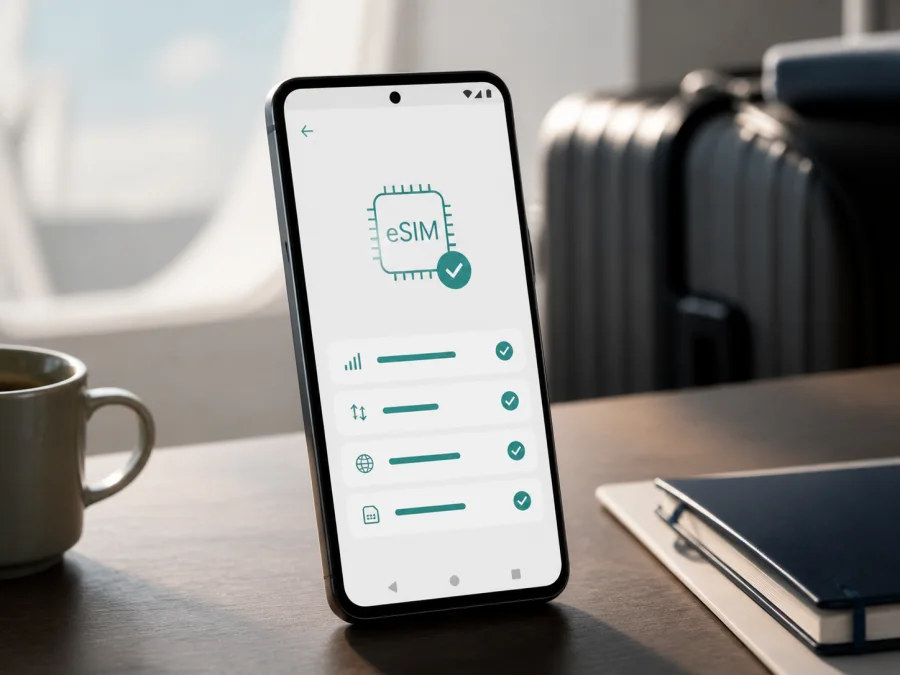
Honor Magic 7 Pro 128GB eSIM: compatibility and setup
If you are checking whether Honor Magic 7 Pro 128GB can use an eSIM for travel, the safest answer is: it can, but only when the regional and operator version exposes the function. HONOR’s current eSIM information, updated May 7, 2026, includes HONOR Magic7 Pro in its compatible-phone list. It also warns that eSIM may not be supported according to country of origin. “128GB” alone does not prove eSIM availability.
That distinction matters for imported, refurbished, or marketplace phones. Before purchasing, check the phone itself for an EID and Add eSIM under SIM management. Also confirm that it is unlocked and that the travel plan covers your destination.
Quick answer: does Honor Magic 7 Pro 128GB support eSIM?
The model family is listed by HONOR as supporting eSIM, so a compatible international or regional version of Honor Magic 7 Pro 128GB may be suitable for a travel eSIM. However, the manufacturer does not use the storage capacity alone as a compatibility identifier. A 128GB listing can represent a market or firmware configuration with a different SIM feature set.
Treat compatibility as confirmed only when all of the following are true:
- the phone is a regional version for which HONOR enables eSIM;
- Settings > Mobile network > SIM management contains Add eSIM or an equivalent option;
- Settings > About phone shows an EID, or the EID is printed on the original box;
- the device is not locked to an operator;
- the eSIM plan is available for the country or region where you will use it.
If the EID and eSIM menu are missing, do not assume that a QR code will enable the function. A QR code installs a profile on supported eSIM hardware; it cannot remove a regional restriction.
Key characteristics for eSIM use
| Item | What it means for your travel setup |
|---|---|
| Exact device variant | Honor Magic 7 Pro 128GB; keep this wording when comparing the seller’s listing or support response. |
| eSIM status | HONOR lists the Magic7 Pro family as eSIM-capable, subject to country-of-origin limitations. Verify the individual phone. |
| Storage | 128GB is a storage capacity, not an independent guarantee of eSIM availability. |
| SIM interface | Physical-SIM arrangement and eSIM availability can differ by region; use the phone’s SIM management screen as the check. |
| Device identifier | EID identifies the embedded SIM function and may be in About phone or on the box. |
| Network access | The phone must be unlocked and the selected plan must have service in the destination. |
| Travel use | Normally mobile data; check conditions for voice, SMS, validity, and activation. |
Why regional and operator versions matter
HONOR publishes device support by model family, while retail phones can be distributed for different countries. The current manufacturer page names HONOR Magic7 Pro among supported eSIM devices but also says that support depends on the country of origin. Firmware, regulatory requirements, market, and operator customisation can therefore change the options in SIM management.
An imported phone needs an extra check. “Global,” “international,” or “unlocked” is useful but not conclusive: unlocked does not necessarily mean that eSIM is enabled. Ask for the actual phone’s sales region, model number, firmware region, and SIM features. Device compatibility and plan compatibility are separate checks; both must pass.
<a id="kesim-device-compatibility"></a>
What to check before buying an eSIM plan
Use this checklist while you have Wi-Fi and time to contact support.
1. Confirm the eSIM controls on the phone
Open Settings > Mobile network > SIM management and look for Add eSIM. Wording can vary slightly, but there should be a clear route for adding a profile. If you see only physical-SIM controls, pause and investigate the region and firmware.
2. Find the EID
Open Settings > About phone and look for EID. HONOR also notes that it may be printed on the box. The EID is a device identifier, so avoid posting it publicly.
An EID is a strong sign that embedded-SIM hardware is available, but you still need the Add eSIM menu and an unlocked phone. If one check succeeds and the other does not, treat the result as unresolved.
3. Check the actual sales region
Record country of origin, model number, software version, and place of purchase. The same name does not guarantee the same connectivity features in every market. For a second-hand phone, ask whether an operator profile remains active.
4. Check the operator lock
A carrier-locked phone can reject a profile even when EID and Add eSIM are visible. Ask the original operator or seller to confirm that the device is unlocked for other networks; a physical SIM slot does not prove this.
5. Check the plan conditions
Confirm the destination, route, data allowance, validity, activation trigger, and top-up rules. Travel eSIMs may be data-only; unless stated otherwise, do not expect a phone number, ordinary calls, or SMS.
6. Prepare a reliable connection
Installation requires internet, often Wi-Fi. Keep the QR code on another screen, charge the phone, and save details securely. Do not delete a profile simply because it is not yet selected for data; some cannot be reinstalled.
Before paying, you can Check your device.
How to install an eSIM on Honor Magic 7 Pro 128GB
HONOR describes three methods: scan a QR code, enter details manually, or install a pre-assigned plan when supported. The available method depends on the provider and regional software.
Before you begin
- Connect Honor Magic 7 Pro 128GB to stable Wi-Fi and charge it.
- Keep the QR code on another screen.
- Read when validity starts; it may be installation, first connection, or another event.
- If required, copy the EID carefully and do not publish it.
For general Android guidance, see Android eSIM installation instructions. For an iPhone companion device, see iOS eSIM installation instructions; those steps do not replace the Android path.
Add the profile with a QR code
- Open Settings > Mobile network > SIM management.
- Tap Add eSIM. If the option is absent, return to compatibility checks.
- Choose the QR-code method and scan the code supplied for the travel eSIM.
- Confirm the download while connected to Wi-Fi.
- Label the profile “Travel data” so it is easy to identify.
Manual entry is possible when the provider supplies the required codes. Use only the exact details supplied.
Add a pre-assigned plan
Some providers can pre-assign a plan and may ask for the EID. Follow the prompts and check the profile name. If it is not found, verify the EID, account, and connection. Do not erase an existing eSIM.
Activate the eSIM for mobile data
Installing a profile and using it for data are separate actions. In SIM management, enable the travel eSIM and select it under mobile data. Keep the home SIM for calls or messages only if you understand its roaming costs.
For a travel eSIM, the phone may need Data roaming enabled for that eSIM. Disable data roaming on the home line, select the travel line for mobile data, and enable roaming only on the travel line when the plan requires it. Labels can vary by software version.
After selecting the data line:
- turn mobile data on and check that airplane mode is off;
- wait for registration, then restart or briefly toggle airplane mode if needed;
- confirm destination coverage;
- change APN values only when the plan provides one.
When signal appears, open a webpage or messaging app and confirm that traffic uses the travel profile. A signal icon alone does not prove this. Recheck the data line after a reboot or update.
Kaspersky eSIM Store is an app and website where you can choose, arrange, and activate an eSIM with a suitable mobile-data tariff for an overseas trip. It is not the operator, network owner, or mobile-internet provider; connection depends on the plan, destination, and phone compatibility.
Practical travel scenarios
Install before departure
If the phone passes the EID and Add eSIM checks, use home Wi-Fi to add and label the profile. Follow the activation timing and keep plan details accessible and private.
Activate after landing
At the destination, enable the travel eSIM and choose it for data. Turn on roaming for that profile if required, keep it off for the home line, and test a webpage or map.
Keep the home number available
If you need incoming calls or SMS on the home line, leave it enabled only when you understand its roaming conditions. Make the travel eSIM the data line and disable automatic switching to the home line if offered.
Travel across several countries
For a multi-country itinerary, verify every destination. A regional plan may cover the full route; a single-country plan may not continue after a border crossing. Allow time for registration when networks change.
Use data carefully
Navigation, photo backup, video calls, and updates can use data quickly. Monitor the travel profile, restrict large background transfers, and check balance and validity in the purchase account or app. Kaspersky eSIM Store can help manage the selected plan, while its terms remain those shown for it.
Common problems and what to check
There is no “Add eSIM” option
Check Settings > Mobile network > SIM management, search Settings for “eSIM,” install official updates, and restart. If EID is also missing, the phone may be a regional version without eSIM. Contact the seller or HONOR support with the exact Honor Magic 7 Pro 128GB details; an update may not change a restriction.
The EID is missing
Look in Settings > About phone and on the original box. If neither shows an EID, verify that you are checking the actual handset. Pause: storage capacity, a seller’s 5G claim, or appearance cannot substitute for this check.
The QR code will not scan
Use another screen, increase brightness, clean the lens, and hold the code steady. Make sure Add eSIM is selected. Enter manual details exactly. A code for another account, device, or already-used profile may fail; ask for help before deleting anything.
The profile will not download
Reconnect to Wi-Fi, check date and time, and verify EID or account information. If the phone is locked or its region does not support eSIM, repeated downloads will not fix the cause.
The eSIM is installed but there is no data
Confirm that the travel profile is enabled and selected for mobile data. Check destination, activation, validity, and balance. Turn on roaming for the travel eSIM if required, prevent the home line from taking data, and restart. Start with automatic network selection.
Signal is visible but the plan is not being used
Signal does not identify which SIM supplies data. Check the data selector with home-line roaming disabled and review the balance after a short test. If it does not change, review activation rules and destination coverage.
FAQ
Is Honor Magic 7 Pro 128GB compatible with eSIM?
The answer is conditional. HONOR lists the Magic7 Pro family, but warns that availability depends on the country of origin. Confirm Add eSIM in SIM management and an EID in About phone on your exact Honor Magic 7 Pro 128GB before buying.
Does 128GB change eSIM support?
Not as a matter of storage capacity. The 128GB label identifies the version you are evaluating, but it does not prove that eSIM is enabled. Region, firmware, and operator status are the relevant checks.
Can I use an eSIM and a physical SIM together?
Possibly, depending on regional configuration and SIM-management options. Select the data line deliberately and review roaming settings for each.
Does a travel eSIM give me a phone number?
Usually not when the plan is intended for mobile data. An eSIM in a travel plan does not automatically include ordinary voice calls or SMS. Check the specific plan conditions; messaging and calling apps can use the mobile data connection.
Why does the eSIM work at home but not abroad?
Check destination coverage, the travel profile selected for data, roaming for that profile when required, and that the home line is not taking over. Give the phone time to register, then compare settings with the plan instructions.
Is Kaspersky eSIM Store a mobile operator?
No. Kaspersky eSIM Store is an app and website that helps you choose, arrange, and activate an eSIM with a suitable tariff for mobile internet during an overseas trip. It does not own the network, act as your operator, or provide the mobile coverage itself.
Final device check and trip eSIM plan
Before you pay for a travel eSIM for Honor Magic 7 Pro 128GB, complete this final check:
- Model: the phone in your hand matches the exact Honor Magic 7 Pro 128GB variant you intend to use.
- Region: the seller or manufacturer has identified the phone’s country of origin and firmware region.
- EID: an EID appears in Settings > About phone or on the original box.
- Menu: Settings > Mobile network > SIM management includes Add eSIM.
- Lock: the phone is not restricted to another operator.
- Plan: the selected eSIM tariff covers every country or region on your itinerary, with suitable data, validity, and activation conditions.
- Setup: you have stable Wi-Fi, the QR code or manual details, and a clear plan for which SIM will handle mobile data.
When those checks pass, use the Kaspersky eSIM Store app or website to choose and arrange a suitable eSIM tariff for the destination, then follow the steps above. If EID or Add eSIM is absent, verify the region before purchasing.


