Travel connectivity guide
Honor Magic 8 Pro 128GB eSIM: compatibility
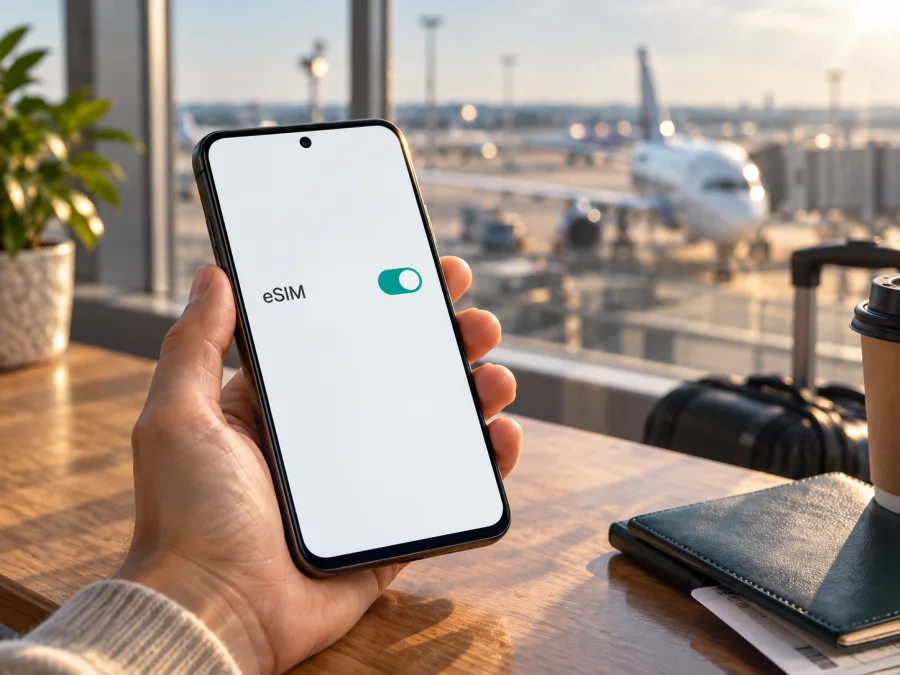
Honor Magic 8 Pro 128GB eSIM: compatibility and setup
The short answer is conditional: HONOR lists the Magic8 Pro among its eSIM-capable phones, but also warns that eSIM may not be supported on devices from some countries of origin. The words “128GB” describe storage capacity; they do not identify the phone’s sales region or prove that its eSIM hardware and software are enabled. Before you buy a travel plan, check the exact handset in Settings and confirm its model and market with the seller or HONOR support.
Does Honor Magic 8 Pro 128GB support eSIM?
At the product-family level, yes: HONOR’s global eSIM compatibility page includes HONOR Magic8 Pro in its supported-device list. The same manufacturer page adds an important exception: eSIM may not be supported depending on the country of origin, even when a device family appears in the list. HONOR’s regional product specifications also show that supported SIM arrangements can vary by market. For example, the French specification lists SIM1+SIM2, SIM1+eSIM, and eSIM1+eSIM2 as possible arrangements and says eSIM availability may depend on country and operator.
That is enough to say that the Magic8 Pro family has eSIM versions, but it is not enough to certify every handset advertised as “Honor Magic 8 Pro 128GB.” HONOR’s public compatibility list names the model family rather than a 128GB SKU, and storage capacity alone does not reveal the country version, model code, firmware, or operator lock. Treat compatibility for your exact 128GB phone as unconfirmed until you see an EID or an Add eSIM option on that handset and verify that the device is unlocked.
| Item | What you can rely on |
|---|---|
| Name in the request | Honor Magic 8 Pro 128GB; keep this exact variant in mind when checking a listing |
| Manufacturer’s family-level status | HONOR lists Magic8 Pro as an eSIM-capable model |
| What “128GB” confirms | The listed storage capacity only; it does not establish regional eSIM support |
| Regional caveat | HONOR says eSIM support may differ by country of origin; regional SIM configurations also vary |
| Operator and plan | The selected operator must support eSIM for the relevant market, and the plan must cover your destination |
| Best confirmation before payment | EID and Add eSIM are visible on the actual phone, and the phone is not carrier-locked |
Regional and operator versions
A product name can cover devices prepared for different markets. SIM configuration and firmware menus may differ, and imported listings may omit the model code or original sales market. HONOR’s warning about country of origin means its global model-family listing does not promise eSIM on every regional handset.
Ask the seller for the full model code, original market, and a photo of SIM management. If the device came from an operator, confirm it is unlocked for third-party eSIMs. Operator support for its own eSIM customers does not automatically mean it accepts every travel profile.
Check three things separately: the handset’s market and eSIM support, its unlock status, and the plan’s availability for your destination. A valid destination plan cannot make an eSIM-disabled phone compatible, and a compatible phone does not guarantee every local network will work.
The phone’s original sales region is not the same as the country where you are travelling. Likewise, the operator market is the local network that supports the selected plan in that destination. Since no destination or operator was supplied with the device name, there is no country- or carrier-specific compatibility verdict here; check the actual plan’s supported locations and network conditions.
Check your exact phone before buying a plan
Use the handset itself, not just the listing title. Menu wording can vary slightly by MagicOS version and region, but HONOR’s published route for adding an eSIM is Settings → Mobile network → SIM management → Add eSIM. The manufacturer also says the EID can be found under Settings → About phone → EID or on the phone’s original box.
<a id="kesim-device-compatibility"></a>
Run this compatibility checklist:
- [ ] Open Settings → About phone and note the full model number, software version, and country/region details shown on the device.
- [ ] Look for an EID on the About phone page. EID is the identifier associated with the embedded SIM; do not confuse it with the IMEI printed on a box or shown in a general device-information screen.
- [ ] Open Settings → Mobile network → SIM management and check whether Add eSIM appears.
- [ ] If the phone has both an EID and Add eSIM, ask the seller or HONOR support to confirm that this model code and regional firmware can activate a third-party travel profile.
- [ ] Confirm that the phone is unlocked. If it was sold by a mobile operator, ask that operator whether a different operator’s eSIM can be installed.
- [ ] Check that the plan supports eSIM installation on Android and is valid in the country or region you will visit.
- [ ] Keep the confirmation, model code, and any support case details until installation is complete.
EID and Add eSIM together are the clearest quick indicators. If absent, restart, install any official update, and check again; do not assume an update will add support. If still missing, ask HONOR or the seller to check the model code and country of origin. Share an EID only through a trusted activation or support channel.
Check your device’s eSIM compatibility before selecting a plan. For imported or marketplace stock, ask the seller to confirm the exact handset in writing.
What to prepare before installation
Use Wi‑Fi for setup and keep the QR code or activation details on a second screen or printout. If the provider supports manual or in-app installation, follow its instructions; do not reuse an expired code.
Before starting, check the destination, data allowance, validity period, activation timing, and whether data roaming is required. Travel eSIMs may be data-only; check whether calls, SMS, or a phone number are included. Review your home operator’s roaming charges before keeping that line active abroad.
Kaspersky eSIM Store is an app and website where you can choose, arrange, and activate an eSIM with a plan for mobile internet during an international trip. It does not replace the phone’s compatibility check: verify the Honor Magic 8 Pro 128GB and its unlock status before selecting a plan. You can explore eSIM plans for your destination and compare the destination, data amount, validity, and activation conditions shown for the plan you choose.
How to install an eSIM on Honor Magic 8 Pro 128GB
HONOR’s published MagicOS route is below; labels can vary slightly. Follow the provider’s supported QR, manual-entry, or pre-assigned-plan method. QR codes may be single-use, so do not delete a working profile or retry the code unless the provider allows it.
- Confirm compatibility. Make sure the phone shows an EID and the Add eSIM option, and that it is not locked to an operator that blocks the plan.
- Connect to Wi‑Fi. Keep a reliable internet connection active while the profile is downloaded.
- Open SIM management. Go to Settings → Mobile network → SIM management.
- Start adding a profile. Tap Add eSIM and choose the QR-code, manual-entry, or provider-supported installation option.
- Scan or enter the activation details. Follow the instructions supplied with the plan. Check the displayed plan or operator name before confirming.
- Wait for the profile to download. Keep the settings screen open and avoid restarting or switching networks during installation. It can take several minutes.
- Name the eSIM. Use a clear label such as “Travel data” so you can distinguish it from your regular line.
- Choose how to use each line. Keep your home SIM assigned to calls or texts if required, and select the travel eSIM for mobile data when you are ready to use it.
- Follow the plan’s activation timing. Some plans start when the eSIM is installed; others start when it first connects to a supported network or when you manually activate it. Use the plan’s stated rule rather than assuming installation and validity begin at the same moment.
- Enable data roaming for that eSIM if instructed. Some travel plans require it to connect. Apply this setting only to the travel profile and verify the plan’s instructions first.
For Android-specific guidance, see the Android eSIM installation instructions. The iOS guide is available at the iOS eSIM installation instructions; its menu steps apply to iPhones rather than this Honor phone, but it can help if you are preparing a second device or assisting another traveller.
Activation timing and keeping the profile safe
Check when validity begins: installation, first network connection, or separate activation. Keep the line off if required. If the profile fails to connect, check settings and contact the provider before deleting it; the QR code may be single-use. Transfer depends on the plan and operator.
Use the eSIM for mobile internet on a trip
At your destination, switch on the travel profile, select it for mobile data, and enable data roaming for that profile if the plan requires it. Keep mobile data assigned to the travel eSIM; disable automatic data switching if it might route traffic through your home SIM. Standard calls and SMS on your regular line may incur separate charges. A data-only eSIM supports messaging or voice apps over the internet but does not create a phone number.
Choose a plan based on expected use: maps, tickets, and messages need less data than video, cloud backups, or hotspot use. Download offline maps before leaving and monitor usage in SIM settings. Allowance and validity come from the plan, not the phone model.
Three practical travel setups
Prepare at home. Install on reliable Wi‑Fi if the plan permits, save its instructions offline, and leave the travel line off until arrival when required.
Install after landing. Use airport or hotel Wi‑Fi if the plan begins validity on installation. Keep the QR code on a second screen.
Keep two lines. Leave your regular number available if needed, route data through the travel eSIM, and check roaming settings for both profiles.
Troubleshooting: eSIM setup or data is not working
Add eSIM is missing. Check the EID and model number, restart, and install official updates. If the menu remains absent, ask HONOR or the seller about that regional model code; the product name and 128GB capacity are not proof.
The QR code will not scan. Increase brightness, show it on another screen, and use manual entry only if the provider offers it. Check that the code is unused and do not share it publicly.
Profile download fails. Confirm Wi‑Fi works and retry once from SIM management. For “invalid” or “already used” errors, contact the provider before further attempts.
No service after installation. Check that the eSIM is on, the plan is active and covers the destination, airplane mode is off, and automatic network selection is enabled. Use manual selection only if the provider recommends it.
Connected but no data. Select the travel eSIM for mobile data, enable data and any required roaming, and check the plan’s remaining allowance and validity. Turn Wi‑Fi off briefly to test.
Wrong line uses data, the profile disappears, or the phone is locked. Recheck the preferred data SIM and automatic switching; contact the provider before deleting or reinstalling a profile. Ask the original operator about unlocking.
If needed, note the error, model code, software version, destination, and failed step for support. Never post an EID, QR code, or activation code publicly.
Frequently asked questions
Is eSIM guaranteed on every Honor Magic 8 Pro 128GB?
No. HONOR lists Magic8 Pro, but warns support can depend on country of origin. Verify EID, Add eSIM, and unlock status on the exact handset.
Does 128GB storage change eSIM compatibility?
No. Storage capacity does not establish eSIM availability; region, firmware, and operator restrictions matter.
Can I use a physical SIM and an eSIM at the same time?
It depends on the regional version. Check SIM management and confirm the active-line limits with HONOR.
Can I add a travel eSIM while keeping my usual number?
If the regional version allows it, keep the regular SIM for calls and select the eSIM for data. Check roaming charges and plan terms; a data eSIM may not include a number, voice, or SMS.
Will an eSIM work in every country?
No. Check that the plan includes your destination and that its issuing operator supports the service there; availability can vary by location.
Can I move the eSIM to another phone later?
Not always. Transfer and reinstallation depend on the plan and operator, so check its terms before changing phones or deleting the profile.
Does the eSIM replace my regular SIM for calls and SMS?
A data-only eSIM does not provide a regular number, voice, or SMS. Internet-based apps can work over its data; keep your regular line if you need standard calls or texts.
Final check before your trip
For Honor Magic 8 Pro 128GB, HONOR lists the model family as eSIM-capable, but the exact 128GB handset cannot be confirmed from its name alone. Verify EID, Add eSIM, the regional model code, and unlock status. Then confirm the plan covers your destination and suits your usage and travel dates.
Use Kaspersky eSIM Store’s app or website to choose, arrange, and activate an eSIM plan for mobile internet during your trip. Keep the activation instructions and select the travel eSIM for data when you are ready.


