Travel connectivity guide
Honor Magic V2 8GB RAM eSIM Support
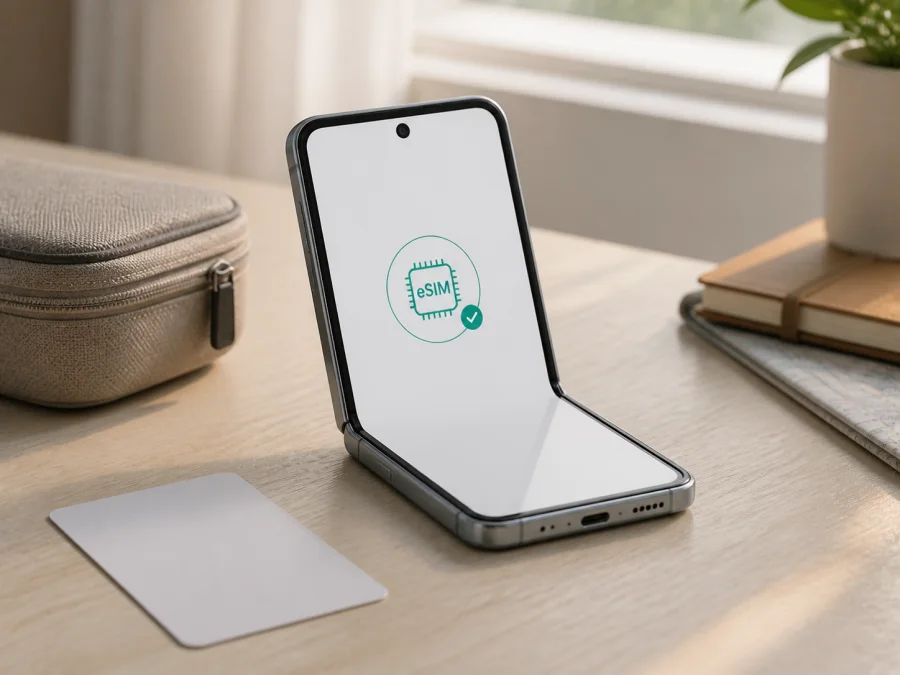
Honor Magic V2 8GB RAM eSIM: compatibility and setup
If you want to use an eSIM for mobile data abroad on Honor Magic V2 8GB RAM, the careful answer is: the HONOR Magic V2 family is documented as supporting eSIM in some regional versions, but the exact handset must be checked before you buy a tariff. HONOR’s regional product information lists eSIM among the Magic V2 features. Its user documentation also says that eSIM availability can vary by operator, country, region and device. The requested 8GB RAM label alone cannot confirm support.
This matters for imported, refurbished and marketplace phones. HONOR’s international listings can show a different memory configuration, such as 16GB + 512GB, while the listing says “8GB RAM”. That difference proves neither support nor its absence. Verify the actual model, market version, firmware and settings; an EID and an eSIM control are the practical evidence.
Quick answer for Honor Magic V2 8GB RAM
HONOR’s current regional information identifies HONOR Magic V2 as an eSIM-capable model family. HONOR’s support materials explain how to find the EID and add an eSIM, and one current regional support page lists multiple eSIM profiles for Magic V2. However, HONOR explicitly qualifies the function by operator, country, region and device. For Honor Magic V2 8GB RAM, the correct verdict is conditionally compatible: use eSIM only if this particular handset shows an EID and an Add eSIM option.
Do not use 5G, a dual-SIM tray or MagicOS as proof. A phone can support 5G and two physical SIMs without an eSIM component, while a regional Magic V2 can support eSIM despite a listing that mentions only physical SIMs. The phone’s settings are more reliable than a product title.
What HONOR’s information confirms
The manufacturer’s materials provide a qualified picture: regional HONOR product pages show Magic V2 with 5G, NFC and eSIM; the Magic V2 guide describes EID, QR installation and SIM management; and a current regional support page lists multiple profiles. The guide also says capacity depends on the eSIM component and only one eSIM can be active at a time. This confirms eSIM for documented versions, not every phone sold under a similar name. If EID or the eSIM menu is missing, treat that unit as unconfirmed.
Specification and compatibility snapshot
| Item | Meaning for eSIM use |
|---|---|
| Exact variant checked | Honor Magic V2 8GB RAM |
| Device family | HONOR Magic V2 |
| Network | 5G is listed for the family; 5G does not prove eSIM |
| eSIM status | Supported on documented regional versions; verify the individual phone |
| EID | Device-level evidence of an embedded SIM component |
| Profiles | Several may be stored on supported hardware; one eSIM is active at a time |
| Variables | Market, carrier lock, firmware and operator support |
| Purchase rule | Check EID and Add eSIM before buying the tariff |
Why regional and operator versions differ
eSIM support depends on more than the processor and the name on the box. Embedded hardware, radio configuration, local certification, software build and operator policy can affect the available functions. HONOR says the feature may vary by operator, country, region and device, which matters when Honor Magic V2 8GB RAM is imported.
A global version may expose an eSIM menu, while a mainland-market build may prioritize two physical SIMs or use a different firmware region. A carrier-supplied phone may be locked or restrict activation, and a refurbished phone may have an incomplete description.
There is also a difference between phone compatibility and plan compatibility. The phone may download a profile, but the tariff must cover the destination and relevant network, and the handset may need to be unlocked. A travel eSIM is often data-only, without a normal number, voice calls or SMS.
Before paying, ask for the exact model and market version, not simply “Magic V2”. If the seller cannot provide them, use the handset check and confirm the phone is unlocked and the tariff supports your route.
What to check before buying an eSIM tariff
Complete this checklist before purchase:
- [ ] The phone is really Honor Magic V2 8GB RAM, not Magic V2 RSR, Magic Vs, Magic V3 or another foldable.
- [ ] An EID is visible in About phone.
- [ ] SIM management contains Add eSIM, Add mobile plan or an equivalent option.
- [ ] The handset is not carrier-locked or restricted to a special activation process.
- [ ] Wi‑Fi, enough battery and current official updates are available.
- [ ] The tariff covers every country or region on the itinerary.
- [ ] You know the traffic allowance, validity period and event that starts validity.
- [ ] You know whether the plan is data-only and whether voice or SMS are excluded.
- [ ] You understand which line will handle data if the primary SIM stays active.
The first practical action is to Check your device, then choose a destination tariff. This check is more dependable than inferring compatibility from RAM, 5G or the number of SIM slots.
Find the EID
HONOR’s user guide gives this route: Settings > About phone > Show EID. Wording can change with the language or MagicOS version, so search Settings for “EID”. An EID is the embedded SIM identifier, not the IMEI, serial number or physical-SIM number.
If an EID is displayed, treat it as positive evidence but keep it private, sharing it only through legitimate activation or support. If no EID appears, restart, apply an official update and check again. If it remains absent, HONOR’s documentation indicates that the phone does not support eSIM.
Find Add eSIM
Open Settings > Mobile network > SIM management. On a supported version, look for a control beside the second SIM position or a command such as Add eSIM. If a physical SIM occupies SIM 2, the phone may ask you to disable or remove that line before adding an eSIM. Follow the on-screen arrangement.
The strongest practical confirmation is a visible EID together with an eSIM control. If only one is present, record the model, software version and market, then ask the seller, carrier or plan support team whether that configuration is eligible. Hide identifiers in screenshots.
How to install and activate an eSIM
Use stable Wi‑Fi. The QR code or activation details are normally supplied after you complete the plan. Do not scan a random code, and do not delete a working profile unless reinstallation is allowed.
Android steps for Honor Magic V2 8GB RAM
- Connect to Wi‑Fi and charge the phone. Keep the QR code, activation email or manual details accessible.
- Open Settings, choose Mobile network, then SIM management.
- Select the control next to the available eSIM position, usually SIM 2, and choose Add eSIM.
- Choose QR scanning and scan the code from a second screen. Use image scanning or manual entry when supported.
- Wait while the phone downloads the configuration. Keep Wi‑Fi on and the screen unlocked.
- Name the line something clear, such as “Trip data”, so it is not confused with the primary SIM.
- Enable the new line when prompted. Select it for mobile data only after checking the plan’s activation conditions.
- Confirm that mobile data is allowed. If required, enable roaming for the travel eSIM only; keep primary-line roaming off unless intended.
- After arrival, turn off airplane mode, allow registration and test a small webpage or map request.
For the platform-specific walkthrough, use the Android eSIM installation instructions. Kaspersky eSIM Store is the app and website where you can choose, arrange and activate an eSIM with a tariff for mobile internet during an international trip. It is not the mobile operator or the network that supplies coverage.
If another phone is an iPhone
This device is Android, so use the Android route above. For another traveller’s iPhone, use its separate Cellular prompts and the iOS eSIM installation instructions.
Installation is not the same as active data service: the profile must be installed, selected for data and registered on a supported network. A profile installed at home may show no local signal until arrival. Validity may begin at installation, first connection or another event in the tariff, so check before installing early.
Using eSIM for mobile internet while travelling
The usual arrangement is to keep the physical SIM for your regular number and select the travel eSIM for data. On Honor Magic V2 8GB RAM, review the default data choice in SIM management. If automatic data switching is available, consider disabling it so weak travel service cannot move data to the home line.
Scenario: install before departure
Check the EID, choose the correct destination tariff and install the profile on Wi‑Fi. Leave it disabled if validity starts when enabled. After landing, enable the line, select it for data, turn on roaming if required and test a small request before using maps or messaging.
This reduces setup after landing, but check that validity does not start too early.
Scenario: install after arrival
Use trusted airport or hotel Wi‑Fi, complete any browser sign-in and scan the code in SIM management. Keep the QR code until the profile works. A captive network that still needs approval cannot reliably download it.
Scenario: keep the home number reachable
Keep the primary SIM enabled for calls or SMS only if you understand roaming charges. Choose the travel eSIM for data, review the call and message line, and disable automatic switching. A data profile does not create a new phone number. If tethering is allowed, use a strong hotspot password and watch consumption from video calls, backups and laptop updates.
Common problems and practical checks
No EID is shown
Search Settings, open About phone, restart and apply an official update. If EID is still absent, assume this regional or carrier version is not eSIM-compatible. Never create one or use another phone’s identifier; ask the seller to confirm the model.
Add eSIM is missing
Make sure you are in SIM management. Check whether a physical SIM occupies SIM 2, since HONOR describes eSIM as using that position on some configurations. If EID is visible but the control is absent, firmware, carrier restrictions or the SIM arrangement may be responsible.
The QR code will not scan
Raise the brightness of the screen showing the code, clean the lens and hold the phone steady. Make sure the whole code is visible. Use image scanning or manual entry if offered. A used code may be single-use; ask support before deleting a profile.
The profile downloads but does not activate
Check Wi‑Fi, activation date, destination coverage and carrier unlock status. Confirm that the profile is not installed elsewhere. Toggle the eSIM line, restart and enable roaming if required. Do not repeatedly delete and reinstall it because codes may be single-use.
The line is visible but there is no internet
Make sure data is assigned to the travel eSIM. Toggle airplane mode for about ten seconds and allow registration again. Check destination, remaining traffic and validity. If the tariff supplies APN details, compare them with the instructions; do not invent an APN. In a border area, review network selection if permitted.
FAQ
Does every Honor Magic V2 8GB RAM support eSIM?
No universal guarantee is appropriate for this exact listing. HONOR documents eSIM for regional Magic V2 versions but says support can vary by device, market, region and operator. Require an EID and an eSIM-addition option on the handset before purchase.
Is 8GB RAM the reason eSIM may be unavailable?
There is no basis for that conclusion. eSIM depends on embedded hardware, firmware, market configuration and operator support. Verify the actual phone instead of inferring support from RAM.
Can physical SIM and eSIM work together?
The combination depends on the regional version and SIM management screen. HONOR notes that eSIM can use the second position and SIM 2 may need to be disabled. Only one eSIM may be active at a time.
Can the eSIM be moved to another phone?
Do not assume it can. A profile may be bound to the original handset or require fresh activation. Check the plan conditions before deleting it or changing phones, and keep activation information private.
Conclusion: check first, then prepare the trip
Treat Honor Magic V2 8GB RAM as potentially eSIM-compatible, not automatic. HONOR supports eSIM on documented regional Magic V2 versions, subject to market, operator and device checks. Find the EID and Add eSIM, confirm the handset is unlocked and match the tariff to the route.
Final device and travel eSIM check
Before choosing an eSIM for a trip, complete these final actions:
- Verify the exact phone, including the requested memory label and regional model details.
- Open Settings > About phone > Show EID and confirm an EID is present.
- Open Settings > Mobile network > SIM management and confirm that an eSIM can be added.
- Confirm that the handset is not carrier-locked and that Wi‑Fi is available.
- Select a destination or regional tariff whose traffic, validity and activation rules fit the itinerary.
- Install only after checking when validity begins; then select the travel eSIM for data and enable roaming for that line if required.
- Test a small amount of data before depending on it for maps, messages or work.
Kaspersky eSIM Store is an app and website for choosing, arranging and activating an eSIM tariff for mobile internet on an international trip. Check the device and tariff conditions first.


