Travel connectivity guide
Honor Magic V2 eSIM: Compatibility & Setup
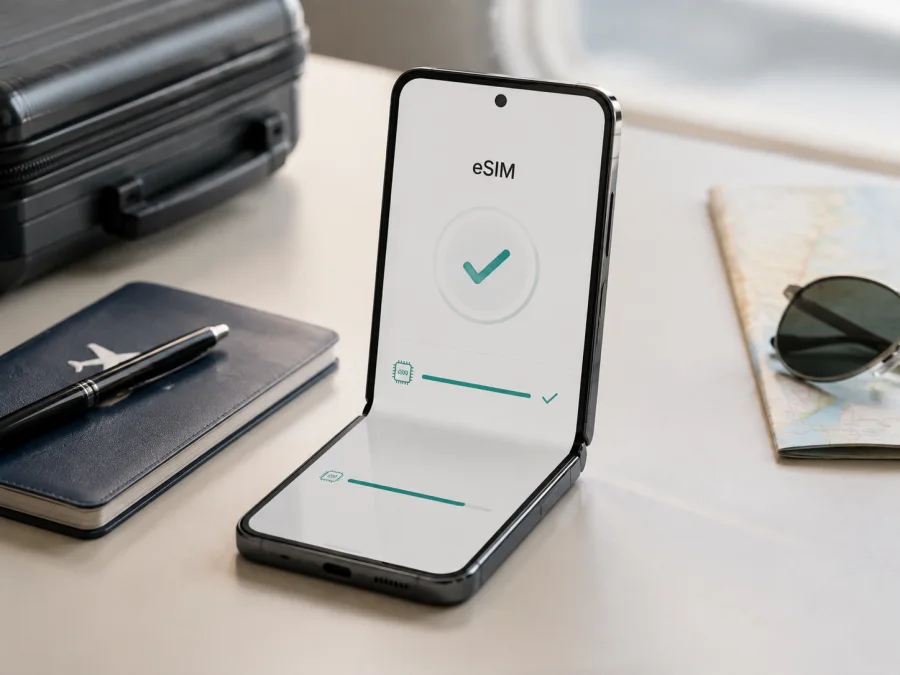
Honor Magic V2 eSIM: compatibility, installation, and travel setup
Honor Magic V2 may be useful for mobile data abroad without changing a physical SIM card, but eSIM support depends on the phone’s region, carrier, and software. This guide explains how to prepare it for a trip.
Quick answer: does Honor Magic V2 support eSIM?
Yes, compatible regional versions of Honor Magic V2 support eSIM. HONOR’s current global eSIM information includes Honor Magic V2 among supported smartphones. The official model support guidance also documents an EID check and an eSIM installation path through SIM management.
That does not mean every phone sold under the same name has the feature. HONOR warns that eSIM availability can vary by country or region, carrier, and device. The UK regional product page displays eSIM among the phone features, while other regional specifications can emphasize a physical SIM 1/SIM 2 layout. A China-market listing, for example, should not be treated as proof that an imported unit has the same eSIM configuration as a UK or European unit.
For your phone, use this practical verdict: consider Honor Magic V2 eSIM-compatible only if Settings > About phone shows an EID and Settings > Mobile network > SIM management shows an eSIM or add-profile control. If EID is absent, HONOR’s own guidance says that eSIM is not supported on that unit, even if another regional Honor Magic V2 works with eSIM.
What eSIM means for a foldable phone
An eSIM is a digital SIM profile stored inside the phone instead of on a removable card. For a trip, you can often keep your regular physical SIM installed and use the eSIM for mobile data in the destination. A travel data eSIM is not automatically a second phone number: ordinary calls and SMS are not included unless the particular plan says so, although internet apps can use the data connection.
The foldable design does not change the Android setup. Install it over Wi-Fi.
Honor Magic V2 eSIM facts at a glance
| Item | What to expect |
|---|---|
| Requested device | Honor Magic V2 |
| eSIM status | Supported on compatible regional versions; verify the individual phone |
| EID check | Settings > About phone > EID |
| Add-profile path | Settings > Mobile network > SIM management |
| SIM role | HONOR describes eSIM as the SIM 2 option on supported configurations |
| Stored profiles | About seven or more may be possible, depending on chipset capacity |
| Active eSIMs | Only one eSIM can be used at a time |
| Add methods | QR code, QR-code image, or manual activation code when offered |
| Main travel use | Mobile data, subject to plan and local network conditions |
| Voice and SMS | Not included in a travel data plan unless its terms say otherwise |
These are eSIM-related facts documented by HONOR, not a promise that every import has identical menus. Storage, color, memory, and other retail options do not replace the EID check.
Why the market version matters
One model family can have different radios, SIM arrangements, firmware, or carrier restrictions in different markets. HONOR’s global eSIM page names Honor Magic V2, but warns that a listed device may not support eSIM depending on its country of origin. A shop listing may describe another region, so the EID and SIM manager on the actual handset provide the stronger answer. A mismatch can result from regional firmware, a physical SIM occupying SIM 2, carrier restrictions, or a seller using specifications for another configuration.
5G, a dual-SIM tray, or the foldable form factor does not prove eSIM support. These are separate capabilities. An eSIM icon in a product photo is also not a substitute for checking EID.
A reliable decision before a trip
Think of compatibility and activation as two separate questions. First, establish that the handset can store an eSIM profile. Next, establish that the selected plan can serve the places you will visit. The first question is answered by the phone’s EID and SIM-management controls. The second depends on the plan’s listed destination, local network arrangements, data allowance, validity, and activation conditions.
This distinction is useful when a listing says “dual SIM” or “5G.” Those labels describe other functions and do not confirm eSIM. It is also useful when a plan’s QR code is ready: having a code does not make an unsupported phone compatible. Check the handset before payment, then check the plan before installation. If either answer is uncertain, keep the purchase on hold and ask the seller or support service for the exact regional details.
Check your Honor Magic V2 before purchasing a plan
<a id="kesim-device-compatibility"></a>
Complete the check before payment. Check your device using the following steps.
1. Find the EID
Open Settings. Tap About phone. Look for EID or the option that displays the embedded-SIM identifier. HONOR says that if EID information is not displayed, the phone does not support eSIM. Do not enter a made-up identifier or repeatedly scan a QR code to bypass a missing EID.
2. Find eSIM management
Open Settings > Mobile network > SIM management. Look for Add eSIM, an eSIM entry, or an add control beside SIM 2. The wording may change with software, but a supported phone should provide a clear way to add or manage a digital profile.
3. Confirm the phone’s origin
Check the box, receipt, or About phone screen for the market and model information. Ask the seller to confirm the exact regional version. Treat an imported phone as uncertain until both signs are visible.
4. Check for a lock
An EID confirms eSIM hardware, not universal carrier access. Make sure the phone is not locked to a carrier and that the intended plan supports your destination. Corporate or carrier-managed devices can have additional restrictions.
5. Check software and the plan
Install official updates and restart. Confirm internet access for downloading the profile. Review the plan’s destinations, data allowance, validity, activation event, and refund conditions. A compatible phone cannot use a plan that excludes your country of travel.
If EID or eSIM management is missing, pause the purchase and ask HONOR or the seller about the exact regional unit. Do not rely on a generic statement that Honor Magic V2 supports eSIM.
Preparing a travel eSIM with Kaspersky eSIM Store
Kaspersky eSIM Store is an app and website where you can choose, arrange, and activate an eSIM with a plan for mobile data during an overseas trip. It helps you review destination, allowance, validity, and conditions. It is not a carrier, network owner, or mobile internet provider; service depends on the selected plan and its local network arrangements.
After the checks, select the country, region, or route that matches the itinerary. Choose an allowance for your use and confirm that a regional plan covers every destination on a multi-country route.
Keep the QR code available on another screen if possible. Check when validity starts: some plans begin at installation, others at first connection to a supported network. If unclear, ask support before installing.
Install and activate eSIM on Honor Magic V2
Before starting, verify compatibility, unlock status, destination, QR code, and internet access. Installation may take several minutes. See the Android eSIM installation instructions or the iOS eSIM installation instructions; the steps below are for Honor Magic V2.
1. Connect to the internet
Connect Honor Magic V2 to reliable Wi-Fi. Keep the purchase confirmation and QR code ready.
2. Open SIM management
Open Settings. Tap Mobile network. Tap SIM management. On supported configurations, eSIM is managed through the SIM 2 position.
3. Start the addition
Tap Add eSIM or the add control beside SIM 2. Follow the prompt if a physical SIM is using SIM 2.
4. Scan the QR code
Choose the QR-code option and scan the supplied code. If available, choose a saved code image from the gallery. Keep the whole code visible.
5. Enter details manually if offered
Choose Enter manually when the plan supplies an activation code. Copy every field carefully and keep the code private.
6. Wait for installation
Allow the phone to download and install the profile. Do not restart unless asked.
7. Name and enable the profile
Name the profile Travel data or use the destination name. Enable it when ready. If validity starts on first connection, check the plan conditions before installing early.
8. Choose the data line
In SIM management, select the travel eSIM for mobile data. Keep the home line for calls or messages if needed, but review its data and roaming switches.
9. Configure roaming only where required
Some travel eSIMs need data roaming enabled on the travel profile because they connect through a partner network abroad. Enable it when required, keep it off for the home SIM if you want to avoid charges, and enter an APN only when the plan supplies one.
10. Test after arrival
Disable airplane mode and allow a few minutes for registration. Confirm the travel eSIM is enabled and selected for data, then open a small webpage. This test may begin validity if the plan starts at first connection.
Using eSIM for mobile internet in a trip
On arrival
Turn on the travel profile, select it for data, and enable roaming for it if required. A connection may take several minutes; follow the plan’s network guidance or try automatic selection first.
For a city break
Use it for maps, transport, translation, tickets, and messages. Restrict background data and use trusted Wi-Fi for large updates. Check the balance in the account or app; signal strength does not show remaining data.
For several countries
Review coverage before crossing a border. A country plan may stop outside that country; a regional plan may cover only listed destinations. Check the profile, data line, and network after each border.
Common problems and checks
EID is missing
Return to Settings > About phone, use Settings search if available, update, and restart. If EID still does not appear, treat this unit as unsupported and contact the seller or HONOR. A QR code cannot add missing eSIM hardware.
Add eSIM is missing
Open Settings > Mobile network > SIM management and inspect both entries. Follow any prompt about a physical SIM in SIM 2. If no eSIM control appears after updating and restarting, compare the market with the seller’s documentation.
QR code will not scan
Increase the brightness of the screen showing the code, clean the lens, and show the entire code. If available, use gallery scanning or manual activation. Do not share the QR code publicly.
Profile will not download
Try reliable Wi-Fi, check airplane mode and charge, and confirm that the code has not been used. Verify the account and destination. Do not erase another profile; contact support with the error message.
Profile is installed but data does not work
Confirm that the travel eSIM is enabled and selected for mobile data. Turn on mobile data, enable roaming if required, and wait a few minutes. Toggle airplane mode once. Check APN instructions only when supplied by the plan.
Home SIM is using data
Set the travel eSIM as the default data line and turn off automatic data switching if available. Keep roaming disabled on the home SIM unless needed. Test with Wi-Fi off and check the selected line.
Calls or SMS do not work
That can be normal for a travel data plan. It usually does not provide a separate number or ordinary voice and SMS service. Keep the home line where permitted, or use messaging apps over data.
FAQ
Is Honor Magic V2 eSIM-compatible?
Yes, compatible versions are. HONOR lists Honor Magic V2 among supported devices and documents eSIM setup for the model. Confirm EID and the add-eSIM control on your own handset because regional and carrier differences apply.
Does every Honor Magic V2 support eSIM?
No. Support can vary by country, region, carrier, and device. If EID or eSIM management is absent, treat that unit as unsupported until HONOR or the seller confirms otherwise.
Will eSIM eliminate home-carrier roaming charges?
It can let you use a separate travel-data plan, but it does not change your home carrier’s terms automatically. Select the travel eSIM for data and review roaming on the home line.
What is Kaspersky eSIM Store?
It is an app and website that helps you choose, arrange, and activate an eSIM with a plan for mobile internet during an overseas trip. Network access, coverage, data allowance, and validity depend on the selected plan and its local network arrangements.
Key takeaways
Honor Magic V2 has documented eSIM support, but the answer for your handset depends on its region and configuration. The safest evidence is an EID under Settings > About phone plus an eSIM add or management option under Settings > Mobile network > SIM management. If either is missing, do not purchase until the exact unit is confirmed.
Final device and travel eSIM check
Before leaving, confirm each item:
- EID is visible on the phone.
- The eSIM profile appears in SIM management and is not being deleted unnecessarily.
- The selected plan covers every destination on the itinerary.
- The travel eSIM is assigned to mobile data, with roaming enabled only when required.
- Data allowance, validity start, support route, and plan conditions are understood.
When these checks are complete, your Honor Magic V2 is prepared for travel data. Use Kaspersky eSIM Store to select and arrange a plan that fits the trip, then follow the activation steps. Verifying the exact device first helps avoid a regional compatibility surprise after payment.


