Travel connectivity guide
Honor Magic V3 12GB RAM eSIM: compatibility & setup
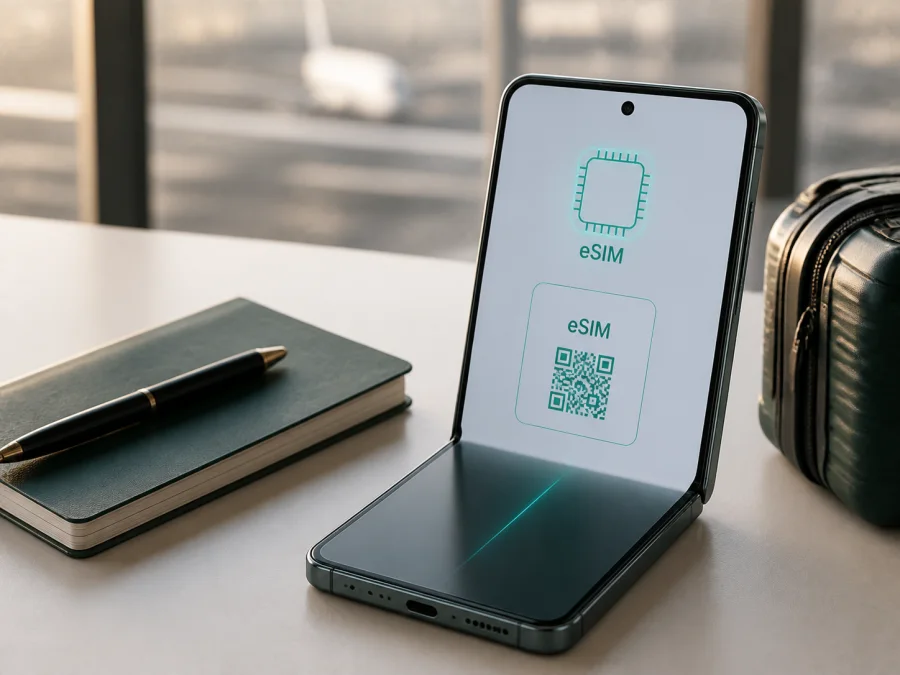
Honor Magic V3 12GB RAM eSIM: compatibility, setup and travel use
If you are checking whether Honor Magic V3 12GB RAM can use an eSIM abroad, the careful answer is: the HONOR Magic V3 family is listed by HONOR as supporting eSIM, but not every country-of-origin version is guaranteed to include the feature. Check the exact phone before choosing a plan. Look for an EID and an “Add eSIM” option, confirm that the phone is not carrier-locked, and verify that the plan covers your destination.
An eSIM is a digital SIM profile that provides mobile data without replacing a physical SIM. On an eligible foldable, your usual line can remain available while a separate travel eSIM is selected for data. A travel profile is commonly data-only: it does not automatically include a regular number, voice calls or SMS. Use internet calling and messaging apps unless the specific plan terms state otherwise.
Quick answer: does Honor Magic V3 12GB RAM support eSIM?
HONOR’s current global eSIM information lists HONOR Magic V3 among supported devices. The same official information says that, depending on the country of origin, eSIM may not be supported even when the model appears on the list. For Honor Magic V3 12GB RAM, the accurate answer is therefore “supported on eligible regional versions, subject to verification,” not an unconditional yes for every imported or locally sold unit.
The device name identifies the model and memory configuration, but not the sales region, hardware configuration, firmware channel or carrier status. Two phones with the same name and RAM amount can expose different SIM features. The quickest practical test is on the phone itself: find EID under About phone and look for Add eSIM in SIM management. If both are absent after a restart and official software update, do not assume that a QR code will make the profile work.
Honor Magic V3 12GB RAM: relevant compatibility facts
| Item | What to know before using eSIM |
|---|---|
| Exact device variant | Honor Magic V3 12GB RAM |
| Device type | Foldable Android smartphone |
| eSIM status | HONOR’s current global eSIM page includes HONOR Magic V3 in its supported-device list |
| Regional condition | HONOR warns that country-of-origin versions may differ |
| 5G and eSIM | 5G capability does not prove that eSIM is enabled |
| Phone checks | EID and Settings > Mobile network > SIM management > Add eSIM |
| Travel use | Select the eSIM as the mobile-data line for the destination |
| Carrier condition | The phone must be compatible and free of an operator lock |
| Voice and SMS | Not included in a data plan unless its terms say otherwise |
Keep the 12GB RAM detail in the purchase check. Listings often shorten the name to “Magic V3,” which can make it easy to compare another configuration by mistake. Confirm the full name on the order, box and About phone screen. RAM does not determine eSIM support, but it helps you distinguish the requested variant from another listing.
HONOR describes three eSIM installation methods: scanning a QR code, entering information manually, or installing a pre-assigned plan when available. The exact choices depend on the regional software and mobile provider. A missing menu item needs investigation; repeatedly scanning a code cannot create an unsupported eSIM function.
What to check before buying an eSIM plan
Do these checks before payment. A travel profile has its own installation and activation rules, and buying first can leave you with a plan that cannot be installed or whose validity begins before the phone is ready.
Compatibility checklist
- [ ] The phone is the exact Honor Magic V3 12GB RAM variant.
- [ ] The phone shows an EID or an Add eSIM control.
- [ ] Official regional software is current.
- [ ] The phone is not locked to an operator.
- [ ] Wi-Fi or another working connection is available for setup.
- [ ] You know whether the chosen plan is data-only.
- [ ] The destination, transit countries and final region are covered.
- [ ] Data allowance, validity, activation conditions and refill rules suit the trip.
- [ ] The QR code or manual details can be displayed on a second screen.
Imported foldables deserve extra care. HONOR’s support list confirms that the model family has eSIM capability, but HONOR expressly places a country-of-origin caveat on that list. Ask the seller for the sales region and, if possible, request a screenshot of SIM management or an EID with most digits masked. Do not rely only on a marketplace title, another owner’s review or the fact that the phone has 5G.
<a id="kesim-device-compatibility"></a>
Check your device before choosing a plan
On the Honor Magic V3 12GB RAM, open Settings and search for “eSIM” if the menu is hard to find. The usual HONOR path is Settings > Mobile network > SIM management. An eligible version should show Add eSIM or comparable wording. Then open Settings > About phone and look for EID. Menu names can vary with language, MagicOS version and firmware, but both checks should provide a consistent answer.
If the option is present, check whether the physical line can remain available while the eSIM supplies data, and whether profiles can be stored or active lines are limited. Storing a profile is not the same as using it on a destination network. The selected plan must still be valid in the country where you will use it.
This is the right point to choose a travel option in Kaspersky eSIM Store. The app and site help you select, arrange and activate an eSIM with a suitable mobile-data plan for an overseas trip. Review the destination, data amount, validity and price shown for the option. Kaspersky eSIM Store is not a mobile operator and does not own the network; it helps organize the eSIM and plan used on a compatible device.
How to install an eSIM on Honor Magic V3 12GB RAM
Install over reliable Wi-Fi with enough battery. Keep the physical SIM inserted if you need its number for calls, account security or messages. Have the QR code on another screen; do not begin while boarding or when you have only a few minutes.
1. Prepare the installation details
Open the order or profile supplied after choosing the travel eSIM plan. If manual activation is offered, keep the SM-DP+ address and activation code exactly as provided. Do not change spaces, punctuation or capitalization.
2. Connect to the internet
Connect the phone to stable Wi-Fi. Wi-Fi is the safer choice for downloading the profile. Temporarily remove battery-saving restrictions if they prevent Settings from staying open.
3. Open SIM management
Go to Settings > Mobile network > SIM management. Tap Add eSIM and read the prompt. If the control is missing, return to the compatibility checks; APN changes cannot add an eSIM function that the regional hardware or firmware does not expose.
4. Scan or enter the profile
Choose the QR option and scan the code from the second screen. Increase the other display’s brightness and show the full code. If available, choose manual entry and type the supplied details carefully. Confirm that the plan name matches your order.
5. Wait for installation
Let the phone download and install the profile. This can take several minutes. Do not close Settings, restart or scan repeatedly while it is working. If the provider says the code was already used, contact support instead of requesting random replacement codes.
6. Name the eSIM
Give the line a clear label such as Travel data or the destination name. This reduces the chance of selecting the home line by mistake at the airport.
7. Choose the data line
In SIM management, select the new eSIM for mobile data. Keep calls and SMS on the usual line only after checking the home operator’s roaming rules. If automatic data switching is offered, choose the setting that matches your trip.
8. Enable data roaming if required
Some travel profiles require data roaming because they use a partner network abroad. Enable roaming for the travel eSIM only when the plan’s instructions require it. Keep it off for the home SIM if you want to avoid unintended charges.
For more detail, use the approved Android installation instructions and, if you are also configuring a companion iPhone, the iOS installation instructions.
How to activate and use the eSIM while traveling
Installation places the profile on the phone. Activation and the start of validity depend on the plan terms and network connection. Check whether validity begins at installation, first registration or another defined event.
Before departure, install over Wi-Fi and leave the travel eSIM off if the plan allows it. This helps you prepare without using the plan early. If the terms require installation close to arrival, follow those terms. Keep the QR code accessible until the eSIM connects, but do not share it publicly.
Scenario 1: one-country holiday
Install and label the eSIM at home. Leave the home SIM as the data line until landing, then switch mobile data to the travel eSIM, enable its data roaming if instructed and turn off automatic data switching. Test a browser or message before relying on maps or boarding passes.
Scenario 2: a multi-country route
Choose a plan that covers every country where you need data, including a transit stop if you will leave the airport. At a border, allow time for registration. Do not delete the profile because signal disappears briefly; check the data line, coverage and network selection first.
Common problems and practical fixes
“Add eSIM” is missing
Check Settings > Mobile network > SIM management, search Settings for eSIM and look for EID under About phone. Restart and apply an official update. If both are absent, the country-of-origin version may not support eSIM. Ask the seller or HONOR support to confirm the regional configuration.
The QR code will not scan
Clean the camera, brighten the second screen and show the full code without a compressed preview. If manual activation is offered, enter the details exactly. A code already installed may not be reusable, so ask the plan provider what to do.
The profile cannot be added
Confirm internet access, available storage, the order’s QR code and the destination’s eligibility. Check whether the phone has reached a profile limit. If a partial installation is visible, do not delete it unless support says to; record the error message and contact support.
The eSIM is installed but there is no data
Confirm that the eSIM is enabled and selected for mobile data. Check airplane mode, data roaming for this profile, automatic data switching and any APN instructions supplied with the plan. Confirm that the plan has started and still has allowance.
Data is slow or the phone shows only a network
Move to an area with clearer reception and confirm that the plan covers the location. Do not force a network unless instructed. 5G is not guaranteed by the phone alone; visited-network support, plan terms, local coverage and radio conditions also matter. Temporarily using an available 4G option may restore usable data.
The home SIM is using data
Return to SIM management and set the travel eSIM as the default data line. Turn off automatic switching, check the phone’s data-usage screen and review the home operator’s account. You can disable mobile data on the home line while keeping it available for calls or SMS.
FAQ
Is Honor Magic V3 12GB RAM eSIM-compatible everywhere?
No universal claim is safe. HONOR’s current global information includes the Magic V3 family, while warning that country-of-origin versions may differ. Verify EID and Add eSIM on the exact phone and confirm carrier or plan restrictions.
Does 12GB RAM change eSIM compatibility?
No. RAM identifies the requested variant; it does not prove that eSIM hardware and regional firmware are enabled. Keep the complete name in the purchase check and inspect the phone itself.
Can I use the physical SIM and eSIM together?
Often an eligible dual-line configuration can keep a physical SIM available while the eSIM supplies data, but behavior depends on the regional version, MagicOS and network combination. Test it before departure.
Will a travel eSIM give me a phone number?
Usually not when the plan is intended for mobile internet. Calls and SMS are excluded unless the plan terms say otherwise. Internet calling and messaging apps can work over the data connection.
Do I need to remove my home SIM?
No. Keeping it inserted can preserve your usual number. Select the travel eSIM for data and control roaming on the home line.
Final device check and trip eSIM plan
Before choosing a travel eSIM for Honor Magic V3 12GB RAM, complete this final check:
- Confirm the full device name and 12GB RAM configuration.
- Confirm EID and Add eSIM on the exact regional unit.
- Confirm current official software and no carrier lock.
- Confirm coverage for the destination and transit countries.
- Confirm allowance, validity, activation timing and roaming requirements.
- Install and label the profile over Wi-Fi, then select it for mobile data when appropriate.
- Keep the home line’s roaming settings under control and monitor usage.
When these checks pass, Kaspersky eSIM Store can help you choose, arrange and activate an eSIM with a suitable mobile-data plan for an overseas trip through its app or site. Choose the destination, review the route conditions and keep the installation instructions available. Base the final decision on the exact phone’s EID and settings, its country-of-origin version and the selected plan’s terms.


