Travel connectivity guide
Honor Magic V3 512GB eSIM compatibility
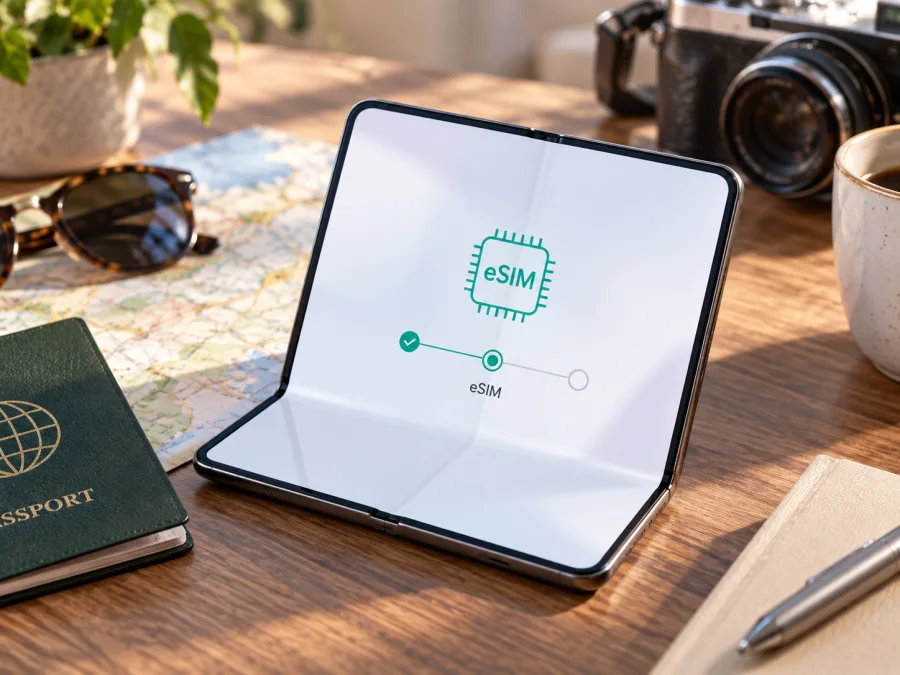
Honor Magic V3 512GB eSIM compatibility and setup guide
The Honor Magic V3 512GB can use eSIM on supported regional versions. HONOR’s official global eSIM information names the Magic V3 among compatible devices and explains that the feature may be unavailable depending on the country of origin. That qualification matters: a model name and storage capacity alone do not identify the phone’s sales region, firmware, or carrier configuration. Before you buy a travel plan, check the phone itself for an EID and an option to add an eSIM, and confirm that it is not carrier-locked.
The 512GB figure describes internal storage. It does not by itself confirm eSIM capability, and it should not be confused with memory (RAM). A device sold under the same family name in another market can have different network features or software. Use the checks below on your own Honor Magic V3 512GB rather than relying only on a retailer listing or another owner’s experience.
At a glance
| Item | What to know |
|---|---|
| Exact device variant | Honor Magic V3 512GB |
| Form factor | Book-style foldable smartphone |
| eSIM status | Listed by HONOR as a supported model; availability can vary by country of origin and device version |
| Storage in the name | 512GB internal storage; this does not prove eSIM support |
| Best first check | Look for an EID and “Add eSIM” in the phone’s settings |
| Before installing a travel plan | Confirm regional support, carrier unlock, destination coverage, and plan conditions |
Does the Honor Magic V3 512GB support eSIM?
The short answer is: yes on supported versions, but verify the particular handset. HONOR’s global eSIM page includes the HONOR Magic V3 in its list of supported devices. It also states that eSIM may not be supported depending on the country of origin, even when a model appears on that list. Therefore, the model family is compatible in principle, but that does not guarantee every Honor Magic V3 512GB sold in every market can add a digital SIM.
This distinction is especially useful when buying an imported or refurbished foldable. The same product name can cover versions built for different markets. Available SIM functions may be affected by the intended sales region, the exact hardware variant, firmware, a carrier’s customization, or a network lock. A seller may describe the device as “dual SIM” because it accepts two physical cards; that wording does not confirm that one of those lines can be an eSIM. Conversely, a general specification page that lists physical SIM slots does not necessarily settle the eSIM question for every software version.
HONOR’s published instructions also give a practical on-device route: open Settings → Mobile network → SIM management and look for Add eSIM. The manufacturer says the EID can be found under Settings → About phone → EID or on the phone’s packaging. Menu names can change slightly with MagicOS version or language, so search Settings for “EID” or “eSIM” if the path differs.
Treat the on-device check as decisive for the handset in your hand. If an EID is shown and the SIM management screen offers an option to add an eSIM, the phone has the built-in eSIM capability needed for a compatible plan. If both are missing, do not assume that a software update or a QR code will add the feature: confirm the exact regional model number with HONOR support or the seller first.
Check this exact phone before choosing a plan
Use this short checklist on the Honor Magic V3 512GB you intend to take abroad:
- [ ] Find the EID. Open Settings and search for “EID”; or check Settings → About phone. An EID is a long device identifier associated with the embedded SIM hardware.
- [ ] Look for Add eSIM. Open Settings → Mobile network → SIM management. Check whether the option to add or download an eSIM profile is visible.
- [ ] Check carrier lock status. If the phone was sold with a contract, ask the original carrier whether it is unlocked for use with another provider’s eSIM.
- [ ] Confirm the regional version. Look at the exact model or product code in About phone, on the box, or on the purchase record. Ask HONOR or the seller whether eSIM is enabled for that code and original market.
- [ ] Check current software. Install official system updates while connected to Wi‑Fi, restart the phone, and inspect SIM management again. An update may correct a menu or software issue, but it cannot guarantee that an unsupported regional build gains eSIM hardware or authorization.
- [ ] Keep the main line available. If you plan to use your physical SIM and travel eSIM together, check how the phone labels each line and which one is selected for mobile data.
For a quick reference later, jump to check your device compatibility. Do not enter or share the EID publicly; provide it only through the secure process requested by a mobile provider when that is required to assign a profile.
What to expect from regional and carrier versions
The 512GB figure identifies storage, not market or SIM configuration. Honor Magic V3 512GB handsets can be intended for different regions, and HONOR warns that eSIM availability may depend on the country of origin. Carrier customization or a network lock can also affect setup. “Dual SIM” in a listing may refer only to physical SIM slots; it is not proof of eSIM support.
If buying an imported or refurbished phone, get its exact model code and ask HONOR or the seller whether eSIM is enabled for that region and software build, and whether the phone is unlocked. If you already own it, check the EID and Add eSIM menu directly. An EID indicates embedded SIM capability but does not prove that a plan provider will accept the handset or that it is carrier-unlocked.
eSIM, physical SIM, and mobile data
An eSIM is a digital profile stored in the phone’s embedded SIM hardware. Adding one does not automatically replace your physical SIM. Many travel plans are for mobile data only; a phone number, voice calls, and SMS are included only when the plan says so. You may be able to keep your regular line available for calls and messages while using the travel eSIM for data, subject to dual-SIM behavior and home-carrier roaming charges.
Installation, activation, and first network connection are separate steps. A profile may be installed before travel but become usable only at the destination. Plan validity can begin at purchase, installation, or first connection, depending on its terms. Check the start trigger, destination coverage, data allowance, duration, and hotspot rules before installing.
Install and activate an eSIM
Get a stable internet connection, usually Wi‑Fi, before beginning. Keep the provider’s QR code or manual activation details available on a separate screen or printed securely. Do not photograph or forward the QR code: many eSIM codes are single-use or linked to one installation. If the provider asks for an EID, retrieve it from the Honor Magic V3 512GB settings and submit it only through the provider’s official secure channel.
- Check compatibility and unlock status. Confirm that your phone shows an EID and Add eSIM, and verify that it is not locked to a carrier that blocks other profiles.
- Review the plan. Confirm the destination or regional coverage, amount of data, validity period, activation trigger, hotspot rules, and whether calls or texts are included.
- Open SIM management. Go to Settings → Mobile network → SIM management and tap Add eSIM. If the words differ, search the Settings app for “eSIM.”
- Choose the available installation method. Scan the provider’s QR code, enter activation details manually, or install a pre-assigned plan if the provider supports that option. Follow the prompts shown by MagicOS.
- Name the new line. Use a clear label such as “Travel data” so you can distinguish it from your home SIM. Keep the original line’s settings intact unless you know you want to change them.
- Select the data line. Choose the travel eSIM for mobile data when you are ready to use it. Decide whether the home line should remain available for calls and messages, and review its roaming settings.
- Activate according to the plan. Some profiles connect only after you reach the destination. If the provider says to wait until arrival, leave the profile installed but do not turn it on early. Follow the provider’s stated activation timing.
- Test the connection. At the destination, enable the eSIM line and mobile data. If the plan requires roaming on that eSIM, enable data roaming for that line only. Wait for network registration, then load a simple webpage with Wi‑Fi turned off.
HONOR’s official instructions describe adding an eSIM from SIM management and support QR scanning, manual entry, or a pre-assigned plan where available. The phone’s menus can vary by software version. For additional step-by-step help, see the Android eSIM installation instructions or the iOS eSIM installation instructions. The Honor Magic V3 512GB runs Android; the iOS page is relevant only if you are following the process on an Apple device instead.
Using a travel eSIM on a trip
Before departure: verify the exact Honor Magic V3 512GB for an EID and Add eSIM, confirm it is unlocked, and check that the plan includes each country on your route. Review activation timing and save the instructions where you can access them offline. Install over Wi‑Fi when the provider recommends it.
On arrival: enable the travel profile, select it for mobile data, and turn on data roaming for that line if the plan requires it. Keep roaming off on your home SIM unless you have checked the charges. Turn Wi‑Fi off briefly and load a webpage to confirm service.
During the trip: check regional coverage at each border and monitor the plan’s allowance and expiry. If keeping your home number active, remember that calls, SMS, and background data may incur charges. Confirm that hotspot use is allowed before connecting a laptop or tablet; video and cloud backups can use data quickly.
Kaspersky eSIM Store is an app and website where you can choose, arrange, and activate an eSIM with a mobile-data plan for an international trip. Compare destination, data amount, validity, and conditions, then confirm that your Honor Magic V3 512GB passes the compatibility checks above.
Troubleshooting: when eSIM setup does not work
No Add eSIM option: search Settings for eSIM, restart after an official update, and check the exact regional model with HONOR or the seller. If the EID is also missing, the regional build may not support the feature. A QR code cannot add eSIM capability to an unsupported phone.
QR code rejected or already used: check that you have the correct code and that it has not been scanned before. Use manual entry only if the provider supplied those details. Contact the provider for a fresh assignment instead of repeatedly trying a used code.
Profile installed, but no service: confirm the eSIM is enabled, the plan covers your location, and its activation time has arrived. Select it for data, enable roaming on that line if required, then restart or briefly toggle airplane mode. Check signal and allowance.
Connected but no internet, or wrong line is using data: turn Wi‑Fi off for a clean test, confirm the selected data SIM, and follow any provider APN instructions. Disable roaming on the home line if needed. An EID does not prove the phone is unlocked or that a provider accepts it; ask the provider and original carrier to check eligibility.
Profile disappeared or stopped working: avoid deleting or resetting it as a first step. Some profiles cannot be reinstalled without provider assistance. Note the error and software version, then contact the provider through its official support channel.
Frequently asked questions
Is the Honor Magic V3 512GB eSIM-compatible?
HONOR lists the Magic V3 as supported, but warns that availability can depend on country of origin. Check the EID, Add eSIM menu, regional code, and carrier lock on your own handset.
Does 512GB storage guarantee eSIM support?
No. Storage capacity says nothing about eSIM hardware or regional software configuration.
Where can I find the EID?
HONOR’s published path is Settings → About phone → EID. You can also search Settings for “EID”; menu wording varies by MagicOS version. Share it only through a provider’s secure process when requested.
Can I keep my physical SIM active, and will travel eSIM include a number?
Often both lines can be used, but available combinations vary. Select the travel eSIM for data and check home roaming costs. Many travel plans are data-only; calls, SMS, or a number are included only when the plan terms specify them.
What if there is no eSIM option, or should I install before flying?
Confirm regional support with HONOR or the seller if EID and Add eSIM are absent. Follow the provider’s installation timing: installing before departure over Wi‑Fi may be convenient, but validity might start at installation or first connection. Check the activation trigger and keep any QR code private.
Final device check and trip eSIM choice
Before choosing a travel plan, verify that your own Honor Magic V3 512GB shows an EID and an Add eSIM option, check its country-of-origin version and carrier unlock status, and confirm that the plan covers every destination on your route. Review data allowance, validity, activation timing, roaming requirements, and hotspot terms. If any compatibility detail remains unclear, check it with HONOR or the seller before purchase. Once the device and plan conditions are confirmed, choose an eSIM in Kaspersky eSIM Store for your trip, follow the provider’s installation timing, and test mobile data after arrival.


