Travel connectivity guide
Honor Magic V5 512GB eSIM: Compatibility Guide
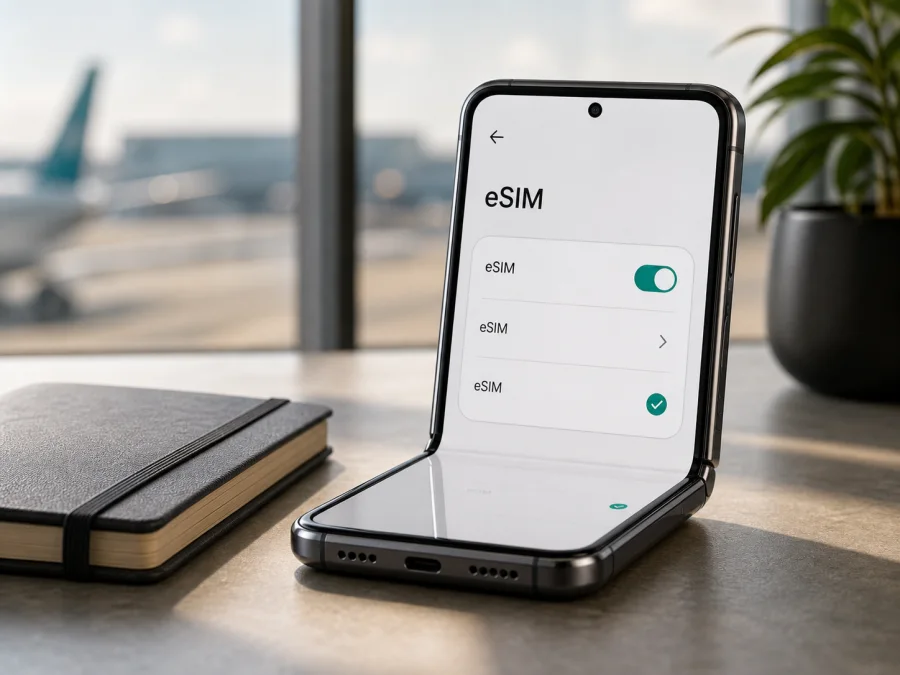
eSIM for Honor Magic V5 512GB
If you are checking whether Honor Magic V5 512GB can use a travel eSIM, the short answer is conditional: eligible international and regional versions support it, but the 512GB label alone does not identify the phone’s market or SIM configuration. Country of origin, hardware, software and carrier policy can change the result.
HONOR’s current global eSIM information lists HONOR Magic V5 among supported devices and warns that eSIM may not be available in every country of origin. The official international specification for a 512GB configuration lists SIM1 + SIM2, SIM1 + eSIM and eSIM1 + eSIM2. The official mainland China store listing for 16GB + 512GB, however, specifies two nano-SIM cards. Verify the handset before purchase.
Does Honor Magic V5 512GB support eSIM?
Yes, a compatible regional version of Honor Magic V5 512GB supports eSIM. No, the storage label by itself is not enough to guarantee it for every handset. The same family name can cover different sales regions and SIM arrangements, so do not silently replace the requested device name with a shorter model name or assume a RAM variant.
The international version documented by HONOR may support a physical SIM with an eSIM, or two eSIM profiles. A mainland China version may instead be limited to two nano-SIM cards. If there is no EID and no Add eSIM control, do not assume an update will add missing hardware or a market entitlement.
Device and plan compatibility are separate. The phone needs eSIM hardware and an enabled menu; the provider must also allow activation on that handset in the destination. An operator lock or plan rule can prevent service after download.
What the official specifications show
| Item | Confirmed information | Practical meaning |
|---|---|---|
| Target label | Honor Magic V5 512GB | Storage is known; market and RAM are not |
| International 512GB specification | 16GB RAM + 512GB storage is documented | This is one regional configuration, not every sale version |
| International SIM options | SIM1 + SIM2, SIM1 + eSIM, eSIM1 + eSIM2 | Physical and digital combinations are supported on that version |
| Mainland China 16GB + 512GB listing | Dual nano-SIM is specified | This version may not expose eSIM |
| HONOR global eSIM list | HONOR Magic V5 is included | Eligible versions are recognized as eSIM-capable |
| Manufacturer caveat | Availability can depend on country of origin | Check the individual phone, not just the family name |
| Travel use | Mobile data on a compatible plan | A phone number, voice and SMS are not implied |
The input does not state whether the phone has 12GB or 16GB of physical RAM. Official regional materials document a 16GB + 512GB version, while other listings may differ. Preserve “Honor Magic V5 512GB”, then use the model number, box and settings to identify the unit.
Regional, software and carrier differences
There are three layers of compatibility. The phone must have eSIM hardware for its market; HONOR’s global page lists Magic V5 but warns that country of origin can change availability. MagicOS must also expose Add eSIM at Settings > Mobile network > SIM management. Finally, the carrier or travel-plan provider must accept the profile for the account and destination. An unlocked phone helps, but cannot create support on a model that lacks it.
A 5G-capable phone may use 4G on a partner network because the standard depends on carrier, coverage and deployment. A profile can wait for registration until the plan, roaming setting and destination are correct.
How to verify eSIM support before purchase
Check the phone in hand whenever possible. A marketplace title can omit the region or combine memory variants.
1. Find the EID
Open Settings > About phone and look for EID or eSIM ID. HONOR’s eSIM guidance identifies EID in the About phone section. It is a long identifier for the embedded SIM component, not the IMEI or serial number.
An EID strongly suggests eSIM hardware, but does not promise activation by every provider. Keep the full EID private and share it only through a secure activation flow when requested.
2. Find Add eSIM
Open Settings > Mobile network > SIM management. Look for Add eSIM, Add mobile plan or similar wording. The combination of an EID and an Add eSIM option is more useful than either clue alone.
If both are present, check the operator lock and plan destination. If neither is present, treat eSIM support as unconfirmed. If only one is present, ask the seller or HONOR support to verify the exact model and region. For a quick checklist, check your device here.
3. Match the sales version
Compare the model number in About phone with the box and regional specification. Confirm whether the unit is international or mainland China; language settings do not prove the market.
4. Check the operator lock
Ask whether the phone is SIM-unlocked and whether the original operator limits second lines or eSIM activation. A locked phone can reject a travel profile even when it has an EID and Add eSIM.
Compatibility checklist
- [ ] It is the intended Honor Magic V5 512GB, not another generation or storage version.
- [ ] The model number and country of origin are known.
- [ ] About phone shows an EID.
- [ ] SIM management shows Add eSIM.
- [ ] The phone is not carrier-locked.
- [ ] Reliable Wi-Fi is available for installation.
- [ ] The plan covers the destination and dates.
- [ ] Data allowance, validity and activation rules are understood.
- [ ] The QR code or activation details are kept private and available on another screen.
If the phone fails these checks, delay the purchase and request confirmation of the exact regional model.
Prepare the phone and plan
Install over stable Wi-Fi before departure, keep the main SIM active until testing, and show the QR code on another screen or paper. Charge the battery, update the system and read the plan conditions, including one-device, transfer and validity rules.
Kaspersky eSIM Store is an app and website where you can choose, arrange and activate an eSIM with a suitable mobile-data plan for a trip abroad. It helps you review destination, allowance, validity and displayed conditions. It is not a mobile operator, network owner or provider of mobile internet; connectivity depends on the selected plan, its network partners, the destination and the device.
When the checks are complete, choose an eSIM plan for your trip in Kaspersky eSIM Store. Match a country plan or regional plan to the whole itinerary, not only the first stop. Unless the selected plan says otherwise, it is data-only and does not include a separate phone number, ordinary calls or SMS.
How to install and activate an eSIM
The wording may vary by MagicOS version, but the current HONOR flow is as follows.
1. Connect to the internet
Connect Honor Magic V5 512GB to reliable Wi-Fi. Confirm that the QR code or activation details belong to this phone and destination. Do not share the code. If the plan has not been assigned, complete that step in the Kaspersky eSIM Store app or website first.
2. Open SIM management
Go to Settings > Mobile network > SIM management and select Add eSIM. If the option is absent, return to the compatibility checks instead of troubleshooting the QR code.
3. Add the profile
Choose the QR-code option and scan a code displayed on another device. If manual details were supplied, use manual entry and copy them carefully. Some providers offer a pre-assigned plan; that flow may request the EID and may not be available in every market.
4. Download and name it
Wait for the profile to download without closing Settings. Give it a clear local name such as Travel data. The name helps you select the line but does not change the plan.
5. Select mobile data
In SIM management, select the new eSIM as the mobile-data SIM. Keep the primary line for calls or messages only if its roaming terms are acceptable. Disable automatic data switching if it could move traffic back to the home SIM.
6. Enable roaming for the travel line if required
Some travel plans require data roaming on the eSIM to register on a partner network. Turn it on only for the intended travel profile and follow the plan’s instructions. Check the line name first: roaming on the home SIM can create unexpected charges.
7. Test the connection
Wait several minutes for registration, turn Wi-Fi off and open a simple webpage. Confirm that the travel line is selected for data. At home, a destination-only profile may not register, so lack of a pre-trip signal does not necessarily mean failure.
See the Android installation instructions and iOS installation instructions. Honor Magic V5 512GB still uses Android and MagicOS menus.
Using eSIM during a trip
Before leaving, install over Wi-Fi and leave the profile off if validity begins on first connection. Otherwise follow the plan’s activation rule. After arrival, turn on the travel eSIM, select it for mobile data and enable roaming for that line when required. Keep the home SIM available only when its roaming costs are understood.
Use travel data for maps, transport, bookings, messengers and work tools; data-only eSIMs do not add a normal number. For a multi-country route, confirm every country is covered and compare the allowance with navigation, updates, app calls and hotspot use.
When the trip ends, switch data back to the home SIM and check the selected line before using data at home.
Common problems and fixes
No Add eSIM option
Check About phone for EID and SIM management for Add eSIM. If both are absent, the phone is not confirmed as an eSIM model. Verify the model and country of origin; the official mainland China 16GB + 512GB listing specifies two nano-SIM cards, so 512GB alone cannot settle the question. Ask the seller or HONOR support rather than relying on an unofficial modification or promised update.
QR code does not scan
Increase brightness, remove reflections and hold the camera steady. Confirm that the code has not already been used; try manual entry if supplied. Rejection can indicate an expired code, destination mismatch, device restriction or carrier policy.
Profile will not download
Reconnect to stable Wi-Fi, check date and time, and confirm that the plan is assigned to the correct account. If a partial profile appears, record the error and ask support about its activation state before deleting it.
Profile installed but no signal
Confirm that the travel profile is on and selected for mobile data. Check airplane mode, roaming for that line, destination and validity; restart and wait several minutes. Use manual network selection only when the plan gives a supported network name.
Home SIM is using data
Check the active data line and automatic switching. Temporarily disable the home SIM for a controlled test only if you do not need calls or messages, then review usage with Wi-Fi off.
Slow or stopped data
Check allowance, validity, destination and coverage. 5G on the phone does not guarantee 5G on every partner network. Move to better signal, restart and review the APN only when the plan gives an exact value; do not invent one.
Operator lock
Contact the original operator or seller. A lock can block a travel profile even when Honor Magic V5 512GB has EID and Add eSIM; resolve it before buying a second plan.
FAQ
Is Honor Magic V5 512GB definitely eSIM-compatible?
Not from storage capacity alone. HONOR lists Magic V5 as eSIM-capable for eligible versions, but country, carrier and software matter. The official mainland China 16GB + 512GB listing specifies dual nano-SIM, so check EID and Add eSIM on the phone.
Does the RAM variant decide support?
No. RAM may identify a market configuration, but does not prove support. The label states 512GB but not RAM; official material documents 16GB + 512GB and other markets may differ.
Can I keep a physical SIM with the travel eSIM?
The eligible international version documents SIM1 + eSIM. Actual use depends on model, software and carrier; select the eSIM explicitly for data.
Does the travel eSIM include calls and SMS?
Usually not. Kaspersky eSIM Store helps you choose and activate an eSIM plan for mobile internet during a trip. Unless stated otherwise, it is data-only without a separate number, ordinary calls or SMS; messengers can use the data connection.
Is Kaspersky eSIM Store a VPN or mobile operator?
No. It is an app and website for choosing, arranging and activating a travel eSIM plan. It is not a VPN, network owner or provider of mobile internet.
Final device check and trip eSIM choice
Before paying for a travel eSIM, check the actual Honor Magic V5 512GB handset rather than a generic product title. Confirm the model number and country of origin, find EID in About phone, and locate Add eSIM under Mobile network > SIM management. Then verify that the phone is unlocked, the plan covers the complete itinerary, the allowance matches the trip and the activation rule is clear.
If those checks pass, use Kaspersky eSIM Store—the app and website—to choose and arrange an eSIM with a suitable mobile-data tariff for the destination, then activate it in SIM management. Keep the QR code secure, select the travel profile for data and enable roaming only on that profile when required. If a check fails, pause before purchase and ask the seller, carrier or HONOR support to confirm the regional version.
The sequence is: verify the device, select the destination and tariff, install over Wi-Fi, activate at the right time, test with Wi-Fi off and monitor the data line. This is the reliable way to decide whether Honor Magic V5 512GB is ready for eSIM mobile data.


