Travel connectivity guide
Honor Magic V5 8GB RAM eSIM Compatibility Guide
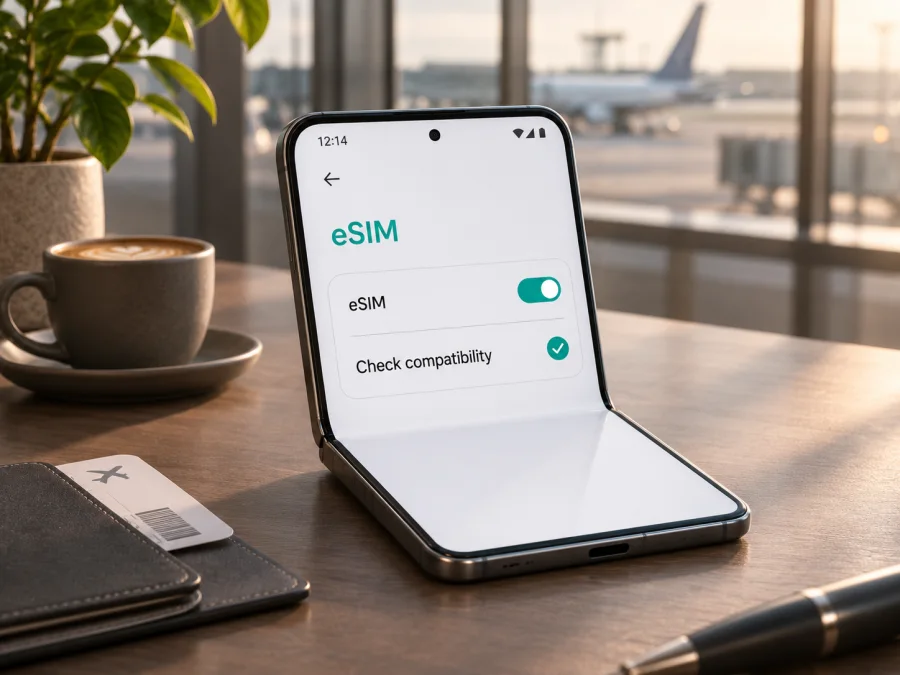
Honor Magic V5 8GB RAM eSIM: compatibility and travel setup
If you are considering the Honor Magic V5 8GB RAM for a trip, the key question is whether that exact phone can add a digital SIM profile. HONOR’s current global eSIM support page lists the Magic V5 family, and the UK specifications for HONOR Magic V5 show SIM combinations that include eSIM. However, neither page identifies an 8GB RAM configuration or confirms that every regional build has the same radio hardware and software. Treat compatibility for this exact named variant as conditional until you check the handset itself. The RAM amount does not by itself prove or rule out eSIM support.
The quickest reliable checks are to look for an EID and for Add eSIM in the phone’s SIM settings. If both appear, the phone has an eSIM function enabled at device level; you must still confirm that it is unlocked and that the travel plan is valid in your destination. If either is missing, do not assume a QR code or a software update can add the capability. Ask HONOR or the seller to confirm the regional model number before choosing a plan.
Compatibility at a glance
| Check | What can be established | What it means for Honor Magic V5 8GB RAM |
|---|---|---|
| Device family | HONOR’s global eSIM support page lists HONOR Magic V5 | The product family is listed as eSIM-capable, but the page cautions that country of origin can affect availability |
| Published regional specification | HONOR UK lists SIM1+SIM2, SIM1+eSIM, and eSIM1+eSIM2 | The UK-market specification documents eSIM modes for that regional product page |
| Exact 8GB RAM configuration | The official sources reviewed do not name an 8GB RAM SKU | Exact variant compatibility is not established by the RAM label alone |
| Device identifiers | HONOR’s eSIM instructions say to check EID in Settings or on the box | A visible EID is a useful hardware and software check on your actual handset |
| Travel-plan compatibility | Depends on device support, network lock status, plan rules, and destination network | Confirm each item before purchase and before relying on service abroad |
The evidence supports a careful answer: HONOR lists the Magic V5 family as supporting eSIM, but the exact “Honor Magic V5 8GB RAM” variant cannot be confirmed from the official specifications located for this article. Check the exact phone. On 3 November 2026, HONOR Global’s “HONOR eSIM” support page listed Magic V5 and explained that support can vary by country of origin; HONOR UK’s “HONOR Magic V5” specification page showed eSIM in the available SIM combinations. These are manufacturer pages for the family and a specific regional listing, not proof that every device sold under a similar retail title has identical capability.
Why the region and seller matter
A phone name in an online listing is not always a full hardware identity. Retail listings may abbreviate the model name, describe memory differently, or omit a regional model code. Two devices that look alike can ship with different SIM trays, firmware, supported cellular bands, or carrier settings. For this reason, a listing that says “Magic V5” is not enough to settle whether an imported handset has eSIM enabled.
HONOR’s own global eSIM page makes the regional limitation explicit: a listed model may not support eSIM depending on the country of origin. Its instructions also describe the feature as dependent on the phone being compatible. That means the global family list is useful evidence, but it cannot replace checking the individual device.
The 8GB RAM wording should be preserved when checking with the seller. Ask for the model code in Settings > About phone and the market where it was sold; do not let the seller answer for a different memory configuration. If possible, request a view of the SIM management screen or the EID before purchase.
A carrier-branded handset can also have restrictions that are separate from the eSIM hardware. A supported eSIM menu does not mean the phone is unlocked, that every operator will accept the device, or that a travel plan can be used alongside every physical SIM configuration. Check the phone’s network lock status and ask the original operator whether it permits another provider’s profile. A travel eSIM may install correctly and still fail to register if the handset is locked or the visited network is unsupported.
Do not confuse a “dual SIM” label with eSIM. Dual SIM can mean two physical nano-SIM cards, one physical SIM plus an eSIM, or another combination. On HONOR’s UK Magic V5 page, the listed combinations include both physical and eSIM configurations. The options shown on that page are the product’s regional specification and should not automatically be applied to a handset bought elsewhere.
Check your own phone before buying
Use these checks on the actual handset, not only on a product page or a different Magic V5 unit.
- Find the EID. Open Settings and look under About phone for EID. HONOR’s global instructions specify Settings > About phone > EID. Some software builds may place device identifiers under Status or SIM information instead. You can also inspect the original box label, but the phone’s own settings are the better confirmation that the system recognizes the eSIM component.
- Look for Add eSIM. Go to Settings > Mobile network > SIM management. HONOR describes this as the path to add an eSIM. Look for Add eSIM or a similar option. Menu wording can vary with MagicOS version and region.
- Check the response, not just the label. If Add eSIM opens a setup flow and offers QR scanning or manual entry, the feature is present in the current software. Stop before scanning or entering a plan if you are only checking compatibility.
- Check for a network lock. Ask the original carrier or seller whether the phone is unlocked for other operators. The eSIM radio can be present while carrier restrictions still prevent activation.
- Confirm the exact model code and market. Compare the code in About phone with the packaging, invoice, and seller’s description. Ask HONOR support about that code and country of sale if the EID or menu is missing.
- Check plan eligibility. Confirm that the eSIM provider accepts the device and that the plan covers the country or countries on your itinerary. Device compatibility and destination coverage are separate checks.
For a quick checklist, EID visible + Add eSIM available + phone unlocked + destination plan supported is a stronger basis for proceeding than a model name alone. If the EID exists but the menu is absent, update the phone using the normal supported software channel, restart it, and check again. If the EID remains absent, contact HONOR with the model code; a software update should not be treated as a guaranteed way to turn a hardware-incompatible regional variant into an eSIM phone.
Check your device before choosing a travel plan. This compatibility check matters before payment because a downloaded eSIM profile may be non-transferable or difficult to reuse if the handset cannot install it.
Install an eSIM on a compatible Magic V5
Prepare before you begin: use a stable Wi-Fi connection, keep the phone charged, and have the activation QR code or manual details available on another screen or printed page. Many QR codes cannot be scanned from an image displayed on the same phone that is installing the profile. Follow the plan’s own instructions if they specify a different activation method.
- Open Settings > Mobile network > SIM management.
- Tap Add eSIM. If the option does not appear, stop and repeat the compatibility checks rather than trying unrelated menus.
- Choose the available method: scan the QR code, enter the activation details manually, or install a pre-assigned plan if the provider offers that route. HONOR’s global guidance describes these options, while the provider determines which one is available for a particular plan.
- Review the on-screen information and confirm that you want to download the profile. Keep the phone connected to Wi-Fi until the download and setup finish.
- Give the new line a clear label, such as “Travel data,” so it is easy to distinguish from your home SIM.
- Decide which line should handle mobile data. If you want to avoid unintended roaming charges on your home SIM, leave its data roaming off and select the travel line for mobile data when the plan is ready to use.
- Follow the plan’s activation instructions. Profile installation and the start of the data allowance are not always the same event; a plan may begin when it first connects to a supported network or at another time described by its terms.
- When you arrive, enable the travel line if needed, turn on data roaming for that eSIM only if its provider requires it, and check that mobile data is assigned to the correct line.
For Android-specific setup details, see the Android eSIM instructions. An iPhone guide is available at the iOS eSIM instructions; its menus differ from MagicOS, so use the Android steps on this phone. Kaspersky eSIM Store is an app and website where you can choose, arrange, and activate an eSIM with a mobile data plan for an international trip. The network service and coverage depend on the plan and its local network arrangements.
If the plan is intended for use after arrival, installing it at home over Wi-Fi can be convenient, but do not assume it should be enabled early. Read the plan’s activation and validity wording. Some profiles can be installed before travel and only start their validity once they connect in the destination; others follow different rules. If timing is unclear, check the plan information or ask the provider before installing. Save the QR details and support information securely until activation is complete, but remember that some providers limit how many times a code can be used.
Use the phone for mobile data while travelling
The most straightforward setup is to keep your regular number available for calls or messages where your home carrier allows it, while assigning mobile data to the travel eSIM. Before departure, check how your home line handles roaming, calls, voicemail, and background data. If avoiding home-network charges is important, turn off data roaming for the home line and do not select it as the mobile-data line. The precise labels and dual-SIM behavior can vary with software version and region.
At the destination, open SIM management and confirm three items: the travel eSIM is enabled, it is selected for mobile data, and its roaming setting matches the plan instructions. If the eSIM plan is data-only, it may not include a regular phone number, voice calling, or SMS. Internet calling and messaging apps can work over data, subject to their own requirements and the available connection.
For a multi-country trip, check whether the plan covers each country, rather than assuming that a regional name covers every stop. If you cross a border, the phone may need a few minutes to register on a supported partner network. Keep automatic network selection enabled initially unless the provider gives different instructions. If service does not return, toggle airplane mode once, then check the provider’s supported network guidance and manual network selection options.
Kaspersky eSIM Store can help you choose and activate an eSIM plan for mobile data abroad through its app or website. To browse current destinations and plan conditions, visit Kaspersky eSIM Store. Check the displayed country or regional coverage, allowance, validity, supported networks, and activation instructions for the route you will actually take. This is a starting point for reviewing current options, not a guarantee that one plan covers every destination.
Troubleshooting: when activation or data does not work
There is no Add eSIM option. Verify that the phone is the exact regional variant you purchased, check EID in Settings > About phone, restart after installing available system updates, and review SIM management again. If EID and Add eSIM are both absent, contact HONOR or the seller with the model code. Do not buy a plan on the assumption that a QR code can bypass missing device support.
The QR code cannot be scanned. Increase the brightness of the other display, clean the camera lens, move the code farther away, and avoid glare. If the provider supports manual activation, use the supplied details carefully. Do not share the code publicly; it can contain information needed to download the profile.
The profile downloads but will not activate. Confirm Wi-Fi access, date and time settings, and that the activation code has not already been used or expired. Some profiles are issued for one installation only. If the phone displays an error, record the exact message and contact the plan provider before deleting the eSIM. Deleting a profile may not restore an unused activation code.
The eSIM is installed but there is no signal. Check that the line is turned on, airplane mode is off, and you are in an area served by a supported network. Review the plan’s destination list, any required roaming toggle, and the phone’s mobile-data selection. Restart or briefly toggle airplane mode. If automatic selection does not connect, use the provider’s network-selection instructions; not every visible network will accept that eSIM.
The phone has signal but apps cannot connect. Make sure mobile data is assigned to the travel eSIM rather than the home SIM. Check the plan’s remaining allowance and validity, disable any data limit that is blocking use, and verify that the app itself is allowed to use mobile data. If the provider specifies an access point name (APN), compare it with the saved APN and enter only the values supplied by that provider.
The home SIM still incurs roaming data. Reopen SIM management and confirm which line is selected for data. Disable data roaming on the home line if appropriate, and check whether the phone is allowed to switch mobile data automatically between SIMs. Turn that switching off if it could send traffic over the home line. Review your home carrier’s terms for voice calls, voicemail, and incoming messages as well; those are separate from data selection.
Frequently asked questions
Does Honor Magic V5 8GB RAM support eSIM?
HONOR’s global support list includes the Magic V5 family, and HONOR UK’s specification page lists eSIM SIM configurations. The exact 8GB RAM variant is not identified in the official sources reviewed, and HONOR warns that country of origin can affect support. Check EID and Add eSIM on your own phone and confirm its model code before purchase. The answer for this exact device label is therefore conditional, not an unconditional yes.
Does 8GB RAM determine whether eSIM works?
No. RAM describes memory capacity; eSIM availability depends on the phone’s regional hardware, software and market configuration, along with carrier restrictions. Do not use the RAM figure as proof either way. Ask the seller to confirm the exact model code and check the phone’s EID and SIM management menu.
Can I use a physical SIM and an eSIM together?
HONOR UK lists SIM1+eSIM among the Magic V5 configurations, but the number and combination of active lines can vary with regional model and settings. Check what your own SIM management screen offers. Only one line may be selected for mobile data at a time, depending on the software configuration.
Should I install the profile before I leave?
That can be practical if you have reliable Wi-Fi, but follow the plan’s directions. Installation may happen before the allowance begins, or the validity timer may start at a different point specified by the provider. Confirm the activation trigger and keep the QR code or manual details available until setup is complete.
What if the phone has an EID but the plan provider rejects it?
An EID indicates that the device exposes an eSIM identity; it does not guarantee acceptance by every carrier, destination network, or plan. Confirm that the phone is unlocked, that the exact model is supported by the plan, and that the plan covers the country you are visiting. Ask the provider to interpret the rejection message before deleting the profile.
Before you choose a travel eSIM
For Honor Magic V5 8GB RAM, start with the handset, not the name in a listing: locate the EID, find Add eSIM under SIM management, and confirm the exact regional model code. Then verify that the phone is unlocked and that your chosen plan covers every destination on your itinerary. HONOR’s family-level support information is encouraging, but the manufacturer does not document the exact 8GB RAM variant in the official sources reviewed here, so the individual device check remains essential.
Once compatibility is clear, compare the current plan’s destination, data allowance, validity period, network details, and activation timing with your travel needs. Kaspersky eSIM Store is an app and website that helps you choose, arrange, and activate an eSIM with a mobile data plan for an international trip. Check the current options at Kaspersky eSIM Store and review the conditions before proceeding. If EID or Add eSIM is missing, pause and confirm the regional variant with HONOR or the seller before selecting a plan.


