Travel connectivity guide
Honor Magic V6 128GB 5G eSIM: Compatibility
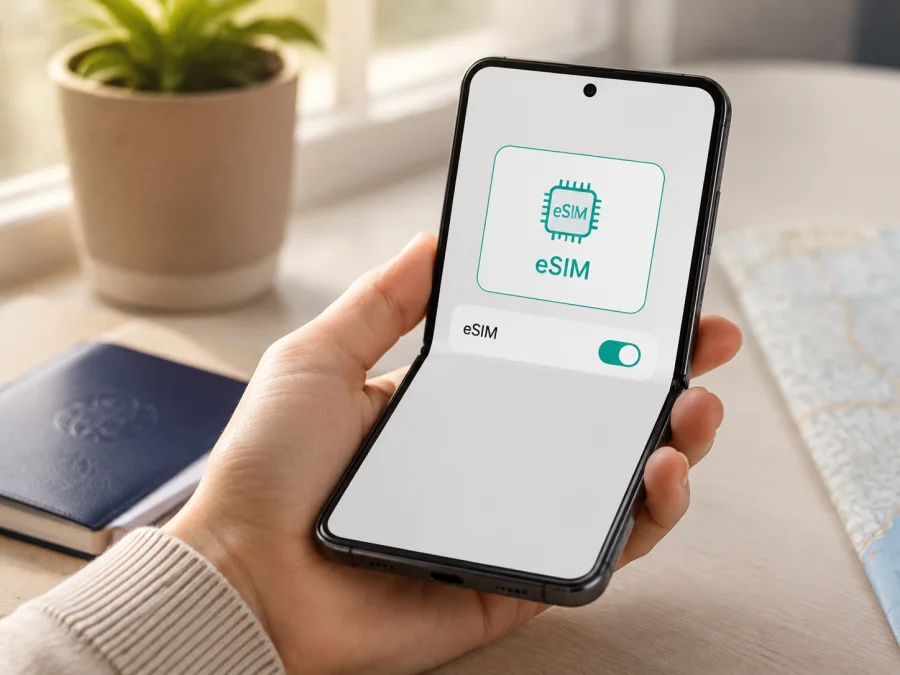
Honor Magic V6 128GB 5G eSIM: compatibility and setup
If you are checking whether the Honor Magic V6 128GB 5G can use an eSIM for mobile data while travelling, the safest answer is conditional. Current regional HONOR buying information confirms eSIM functionality for the Magic V6 family, including combinations such as SIM1 + SIM2, SIM1 + eSIM and eSIM1 + eSIM2. HONOR also says that eSIM availability depends on the country of sale, the carrier and the particular product version.
The exact name supplied for this page is Honor Magic V6 128GB 5G; it must not be shortened to Honor Magic V6. HONOR’s published store configurations show other storage combinations, while a 128GB configuration is not clearly identified in those official listings. A retailer or importer may use a different memory label, or the listing may combine details from another version. Do not treat the model name or 5G label as proof that this exact unit has an eSIM chip.
Before buying, check the phone for an EID and an Add eSIM control. Both are needed, and the handset must still be unlocked and able to use the selected destination plan.
Does Honor Magic V6 128GB 5G support eSIM?
Short answer
The Magic V6 family supports eSIM according to current regional HONOR guidance, but support is not an unconditional promise for every Honor Magic V6 128GB 5G listing. Regional firmware and operator policies can change the SIM options. Storage, RAM and 5G branding are separate from the eSIM component.
For a supported regional unit, an eSIM can provide a digital mobile-data line without another physical Nano SIM. You may be able to keep a physical SIM for calls or messages and select the eSIM for data, depending on the active combination and carrier. The menus on the actual phone are the final check.
What the official information means
HONOR’s regional Magic V6 buying guidance confirms eSIM and lists SIM1 + eSIM and eSIM1 + eSIM2 among possible combinations. HONOR’s general eSIM guidance says that the EID identifies the built-in eSIM chip and can be found in the phone settings; if no EID can be viewed, the phone does not support the feature. The manufacturer separately warns that the function varies by country, region and operator.
| Item | Confirmed or likely | Check before purchase |
|---|---|---|
| Exact variant | Honor Magic V6 128GB 5G |
Match the seller’s SKU and regional model code |
| Device family | Magic V6 is documented with eSIM | Whether this imported unit has the same hardware and firmware |
| SIM modes | SIM1 + eSIM and eSIM1 + eSIM2 are listed regionally | Which modes this phone and carrier enable |
| 5G | Cellular network capability | It does not prove eSIM support or 5G service abroad |
| 128GB storage | Part of the supplied device name | Official configurations do not clearly show this SKU |
| Final proof | EID and Add eSIM | Unlock status and destination plan compatibility |
A cross-border phone can have a different tray, firmware or operator policy even when its exterior looks the same. Treat 128GB as an important variant modifier.
What to check before buying an eSIM plan
Check the phone, the seller’s description and the plan conditions.
Compatibility checklist
- [ ] The phone is the exact
Honor Magic V6 128GB 5Gunit, not another Magic V6 storage or regional version. - [ ] Settings shows an EID, or SIM management offers Add eSIM.
- [ ] The device is not carrier-locked.
- [ ] You have Wi-Fi or another working data connection for installation.
- [ ] The selected plan covers every country or region on the route.
- [ ] Data allowance, validity, activation timing and refund conditions suit the trip.
- [ ] You know whether the plan is data-only: voice calls, SMS and a regular number are not included unless stated.
- [ ] You know whether data roaming must be enabled for the travel eSIM.
How to verify the EID
- Open Settings.
- Open About phone or device information.
- Look for EID.
- Keep the value private; do not publish a screenshot.
You can also open Settings > Mobile network > SIM management and look for Add eSIM, Add mobile plan or similar wording. Menus differ by MagicOS version and language. If there is no EID and only physical SIM controls, treat this unit as unsupported; do not force a hidden option.
An EID confirms an eSIM identity, not universal plan access. The phone may be locked, the carrier may restrict activation, or the destination may be outside the plan. Check hardware, network freedom and plan coverage together.
Check all three before paying for a profile or plan.
<a id="kesim-device-compatibility"></a>
Use the Check your device reminder before selecting a plan. For a sealed phone, ask for the exact model code and confirmation that settings include EID or Add eSIM. A “dual SIM” label or 5G badge is not enough.
How to install and activate an eSIM
Install over stable Wi-Fi with sufficient battery. Keep the QR code or activation details visible on another screen. If the code is on the phone itself, use image scanning or manual activation when the plan supports it.
See the Android installation instructions and iOS installation instructions. The Honor Magic V6 128GB 5G uses Android-based MagicOS, so Android applies; iOS is for a second device or another traveller.
Prepare the installation
- Confirm EID or Add eSIM.
- Connect to Wi-Fi.
- Confirm that the phone is unlocked.
- Open the plan details in the Kaspersky eSIM Store app or website and locate the QR code, activation code or profile instructions.
- Check whether installation, activation or first data use starts the validity period. These events may differ.
Add the profile
- Open Settings.
- Tap Mobile network.
- Open SIM management.
- Select Add eSIM for the available SIM position.
- Choose QR-code scanning.
- Scan the code supplied with the plan.
- Wait for the profile to download.
- Accept the confirmation.
- Label the line Travel data so it is easy to identify.
HONOR may also offer scanning a saved QR image or entering an activation code. Use one method for the same profile unless the plan says otherwise; a code may be intended for one installation. If a download fails, check the plan terms before deleting a profile.
Select the data line
- Return to Settings > Mobile network > SIM management.
- Set the travel eSIM as the default for Mobile data.
- Keep the primary SIM active only if you need its calls, texts or verification messages.
- Turn off automatic data switching if available.
- Enable Data roaming for the travel eSIM when the plan requires it.
- Leave roaming off for the primary SIM unless you accept its conditions.
- Turn Wi-Fi off and test a simple website or app.
Activation can take several minutes. A profile in SIM management proves installation, not necessarily that the plan has started or registered on a network. If you install before departure, follow the plan’s activation sequence.
Kaspersky eSIM Store is an app and website that helps you choose a destination, complete an order and activate an eSIM for mobile data abroad. It is not a mobile operator, network owner or provider of mobile internet; the selected plan determines the network.
Using the eSIM during a trip
Keep your primary number
Keep the primary SIM available for calls or SMS if needed, but select the travel eSIM as the default data line. Turn off data roaming on the primary SIM and check that the status indicator points to the travel profile. Messaging and calling apps can use the eSIM connection, while ordinary calls and SMS remain subject to the primary carrier’s terms.
Use data only
For maps, translation, tickets and messages, make the travel eSIM the only active data line if that is convenient. Download offline maps and documents before departure. A data-only travel eSIM does not automatically provide a local telephone number.
Travel across several countries
Check that the chosen plan covers the whole route rather than one country. Regional plans may have different conditions from country plans, and coverage can vary within a country. Review destinations, allowance and validity before activation. The phone’s 5G label does not guarantee 5G abroad; local networks, spectrum, agreements and location determine the connection.
Control data and return home
Use the phone’s data warning, restrict background video and app updates, and monitor the allowance through the Kaspersky eSIM Store app or website. Counters may use different start times. After the trip, restore the primary SIM as the data line and review roaming. Turn off the travel profile rather than deleting it if you may use it again; transfer, reinstall and refund rules depend on the plan.
Common problems and checks
No Add eSIM option
Look for EID and confirm the regional version. If neither EID nor Add eSIM exists, this unit may not support the feature even though another Magic V6 version does. An update cannot add missing hardware. Ask the seller or HONOR support before buying.
QR code will not scan
Increase brightness on the screen showing the code, clean the camera lens and hold the code steady. Confirm that it belongs to this plan and has not been used. If image scanning or manual entry is available, use it from Add eSIM. Keep the code private.
Profile downloads but will not activate
Check Wi-Fi, date and time, the activation window and the phone’s lock status. Some profiles require a supported destination or network. Restart once and review SIM management rather than scanning repeatedly. Contact support before deleting the profile.
Profile is installed but there is no internet
Set it as the mobile-data line, enable roaming if required, turn off airplane mode and check registration. Use only the supplied APN value. Disable automatic data switching and restart. “No service” can indicate coverage, a carrier restriction, a wrong plan or a locked device.
Internet uses the wrong SIM or is slow
Confirm the default data line and disable automatic switching. With Wi-Fi off, check the status bar. A 5G-capable handset does not guarantee 5G abroad: congestion, signal, coverage, plan restrictions and spectrum affect speed. Try automatic network selection or a different location.
The profile disappeared
HONOR warns that a full reset can remove eSIM information. A deleted profile or used QR code may not be recoverable, so contact support with order details before reinstalling. Replacement depends on the plan terms.
FAQ
Is the exact Honor Magic V6 128GB 5G confirmed to support eSIM?
The Magic V6 family is confirmed as eSIM-capable in current regional HONOR guidance, including physical-plus-eSIM and eSIM-plus-eSIM combinations. The exact 128GB 5G listing is not independently confirmed by its storage label because official published configurations do not clearly identify a 128GB Magic V6 SKU. Check EID and Add eSIM on the actual phone.
Does 5G mean that eSIM will work?
No. 5G describes cellular capability, not an eSIM chip. Verify EID and SIM management, then confirm that the device is unlocked and the plan covers the destination.
Can I use a physical SIM and eSIM together?
HONOR lists SIM1 + eSIM as a regional Magic V6 combination. The active mode depends on the unit, software and carrier, so check the phone rather than assuming both lines behave identically.
Does a travel eSIM give me a phone number?
Usually not. Travel eSIM plans are commonly for mobile data. Voice calls and SMS are excluded unless the plan specifically includes them; messaging apps can work over the data connection.
Should I install it before departure?
Often that is convenient because Wi-Fi is available, but read the plan rules first. Installation, activation and first data use may start at different times. Follow the stated sequence.
Can I transfer the profile to another phone?
Do not assume so. A profile can be tied to one installation, and deleting it from the Honor Magic V6 128GB 5G may not make it available elsewhere. Check transfer and reinstallation terms before removing it.
Key takeaways
Treat the Honor Magic V6 128GB 5G as a region-dependent eSIM question. Current official HONOR guidance supports eSIM for the Magic V6 family, but country, carrier and product-version limits remain important. The 128GB modifier may identify an imported or seller-specific configuration.
Before ordering, verify EID and Add eSIM, confirm that the handset is unlocked, and match the plan to every destination. Install over a reliable connection, select the travel eSIM for mobile data, control roaming on the primary SIM and keep the QR code private. A data eSIM is not automatically a replacement for your regular number.
Final device check and travel eSIM choice
Before departure, run this sequence on the exact handset:
- Open Settings > About phone and confirm that an EID is displayed.
- Open Settings > Mobile network > SIM management and confirm Add eSIM.
- Verify that the phone is not carrier-locked and that its region matches the seller’s description.
- Choose a plan for every country or region on the route, checking data, validity and activation conditions.
- Install the profile with the supplied QR code or activation details.
- Set the travel eSIM as the mobile-data line and enable roaming only where required.
- Test mobile data with Wi-Fi disabled and keep primary-line roaming under control.
If either check fails, confirm compatibility before paying. If both pass, Kaspersky eSIM Store can help you choose and complete an eSIM plan for mobile internet during the trip; results depend on regional phone support, the plan and destination networks.


