Travel connectivity guide
Honor Magic V6 128GB eSIM: Compatibility & Setup
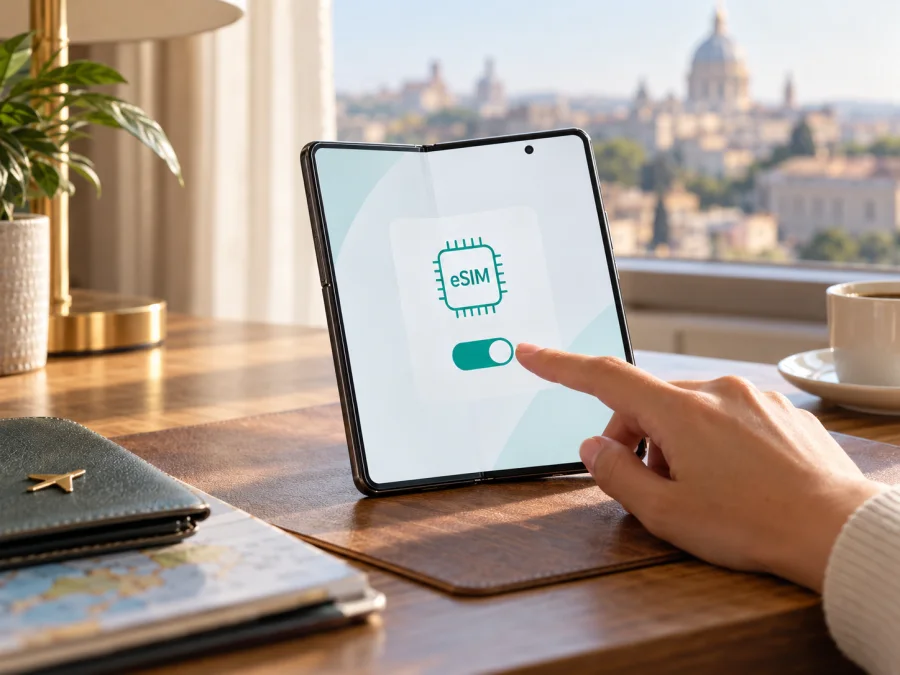
eSIM on Honor Magic V6 128GB: compatibility and setup
Quick answer: HONOR’s current regional Magic V6 specifications confirm eSIM support, including SIM1 + eSIM and eSIM1 + eSIM2 configurations. However, the exact “Honor Magic V6 128GB” storage variant could not be matched to an official HONOR configuration in the specifications reviewed. Treat eSIM support as unconfirmed for a listing described only by that storage label: check the phone’s model code, EID and settings before buying an eSIM plan. Storage capacity by itself does not determine whether the phone has an eSIM.
This distinction matters if you are comparing imported and locally sold foldables. A model name may look identical across listings while the country version, hardware configuration, carrier software or firmware differs. An official page for one market is evidence about that market’s product, not proof that every device called Magic V6 has the same SIM hardware or software. If the seller cannot identify the specific variant, ask for the model code and a clear image of the SIM settings before you pay.
Does Honor Magic V6 128GB support eSIM?
HONOR’s official specifications for the Magic V6 in Singapore list several SIM combinations: two physical SIMs, one physical SIM plus one eSIM, or two eSIMs. HONOR’s regional buying guide also confirms eSIM functionality and says availability can vary by country and carrier. These are positive signs for the Magic V6 family, but they do not verify a 128GB storage configuration: the official specifications reviewed list other memory combinations, including 16GB + 512GB and 16GB + 1TB. The “128GB” part of the supplied device name should therefore be checked against the seller’s exact model code and the handset itself.
The most accurate answer is conditional: a Magic V6 variant with eSIM hardware and software can use eSIM, but the storage label “128GB” is not enough to establish that this particular listing is such a variant. If you already own the phone, use the checks below. If you are considering buying it, do not rely on a generic product title or a statement that simply says “dual SIM.” Ask the seller to verify EID availability and the add-eSIM menu on the actual handset.
An eSIM is a digital SIM profile added by QR code or another method offered for the plan. It connects through a supported mobile network, but does not mean the phone is unlocked, that every carrier will accept it, or that the plan covers every destination.
| Check | What is known |
|---|---|
| Exact name supplied | Honor Magic V6 128GB |
| Official eSIM information for the Magic V6 family | HONOR specifications list SIM1 + eSIM and eSIM1 + eSIM2 combinations for a regional model |
| Official 128GB configuration | Not verified in the current official specifications reviewed |
| Regional and carrier availability | May vary by country and carrier, according to HONOR |
| Best confirmation for your phone | Model code, EID and an available “Add eSIM” option in settings |
| Travel-plan requirements | Compatible eSIM device, unlocked handset, supported destination and correct data settings |
Regional versions and carrier restrictions
Manufacturers often sell regional editions with different radio bands, SIM trays, software builds and regulatory configurations. Importers may also describe memory differently, abbreviate a model number or reuse a general product name across variants. A phone can support mobile data and physical dual SIM while lacking eSIM activation, so the term “dual SIM” alone is not conclusive. Likewise, a device may have eSIM capability but still be carrier-locked or unable to activate a specific plan in a particular operator market.
HONOR’s eSIM note says availability depends on the country and carrier. That is a geographic and operator-specific limitation: a feature supported by an international or regional variant may not be enabled in every market, and a local carrier may impose its own conditions for eSIM provisioning. Do not infer support from the country where a phone is being used, from its language, or from the location of the seller’s warehouse. Confirm the exact model code against the HONOR page for the intended sales region and check that the operator or travel eSIM plan accepts that device.
A software update can change menu wording or improve activation reliability, but it cannot be assumed to add eSIM hardware to a variant that lacks it. Do not flash firmware from another region to try to unlock eSIM: this can affect functionality, updates or warranty support. For uncertainty, the reliable checks are the device identifier, system settings and direct confirmation from HONOR or the seller.
Check compatibility before choosing a plan
Use the following checklist on the actual phone. A “yes” to one item does not replace the others.
- [ ] Identify the model. Open Settings and look under About phone for the model name and model number. Compare the code with the seller’s listing, box label and official regional information. Do not treat “128GB” as a model code.
- [ ] Find the EID. In Settings, use the search field for “EID” or “eSIM”. Depending on the MagicOS version and region, the EID may appear under About phone, Status information, SIM status or an eSIM management page. An EID is a long identifier associated with the embedded SIM hardware. Do not post it publicly; share it only through a trusted support channel if needed.
- [ ] Look for eSIM controls. In Settings, open Mobile network, SIM management or the equivalent menu and look for Add eSIM, Download SIM, Add mobile plan or a similar option. Menu names can differ between software versions and regions.
- [ ] Check for an unlocked phone. Ask the original operator or seller whether the device is network-unlocked. A SIM restriction can prevent activation even when an EID is present.
- [ ] Check the target plan. Confirm that the country or region is covered, the plan is for mobile data if that is what you need, its validity starts when expected, and the installation method is supported on this phone.
- [ ] Prepare a connection. Keep Wi‑Fi available while installing the profile. The phone usually needs internet access to download and provision an eSIM.
If the EID appears and the settings show an option to add an eSIM, that is strong practical evidence that the handset can download an eSIM profile. It is not a promise that every profile will work: the provider, plan, local operator and network lock still matter. If neither EID nor an add-eSIM menu appears after updating and restarting, take that as a reason to pause and ask HONOR or the seller to identify the variant. A physical SIM tray, 5G icon or eSIM-ready specification for a different market cannot settle the question for your device.
Check whether your device is compatible
Before paying, compare the model code with the seller’s written confirmation and request a screenshot or live demonstration of the EID and eSIM menu. If you are buying remotely, make sure the return terms cover a device whose advertised eSIM feature is absent. These checks are especially useful for imported stock, refurbished phones and listings with a storage description that is not shown on the manufacturer’s regional page.
Why use an eSIM for travel data?
For a trip, an eSIM can add a mobile-data profile without removing the physical SIM already in the phone. That can be convenient if you want to keep your regular number available for incoming calls or account verification while selecting a separate travel data line. The available arrangement depends on the phone variant: HONOR lists some Magic V6 configurations that support one physical SIM with an eSIM and some that support two eSIM profiles, but the handset may not be able to use every stored profile at the same time. Check the phone’s SIM manager and the plan instructions.
Kaspersky eSIM Store is an app and website where travellers can choose, arrange and activate an eSIM plan for mobile internet abroad. Review its destination, data allowance, validity, activation timing and network conditions. Service uses the networks described in the plan, so availability depends on the destination and local operators.
Travel eSIM plans are often data-focused. Unless the plan terms say otherwise, do not expect a local number, voice minutes or SMS. Messaging and voice apps use data and require their own accounts. Check home-SIM roaming charges before keeping that line active.
Choose a plan for the destinations on your itinerary, then compare its data allowance and validity with your trip. A regional plan may cover several countries, but check its destination list for every stop.
How to install and activate an eSIM
First confirm that the actual Honor Magic V6 128GB handset has an EID and an eSIM installation option, is unlocked, and can connect to Wi‑Fi. Keep the QR code or other installation details accessible on a second screen or printed page. Many activation codes can be used only once, so do not scan repeatedly or delete a profile unless the plan instructions say you can reinstall it.
For general steps, see the Android eSIM installation guide and the iOS eSIM installation guide. The iOS guide is included as a general reference for travellers moving between devices; the Honor Magic V6 runs Android-based MagicOS, so follow the Android flow for this phone. The precise menu labels may vary by MagicOS version, sales region and carrier.
- Connect to Wi‑Fi. Keep a stable internet connection during profile download. If you are abroad already, connect to a trusted Wi‑Fi network before starting.
- Open mobile network settings. Go to Settings, then Mobile network or SIM management. Choose the control for adding or downloading an eSIM.
- Scan the QR code or enter details. Use the code supplied for your plan. If scanning is unavailable, check whether the plan provides manual activation details and enter them exactly as provided.
- Confirm the download. Review the prompts and allow the phone to install the mobile plan. Wait for the profile to appear in SIM management. Do not close the setup screen while the download is in progress.
- Name the profile. Use a clear label such as “Travel data” so you can distinguish it from your home SIM. Avoid deleting either profile just to rename it.
- Choose the mobile-data line. Select the travel eSIM as the line for mobile data when you are ready to use it. Keep calls and messages on your regular line if that is your intention, and check how your home operator bills roaming.
- Enable the profile at the right time. Follow the plan’s activation instructions. Some plans begin their validity at installation; others start when the eSIM first connects to a supported network. Do not assume the start time.
- Enable data roaming if required. Some travel eSIMs need roaming enabled for that profile to connect to the partner network. Turn it on only for the intended eSIM and follow the plan guidance. This setting does not make the plan global or change its included destinations.
- Wait for network registration. Allow several minutes after arrival, then check for a network name or data indicator. If the plan is not active yet, confirm that you have reached a covered destination and that the correct eSIM is enabled.
Use the eSIM for mobile internet on a trip
Before departure, install the eSIM over reliable Wi‑Fi if the plan allows advance installation. Check the plan’s activation rule so that installing it early does not start validity sooner than intended. You can usually keep the profile switched off until the trip begins, but follow the plan’s own directions if it specifies another sequence.
When you reach a covered destination, open SIM management and confirm that the travel profile is enabled. Set it as the mobile-data SIM and make sure mobile data is on. If the instructions require data roaming for this profile, enable that setting for the travel eSIM. Keep automatic network selection on initially; if the plan’s instructions name a supported network and the automatic connection fails, select that network manually only if it is available and permitted.
If you need the home line for calls or text messages, review “Data switching” or a similarly named feature. Disable automatic switching between SIMs if you want to avoid the phone using the home SIM for data. Incoming calls, SMS and voicemail on the home line may still incur roaming charges under your domestic plan, even when the travel eSIM handles mobile data. Check your carrier’s rules before travel.
Common problems and what to check
There is no EID or “Add eSIM” option
Confirm the exact model code in About phone, then compare it with the code on the box or purchase record. Check for a system update and restart once. If the menu remains absent, contact HONOR or the seller with the model code and region of purchase. Do not assume that a “128GB” listing is an official eSIM-capable regional configuration, and do not try another region’s firmware as a workaround.
The QR code will not scan or the profile will not download
Increase the QR display’s brightness, clean the camera lens and check that the code belongs to this plan and has not been used. If download stalls, reconnect to Wi‑Fi and retry once. Ask the plan provider before repeating a possibly single-use code.
The eSIM is installed, but there is no service
Confirm the profile is enabled, the destination is covered and the eSIM is selected for data. Enable data roaming if the plan requires it. Toggle airplane mode, then wait for registration or restart once. If the phone is locked, ask the original carrier about unlocking.
The phone shows a network, but apps cannot connect
Set mobile data to the travel eSIM and check the data allowance. Briefly turn off Wi‑Fi to test cellular data. Enter APN details only if the plan instructions provide them, and check the plan’s validity and activation rule.
Data appears to use the wrong SIM
Return to SIM management and inspect the mobile-data default. Turn off data switching between SIMs if you do not want the phone to fall back to your home line. Check each line’s roaming controls separately. The status bar alone may not make it obvious which profile is carrying data, so use the SIM settings to verify it.
The connection is slow or unstable
Move to stronger reception, toggle the travel line and wait for registration. Check that the network is included in the plan. Phone 5G capability does not guarantee local 5G service; the plan, network, bands and coverage also matter. If service remains unavailable, contact plan support with your location and network status. Do not share your QR code or full EID publicly.
Frequently asked questions
Does Honor Magic V6 128GB definitely support eSIM?
The Magic V6 family has official regional specifications that confirm eSIM combinations. The specific “128GB” configuration was not verified in the official storage options reviewed, so do not treat the exact listing as confirmed until its model code and handset settings show eSIM capability. The EID and Add eSIM menu are the most practical checks.
If my phone has an EID, will any travel eSIM work?
No. The EID indicates eSIM capability, but the phone must also be unlocked, compatible with the profile and able to connect to a network supported by the plan in that destination. Regional or carrier restrictions can still apply.
Can I keep my regular SIM active?
Possibly. HONOR lists regional Magic V6 variants with SIM1 + eSIM, but active combinations and settings depend on the specific version. If you keep your home SIM enabled for calls or messages, check roaming charges and turn off data switching if you want data to stay on the travel eSIM.
Does an eSIM plan automatically include calls and text messages?
No. Many travel plans are for mobile data. Read the individual plan terms for any included number, voice service or SMS. Internet calling and messaging apps can work over data where their services are available.
Should I install the profile before flying?
You can install it before departure if the plan permits and you have reliable Wi‑Fi. Check when validity begins. Some plans start at installation, while others start when the eSIM first connects to a supported network.
What if the seller only says “dual SIM”?
Ask whether the exact model code supports eSIM, then request confirmation of the EID and Add eSIM option on the actual device. “Dual SIM” can refer to two physical SIMs and does not by itself prove eSIM support.
Check your phone, then choose a travel eSIM
Before choosing a plan, confirm the model code of your Honor Magic V6 128GB, find its EID and verify that Settings offers Add eSIM. If any check fails, ask HONOR or the seller to identify the exact regional and operator version. Do this before paying for a plan, because the storage description alone cannot confirm the phone’s SIM hardware, carrier lock or software support.
Once the handset is confirmed compatible and unlocked, check the destination, data allowance, validity and activation conditions for your trip. Kaspersky eSIM Store’s app and website help you choose, arrange and activate an eSIM with a plan for mobile internet abroad. Review the plan’s details and local network conditions, install the profile over Wi‑Fi, then select the correct eSIM for mobile data when you are ready to travel.


