Travel connectivity guide
Honor Magic V6 256GB 5G eSIM Compatibility
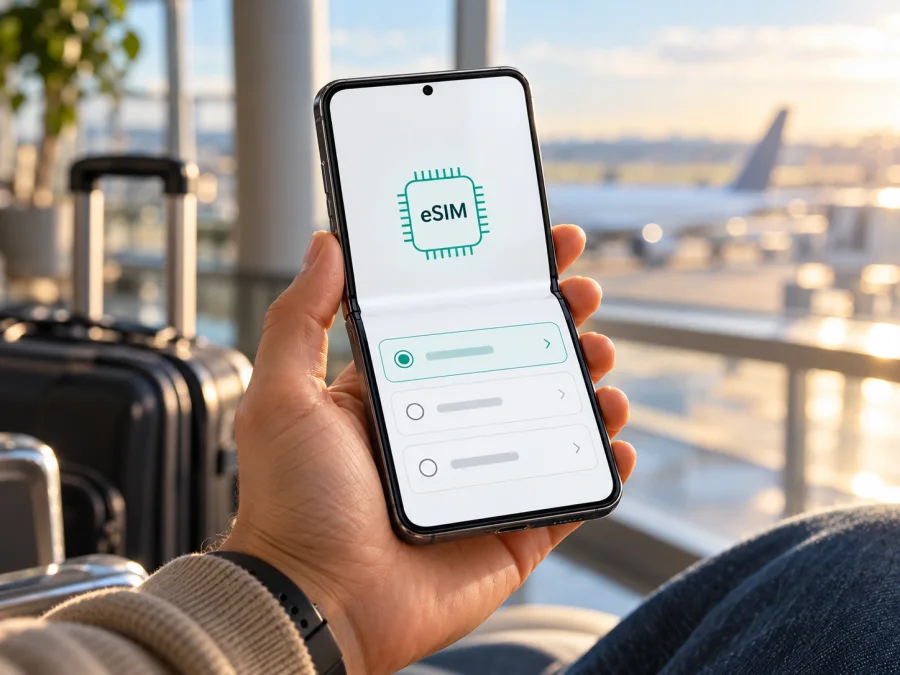
Honor Magic V6 256GB 5G eSIM: compatibility and travel setup
If you are considering the Honor Magic V6 256GB 5G for a trip, the short answer is: the HONOR Magic V6 model family has an eSIM option in official regional specifications, but a listing that says “256GB 5G” alone does not confirm that the exact handset in your hands has eSIM enabled. HONOR’s current Singapore specification lists SIM1 + SIM2, SIM1 + eSIM, and eSIM1 + eSIM2 configurations, while warning that availability can vary by country and carrier. The same specification page does not list a 256GB storage configuration. Check the exact region code, EID and software menu on the device before choosing a travel plan.
That distinction matters because the product name in a retailer listing can combine a storage capacity, network generation and model-family name without identifying a market SKU. A phone can support 5G and still lack eSIM in a particular regional version. Treat the eSIM menu on the handset and the manufacturer's documentation for its region as the decisive checks.
Quick compatibility summary
| Item | What is confirmed | What you should verify |
|---|---|---|
| Exact requested name | Honor Magic V6 256GB 5G | Keep this exact variant in mind when checking the box, settings and seller record. |
| eSIM for the model family | Official HONOR regional specifications list SIM1 + eSIM and eSIM1 + eSIM2 combinations. | HONOR says eSIM availability may differ by country and carrier. |
| 256GB regional configuration | Not shown in the Singapore specification checked for this article, which lists 16GB + 512GB and 16GB + 1TB. | Confirm that 256GB is an official configuration for the handset's market, rather than relying on a shortened shop title. |
| 5G | The official specification lists 5G network support for the model family. | Supported bands and service depend on the regional model and local network. 5G does not prove eSIM availability. |
| Travel data eSIM | It may be usable if the handset has an active eSIM function, is unlocked and supports the chosen plan's network. | Check EID, Add eSIM, carrier restrictions, plan terms and destination coverage before paying. |
The available evidence supports a conditional answer: HONOR lists eSIM for the Magic V6 family, but eSIM support on the exact Honor Magic V6 256GB 5G unit remains unconfirmed until its region-specific SKU and on-device eSIM capability are checked. This is a practical distinction, not a reason to assume either that every version works or that none does. The word “5G” identifies a cellular-generation capability; it does not describe the SIM hardware or carrier provisioning.
Why regional versions matter
Phone makers sometimes sell the same named model in multiple markets with different SIM trays, radio bands, firmware features, memory combinations and carrier certifications. The official HONOR regional product page is more useful than a general retailer headline because it describes a particular market's configuration. Even then, HONOR explicitly makes eSIM availability dependent on country and carrier.
For the specification checked here, HONOR lists three possible SIM arrangements: two physical SIMs, one physical SIM plus one eSIM, or two eSIMs. This is evidence that at least some Magic V6 regional versions are designed to support eSIM. It does not prove that a specific imported, carrier-sold or 256GB device uses that configuration. Nor does a SIM-tray shape settle the question: an eSIM is embedded and does not need a physical slot, while a tray may still be present on a phone with eSIM.
The “256GB” detail should be treated carefully. The regional HONOR specification consulted lists 16GB + 512GB and 16GB + 1TB, not 256GB. A 256GB listing could describe another market, a reseller's stock description, or a variant whose official regional page was not available in the checked source. Do not rewrite the requested device as another storage version. Instead, match the product's model or region code from Settings, the box label or purchase record against the relevant HONOR support information. If HONOR's local site does not show that code, ask HONOR support or the seller to confirm eSIM for the specific SKU in writing.
Carrier and software conditions add another layer. A carrier-customized handset can have SIM restrictions, and eSIM activation may depend on the operator's provisioning system. A firmware update may change menus or supported features, but it cannot add an eSIM profile to hardware or a regional build that does not support it. Before purchase, make sure the phone is network-unlocked and that its owner can add a plan from a carrier other than the original seller.
Check the phone before buying a plan
Use more than one check where possible. The strongest practical confirmation is an EID shown in the handset settings together with an available option to add or download an eSIM. An EID is the identifier associated with an eSIM-capable device. Menu wording can differ by MagicOS version and region, so check more than one path rather than concluding from a missing label alone.
Compatibility checklist
- [ ] Open Settings and search for “EID”. On many Android phones, the value is under About phone, Status, or a SIM status page. You can also try the dialer code
*#06#; if the device exposes its identifiers there, an EID may appear beside the IMEI. Do not share an EID or IMEI publicly. - [ ] In Settings, open Mobile network, SIM management, or a similarly named menu. Look for Add eSIM, Download SIM, Add mobile plan, or a QR-code setup option. Labels vary by firmware.
- [ ] If the eSIM menu is missing, restart after installing pending official system updates, then search Settings again. A missing EID and missing add-plan option together are a strong reason to stop and verify the exact regional SKU with HONOR or the seller.
- [ ] Check whether the phone is carrier-unlocked. Ask the original operator whether a third-party travel profile can be installed and used.
- [ ] Confirm that the seller's model/region code matches the intended market and that the manufacturer lists eSIM for it. Do not use a listing for another Magic V6 memory or regional variant as proof.
- [ ] Check that the travel plan supports the country or region on your itinerary and the phone's network bands. Read when validity starts, how much data is included and whether tethering is allowed.
For an additional device-level check, Check your device before selecting a plan. Compatibility checkers are useful screening tools, but they cannot inspect a carrier lock or a hidden regional limitation on your individual handset. Confirm directly on the phone whenever you can.
Install and activate an eSIM
Only install a profile when you have a reliable internet connection, access to the provider's activation details and enough time to complete setup. Keep the QR code or manual activation information available on another screen or printed page; a phone usually cannot scan a QR code displayed on its own screen. Follow the plan provider's instructions because activation timing and menu labels vary.
Android setup, including MagicOS
- Connect the phone to stable Wi-Fi. Keep the physical SIM active if you still need calls, texts or a second data connection during setup.
- Open Settings and go to Mobile network or SIM management. Select Add eSIM or the matching option. If there is no such entry, pause and repeat the EID and regional checks above.
- Choose the option to scan a QR code, or enter the activation details manually if the plan provider supplied them. Scan the code from a second device or printout.
- Review the plan label and confirm the download. Do not scan the same activation code repeatedly if the first attempt is still processing; some codes are single-use.
- When installation finishes, give the profile a clear name such as “Travel data”. Choose which SIM should handle mobile data. Keep your home SIM selected for calls and texts if that is your preference and the phone allows dual-SIM standby.
- Before departure, leave the travel profile installed but check the plan's start rule. Some plans start on installation; others start on first connection to a supported network. Follow the provider's stated timing.
- At the destination, turn on the travel eSIM, set it as the mobile-data SIM, and enable data roaming for that eSIM only if the plan instructions require it. Keep data roaming off for the home SIM unless you intend to use its roaming service.
- Wait for network registration. If the plan requires an APN, enter the exact APN shown in its instructions. A restart or a brief airplane-mode toggle may help the phone register.
Kaspersky eSIM Store's Android installation guide provides additional general steps. The guide may show a different Android manufacturer's menu, so use the equivalent controls on MagicOS and follow the instructions included with your selected plan. If you use an iPhone as a separate device, the iOS installation guide explains the corresponding iOS flow.
Installing a profile and connecting to service are separate events. The profile can appear in SIM settings before it has registered on a local network. Once connected, verify that the correct line is selected for mobile data and that a data indicator appears. Avoid deleting the profile as a troubleshooting shortcut: a deleted eSIM may not be recoverable with the same QR code.
Use the eSIM during a trip
An eSIM is useful when you want to keep a home physical SIM in the phone while using a separate data plan abroad, provided the handset and both services support the chosen dual-SIM arrangement. For a short trip, install the travel profile before leaving, then switch mobile data to it after arrival. This can reduce setup time at the airport, but only install early if the plan's validity does not begin too soon.
For a multi-country route, check whether the chosen plan covers every destination and any transit country where you need data. A country plan may not include neighboring states. Regional or multi-destination plans can be more convenient, but their coverage list, data allowance, speed policy and validity still need to match your route. Do not infer coverage from the name of a region alone.
The travel eSIM may provide mobile data without a traditional phone number. Unless a specific offer states otherwise, plan on using your home number for ordinary calls and SMS where available, and internet messaging or voice apps over the data connection for communication. If you want to share data with a laptop, check whether tethering is permitted and whether the phone's hotspot setting is available for that profile.
Before choosing a plan, estimate how you use data. Maps, ride-hailing, translation, messaging and email usually need less than frequent video streaming, cloud backups or hotspot use. Download maps and travel documents over Wi-Fi, disable automatic app updates on mobile data, and check your device's data-usage screen during the trip. A foldable phone's large display does not change the plan's data allowance; streaming and cloud sync can consume data quickly on any handset.
Kaspersky eSIM Store is an app and website where you can choose, arrange and activate an eSIM plan for mobile data on an international trip. Check the current destinations and plan conditions in the Kaspersky eSIM Store. This is the Store homepage for browsing current options, not a country-specific tariff page. Compare the destination, included data, validity, price and any restrictions shown for the plan you select.
Troubleshooting: start with the line and the plan
If the eSIM installs but mobile data does not work, check the basics in order. First confirm that the profile is switched on and selected for mobile data. Then check that airplane mode is off and that mobile data is enabled. If the plan requires roaming, turn on data roaming for the travel eSIM, not automatically for every SIM in the phone. Check the plan's activation state and validity in the provider's app or account.
| Symptom | Checks to make |
|---|---|
| No Add eSIM option | Look for an EID; search all SIM and mobile-network settings; update and restart; verify the regional SKU and ask HONOR or the seller about that exact unit. |
| QR code will not scan | Increase screen brightness on the other device, clean the camera, use manual activation details if provided, and check that the code has not already been used or expired. |
| Profile installed, but no signal | Confirm the plan is active for the current country, select the travel line for data, toggle airplane mode briefly, restart, and allow a few minutes for registration. |
| Signal appears, but apps are offline | Verify mobile data is on, the correct SIM is the data line, roaming is enabled if required, and the APN matches the provider's instructions. Try a different supported network selection only if the provider recommends it. |
| Data works slowly or disconnects | Move to an area with better reception, turn off a VPN temporarily for diagnosis, check data allowance and speed limits, and test again. Local congestion and coverage can affect performance. |
| Home SIM incurs roaming | Recheck the default data line and disable data roaming on the home SIM. Calls or texts on that line can still have separate charges under its home plan. |
| QR code says it has been used | Do not delete and reinstall repeatedly. Contact the plan provider with the order details and ask whether a replacement activation method is available. |
If you contact support, provide the handset's exact model and region code, MagicOS version, the country you are in, the status of the eSIM profile and any error message. Share identifiers only through a verified support channel when requested; never post an EID, IMEI, activation QR code or full activation code in a public forum.
Common questions
Does Honor Magic V6 256GB 5G support eSIM?
HONOR's regional specification confirms eSIM options for the Magic V6 family. It does not establish that every market version supports them, and the 256GB configuration is not listed on the Singapore specification checked here. Verify the individual handset's EID and Add eSIM menu, then confirm its region code with HONOR or the seller. Until those checks pass, treat the exact 256GB unit as unverified.
Is 5G enough to confirm eSIM compatibility?
No. 5G describes a mobile-network capability. eSIM depends on the device's embedded SIM support, regional firmware, carrier permissions and plan provisioning. A 5G phone can still have no usable eSIM option.
Can I use a physical SIM and eSIM at the same time?
HONOR lists SIM1 + eSIM as one supported Magic V6 family configuration. Whether both lines can remain active together, and which one can use data, depends on the specific model, software and carrier settings. Review the on-device SIM manager and the operator's conditions.
Will a travel eSIM replace my normal number?
Usually a data travel plan is intended for mobile internet, not as a replacement for your regular voice line. Keep the home SIM active if you need its number, and confirm any call, text or roaming charges with that operator. Internet calling and messaging apps can use the travel data connection.
Should I install the plan before flying?
That can be convenient if you have Wi-Fi and the provider permits pre-installation. First check when validity begins. If it starts at installation, wait until closer to departure or until arrival, depending on the plan's instructions.
Can I move the eSIM to a new phone later?
Do not assume so. Some profiles can be transferred; others are locked to the device or require a replacement activation. Check the plan conditions before installation and contact its provider before changing phones. Removing an eSIM may deactivate it permanently.
Before you travel: verify, then choose
For the requested Honor Magic V6 256GB 5G, use a simple decision sequence: identify the exact regional SKU; find an EID and an Add eSIM or download-plan option in Settings; confirm that the phone is unlocked; and check that your chosen plan covers the destination and fits your data needs. The official Magic V6 specifications show that eSIM exists in some regional configurations, but do not treat that family-level fact as proof for an unspecified 256GB handset.
Once the handset passes those checks, compare plans by destination, data allowance, validity and activation timing. Kaspersky eSIM Store's app and website let you review available options and manage an eSIM plan for mobile data on a trip. Choose a plan only after confirming that the exact device can install it and that its conditions fit your itinerary. If the EID or eSIM menu is absent, ask HONOR or the seller to verify the model code before purchasing; if eSIM is not available on that version, use a compatible unlocked phone or another connectivity option for the trip.


