Travel connectivity guide
Honor Magic V6 256GB eSIM: Compatibility & Setup
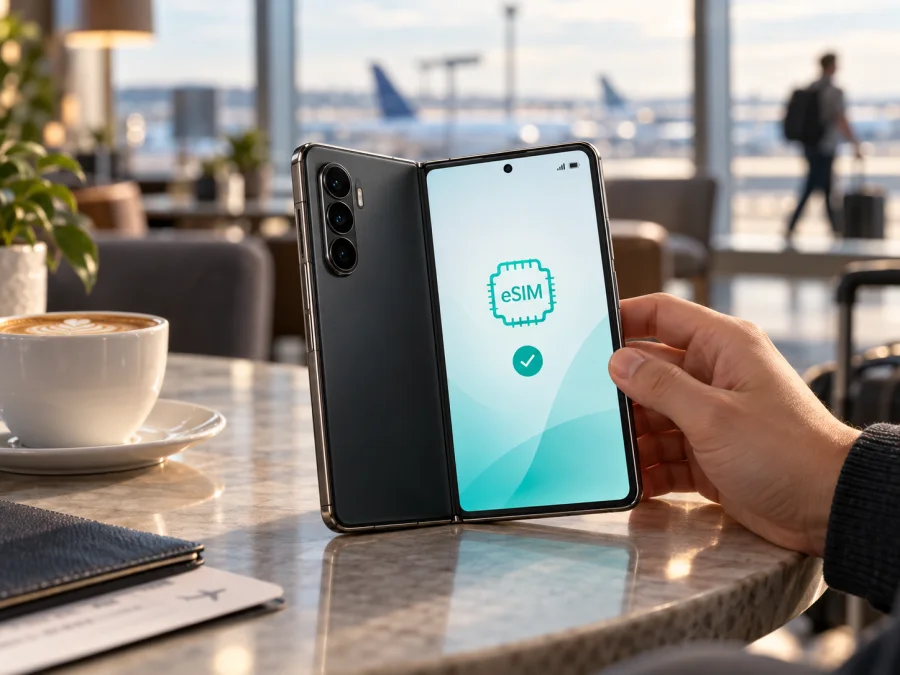
Honor Magic V6 256GB eSIM compatibility and setup
Short answer: eSIM is available on at least some regional versions of the Honor Magic V6, but “256GB” alone cannot confirm that your phone supports it. HONOR Singapore’s official Magic V6 specifications list SIM1 + SIM2, SIM1 + eSIM, and eSIM1 + eSIM2 configurations. Yet HONOR’s global eSIM compatibility page, last updated May 7, 2026, does not list the Magic V6. HONOR Philippines’ eSIM guide published September 10, 2026 also names the Magic V6 as compatible. Availability can still vary by country and carrier, so treat the 256GB market variant as unconfirmed until you check the handset itself. Before buying a travel plan, look for an EID and an Add eSIM control in Settings.
Does the Honor Magic V6 256GB support eSIM?
There is no universal yes or no for every phone sold as a Magic V6. The Singapore specification is direct manufacturer evidence that some Magic V6 configurations support eSIM: it lists two physical SIMs, one physical SIM with an eSIM, or two eSIMs. The same page says eSIM availability may vary by country and carrier.
There is a qualification. HONOR’s global eSIM page, last updated May 7, 2026, lists several compatible phones but omits the Magic V6; HONOR Philippines’ later guide, published September 10, 2026, does name it. The later guide and regional specifications confirm eSIM support in the V6 family, while neither establishes that every 256GB market variant has the same configuration. The market, full model code, firmware, and local carrier support still matter.
| Item | What is known |
|---|---|
| Device variant | Honor Magic V6 256GB |
| Form factor | Foldable Android smartphone |
| SIM configurations | HONOR Singapore lists SIM1 + SIM2, SIM1 + eSIM, and eSIM1 + eSIM2 |
| eSIM availability | Confirmed for a documented regional configuration; not guaranteed for all markets |
| Storage relevance | 256GB alone does not prove eSIM support |
| Personal confirmation | Check for EID and Add eSIM on the exact phone |
If shopping online, ask for the complete model code and confirmation tied to that code. A generic product description, 5G support, or another owner’s experience is not enough. Avoid sharing an EID publicly; give it only through a trusted provider’s official process if required.
Why region and carrier matter
As checked on September 27, 2026, HONOR Singapore’s V6 specifications list eSIM combinations, and HONOR Philippines’ eSIM guide published September 10, 2026 names the V6 as compatible. An older HONOR global compatibility page, last updated May 7, 2026, omits the model. The manufacturer says availability varies by country and carrier. These pages confirm the feature in the V6 family, but do not guarantee every 256GB market variant. Ask HONOR or the seller to verify the full model code and sales region.
Check compatibility before buying
Menu wording can vary slightly by regional software and MagicOS version. Use Wi-Fi and check the actual phone before you pay for a plan.
- Find the EID. Open Settings > About phone and look for EID. Some builds place it under a status or SIM information page. HONOR’s support instructions use Settings > About phone > EID. If there is no EID, the phone may not expose eSIM capability.
- Look for Add eSIM. Open Settings > Mobile network > SIM management and look for Add eSIM or an add control beside a SIM slot. HONOR documents this path for supported phones.
- Confirm the model code and region. Note the full model number and software version in About phone. Ask HONOR support or the seller whether eSIM is enabled for that exact code. “Honor Magic V6 256GB” is not a complete model identifier.
- Check the carrier lock. Ask the original carrier or seller whether the phone can accept another provider’s eSIM.
- Check the plan. Make sure the provider accepts your device and that the destination and route are covered. Read the allowance, validity, activation timing, and any roaming requirement.
- Prepare internet access. Profile installation typically requires Wi-Fi or another connection. Keep your existing SIM active until the new profile is installed and confirmed.
If the menu is missing, install any official system update, restart, and search Settings again. Do not assume an update will enable eSIM. If EID and Add eSIM remain absent, ask HONOR or the seller to confirm support before purchasing a non-refundable plan.
Compatibility checklist
- [ ] The handset is the exact Honor Magic V6 256GB unit you will take.
- [ ] Settings shows an EID and Add eSIM.
- [ ] The phone is not locked against another provider’s profile.
- [ ] The provider accepts the phone and supports every destination.
- [ ] You have Wi-Fi and the activation instructions.
- [ ] You know when validity starts and whether data roaming is needed.
For another quick check, check your device for eSIM compatibility.
How to install and activate an eSIM
These steps apply only if the exact phone offers eSIM controls. HONOR’s documented route is Settings > Mobile network > SIM management. The provider supplies the QR code, activation details, or supported in-app installation method. Labels and available options can vary by region and software version.
Before you start
- Connect to stable Wi-Fi and read the plan’s installation instructions.
- Check when validity begins. Some plans start at installation; others at first connection in the destination.
- Keep the QR code available on another screen or use an image-import/manual option if offered. A phone cannot scan a code displayed only on itself.
- Do not delete a profile to troubleshoot unless the provider confirms it can be reinstalled. Some activation codes are single-use.
Add the profile
- Go to Settings > Mobile network > SIM management.
- Tap Add eSIM. If the control appears beside a SIM slot, select it and follow the prompts.
- Choose the method offered by the provider: scan its QR code, select a saved QR image, enter activation details, or use the provider’s app if supported.
- Keep the phone online while it downloads and installs the profile. Follow any confirmation screens.
- Give the new line a clear label, such as Travel data, so it is easy to identify beside your regular SIM.
- Enable the profile when appropriate. Confirm it appears in SIM management. Follow the provider’s timing instructions if installation itself starts the validity period.
HONOR’s official support guidance describes QR scanning, manual entry, and pre-assigned plans where available. It also directs users to Settings > About phone > EID to find the device identifier. Actual options depend on the phone and provider.
For platform walkthroughs, see the Android eSIM installation instructions and iOS eSIM installation instructions. The iOS guide is useful if you are also setting up an Apple device; the Honor Magic V6 runs Android.
Select the line for data
In SIM management, select the travel eSIM for Mobile data when you want to use it. If your configuration allows both lines to stay enabled, you can keep your regular number available for calls or one-time codes. A travel plan may provide data only and no ordinary phone number, calls, or SMS; check its terms. Internet messaging and calls may work through apps over data.
Some providers require Data roaming on the travel eSIM. Enable it for that profile only if the instructions say to. To reduce unexpected charges, keep roaming off on your home line and verify which line is selected for data. An enabled profile does not necessarily mean it has connected or started using the plan; activation rules vary.
If the phone passes these checks and a trip is planned, Kaspersky eSIM Store is an app and website where you can choose, arrange, and activate an eSIM with a mobile-data plan for overseas travel. Review the destination, allowance, validity, price, and activation details shown for the plan. Kaspersky eSIM Store does not operate a mobile network; service depends on the plan and local network used by its provider.
Using eSIM while travelling
Before departure, install the profile over Wi-Fi if allowed, label it, and save the instructions securely. You may be able to leave it disabled until arrival. Check whether the plan’s validity starts on installation or first connection so it does not begin earlier than intended.
After landing, enable the travel profile, select it for mobile data, and switch on its data-roaming setting if required. Wait a few minutes for registration. Follow provider instructions if the network must be selected manually. Verify that the destination is covered; a regional plan name does not guarantee every nearby country is included.
Common problems and checks
No EID or Add eSIM option
Confirm the full model code and sales region. Update through the phone’s official system updater, restart, then search Settings for EID and eSIM. Check both About phone and Mobile network > SIM management. If both controls remain absent, ask HONOR or the seller whether eSIM is enabled for that unit. Do not rely on specifications for another region.
QR code does not scan
Increase brightness on the screen displaying the code, clean the camera lens, and hold the phone steady. If the code is on the same phone, use image import or manual entry if offered, or display it elsewhere. Confirm it has not already been used. Ask the provider about a replacement rather than repeatedly trying a single-use code.
Profile installed but no service
Check that the profile is enabled, selected for mobile data, and allowed data roaming if required. Briefly toggle airplane mode, then wait for the phone to register. Verify destination coverage, activation timing, validity, allowance, and any network-selection instructions. Restart if settings have just changed. Contact the provider if the plan still does not connect; avoid deleting the profile unless support recommends it.
Data uses the home SIM
Open SIM management and confirm the travel eSIM is selected for mobile data. Check again after toggling a line, since some phones may switch data when a SIM becomes unavailable. Keep data roaming off on the home SIM if you want to avoid its roaming charges.
Phone is locked or rejects the profile
An EID proves neither carrier unlocking nor provider acceptance. Ask the original carrier or seller whether another provider’s eSIM is allowed. The carrier that placed a network restriction is usually the party that can confirm or remove it.
Signal appears but apps have no data
Check the data-line selection, roaming toggle, remaining allowance, and plan validity. Turn Wi-Fi off briefly to confirm cellular data is being used. Change an APN only if the provider gives exact instructions. Avoid changing unrelated network settings.
A previously used QR code fails
Some codes are single-use or tied to the first installation. Before deleting or transferring the profile, ask the provider whether it can be reinstalled and request a replacement if needed. Keep order details private; do not publish the activation code or EID.
Frequently asked questions
Does every Honor Magic V6 256GB have eSIM?
HONOR Singapore’s specifications list eSIM combinations and its Philippines guide published September 10, 2026 names the Magic V6 as compatible. However, support varies by market and carrier, and the 256GB label does not identify the regional SKU. Check EID, Add eSIM, and the complete model code on your handset.
Can I use an eSIM and physical SIM together?
HONOR Singapore lists SIM1 + eSIM. Whether the exact 256GB model supports it depends on its market version and software. Confirm in SIM management and with HONOR for the model code.
Can the phone store multiple eSIM profiles?
The Singapore specification lists eSIM1 + eSIM2 for its version. Stored profiles and simultaneously active lines are different things, and capabilities can vary. Check the phone’s SIM management screen.
Does a travel eSIM include calls and SMS?
Not necessarily. Many travel plans are for mobile data only. Check the plan terms. Internet calls and messaging apps may work over data; your regular number may remain on the home SIM if the phone supports that arrangement.
Should I install before travelling?
It is often convenient to install over Wi-Fi before departure, but first check when the plan’s validity starts. Follow the provider’s timing instructions and save the setup details securely.
What if the menu labels differ?
MagicOS wording may vary. Search Settings for “EID” or “eSIM,” check About phone and SIM management, and install an official update. If controls remain missing, ask HONOR support to verify your full model code.
Final device check and trip eSIM
Before selecting a trip plan for the Honor Magic V6 256GB, check the phone you will actually carry: confirm its regional model code, find an EID, and make sure Add eSIM appears in SIM management. Verify that it is unlocked and that the plan supports both the handset and every destination. HONOR’s Singapore specifications and its September 10, 2026 Philippines guide confirm eSIM support in the Magic V6 family; the model name and 256GB storage alone cannot confirm your unit.
Once those checks pass, compare plans by destination, data allowance, validity, and activation rules. Kaspersky eSIM Store’s app and website help you choose, arrange, and activate an eSIM plan for mobile data on an overseas trip. Install it using the provider’s instructions, select it as the data line when appropriate, and keep the setup details accessible. If EID or Add eSIM is missing, check with HONOR or the seller before buying.


