Travel connectivity guide
Honor Magic V6 512GB 5G eSIM Guide
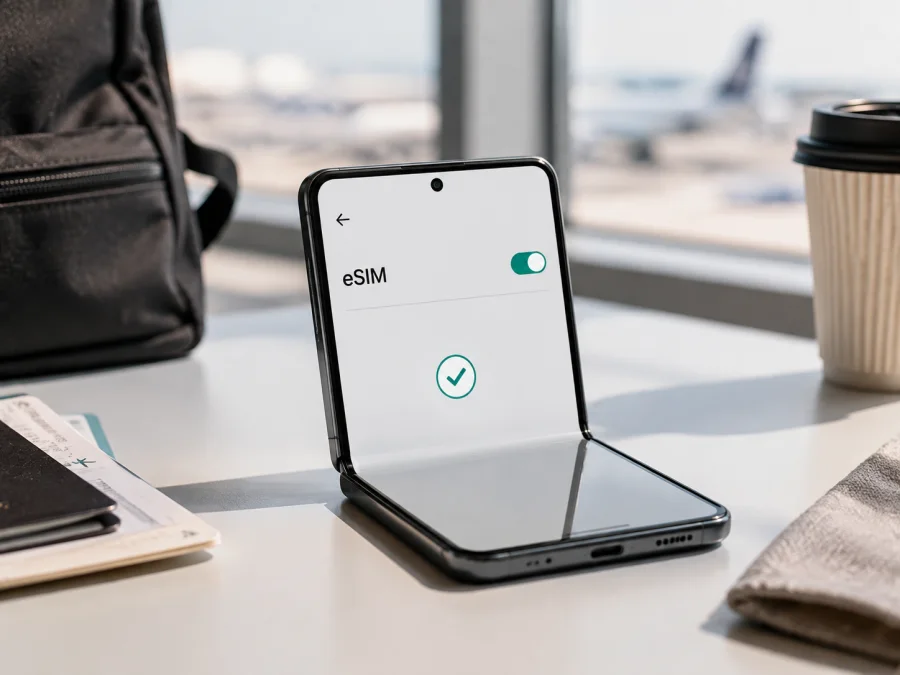
Honor Magic V6 512GB 5G eSIM: compatibility and setup
If you are planning to use an eSIM for mobile data abroad, the important question is not only whether the phone is sold as a 5G foldable, but whether your particular market version has an eSIM radio profile enabled. The exact device in this guide is Honor Magic V6 512GB 5G. The storage and 5G designation are part of the model variant being checked; they should not be treated as a different phone or silently replaced with a shorter model name.
Quick answer: does Honor Magic V6 512GB 5G support eSIM?
There is no universal “yes” for every Honor Magic V6 512GB 5G. HONOR’s global eSIM page lists supported phone families up to Magic V5 and warns that eSIM can vary by country of origin. An official European Magic V6 store presentation shows eSIM capability, while the Chinese 12GB+512GB listing describes dual SIM and does not establish eSIM for that version.
The conclusion is conditional. A European or other market release may support eSIM, while a China-market version may rely on two physical SIM cards. 512GB storage and 5G do not prove eSIM support; country, hardware, carrier configuration and firmware can affect availability.
Before buying an eSIM plan, check the phone itself. If Settings shows an EID and a working Add eSIM or equivalent option, the device is normally ready for an eSIM profile, subject to carrier and plan compatibility. If neither appears, do not assume that a QR code will work just because another Honor Magic V6 listing mentions eSIM.
What the exact variant means
The name identifies a storage and network configuration, not one guaranteed global hardware build. Country versions can have different SIM trays, radio bands, firmware and features, so keep the full name Honor Magic V6 512GB 5G while qualifying the market.
| Item | What to understand before using an eSIM |
|---|---|
| Device variant | Honor Magic V6 512GB 5G |
| Form factor | Foldable Android smartphone; menu names can vary by MagicOS |
| Physical storage | 512GB is storage capacity, not an eSIM indicator |
| Mobile network | 5G capability does not automatically mean eSIM capability |
| eSIM status | Depends on the country version, hardware, carrier configuration and software |
| Decisive checks | EID in device information and Add eSIM in SIM management |
| Travel use | Usually data-only; calls and SMS require explicit plan support |
For an imported phone, ask for its origin, model identifier and a SIM screenshot. Listing labels are not substitutes for checking the phone.
Why regional and operator versions can differ
HONOR warns that eSIM may not be supported in every country of origin, even when a device family is listed as compatible. A country store can sell a different SIM arrangement.
For Honor Magic V6 512GB 5G, ask:
- Does the device expose an eSIM function?
- Can this country version add an eSIM?
- Is the device unlocked, and does the plan support it?
A “dual SIM” description can mean two physical nano-SIM cards, not physical SIM plus eSIM. An official eSIM icon is useful evidence for that market, but do not infer support from the 5G logo, 512GB capacity, a different Magic V model or another owner’s screenshot.
Compatibility check before you choose a plan
Use this checklist with the phone in hand, not a similar model listing.
- [ ] Open Settings and search for “EID,” “eSIM” or “SIM management.”
- [ ] Confirm that an EID is displayed under device or phone information.
- [ ] Open SIM management and look for Add eSIM, Add mobile plan or comparable wording.
- [ ] Check whether the option opens a QR-code scanner or a manual activation flow.
- [ ] Confirm that the phone is not locked to a carrier or restricted by an employer or reseller.
- [ ] Make sure MagicOS is up to date, then check the menu again after restarting.
- [ ] Ask the seller to confirm the country version and model identifier in writing.
- [ ] Compare the plan’s supported destination, validity period, data allowance and activation rules with your itinerary.
For a direct device check, use the compatibility checklist above. If you cannot find an EID or any way to add an eSIM, pause before purchasing. An eSIM plan is a digital profile, not a feature that can be added to a phone lacking the necessary hardware or regional enablement.
How to find the EID
On a compatible HONOR phone, open Settings > About phone and look for EID. HONOR also says the EID may be printed on the original box. Menu wording can change with language and MagicOS, so use Settings search if needed.
Copy the EID carefully if a provider asks for it; it is not the QR code. If the EID is present but Add eSIM is missing, regional firmware may not expose activation. Ask the seller or HONOR support to confirm the exact version. See Check your device compatibility.
What you need before installation
Prepare the compatible Honor Magic V6 512GB 5G, stable Wi-Fi or working mobile data, enough battery, and the QR code or activation details. Display the QR code on another screen or print it; the phone cannot scan a code shown only on itself.
Confirm the destination, data allowance, validity period, start condition, roaming requirement and one-time installation rule. Travel eSIMs are often data-only: voice calls and SMS are excluded unless the plan says otherwise, while messaging apps can use the data connection.
Kaspersky eSIM Store is an app and website where you can choose, arrange and activate an eSIM with a mobile-data plan for an international trip. Kaspersky is not your mobile operator, network owner or mobile-internet provider; conditions and availability depend on the destination plan and underlying local operator arrangements.
How to install an eSIM on Honor Magic V6 512GB 5G
This follows HONOR’s general eSIM guidance; labels can differ by region or MagicOS. Stop if the controls are absent: a QR code cannot add eSIM to a device that does not expose the function.
1. Confirm compatibility
Open Settings > About phone and find the EID. Then open Settings > Mobile network > SIM management and look for Add eSIM. If either is absent, verify the country version before buying or installing.
2. Connect to the internet
Connect to trusted Wi-Fi or keep a working SIM for data so the phone can download the profile.
3. Open eSIM management
In SIM management, choose Add eSIM or the equivalent, then select QR-code setup. Some providers instead assign a plan to the EID or provide manual details.
4. Scan or enter the activation details
Scan the complete QR code. Use manual entry only when the provider supplied the server address and activation code; never substitute the EID for an activation code.
5. Wait for the profile to download
Allow a few minutes for the download. If it fails, note the exact message before retrying, especially with a single-use code.
6. Name the new line
Name it Travel data or after the destination.
7. Choose the data line
When asked, select the travel eSIM for data after confirming it was added. Keep the primary line for calls or SMS if needed, but review roaming.
8. Enable data roaming when the plan requires it
Enable data roaming for the travel profile only when the plan requires it. Keep home-SIM roaming off unless intentionally included.
For platform-specific help, see the Android installation instructions and the iOS installation instructions. The Honor Magic V6 512GB 5G itself uses Android and MagicOS menus.
Activation and first connection
Installing a profile and starting its plan are not always the same event. A plan may begin at first network connection or according to its purchase terms, so check this before deciding when to install.
For a low-risk arrival setup, install over reliable Wi-Fi but leave the line disabled if validity begins at first connection. After landing, turn on the travel profile, select it for data and allow registration. If installation starts validity, follow that plan rule instead.
Check that the profile is on, data is assigned to it and the signal indicator shows a supported network. Open a simple webpage and avoid large downloads.
Using the eSIM while travelling
Scenario 1: short city break
For a short trip, choose enough data for maps, tickets, translation, ride-hailing and messages. Install over Wi-Fi, save the QR details securely, and activate on arrival if the plan allows. Select the travel line and keep automatic switching off until you know which line is active.
Scenario 2: business travel with a home number
Keep the primary SIM for important calls or one-time codes, but make the travel eSIM the data line. Disable home-SIM roaming unless it is included. Review any app that asks to change the default line.
Scenario 3: several countries on one route
Compare a country plan with a regional plan covering the whole route. Check every border and validity rule, label installed profiles clearly, and enable only the current destination’s line. Multiple stored profiles and active-line rules depend on the phone version and software.
Scenario 4: hotspot for another device
Hotspot use depends on the eSIM plan, local rules and device settings. Check that tethering is allowed and monitor the balance because video calls, cloud sync and updates consume data quickly.
Troubleshooting guide
There is no Add eSIM option
Check the EID first. If both EID and eSIM menu are absent, the phone may be a physical-SIM regional version. Verify the model and origin. If an EID exists but the menu is absent, update and restart, then ask HONOR or the seller whether regional firmware enables eSIM.
The QR code will not scan
Increase the brightness of the screen showing the code and keep the full code visible. Use manual entry only when supplied. A used QR code may not be reusable, so contact support before deleting a partial profile.
The profile installs but there is no signal
Confirm that the profile is on, selected for data, and valid in the destination. Enable roaming if required, toggle airplane mode once, and check again in a better-signal area.
Mobile data still uses the home SIM
Make the travel eSIM the default for data and disable automatic data switching if available. Check the status indicator and usage for each SIM; keep home roaming off unless intended.
The connection is slow or stops
Review data, validity and the selected local network. Try a clearer-signal location, toggle airplane mode, pause backups and updates, and temporarily disable a VPN if it interferes. Speed varies by network and congestion; 5G on the phone is not a speed guarantee.
The phone is carrier-locked
An operator lock can block a compatible phone. Ask the original carrier to confirm unlock status before travel. Kaspersky eSIM Store cannot remove a hardware or carrier restriction on Honor Magic V6 512GB 5G.
You deleted the eSIM by mistake
Deletion may not be reversible. Keep the activation details and contact support before trying again.
FAQ
Is Honor Magic V6 512GB 5G definitely eSIM-compatible?
Not in every region. The global HONOR list currently does not name Magic V6, a European Magic V6 store presentation shows eSIM capability, and the Chinese 12GB+512GB listing describes dual physical SIM use. Check EID and Add eSIM on your unit.
Does 5G prove that eSIM will work?
No. 5G is a network technology; eSIM is a separate hardware and software capability that can vary by country and carrier.
Can I use an eSIM and a physical SIM together?
Possibly, but active-line rules depend on the region and MagicOS. Test the combination before travel and do not assume “dual SIM” means physical SIM plus eSIM.
Will the travel eSIM give me a local phone number?
Usually not. A travel eSIM generally provides data only; calls and SMS require a plan that explicitly includes them, or can use internet apps.
Should I install the eSIM before leaving home?
Install over reliable Wi-Fi when convenient, but check whether installation starts validity. Keep the profile inactive until arrival when appropriate.
Can I move the profile to another phone later?
Not necessarily. Treat it as tied to the first device unless transfer is explicitly supported.
What if there is no EID but the seller promised eSIM?
Ask for the exact country version and written confirmation. Another regional variant may support eSIM, but that does not change your unit. Wait until the phone shows EID and Add eSIM or HONOR confirms the model.
Key takeaways
Honor Magic V6 512GB 5G is region-dependent for eSIM. Official HONOR material supports a careful answer: some market versions present eSIM, while other listings and the global list do not establish it for every unit. EID and Add eSIM are the most useful self-checks.
Once compatible, arrange a destination eSIM, install over a stable connection, select it for data, and enable roaming only when required. Control primary-SIM roaming, monitor allowance and validity, and remember that data does not automatically include a phone number, calls or SMS.
Final device check and eSIM choice for your trip
Before payment, check Honor Magic V6 512GB 5G itself: confirm the country version, find EID, open Settings > Mobile network > SIM management, and verify Add eSIM. Check that the phone is unlocked and the plan covers every destination, enough data and the intended activation date. If any check fails, pause before purchasing.
When the checks pass, use the Kaspersky eSIM Store app or website to choose and arrange an eSIM mobile-data plan for the trip. Review the conditions, install at the right time, and activate only after confirming the selected data line.


