Travel connectivity guide
Honor Magic V6 eSIM: Compatibility and Setup
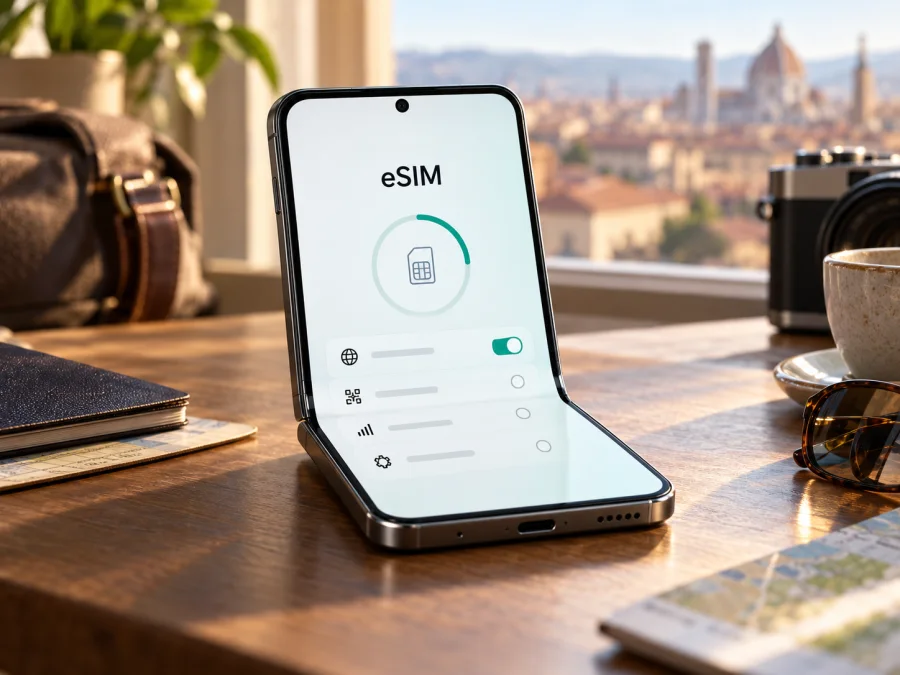
Honor Magic V6 eSIM: compatibility, setup, and travel use
Short answer
The Honor Magic V6 can support eSIM in at least one documented regional configuration: HONOR Singapore lists SIM1 + SIM2, SIM1 + eSIM, and eSIM1 + eSIM2 arrangements for the phone. That confirms an eSIM-capable regional version, but not every Magic V6 sold worldwide. HONOR’s global eSIM support page currently does not name Magic V6 in its device list and cautions that eSIM may depend on the country of origin. Because the request “Honor Magic V6” does not specify a sales region or model code, check the exact phone before buying a travel plan.
The best initial signs are an EID and an Add eSIM or Download a SIM option in the phone’s settings. Also verify the model number, original market, software version, and carrier-unlock status with the seller or HONOR. A 5G label, dual-SIM tray, or “global ROM” description does not prove eSIM support.
| Check | What is known |
|---|---|
| Device | Honor Magic V6, as named in this guide |
| Form | Foldable smartphone; HONOR announced the model in 2026 |
| eSIM | Listed in the Singapore regional specification; not confirmed for every regional unit |
| Market differences | HONOR says eSIM availability may vary by country and carrier; its general support list does not yet name Magic V6 |
| Before purchase | Confirm EID, eSIM menu, exact model/region, unlocked status, and the plan’s destination terms |
Does Honor Magic V6 support eSIM?
Some officially documented versions do; support for an unspecified unit is not confirmed. The HONOR Singapore specification lists these SIM combinations: SIM1 + SIM2, SIM1 + eSIM, and eSIM1 + eSIM2. This is direct evidence for that regional product configuration. HONOR’s global eSIM information separately notes that country of origin can affect support and does not currently include Magic V6 in its general list of supported devices.
Treat those pages as a reminder to check the market-specific handset, not as a universal yes. A Singapore-market specification is relevant to a unit sold for that market. It does not establish that an imported, China-market, operator-supplied, or otherwise different version exposes the same feature. The exact model code and firmware matter. Ask the seller or HONOR to confirm eSIM for the phone’s original sales country and current software build.
“Dual SIM” is not the same as eSIM. A dual physical-SIM phone may have no embedded SIM profile. A specification that says “SIM1 + eSIM” describes a physical SIM used alongside a downloadable profile, subject to that version’s software and local carrier rules. “eSIM1 + eSIM2” refers to a supported combination, but does not mean every profile can be active at once or that every operator supports transfer between devices.
The destination operator is a separate part of compatibility. A phone may have an EID but be carrier-locked, have eSIM unavailable in its regional software, or be incompatible with a particular plan or local network. The phone’s sales market affects whether eSIM is present; your travel destination and plan determine where it can connect.
Check compatibility before buying a plan
Use at least two checks on the actual handset. Menu labels can differ with MagicOS version, region, and carrier customization. If a menu is missing, update the phone and check again; if the EID and eSIM controls are both absent, treat compatibility as unconfirmed and contact HONOR or the seller before purchase.
On-device checklist
- [ ] Open the dialler and enter
*#06#. Look for an EID in addition to the IMEI numbers. Do not share the EID publicly; it is a device identifier. - [ ] Open Settings and look under Mobile network or SIM management for Add eSIM, Download a SIM, or Add mobile plan.
- [ ] Check Settings → About phone for the model number and software version. Compare these with the receipt and seller’s stated sales region.
- [ ] Ask HONOR or the seller to confirm eSIM for that exact model code, market, and firmware.
- [ ] Ask your current operator whether the phone is unlocked. An EID does not remove a network lock.
- [ ] Check that the travel plan supports the destination and device; review data allowance, validity, activation timing, and restrictions.
Before you select a plan, check whether your device supports eSIM. This is especially important for imported or refurbished phones and listings that say only “dual SIM” or “global version.”
What to ask the seller
Ask a specific question: “For this exact Honor Magic V6 model number and original sales region, does the installed firmware include an EID and Add eSIM function? Is this unit unlocked, and can it install a third-party travel data eSIM?” Request the model code in writing. If the box is sealed, ask about the regional version and return terms before opening it.
If neither EID nor an Add eSIM control appears after an official update and restart, treat compatibility as unconfirmed. Do not buy a plan on the assumption that a later update will add eSIM; ask HONOR or the seller to verify the exact unit.
For an imported phone, do not rely on a “global ROM” label. Check the full model code in About phone and its original sales region, then ask HONOR to confirm eSIM for that region and software build. If the seller cannot confirm it, plan for Wi-Fi or a compatible physical SIM until the feature is verified.
The official Singapore specification documents eSIM combinations for its regional Magic V6 configuration. HONOR’s general eSIM information does not currently list Magic V6 and warns that country of origin can affect support. This is why the sales market and actual phone settings matter more than the family name alone.
Repeat the menu and EID check after a major software update if the settings change.
Check whether your device supports eSIM before you choose a plan, especially if the phone is imported or refurbished.
An EID is a useful sign of embedded-SIM hardware, but does not guarantee that the feature is enabled for your regional software or accepted by every provider. The Add eSIM menu is a practical second check. If both are present, confirm the device is unlocked and compare it with the plan’s compatibility information. If neither is present, do not scan a random QR code or assume an update will add support.
An operator may confirm that its own eSIM service works without confirming compatibility with a travel plan. In that case, ask HONOR about the handset and the plan provider about the plan. The phone, network lock, and plan each need to pass their own check.
Prepare the phone for a trip
Choose a plan for every country or region on your itinerary. Do not assume that a plan for one destination includes neighboring countries or a transit stop. Compare the data allowance with your likely use: maps, messaging, email, browsing, and video can consume very different amounts. Read when validity begins. Depending on the plan, it may start at installation or at first connection to a supported network.
Kaspersky eSIM Store is an app and website where you can choose, arrange, and activate an eSIM with a mobile-data plan for an international trip. It is not a mobile operator and does not own the networks a device may connect to. Review the destination, coverage area, data allowance, validity, and activation terms shown for the plan you select.
To browse destinations and current plan terms, start at the Kaspersky eSIM Store. This is the general English store homepage, not a specific country tariff. Select your destination there and review the current details before proceeding.
Before departure, connect to reliable Wi-Fi, install official system updates, and keep the QR code or activation details accessible. If the plan allows advance installation, you may be able to add the profile and leave it switched off until you arrive. Follow the plan’s instructions: some plans begin validity at installation, and deleting a profile can make it difficult or impossible to reinstall. Check roaming charges with your usual operator if you plan to keep your primary SIM active.
How to install and activate eSIM on Honor Magic V6
Start only after the EID and Add eSIM checks pass, the phone is unlocked, and you have the QR code or manual details for a plan that covers your destination. Keep an internet connection available during installation. See the Android eSIM installation instructions for the current setup flow. The iOS instructions are for Apple devices and may help if you are preparing a second phone for the same trip.
- Connect to Wi-Fi. Keep the connection active until the profile finishes downloading.
- Open SIM settings. Go to Settings → Mobile network and open SIM management or the closest equivalent.
- Choose the eSIM option. Tap Add eSIM, Download a SIM, or Add mobile plan if available. If the option is missing, stop and repeat the compatibility check.
- Add the profile. Scan the QR code from your plan, or enter activation details manually if the provider offers that option.
- Wait for installation. Leave the settings screen open while the profile downloads. It may take several minutes.
- Name the line. Use a label such as “Travel data” so you can distinguish it from your primary SIM.
- Choose when to enable it. If the plan begins at first connection, leave it off until arrival if its instructions allow. If validity starts at installation, follow the plan’s timing notes.
- Set mobile data. Select the travel eSIM as the mobile-data line when ready. Keep calls and texts on your usual SIM if supported and desired.
- Enable data roaming for the travel eSIM if required. Check the plan instructions. Avoid enabling roaming on your primary SIM if you want to avoid your home operator’s charges.
- Connect at your destination. Turn on the travel profile and mobile data, then allow a few minutes for network registration.
The Honor menu wording can change with software updates, so follow the labels on your device. The Android guide provides a general flow; it does not guarantee that every regional Magic V6 has the eSIM option.
Use the eSIM for mobile data while travelling
After arrival, confirm the travel eSIM is enabled and selected for mobile data. Some plans require data roaming on that profile. A roaming toggle only permits the profile to use partner networks; it does not prove that the plan covers your country or location.
For a short city break, a modest allowance may be sufficient if you mainly use maps, messaging, and web searches. Remote work, navigation all day, or frequent photo uploads may need more data. Video calls, cloud backups, app updates, and streaming can use data quickly. The phone’s foldable screen does not change the plan’s allowance. Use Wi-Fi for large downloads when practical and review data use during the trip.
On a multi-country route, compare every stop with the plan’s listed coverage. At a border, registration on another supported network may take time. If service drops, check destination coverage and network selection before deleting or reinstalling the profile. A travel eSIM is generally intended for the device on which it was installed; do not assume it can be transferred.
The travel eSIM discussed here is for mobile data. Do not assume it includes a regular phone number, standard voice calls, or SMS unless the specific plan terms say so. Internet messaging and voice apps can work over data, subject to the app and local availability. If you need your usual number, keep that SIM active if supported and confirm roaming charges in advance.
Common problems and checks
QR code will not scan or download
Increase the brightness on the screen displaying the QR code, clean the camera lens, and hold the phone steady. Check that the code belongs to your plan and has not already been used. Use manual activation only if the provider supplied those details. Keep Wi-Fi connected and set the phone’s date and time automatically. A code from another plan will not work.
Profile installed, but no service
Check that the profile is enabled, selected for mobile data, and allowed to roam if required. Confirm the destination is included and the plan validity has begun. Briefly toggle airplane mode, restart, and allow a few minutes for registration. If the plan permits manual network selection, choose only a network named in its instructions. Change APN settings only with values supplied for that plan.
Connected, but apps have no internet
Make sure mobile data is assigned to the travel eSIM and check the plan’s data balance, validity, and destination. Turn off Wi-Fi briefly to test mobile data. Pause large downloads or a VPN if either changes the result. Also check whether the phone has a data limit or app-level restriction enabled.
Primary SIM or profile behaves unexpectedly
Review the default line for calls, messages, and mobile data. Dual-SIM behavior can vary, and some phones allow only one active data connection at a time. Ask your home operator about roaming costs before enabling its data service abroad. Do not delete a working travel profile to troubleshoot unless the provider confirms it can be reinstalled; many profiles are bound to one device or installation.
Network lock or transfer problem
Ask the original operator or seller to confirm unlock status. A travel plan cannot bypass a SIM lock. If you reset the phone, changed devices, or removed the profile, contact the plan provider with your order details rather than assuming the QR code can be reused.
Practical travel scenarios
You have a confirmed Singapore-market unit. The regional HONOR specification lists eSIM combinations. Check that your actual phone shows an EID and Add eSIM option, then verify unlock status and the plan’s destination terms. The regional specification is a useful starting point, not a replacement for checking the handset.
You need data as soon as you land. Confirm compatibility and unlock status before travel. Select a plan for the correct destination, and install it over Wi-Fi in advance only if its activation terms allow. Keep activation information accessible offline. On arrival, enable the profile, select it for data, and follow its roaming instructions.
You are crossing several countries. Compare the full route with the plan’s coverage list and validity rules. A plan for your first stop may not cover a transit country or the rest of your trip.
You want to keep your home number reachable. If the phone allows it, keep your primary SIM for calls or verification and select the travel eSIM for data. Disable data roaming on the primary SIM if you do not want to use it, and confirm charges with your operator. Dual-line behavior depends on the handset and operators.
Frequently asked questions
Can I tell from the box or “dual SIM” label?
No. Those labels do not prove that the phone has an embedded eSIM or that its software enables it. Check the EID and Add eSIM option, then verify the market and model number.
Does an EID mean any travel eSIM will work?
No. The phone must expose eSIM, be unlocked, and support the plan and destination network. Check all three before purchase.
Can I install the profile before departure?
Often, but follow the plan’s exact instructions. Validity may begin at installation or first connection. If advance installation is allowed, you may be able to leave the profile off until arrival.
Should data roaming be on?
It depends on the plan. Some travel eSIMs require roaming on that profile. Avoid enabling it on your primary SIM unless you accept possible charges from your usual operator.
Does a travel data eSIM include my phone number?
Not usually. Data does not automatically include a regular number, voice calls, or SMS. Check the plan terms; internet messaging apps can use mobile data where available.
What if I cannot confirm compatibility before my trip?
Do not purchase a plan that requires eSIM based on a guess. Ask HONOR or the seller to verify the exact version. Until confirmed, plan for Wi-Fi or a compatible physical SIM at your destination.
Before you choose a plan
For Honor Magic V6, match three things: the exact model code and sales region, the EID and Add eSIM controls on your phone, and the plan’s compatibility and destination terms. HONOR’s Singapore specification documents an eSIM-capable configuration, while its general support information cautions that market and carrier availability can differ. Keep this distinction in mind when considering an imported unit.
Check the phone before purchase, confirm it is unlocked, and then select a plan for every destination on your itinerary. Review the data allowance, validity, activation timing, and conditions. The Kaspersky eSIM Store website is a general starting point for browsing current destinations and arranging an eSIM data plan for an international trip; it is not a specific country tariff. Install and activate the profile only after the phone and plan checks are complete. If any detail remains unclear, ask HONOR or the seller to confirm the regional version before relying on eSIM abroad.


