Travel connectivity guide
Houmt Souk eSIM: Mobile Internet in Djerba
Houmt Souk eSIM: mobile connection and internet for your Djerba trip
Houmt Souk is the main town of Djerba, Tunisia, and a practical base for a trip that may combine the old market district, the harbour, island villages and a beach stay elsewhere on Djerba. Mobile internet can help with the first transfer from Djerba–Zarzis International Airport, finding your accommodation, checking opening times and coordinating a taxi or meeting. A travel eSIM gives you a way to connect without replacing the physical SIM in your phone, provided your device supports eSIM and the selected plan covers Tunisia.
What to plan before you arrive
Houmt Souk lies on Djerba, an island in southeastern Tunisia. Djerba–Zarzis International Airport is also on the island, at Mellita near Houmt Souk. The airport’s own visitor information says it operates around the clock, while administrative, retail and food services may not all be open at every hour. For late arrivals, save your accommodation address and transfer details offline before boarding; internet access is useful, but it should not be your only copy of the plan.
The airport describes yellow Djerbian taxis with meters and white shared or larger taxis (grand taxis) that can carry up to eight passengers. Confirm the destination and fare arrangement before setting off, especially if several guests are travelling with luggage. A map pin, the accommodation name and a short written address are useful when pronunciation or a noisy arrivals area makes a spoken explanation difficult. If your flight lands late, arrange the transfer ahead where possible and keep the confirmation accessible offline.
On arrival, keep your booking and transfer details accessible, open your saved map pin and confirm the destination with the driver. Send an arrival message when data works, but keep the address and reservation details offline too. Airport or hotel Wi-Fi may help with setup; sign-in screens and signal quality vary, so do not rely on a public network to retrieve a code you have not saved elsewhere.
Where mobile internet helps around Houmt Souk
The historic centre lends itself to short walks between the market lanes, harbour, museum and former fondouks. Save a meeting point, check the route back to your lodging or confirm opening information on your phone. Download an offline map too: narrow lanes, courtyards and indoor spaces can make GPS positioning less precise than a citywide map suggests.
The market is part of daily town life, not just a landmark to photograph. Tunisia’s national tourism site highlights the jewellery souk and describes silver work, textiles and woven palm goods among the local crafts. It lists Houmt Souk market days on Monday and Thursday; treat that as a useful planning clue and check locally for current timing or seasonal changes. If you are meeting someone there, agree on a recognisable point at the edge of the market rather than relying on a live location deep inside crowded lanes.
The harbour is another useful reference point. Tunisia’s visitor guide highlights the fishing port, local seafood, Borj Ghazi Mustapha (a fourteenth-century fortress) and the Museum of Traditional Heritage of Djerba. Save the names before setting off, and confirm opening information directly when a visit is time-sensitive.
The table describes use cases, not guaranteed signal conditions. Reception depends on the serving network, device, building materials and congestion. If navigation pauses indoors, step outside, check the last known position and use saved directions before refreshing repeatedly.
Moving from the town to the rest of Djerba
Houmt Souk is useful as a town base, but a Djerba stay often includes places beyond its centre: accommodation near the coast, villages, craft workshops, religious heritage sites or a return to the airport. The island has a distinct dispersed settlement pattern, recognised on UNESCO’s World Heritage List in 2023. Its historic fabric is not limited to one dense old town; residential clusters and roads connect places across the island. In practical terms, an itinerary that looks close on a small map may still require a planned ride rather than an easy walk.
Before leaving Houmt Souk, check the destination spelling, pin the exact entrance or meeting place, and agree how you will return. If you are using a taxi, ask the driver whether they will wait, return at a set time or expect you to arrange another pickup. For a tour, save the organiser’s contact and departure point. Mobile data helps coordinate these details, but a phone battery, patchy reception or an unexpected schedule change can interrupt the plan. Share the itinerary with a companion and keep the agreed return time in a note.
A day trip can use more data if you rely on live maps, photo uploads, streaming or video calls. Download maps and tickets over Wi-Fi, disable automatic photo backups on mobile data if unnecessary, and reserve the travel allowance for directions and important messages. For remote work, upload large files over reliable Wi-Fi where practical.
Travellers who continue from Djerba to other parts of Tunisia should check whether the selected plan is country-specific or covers several countries. A Tunisia plan may suit a stay centred on Houmt Souk and island excursions; a multi-country itinerary requires checking the destination list and validity terms. Do not infer regional coverage from “Africa” or “global” in a product name alone: confirm Tunisia is listed for the exact package.
Choosing an eSIM plan for Houmt Souk
Start with the route, not with the town name alone. Houmt Souk is a city destination, but the eSIM plan’s coverage is defined by the destination or destinations shown in its terms. For a stay on Djerba, look for Tunisia in the coverage details. If you will cross a border or continue to another country, verify each country separately. A city article cannot establish which radio network a particular eSIM will use at a given address, so read the live plan information before purchase.
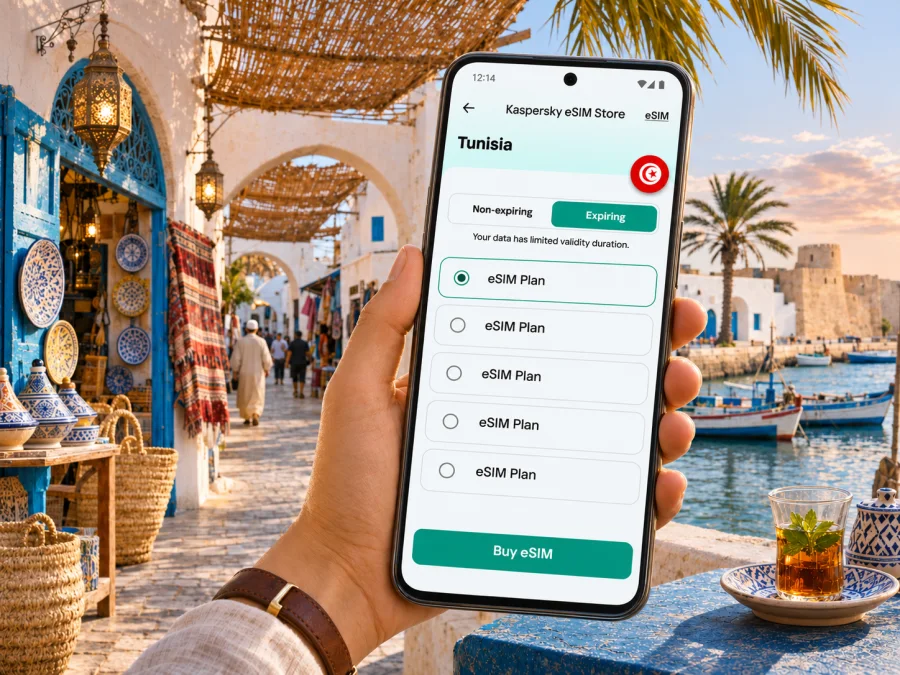
Kaspersky eSIM Store is an app and website where you can choose, arrange and activate an eSIM with a suitable data plan for an overseas trip. The Tunisia destination page currently identifies Ooredoo as the local telecommunications provider for the Tunisia-specific options shown there. That is a Tunisia-market detail attached to those listed plans; it should not be confused with a promise of identical reception at every location, nor generalized to every regional or global plan. The provider and coverage may differ by package, so use the details displayed for the exact plan you select.
A local Tunisian operator may also offer its own eSIM service. That is a separate product and customer process: operator eSIM eligibility, registration steps and included services are defined by that operator. The fact that a domestic carrier supports eSIM does not by itself establish which local network an international travel eSIM uses. Compare the offer types by reading their specific terms, rather than treating the word eSIM as a network name.
If you want to review the live country options before deciding, browse eSIM plans for Tunisia. Check the destination, data allowance, validity period, price shown at the time, whether top-ups are available and when validity begins. If a regional plan appears relevant, confirm that Tunisia is explicitly included. The right package depends on your length of stay and use: maps and messaging are light tasks; frequent photo uploads, hotspot sharing and video meetings need more data.
Use this quick estimate as a planning method rather than a promise about usage:
- Light use: maps, chat, booking checks and occasional browsing. Download maps and media on Wi-Fi where possible.
- Regular use: frequent navigation, photos, social apps and voice calls through internet apps. Allow extra room for uploads and background activity.
- High use: remote work, hotspot sharing, video calls or large uploads. Compare the plan limit with your expected workday and keep a Wi-Fi fallback.
Turn off automatic app updates and cloud photo syncing on the travel line unless you want them to use the plan’s data. You can review a phone’s data usage settings during the trip and adjust the estimate after the first day. If the plan is fixed rather than unlimited, leave a margin for route changes, ticket updates and messages to your accommodation.
Check the phone before paying
Confirm that the exact phone you will carry supports eSIM and is not locked to a home carrier. The device family name alone may not be enough: regional variants, country of purchase and carrier configuration can change available features. Check the manufacturer’s specifications for the exact model number and inspect the mobile or SIM settings for an option to add an eSIM. If there is any uncertainty, check your device’s eSIM compatibility before choosing a plan.
Also confirm that you can access the phone’s settings, receive the installation information and connect to Wi-Fi or another internet source during installation. Some eSIM profiles can only be installed once or have specific transfer restrictions, so do not delete a profile to troubleshoot unless its instructions say it can be restored. Keep your original SIM active if you need its number for bank codes or important calls, and check whether your phone can keep it available while using the eSIM for mobile data.
A travel data eSIM is generally intended for internet access. Do not assume that it includes a local phone number, ordinary voice calls or SMS unless the selected plan clearly says so. Messaging and voice apps can work over data, subject to their own account and service requirements. If you need to receive verification texts on your regular number, keep that line enabled and review your home carrier’s roaming charges before the trip.
Install and activate with a little preparation
Before departure, make sure you can complete these basics:
- [ ] Confirm the exact phone variant supports eSIM and is unlocked.
- [ ] Check that Tunisia is included in the plan and review when validity begins.
- [ ] Save the QR code or installation details somewhere accessible during setup.
- [ ] Download the map area, accommodation address and transfer information for offline use.
- [ ] Keep the home SIM settings clear if you need your regular number for calls or codes.
It is usually easier to install the profile while you have stable Wi-Fi and time to read the instructions. Whether you install before departure or after arrival depends on the plan’s activation rules: some validity periods begin at installation, while others start when the eSIM first connects to a supported network. Read the exact terms so you do not start a time-limited package earlier than intended.
- Check the device. Confirm eSIM support, carrier-unlocked status and enough battery charge.
- Choose the destination and plan. Verify Tunisia and review the data, validity and activation terms.
- Install the profile. Follow the steps in the purchase flow or the QR-code instructions while connected to the internet.
- Label the line. Give it a clear name such as “Tunisia data” so it is easy to select after landing.
- Set mobile data. Choose the travel eSIM for mobile data when you are ready to use it. Keep your home line settings as needed for calls or messages.
- Check the connection. After arrival, enable the profile and follow the plan’s network or data-roaming directions. Allow time for registration; the process can vary by device and network.
For device-specific steps, see the Android eSIM installation instructions or the iOS eSIM installation instructions. Menu names vary by operating system version and manufacturer. Keep the QR code or manual activation details accessible on a second screen or in a secure saved document if you need them during setup; a phone cannot scan a QR image displayed on itself.
At the airport, check that mobile data is assigned to the travel profile rather than your home SIM. Data roaming may need to be enabled for the travel eSIM if its instructions require it; this setting is separate from roaming on your home line. Read the on-screen network details carefully, and check which SIM is selected before enabling roaming on any line that could incur home-carrier charges.
If the connection does not start
Work through the basics in order. First confirm that the eSIM line is switched on and selected for mobile data. Then check the plan’s coverage and activation status, mobile-data and roaming settings, and whether airplane mode is off. Restarting the phone can help it register again. If the instructions specify a network selection or access point setting, follow those details exactly rather than guessing.
If service remains unavailable, move to an open location and wait briefly before trying again. Reception can vary between the airport, town streets, indoor courtyards and accommodation. Avoid deleting the eSIM profile as a first troubleshooting step: removing a profile can make recovery harder if its QR code is single-use. Save a screenshot of the plan details and contact the support channel shown in your account if the profile appears active but cannot connect.
Keep a low-data backup plan: save your accommodation address, airport pickup details, map area and key reservation references offline. If you are travelling with someone, agree on a meeting point and exchange contact details before splitting up. These small steps make a short data interruption manageable without turning every journey into a search for Wi-Fi.
Common Houmt Souk travel scenarios
Late flight, direct transfer. If plan terms allow, install the profile earlier and keep it switched off until needed. Save the driver’s details, accommodation pin and booking confirmation. The airport says it is open 24 hours, although not every service is available at every hour, so settle your transfer plan before travel.
A morning in the souk and harbour. Download a town map, pin the market entrance and waterfront, and carry a power bank for a longer walk. In a crowded lane, agree on a meeting point instead of assuming live location sharing will be precise.
A day away from town or a work call. Confirm the return ride before leaving and save the pickup point offline. For remote work, test the room’s Wi-Fi and mobile signal before an important meeting, close large background syncs and keep a backup option. An eSIM can help with connectivity, but signal and call quality depend on the network, building and plan.
Frequently asked questions
Is Houmt Souk on Djerba or on mainland Tunisia?
Houmt Souk is on Djerba, an island in Tunisia. Djerba–Zarzis International Airport is also on the island, in the Mellita area near Houmt Souk. The name “Zarzis” in the airport title does not mean the airport is in the town of Zarzis.
Will one Tunisia eSIM work throughout Houmt Souk?
A plan marked for Tunisia is intended for the country, but the actual connection depends on the local provider listed for that specific offer, network availability at your location, device support and other conditions. Indoor reception and busy periods can differ. Review the plan’s provider and coverage information rather than relying on a blanket guarantee.
Can I use a travel eSIM for normal calls and text messages?
Only if the selected plan says it includes those services. Many travel plans are data-focused and do not provide an ordinary local phone number. Internet messaging and voice apps may work over data, while your existing number can remain on your regular SIM if your device supports dual SIM use.
What if my phone supports eSIM in one country but not another?
The exact regional model matters. Verify the full model number and the manufacturer’s specifications, and check that the phone is not carrier-locked. If the settings do not show an option to add an eSIM, contact the manufacturer or seller before purchase rather than assuming another variant’s feature applies to yours.
Prepare your connection for the trip
For a Houmt Souk stay, check that your device and its exact regional variant support eSIM, confirm that it is unlocked, and select a package whose terms include Tunisia for the dates and route you have planned. Save the airport transfer, accommodation address and map pins offline; then use mobile data for live directions, messages and itinerary changes as needed.
Kaspersky eSIM Store helps you choose, arrange and activate an eSIM with a suitable plan for mobile internet on an overseas trip. Review the current Tunisia eSIM options before travel, compare the terms for the specific plan and install it using the applicable instructions. That preparation gives you a clearer way to manage mobile internet as you arrive in Houmt Souk and explore Djerba.


