Travel connectivity guide
Hrvatski Telekom eSIM in Croatia: activation guide
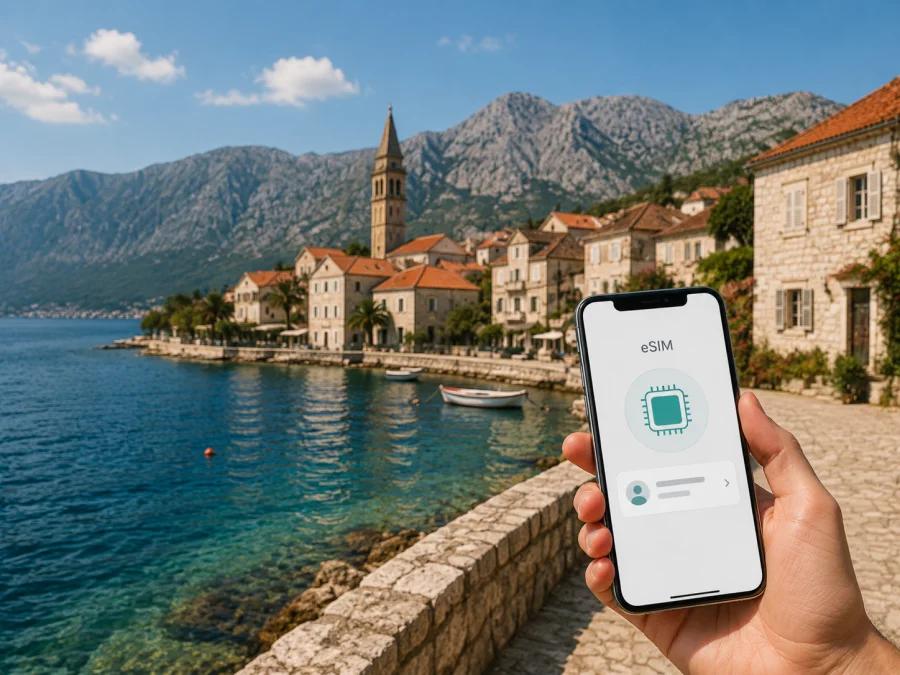
Hrvatski Telekom eSIM in Croatia: activation and travel options
If you are visiting Croatia and want mobile internet without swapping a small plastic card, an eSIM may be a useful option. Hrvatski Telekom publishes general eSIM information for eligible mobile services and a separate visitor page describing a prepaid eSIM for people coming to Croatia. The right route depends on whether you already have an account, want a local service, or only need data during a trip.
This guide explains what current public information confirms, what to check before departure, how activation works, and when a travel eSIM may be more convenient. It covers Hrvatski Telekom in Croatia only. Verify current support, identity requirements and terms before ordering.
What Hrvatski Telekom offers in Croatia
Hrvatski Telekom is an established telecommunications operator in the Croatian market. Its public pages cover mobile services, prepaid use, eSIM support and a visitor journey, so “Hrvatski Telekom eSIM” can describe more than one customer situation.
For an existing eligible mobile service, the operator describes eSIM as a digital profile with the same basic role as a standard SIM. In Moj Telekom, a customer selects the service, requests a profile, receives a QR code and scans it on a compatible phone. This account route differs from choosing a visitor connection after arrival.
At a check on 6 September 2026, the current English-language “Visiting Croatia” page separately presented a prepaid eSIM for visitors. It says the eSIM can be ordered before arrival, the activation QR code is sent by email, and the profile can be activated for use upon arrival in Croatia. The page also provides setup instructions for several phone families. This is direct public confirmation that Hrvatski Telekom describes a visitor eSIM route for Croatia.
The visitor page is framed around an internet option, while the general support page describes a regular mobile SIM replacement. Do not assume identical voice, messaging or registration features; read the current terms if you need a Croatian number, calls or SMS.
| Question | Practical answer |
|---|---|
| Is a visitor eSIM route described? | Yes. The current Hrvatski Telekom visitor page describes a prepaid eSIM for use in Croatia. |
| How is it delivered? | The page says the activation QR code is sent to the order email address. |
| Can it be prepared before travel? | The page describes ordering in advance and using the profile after arrival. |
| What device is needed? | An eSIM-capable phone that is not restricted from accepting another network profile. |
| Is every eSIM the same? | No. Visitor, prepaid and existing-customer flows can have different conditions. |
| Is reception identical everywhere? | No. Location, terrain, buildings, congestion and settings can affect access. |
This is a non-tariff reference table.
Before you order: the traveler’s checklist
Check eSIM compatibility
The phone must include an eSIM component and support the profile used by the service. Regional versions can differ and support may depend on software. Look in Settings for Add eSIM, Add mobile plan or Download a SIM, then confirm the exact model with the manufacturer. The operator explicitly tells visitors to check eSIM support before ordering.
Verify tablets, watches and secondary phones separately. A compatible phone does not prove that another device is compatible, and a QR code cannot add eSIM hardware.
Check the carrier lock
An eSIM-capable phone may still be limited by the home operator. A network lock can prevent a Croatian profile from registering. Check the carrier-lock status, especially on a contract phone, and contact the original provider before departure if it is locked.
Prepare an internet connection
Downloading an eSIM normally needs internet access. The Hrvatski Telekom visitor flow uses a QR code sent by email and scanned from the phone’s settings. Keep the message private and install over a reliable connection, such as home or trusted accommodation Wi-Fi.
Choose the data line
Many dual-SIM phones can keep a home SIM and another eSIM together. Decide which line is the default for data; otherwise the phone may use home roaming. If you keep the home line for calls or SMS, disable its data roaming when appropriate under your home operator’s terms.
Label profiles “home” and “Croatia,” and check the selected line before sending data.
Check visitor requirements
The public visitor page confirms the eSIM workflow, but requested information can depend on the purchase route. Before ordering, review whether registration, identity verification, an email address, a local contact detail or an account is required. Do not infer a rule from another product or a previous visit.
Check whether it is intended for visitors and has a suitable support channel. For a long-term number, business use, border crossings or a connected watch, ask Hrvatski Telekom whether the route fits.
How to activate a Hrvatski Telekom eSIM
The current visitor page gives QR-based instructions for Apple, Google Phone, Honor, Motorola, Samsung and Xiaomi devices. Menu names vary, but the sequence is: obtain the profile, add it in SIM settings, confirm the download, and choose how calls, messages and data are handled.
General steps
- Charge the phone and connect it to stable internet.
- Open the order email and locate the private QR code.
- In mobile, cellular or SIM settings, choose Add eSIM.
- Scan the code, confirm the download and label the profile.
- Select the data line, review roaming, and test a webpage.
iPhone or iPad
Open Settings and enter the mobile or cellular section. Choose Add eSIM or mobile plan, then use the QR scanner or the device’s alternate method. Label the profile, choose it for mobile data, and deliberately select the lines for calls and messages. Keep automatic data switching off unless you want it.
Use the current operator instructions and never guess an activation code.
Android
Open Settings and look for Network & internet, Connections, Mobile network or SIM manager. Select Add SIM, Add eSIM or Download a new eSIM, scan the code and confirm. Switch on the profile, set it as the data line, and check roaming if the operator requires it.
If Android asks for an SM-DP+ address or activation code, use only the official message or support guidance.
After installation
Confirm that the eSIM is enabled, the intended data line is selected, airplane mode is off and the phone shows a network connection. Restart if needed. If there is no data, review access-point and roaming instructions. Do not delete a working profile as a first step.
Coverage and supported technologies
Hrvatski Telekom’s public material confirms modern cellular services, including 5G for supported consumer services. Its 5G guidance states that use of 5G requires both an area with 5G coverage and a compatible device. That is a technical condition, not a promise that every street, building, island or road will show 5G.
The operator’s network information also refers to 4G/LTE services. As you travel, the phone may move between available radio technologies. The displayed technology depends on location, indoor conditions, device bands, local load and the service profile. Seeing 4G rather than 5G is not automatically evidence that the eSIM is faulty.
For an itinerary that includes Zagreb, the coast, islands, parks or rural roads, plan around variability. Check current coverage information for important places; maps are not a guarantee at an exact room or viewpoint. Download key information offline and keep a second access option if work or safety depends on connectivity.
Local Hrvatski Telekom eSIM or a travel eSIM?
The local operator route and a travel eSIM solve related but different problems. A Hrvatski Telekom profile may suit someone who wants a local service relationship and is ready to follow the operator’s customer process. A travel eSIM may suit someone who wants to prepare mobile data before departure and avoid handling a physical card after landing.
Ask yourself:
- Do you need a Croatian number, or only internet access?
- Are you staying in Croatia or crossing several borders?
- Can you complete any required identity or registration step?
- Is your phone unlocked and able to keep the home SIM beside another eSIM?
- Are you comfortable changing data-line and roaming settings?
The visitor page is relevant when you want Hrvatski Telekom’s prepaid eSIM option in Croatia. Its general support pages are relevant when you have an eligible account and want to replace a physical SIM. A travel eSIM is a separate, usually data-focused category and is not necessarily a local voice number. Confirm features before relying on it for calls, SMS, authentication codes or work.
Kaspersky eSIM Store as an alternative for travel data
Kaspersky eSIM Store is an app and website that helps travelers choose, arrange and activate an eSIM plan for mobile internet abroad. It is not a mobile operator, does not own Hrvatski Telekom’s network and does not provide Croatian radio coverage. Consider it when preparing travel data matters more than opening a local operator relationship.
Kaspersky’s official product information, checked on 6 September 2026, describes checking compatibility, selecting a destination, completing an order, installing with internet access and selecting the eSIM for data after arrival. It also explains that the travel eSIM is data-oriented and does not replace a regular voice line. Your home SIM can remain in the phone, but manage data roaming carefully.
If you want to review the separate travel-data route, see the Croatia eSIM options in Kaspersky eSIM Store. Check the current conditions shown there, including compatibility and activation information, before ordering. This page is not a list of Hrvatski Telekom services and does not replace the operator’s support.
The local page helps you evaluate Hrvatski Telekom’s visitor offer; Kaspersky eSIM Store helps prepare a separate travel eSIM. The profiles do not share an account or support channel, so label them and select one data line.
Travel scenarios
Short holiday. Decide whether you need a local number. If maps, messaging, translation and reservations are enough, a data-focused route may fit. If you want Hrvatski Telekom, review its visitor information and install over stable internet.
Road trip and islands. List important locations because terrain and buildings can affect reception. Download essential information offline and avoid deleting a working eSIM.
Work trip. Keep the home line only if you understand roaming. Select the travel or local eSIM for data, disable automatic switching and check the selected line.
Family travel. Check each phone separately, decide who needs a profile, and have an adult manage a child’s installation.
FAQ
Is Hrvatski Telekom eSIM available to a traveler in Croatia?
The current visitor page publicly describes a prepaid eSIM for visitors to Croatia and email delivery of an activation QR code. Verify current eligibility before ordering.
Can I activate it before landing?
The visitor page describes ordering in advance and using the eSIM on arrival. Installation needs a compatible, unlocked device and internet access.
Does it automatically include a Croatian phone number?
Do not assume that it does. The visitor page is framed around an internet option, while an account-based eSIM can have a different structure. Ask Hrvatski Telekom if you need calls or SMS.
Will 5G work everywhere in Croatia?
No. Hrvatski Telekom states that 5G use requires coverage and a compatible device. The phone may use another available technology depending on location and conditions.
Can I keep my home SIM active?
Many dual-SIM devices allow it, but select the correct data line and manage roaming. Your home operator’s conditions apply.
Is Kaspersky eSIM Store the same as Hrvatski Telekom?
No. Kaspersky eSIM Store is an app and website for arranging travel eSIM data. It is not Hrvatski Telekom, does not own its network and does not replace its support.
Final checks before departure
- Confirm support for eSIM on the exact phone model.
- Confirm that the phone is unlocked.
- Read current activation and visitor requirements.
- Save the QR-code email and support details securely.
- Install over a reliable internet connection.
- Label profiles and choose the data line.
- Decide whether the home line should remain available.
- Check whether roaming must be enabled on the selected travel line.
- Test the connection before depending on it.
There is no affiliation between this article and Hrvatski Telekom. Kaspersky eSIM Store is mentioned as a possible travel-data alternative and is not presented as Hrvatski Telekom, the owner of its network or the provider of its mobile service.
Conclusion
Hrvatski Telekom’s current public information gives travelers a starting point for eSIM use in Croatia: it describes a visitor prepaid route, QR activation by email and setup guidance for several device families. Check compatibility, unlock status, activation timing, data-line selection and coverage before relying on it.
If you want a local option, review the current Hrvatski Telekom visitor information and confirm questions with the operator. If you prefer separate travel data, you can also review Croatia in Kaspersky eSIM Store and check the conditions for your device and trip. Choose the route that matches your need for data, a local number and support.


