Travel connectivity guide
HT ERONET eSIM in Bosnia and Herzegovina
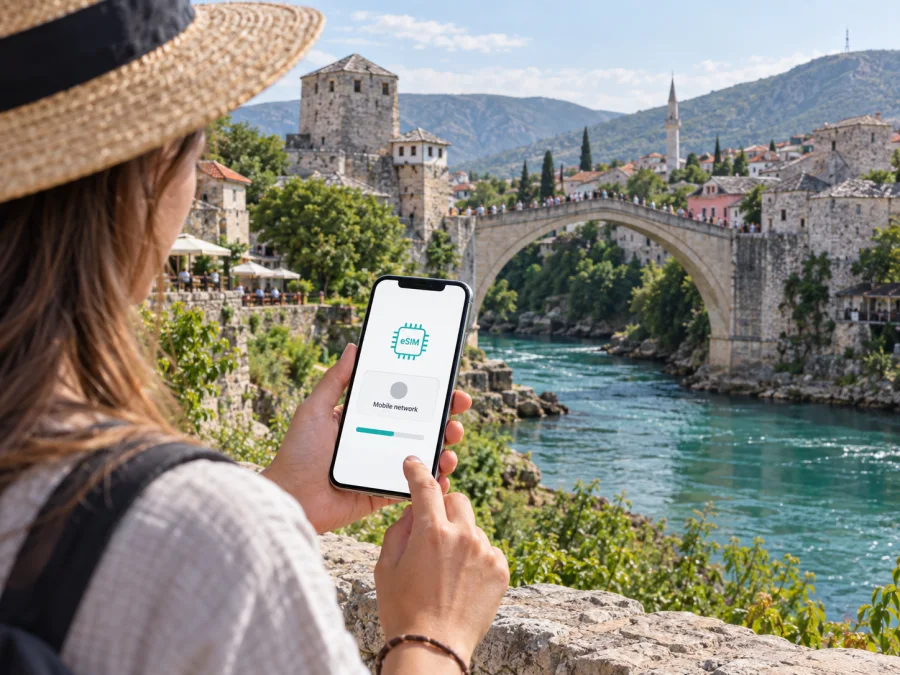
HT ERONET eSIM in Bosnia and Herzegovina: what travelers should know
If you are travelling to Bosnia and Herzegovina and considering an HT ERONET eSIM, check whether your phone supports eSIM, whether the service is available to you as a visitor, and where you expect to use mobile data. HT ERONET’s current public guidance confirms that it offers eSIM for its mobile service. That does not establish that every visitor can buy every service online or that every tourist-oriented offer is available as eSIM.
HT ERONET is the mobile brand of the Mostar-based telecommunications company HT Mostar and one of Bosnia and Herzegovina’s national mobile operators. A local operator eSIM may suit travellers who need local mobile service or a local number. A travel eSIM is generally intended for mobile data during a trip and may not include a local number, conventional calls, or SMS. Check the functions of the specific service before choosing.
This guide reflects public information checked on September 27, 2026. HT ERONET’s official eSIM support page describes online purchase, QR-code installation, and activation. Its 4G support page explains the network and device conditions; general company information identifies HT ERONET as a national operator, and its support site links to a coverage tool. The operator also publishes prepaid and tourist-oriented services in general. Requirements and offers can change, so confirm details with HT ERONET before departure.
Is HT ERONET eSIM available in Bosnia and Herzegovina?
Yes. HT ERONET currently publishes an eSIM service page and an online purchase route. Its help information describes downloading the eSIM profile and activating the mobile number. This confirms that eSIM is available from the operator; the remaining question for a traveller is which current service can be purchased and used in their circumstances.
The eSIM page discusses eSIM alongside the operator’s mobile and prepaid services. Separately, HT ERONET publishes tourist-oriented offers. These public pages confirm general availability of eSIM, prepaid service, and tourist offers, but they do not establish that every tourist offer can be purchased as an eSIM or that every visitor is eligible. If a tourist eSIM is specifically what you need, ask the operator to confirm that exact option before making travel plans.
HT ERONET’s online purchase link is useful to check before departure, but it does not answer every visitor question. The public pages reviewed do not provide a complete statement about non-resident eligibility, identity documents, payment methods, or whether all steps can be completed from abroad. Verify these points directly. If you may need in-person assistance, ask whether an authorized sales location can help and what identification to bring. Do not assume that requirements for a local resident and an overseas visitor are identical.
| Topic | What HT ERONET confirms | What travellers should verify |
|---|---|---|
| eSIM | The operator publishes an eSIM page and online purchase route. | Whether the current service suits a visitor. |
| Setup | The profile is installed by scanning a QR code while online. | How the code is delivered and recovered. |
| Activation | The page gives steps to activate the mobile number. | Any account, identity, or timing conditions. |
| Device | The operator provides eSIM compatibility guidance. | Exact model, regional variant, software, and carrier lock. |
| Network | HT ERONET documents LTE/4G service and coverage conditions. | Coverage and technology at each stop on your route. |
| Tourist service | Tourist-oriented offers are listed separately. | Whether the offer you want is currently available as eSIM. |
Installation and activation steps
Prepare before you begin. Keep the phone connected to Wi-Fi or another reliable internet connection while downloading the profile. The eSIM cannot provide the connection needed to install itself, so if you plan to set it up after arrival, arrange internet access first. Check that the device is charged and that you can access the purchase details.
HT ERONET’s published process uses a unique QR code from the voucher. Scan it with the phone camera, then follow the on-screen steps to add the profile. If you are setting up the phone that displays the QR code, arrange to show the code on another screen or keep a printed copy if the operator provides one. Treat the QR information as private because it is used to download the profile. Save the related purchase details in a secure place in case you need to contact support.
After installing the profile, follow HT ERONET’s activation instructions. Its help page says the number is ready after setup and an outgoing call or SMS is made. This is the operator’s process for its mobile-number service; a data-only travel eSIM may activate differently. Check the account status and mobile-data settings if internet access is your priority. If the profile does not register, contact support before deleting it or repeatedly trying to install it again.
The operator states that an installed profile can be active on one device at a time and gives limits on repeat downloads. In practical terms, do not assume you can freely move the eSIM to a replacement phone. Ask HT ERONET how profile replacement works before changing devices, and avoid deleting an installed profile unless the operator has confirmed the next step. You can keep more than one profile stored on some phones, but the number of profiles that can be active simultaneously depends on the device.
Before travel, confirm the exact phone model supports eSIM, update its software, and check that it is not locked to another carrier. Support can differ between regional versions of the same phone. HT ERONET links to compatible-device guidance; check the model number with the manufacturer and operator as well. A dual-SIM phone may let you keep your regular SIM installed, but which line handles data, calls, and messages depends on the settings and device.
For model-specific setup, use the internal guide for Android or iOS, and review eSIM device compatibility. Menu names vary by operating-system version, manufacturer, and language, so follow the prompts on your own device and HT ERONET’s current instructions.
What travellers should check before buying
An operator’s eSIM and tourist services may appear on different pages and may not be interchangeable. HT ERONET’s public information confirms that eSIM is offered and that tourist-oriented services exist, but the pages checked do not confirm that every tourist offer is issued as an eSIM. Ask whether a non-resident can purchase the service you want, which identity documents are required, whether registration must be completed in person, and whether activation can be completed before entering Bosnia and Herzegovina. The reviewed pages do not give a complete visitor-specific checklist, so do not assume that a passport is either required or unnecessary.
Confirm how payment works, how the QR code will be delivered, when the line can be used, and what support is available if setup fails. If buying in person is your backup plan, check sales-location access and hours in advance. An eSIM removes the need to insert a plastic card, but it does not remove the operator’s account, registration, or activation steps.
Think about whether you need a local phone number. A domestic mobile service may include a number and services associated with a local subscriber account. A travel eSIM is commonly used for mobile data and may not provide traditional calls or SMS. Kaspersky eSIM Store’s official product guidance describes its travel eSIM as a mobile-data option without ordinary voice calls. If a local number or standard messaging is important, confirm that function with the specific operator service.
If a separate data option fits your trip, view eSIM options for Bosnia and Herzegovina through Kaspersky eSIM Store. Its app and website help users choose, arrange, and activate a travel eSIM for mobile data; they are not a mobile operator and do not own or operate a network. Check destination availability, device compatibility, and the conditions shown for the option you select.
Network technologies and coverage
HT ERONET documents 4G/LTE and names the 800 MHz and 1800 MHz bands. Access depends on the device, a suitable SIM or profile, and 4G coverage at the location. Check your exact phone specifications: general LTE support does not guarantee compatibility with every local band. The operator also refers to 2G and 2.5G. Reception and performance vary with terrain, buildings, network load, maintenance, and device capability; treat coverage maps as planning aids rather than service guarantees.
Use HT ERONET’s coverage tool to check accommodation, transport points, towns, roads, and rural or mountainous stops. Indoor or valley reception may differ from open areas, so save maps and essential travel details offline. The official pages reviewed confirm LTE/4G and older technologies but do not confirm commercial HT ERONET 5G service. Check with the operator rather than assuming a 5G-capable phone will connect to 5G.
Local operator eSIM or travel eSIM?
An HT ERONET eSIM may suit you if you want its domestic service or need a local number. Confirm visitor eligibility and whether the service you want, including any tourist-oriented option, is available as eSIM.
A travel eSIM may suit trips where mobile data is the main need. Kaspersky eSIM Store is an app and website that helps travellers choose, arrange, and activate an eSIM for mobile data abroad; it is separate from HT ERONET and is not an operator. Its official guidance describes mobile data without ordinary voice calls. Neither option is automatically cheaper or more suitable: check destination, number and messaging functions, activation, and support. If you keep both profiles installed, choose the data line carefully and review roaming settings. HT ERONET advises disabling rather than deleting its profile while using another operator’s eSIM abroad, then enabling it again on return.
Trip preparation checklist
- Confirm your exact phone model supports eSIM and is not carrier-locked.
- Check HT ERONET’s compatible-device guidance and coverage tool.
- Ask whether visitors can buy the service and what documents or in-person steps are required.
- Verify whether the tourist-oriented service you want is actually available as eSIM.
- Confirm QR-code delivery and profile replacement support.
- Install while connected to reliable internet and keep the QR details private.
- Choose the line for mobile data; review roaming, calls, and messages.
- Save maps and travel details offline.
Frequently asked questions
Can visitors use an HT ERONET eSIM?
HT ERONET confirms eSIM availability and an online purchase route. It also publishes prepaid and tourist-oriented service in general. The pages reviewed do not give a complete visitor eligibility checklist or confirm that each tourist service is available as eSIM. Ask the operator about residency, documents, payment, and the service you want.
Is the eSIM installed with a QR code?
Yes. HT ERONET’s help page says to connect the phone to the internet, scan the voucher QR code, and follow the prompts. The operator says a profile can be active on one device at a time and has repeat-download limits. Ask support how to replace a profile if you change phones.
Will it work in any eSIM phone?
No. The phone needs eSIM support, compatible software, relevant network bands, and no carrier lock that prevents activation. Check the exact model with the manufacturer and HT ERONET.
Does HT ERONET offer 5G?
The official pages checked confirm 4G/LTE and refer to 2G and 2.5G, but do not confirm a commercial HT ERONET 5G service. Check current operator information before travel.
Does a travel eSIM replace a local number?
Not necessarily. Kaspersky eSIM Store describes its travel eSIM as mobile data without ordinary voice calls. Confirm number, call, and SMS functions with the service you select. Internet calling apps may help if both parties can use them.
Where can I check coverage?
Use HT ERONET’s coverage tool for the locations on your route. Its support page says 4G depends on local coverage, device, and SIM or profile. Indoor reception may differ from a map estimate; keep important travel information offline.
Sources and independence
Checked September 27, 2026: HT ERONET’s official eSIM, 4G, and tourist-service pages, company information, and coverage tool; Kaspersky’s official travel eSIM guide and destination page; and the U.S. International Trade Administration’s country guide for Bosnia and Herzegovina. Conditions may change, so confirm current details with the relevant provider.
HT ERONET is named only to identify the operator. Kaspersky eSIM Store is not affiliated with, endorsed by, or an official partner of HT ERONET. It is an independent app and website that helps users arrange travel eSIMs for mobile data. HT ERONET is responsible for its services, coverage, eligibility, and support.
Final takeaway
HT ERONET’s public website confirms eSIM availability and QR-code setup, alongside general prepaid and tourist-oriented services. Before relying on it in Bosnia and Herzegovina, confirm that the specific service is open to visitors, fits your voice and data needs, and has clear document and activation requirements. Check your phone and coverage, preserve your existing SIM profile, and save offline travel details.
For another way to prepare mobile data for your trip, explore travel eSIM options for Bosnia and Herzegovina with Kaspersky eSIM Store. Review current destination and device requirements before selecting an option.


