Travel connectivity guide
Huacachina eSIM: Mobile Internet for Peru Travel
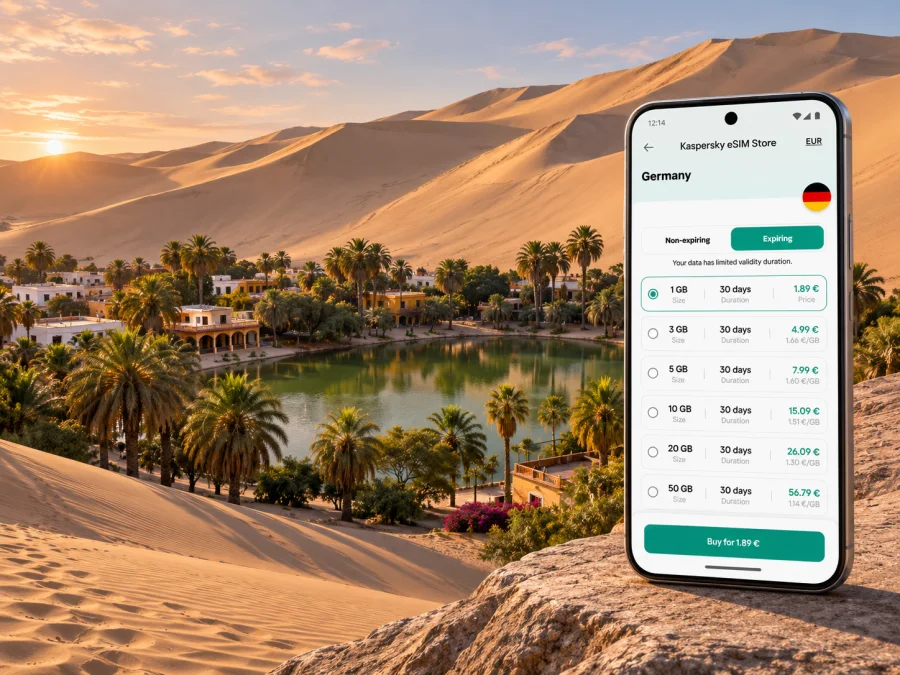
Huacachina eSIM: mobile connection and internet for a desert oasis trip
Huacachina is a compact oasis destination in Peru’s Ica region, where palm-lined water, hotels and cafés sit beside the open desert. It is often described as a city in travel searches, but it is more useful to think of it as a small settlement next to Ica: the regional tourism service places the lagoon about 8 km from Ica’s main square. That distinction matters when planning a mobile connection. A plan described as working in Peru may be useful here, but the precise network, local coverage and performance depend on the plan and on where you are standing.
An eSIM can help you get mobile internet for maps, messages, ride coordination, bookings and travel updates without removing your regular physical SIM. It does not turn Huacachina into a guaranteed-coverage zone, and it does not replace every function of a local mobile line. Prepare for the journey in stages: the road transfer from Lima to Ica, the short onward ride to the oasis, your stay around the lagoon, and any excursions into the dunes or farther across the region.
What to know before planning connectivity
Huacachina’s main attraction is its setting: a lagoon enclosed by dunes, with hotels, restaurants and terraces around the water. The center is small enough to explore on foot, while Ica is the practical nearby city for transport connections and additional services. The oasis is not an airport district or a large urban grid. If you arrive by air in Lima, allow for an overland journey to Ica and then a separate local transfer to Huacachina; check current transport schedules and pickup arrangements close to your travel date.
The route has two very different connectivity situations:
| Part of the trip | What you may need online | Sensible preparation |
|---|---|---|
| Lima arrival and onward travel | Booking details, messages, route information and pickup coordination | Save tickets, hotel address and driver or tour contacts for offline access |
| Ica city | Maps, local transport coordination, food and accommodation searches | Check your plan’s Peru coverage and keep the destination address written down |
| Huacachina lagoon area | Walking directions, reservations, messaging and activity details | Download an offline map and do not assume every indoor space has the same signal |
| Dune excursion or desert road | Meeting point, return time and emergency contact details | Agree on the pickup point before departure; keep essential details available offline |
| Day trip beyond Ica | Navigation, timetable changes and booking updates | Check coverage for the full route, not only Huacachina |
Mobile data is most useful when plans change: a bus is delayed, your driver cannot find the hotel entrance, or an activity operator sends a new meeting point. But the signal you get can vary by network, device, building and terrain. Open dunes and the lagoon’s built-up edge are not the same test location. A coverage map is a planning aid, not a promise of a particular speed or uninterrupted service.
Getting from Lima to Ica and then to Huacachina
For many international visitors, the first arrival point is Lima, followed by a road trip south to Ica. Peru’s official tourism information describes the Lima–Ica road journey as approximately four hours and the drive from Ica to Huacachina as around 10–15 minutes. Actual travel time can change with traffic, stops, road conditions, departure point and transport type, so use those figures as orientation rather than a timetable.
The key practical point is that your route does not end at the intercity bus terminal. Confirm whether your accommodation or tour includes a transfer, and establish how you will make contact if the pickup location is busy. Keep the hotel name and full address in a note, and screenshot your booking confirmation. If you use a taxi or tuk-tuk for the final leg, agree on the destination clearly; the oasis is close to Ica, but a map pin and a recognizable lodging name reduce ambiguity.
If you expect to rely on mobile navigation, consider what happens when the connection drops. Download an offline map of Ica and the Huacachina area before leaving a reliable Wi-Fi connection. Save the route from your arrival point, the lodging pin, and the location where a tour will meet you. Offline maps cannot show live traffic or updated driver locations, but they can keep a basic map available if data is intermittent.
Before boarding transport in Lima, check that your phone can access the internet and that you can open your reservation details. Once on the road, avoid depending on continuous mobile data for essential navigation: rural stretches and changes in terrain can affect service. Share the expected arrival time and the lodging address with anyone meeting you. If you have a connection, send an update before you reach the last part of the journey rather than waiting until you are at the oasis.
Around the lagoon, hotels and activity meeting points
Huacachina’s central area is concentrated around the lagoon. You can walk between many nearby hotels, restaurants and viewpoints, but distances and access routes can feel different after dark or when you are carrying luggage. Use a saved map to find your accommodation on arrival, then ask the host which entrance or street-facing landmark is easiest for a driver to recognize. A pin dropped at the middle of a property may not identify its actual vehicle entrance.
The scenery also shapes how you use your phone. Visitors come for lagoon-side walks, sunset views and desert activities such as sandboarding or dune rides. If an excursion is booked, confirm its provider, meeting time, pickup point, what is included and the return arrangement directly with the organizer. Do not assume a booking page, messaging app or map will stay connected once you leave the settlement. Keep the provider’s phone number and written instructions saved, and make sure the group agrees on a meeting point before separating for photographs or a walk.
A simple plan for a half-day visit could look like this:
- Before leaving Ica, load the map and save the lagoon and accommodation pins.
- Confirm the activity meeting point and the expected return time with the organizer.
- Keep water, sun protection and any essential medications with you; desert conditions can be demanding.
- At the lagoon, use live maps or messages when service is available, but retain the offline details.
- Before heading into the dunes, tell your host or travel companion where you are going and when you expect to return.
- After the activity, verify the ride pickup location rather than assuming the driver can reach the exact pin.
The phone is a useful travel tool, but it is not a substitute for a guide’s safety instructions, an agreed route or adequate preparation. Dune terrain can make walking directions misleading. Follow the activity operator’s guidance, and avoid wandering away from the agreed group or vehicle. If a service depends on a booking confirmation or a QR code, save it to your device before setting out.
Choosing mobile internet for Huacachina
Choose a plan around your complete itinerary, not the name of one destination. If your trip includes Lima, Ica, Huacachina and another stop in Peru, make sure the selected eSIM tariff covers the country or region you will visit and remains valid for the dates you need. Huacachina is in Peru, but a city-specific label is not a substitute for reading the actual coverage description and terms.
Estimate how you use data rather than choosing a package by guesswork. Navigation and text messages usually consume less data than video calls, uploading many high-resolution photos, cloud backups or streaming. If you plan to work remotely, join video meetings or share a hotspot, review the plan’s data allowance, hotspot rules, validity period and any speed or fair-use conditions. The amount of data used by a single activity varies with settings and app behavior, so leave a buffer if you cannot easily top up.
Use this checklist before purchase:
- Destination: Does the tariff explicitly include Peru, and does its coverage description suit every stop on your route?
- Validity: When does the validity period begin, and will it cover arrival, the Ica stay and the return journey?
- Data: Is the allowance adequate for maps, messaging, booking access and your likely photo or work use?
- Network details: Are the available network or roaming arrangements stated? Check the actual tariff details rather than assuming that all eSIMs use the same Peruvian operator.
- Tethering: If you need to connect a laptop or another device, confirm whether personal hotspot use is allowed.
- Device: Is the handset eSIM-capable, unlocked and compatible with the plan’s installation method?
- Activation: Does the tariff begin on installation, on first network connection or under another stated rule?
- Support: Can you access the installation instructions and account details if you are already abroad?
Coverage information is especially worth checking when you plan to spend time away from Ica’s built-up area. Peru’s telecom regulator, OSIPTEL, provides a coverage tool based on information reported by operators and distinguishes guaranteed coverage from areas where service may be available with variable performance. Use the exact destination or route when possible. A country-level coverage statement cannot tell you how a connection will behave inside a particular hotel, on a dune slope or along a road at a given moment. The Peru destination page currently identifies Claro and Movistar as local telecommunications providers for listed plans; check the selected tariff because its available network can depend on the plan.
For a quick comparison, think in terms of travel needs:
| Your travel pattern | What to prioritize |
|---|---|
| One night in Huacachina | Enough validity for the arrival and departure day, plus maps and messaging |
| Several days in Ica and the oasis | Data allowance for repeated navigation, bookings and sharing photos |
| Remote work during the stay | Stable indoor Wi-Fi as a backup, hotspot terms and sufficient data for meetings |
| Multi-stop Peru itinerary | Country coverage for every stop, validity across the whole schedule and route checks |
| Short stopover on the way south | Easy access to booking details and a small amount of mobile data, while keeping maps offline |
In Kaspersky eSIM Store, you can review available options for Peru and compare the conditions shown for the selected tariff. Explore eSIM options for a trip to Peru and check the destination, data allowance, validity and other terms before choosing. Availability and plan details can change, so rely on the current product page at the time you prepare your trip.
Is an eSIM right for this trip?
An eSIM is useful if you want mobile data without swapping out your regular SIM, especially for maps, messaging, ride coordination and online booking access. It is not automatically the best option for every traveler. Compare it with your home operator’s roaming offer and, if needed, a local SIM option available through an authorized retail channel in Peru. Consider total cost, how quickly you need service, whether you require a local phone number, and how much time you want to spend arranging service after arrival.
A travel eSIM tariff is generally intended for mobile data. Do not assume it includes a standard Peruvian phone number, voice calls or SMS unless the specific tariff says so. Internet-based messaging and voice apps can work over a data connection, but they still depend on service availability and the other person using a compatible app. If you need to receive bank verification texts or calls on your usual number, check with your home provider how that line will behave while the travel eSIM is active.
For some visitors, keeping the home SIM enabled for calls or texts while setting the eSIM as the mobile data line is a practical setup. Device menus differ, and using two active lines can affect battery life or roaming charges. Before travel, check your home plan’s terms, select the intended line for mobile data, and turn off data roaming on the home SIM if you do not want it to use roaming data. Follow the instructions for your exact device and tariff.
Compatibility is a device-specific question. A phone may support eSIM in one regional variant while a model with a similar name sold in another market may not; carrier locks and software versions can also matter. Check your device settings or manufacturer documentation and confirm that the handset is unlocked. Check whether your device supports eSIM before you pay. Do not rely on the device name alone, particularly if it was purchased in a different country.
Install and activate before you travel
Where practical, set up the eSIM while you still have reliable Wi-Fi and time to troubleshoot. Read the plan’s own activation instructions first: installation and the start of tariff validity are not necessarily the same event. Some plans may start when installed, while others may start at a later point described in their terms. Do not scan an installation code more than once unless the instructions say it is safe; many eSIM profiles are intended for one-time installation.
A careful setup sequence is:
- Confirm the phone is compatible and unlocked, then update its operating system if the manufacturer recommends an update.
- Read the selected tariff’s destination, validity, activation trigger and data conditions.
- Connect to stable Wi-Fi and install the eSIM following the on-screen steps.
- Give the new line a clear label, such as “Peru data,” so you can identify it in cellular settings.
- Set the eSIM as the mobile-data line when you want to use it. Keep your home line’s settings aligned with your roaming preferences.
- Enable data roaming for the eSIM only if the plan’s instructions require it; the correct setting depends on the specific tariff.
- Test the connection before departure if the plan allows activation at that stage, and keep the support details accessible offline.
The steps differ slightly by operating system. Follow the appropriate guide for installing eSIM on Android or installing eSIM on iOS, along with the instructions shown for your selected plan. Menu names can change between software versions, so use the labels displayed on your phone.
If you prefer to install after landing, prepare before the flight: keep the QR code or installation details accessible without relying on an email connection, know where the device’s eSIM settings are, and make sure you can use airport Wi-Fi if needed. Installation may require an internet connection. Do not delete a profile to troubleshoot unless the plan’s instructions or support team advises you to do so; reinstalling an eSIM is not always possible.
Frequently asked questions
Is Huacachina a city?
Huacachina is commonly called an oasis or resort settlement next to Ica. The regional tourism service lists the lagoon as 8 km from Ica’s main square. For travel planning, treat Ica as the nearby urban hub and Huacachina as the smaller destination around the lagoon.
Will an eSIM work everywhere in Huacachina?
No plan can promise uninterrupted service in every building, on every dune or along every road. Coverage depends on the tariff’s supported network, local conditions, device and exact location. Check the selected plan and, where helpful, operator-reported coverage information for the relevant area.
Do I need an eSIM for a short visit?
Not necessarily. Compare the convenience and terms of an eSIM with your home provider’s roaming option and any local SIM alternative. If you only need a few messages, Wi-Fi and offline maps may be enough; if you need ride coordination, live navigation or booking updates, mobile data can be more useful.
How much data should I choose?
There is no single amount that fits every trip. Messaging and navigation use less than video meetings, streaming or uploading large media files. Estimate your usage, check the package validity and hotspot rules, and leave a margin if you will not have reliable Wi-Fi or an easy top-up option.
A short preparation checklist
Before departure, make sure you can answer these questions:
- Have I saved my Lima–Ica transport details and the last-mile transfer plan?
- Do I know the exact location and contact details for my accommodation?
- Does the eSIM tariff explicitly cover Peru and fit my full travel dates?
- Is my device compatible, unlocked and ready for eSIM installation?
- Have I checked when the tariff’s validity starts and whether roaming must be enabled?
- Are my lodging, booking, activity and emergency details available offline?
- Have I agreed on a meeting and pickup point before a desert excursion?
- Do I have a charging plan for the road journey and time outside the hotel?
Prepare your Peru connection
A little preparation makes the transition from Lima to Ica and onward to Huacachina easier: save your route and bookings, check the coverage and activation conditions that apply to your chosen tariff, and keep important details available offline. Kaspersky eSIM Store is an app and website where you can choose, arrange and activate an eSIM tariff for mobile internet on an international trip. Review the current terms and choose an eSIM option for Peru that matches your route and data needs before you travel.


